
Description
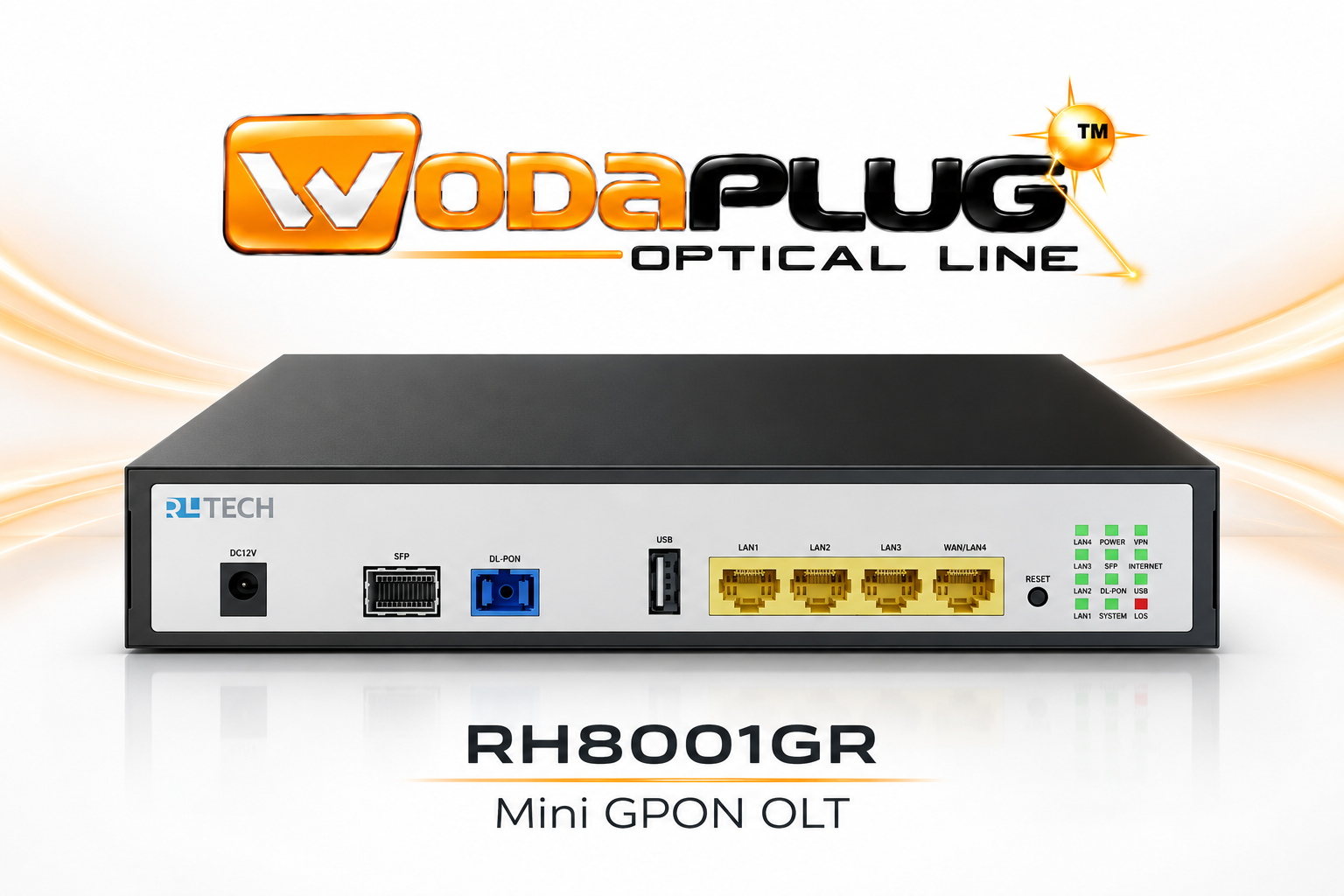
WodaPlug™ · Richerlink RH8001GR · Mini GPON OLT
One fibre core. A connected building.
Bring fibre-to-room and coaxial distribution into one planned network. RH8001GR gives your installation a compact GPON control point, a flexible optical uplink and practical Ethernet access — with local management and supported AVASA workflows.
A practical optical foundation for shared buildings.
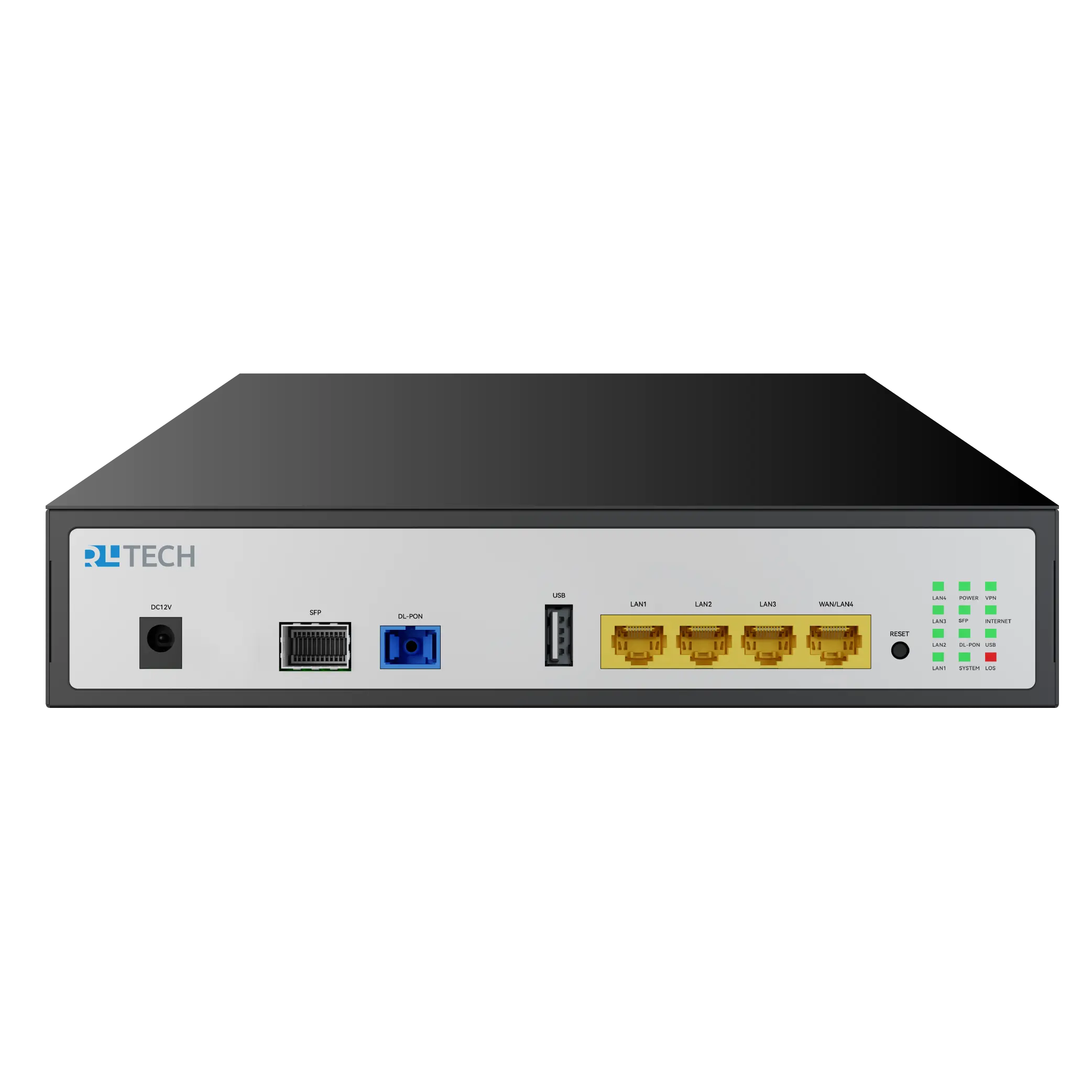
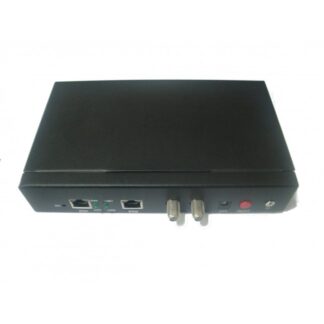
Choose RH8001GR for a hotel, apartment property, office, school, workshop or small business where several rooms need a managed network. Fibre carries the distribution path to compatible endpoints, while four Gigabit Ethernet interfaces support local connections. Its 220 × 145 × 44 mm format makes the unit a practical fit for a communications cabinet or a compact technical space with suitable ventilation.
In a renovation, fibre and existing coax can serve complementary roles. Run a properly designed GPON path to a WodaPlug™ EOC master, then use that master’s coax distribution to reach compatible EOC subscriber units. This gives the installation a clear division between the optical core, the EOC distribution layer and the user endpoints.
From the optical core to your EOC subscribers.
The connection to WodaPlug™ 1000 EOC Master MSM8011HG forms the fibre-to-coax handover in this topology. Plan the optical side as GPON and select the appropriate mode on the master’s xPON interface. Configure the endpoint registration and service VLANs before testing the coaxial subscriber path. A complete design also accounts for the EOC master’s own capacity, coax topology and subscriber compatibility.
Keep the two optical roles clear. The SFP slot receives the upstream service through a suitable supported module. The dedicated GPON OLT port distributes service towards compatible ONU endpoints. Choose both interfaces by their actual role in your network.
The hardware and interfaces, clearly specified.
| Brand / manufacturer | WodaPlug™ / Richerlink (RLTECH) |
|---|---|
| Technical model | RH8001GR Mini OLT / FTTR controller |
| Subscriber optical interface | 1× GPON OLT port |
| Optical connector | SC/UPC or SC/APC model variants; match the connector on the delivered unit and its patch cable |
| SFP uplink | 1× SFP slot; manufacturer lists compatible GE/10GE Ethernet optics or GPON/XGPON/XGS-PON ONT modules, selected for the intended uplink |
| Copper Ethernet | 4× Gigabit RJ45; LAN4 can serve as WAN according to configuration |
| USB | 1× USB 2.0 |
| Maximum optical split | Up to 1:128 / up to 128 ONUs per GPON port, subject to optical-budget and traffic planning |
| Downlink optical transmit power | Manufacturer range: +1.5 to +5 dBm |
| Downlink optical receive range | Manufacturer range: −28 to −8 dBm |
| Power input | DC 12 V / 1.5 A adapter specification; power consumption below 18 W |
| Dimensions / net mass | 220 × 145 × 44 mm; approximately 800 g |
| Operating conditions | −20 to +60 °C; 10–95% relative humidity, non-condensing |
| Management | Web UI, OAM/OMCI, TR-069; AVASA / mobile application according to supported firmware and service availability |
| Network functions | VLAN management, DHCP Option 82, IPv4/IPv6 dual stack, NAT/NAPT, static routing, multicast and QoS rate limiting |
| Security / VPN | Firewall, MAC/IP/URL filtering, anti-DoS functions; L2TP and IPsec VPN platform functions |
The port capabilities above follow the manufacturer’s RH8001GR datasheet. Optical-module selection, connector version, device firmware and the service configuration determine the delivered installation. The maximum split ratio is a design limit: calculate splitter and connector loss, fibre attenuation and engineering margin for each branch.
Manage the network where it makes sense.
Local Web UI for commissioning
Start through the device’s Web interface. The manufacturer’s quick configuration guide describes WAN setup using IPoE or PPPoE, IPv4/IPv6 choices, VLAN tagging and interface binding. Use the address and initial credentials documented for the delivered unit, then set your own administrator password and keep a configuration backup.
AVASA project and device workflows
AVASA adds a project-oriented management path for supported devices. The supplied guide describes registering a device with its serial number and device credentials, then selecting it in the FTTR device list. Supported workflows include WAN and VLAN configuration and endpoint templates. The same manufacturer ecosystem can bring the optical unit and compatible EOC masters into one management plan.
Plan AVASA use with the supplied firmware, an appropriate account and available service features. The configuration guide also contains Wi-Fi template examples for compatible managed endpoints: those examples describe endpoint management within the system.
Separate services with VLANs
Use a clear VLAN plan for the networks your building needs. For example, keep guest access, business systems and device management in defined segments, with deliberate WAN bindings, DHCP ranges and routing policies. The manufacturer documents VLAN isolation, QoS rate limiting, IPv4/IPv6 operation and multicast features. Select the functions that match your deployment and verify them end to end.
A clear path from design to commissioning.
- Define the topology. Record the upstream service, optical endpoints, EOC masters and subscriber units. Decide where each VLAN begins and ends.
- Match the optics. Select a supported uplink module and the exact optical connector type for the unit. Calculate the GPON loss budget, including splitters, patching and fibre runs.
- Prepare the physical installation. Use the specified 12 V supply, allow ventilation, label the fibre paths and keep optical connector end faces clean. Follow normal laser safety procedures when handling powered optical links.
- Commission one branch. Configure the WAN, register a compatible ONU endpoint and apply the intended service VLANs. Connect one MSM8011HG and verify its EOC subscriber path.
- Validate real service. Check addressing, DNS, routing and connectivity from the subscriber’s Ethernet connection. Record optical levels and test the expected traffic load.
- Expand with a documented configuration. Save the working settings, device identities, firmware versions and port labels. Add further branches using the same verified process.
Choose accessories for the actual fibre path
Use matched single-mode patch cables and optical splitters for the connector version and loss budget of your design. For the SFP uplink, choose a module supported by both the RH8001GR and your upstream equipment. Send us your topology and endpoint list for a model-specific selection.
Choose your optical core with confidence.
How does RH8001GR work with the MSM8011HG EOC master?
Connect the OLT GPON downlink to the compatible xPON ONU input of the MSM8011HG through a correctly designed fibre path. The MSM8011HG then distributes the connection through its own EOC coaxial network. Match GPON mode, provisioning, VLANs and optical connector types across the installation.
What does the SFP slot do?
It is the upstream network interface. Select the supported Ethernet optical module or PON ONT module for the source network. The GPON subscriber port is a separate interface with a different role.
How many endpoints can I plan for?
The manufacturer specifies up to 128 ONUs on the single GPON port and a split ratio up to 1:128. Choose the actual split using the optical power budget, fibre length, connector losses and the traffic profile of your users.
Can AVASA manage the optical and EOC parts together?
RH8001GR and compatible MSM8011HG EOC masters support the manufacturer’s AVASA management workflows. The supplied configuration manual explains adding devices by their serial number and device credentials, then configuring WAN, VLAN and supported endpoint templates. Use a supported device firmware and the appropriate AVASA account/service.
Where do I begin with configuration?
The supplied manufacturer quick guide starts with the local Web UI and the credentials on the device label. Establish the upstream connection, configure GPON endpoint provisioning and VLANs, then verify one optical endpoint and one EOC subscriber before expanding the network.
Which optical cable should I choose?
Use a single-mode optical path appropriate to your GPON design and match SC/UPC or SC/APC to the exact delivered connector. Matching polishing types and keeping connections clean protects the optical budget and helps maintain a stable link.
Keep the original documentation with your installation.
- RH8001GR manufacturer datasheet (PDF) — interfaces, operating limits and platform functions.
- FTTR Web & AVASA quick configuration, 25 March 2025 (PDF) — manufacturer WAN, VLAN and device-management workflows.
Use these documents alongside the label, firmware and connector version of your delivered unit. Keep the resulting settings in your own installation record.
Build your next fibre + EOC installation around a clear plan.
Choose WodaPlug™ RH8001GR as the compact GPON core for compatible optical endpoints and MSM8011HG EOC masters. Match the uplink, optical budget and service configuration to your building, then commission each branch with a repeatable process.
Estimated dispatch: 1–2 days, subject to current stock and the delivery options shown at checkout. Discuss your optical and EOC topology.
Reviews
There are no reviews yet.