

Posted on

WiFi 7 + TDMA:From Faster Wireless to Smarter Wireless

For years, WiFi innovation has been measured by one simple metric:

How fast can we transmit data?

WiFi 5 brought higher throughput.

WiFi 6 introduced OFDMA and improved efficiency.

WiFi 7 pushed the boundaries further with 320MHz channels, Multi-Link Operation (MLO), and 4096-QAM.

But for industrial networks, outdoor broadband, and mission-critical applications, speed alone is no longer enough.

The next question is:

Can wireless networks become more predictable, more scalable, and easier to manage?

This is where WiFi 7 + TDMA (Time Division Multiple Access) creates a new opportunity.


The Challenge: Traditional WiFi Was Not Designed for Large-Scale Industrial Networks

Traditional WiFi is based on contention mechanisms.

Multiple devices compete for airtime.

This works well for:

  • Homes
  • Offices
  • Public hotspots

But outdoor and industrial deployments face very different challenges:

  • Dozens or hundreds of connected devices
  • Long-distance wireless links
  • High-density IoT terminals
  • Video surveillance traffic
  • Autonomous machines and robots
  • Unstable RF environments

When many clients transmit at the same time, problems appear:

❌ Higher latency

❌ Unpredictable performance

❌ Reduced capacity

❌ Poor scalability

For industrial wireless networks, “fast” is not enough.

The network needs to be smart enough to control airtime resources.


TDMA: Turning Wireless Airtime into a Managed Resource

TDMA introduces scheduled communication.

Instead of allowing every device to compete randomly, the network assigns transmission time slots.

Think of it like a highway:

Traditional WiFi:

-Everyone enters the road whenever they want.

Result: Traffic congestion.

TDMA:

→ Time Slot 1  → Time Slot 2 → Time Slot 3

Result: Predictable traffic flow.

For outdoor PtMP networks, this means:

✅ Better airtime utilization

✅ More stable throughput

✅ Lower latency variation

✅ Higher client capacity

✅ Improved performance at long distances


Why WiFi 7 Makes TDMA Even More Powerful

TDMA itself is not new.

Many wireless technologies have used scheduling mechanisms for years.

The opportunity now is combining TDMA intelligence with the latest WiFi 7 capabilities.

1. Higher Capacity + Better Scheduling

WiFi 7 introduces:

  • 320MHz channel bandwidth
  • Multi-Link Operation (MLO)
  • 4096-QAM modulation

These features increase the available capacity.

TDMA helps intelligently distribute this capacity among multiple users.

Together:

More bandwidth + smarter scheduling = more efficient wireless infrastructure


2. Better Support for Industrial Applications

Modern industrial networks require more than internet access.

They support:

– Autonomous robots

– AI cameras

– Smart factories

– Drones

– Private wireless networks

– Outdoor broadband access

These applications require:

  • Stable latency
  • Predictable performance
  • Reliable connectivity

WiFi 7 + TDMA provides a path toward more deterministic wireless communication.


WiFi 7 + TDMA: A New Opportunity for Outdoor Wireless

For WISP and industrial networking companies, the future is not simply replacing existing wireless technology.

It is about creating a smarter wireless platform.

Applications include:

Outdoor Broadband / PtMP

  • Multi-client deployments
  • Rural broadband
  • Campus networks
  • Smart city connectivity

Industrial Networks

  • Mining
  • Ports
  • Warehouses
  • Transportation systems

Enterprise Wireless Infrastructure

  • Large-scale campuses
  • High-density environments
  • Mission-critical connectivity

From “Wireless Access Point” to “Wireless Infrastructure Platform”

The evolution of wireless networking is moving from:

Faster WiFi

↓

More Efficient WiFi

↓

Smarter and More Predictable Wireless

WiFi 7 provides the bandwidth.

TDMA provides the intelligence.

Together, they enable a new generation of industrial and outdoor wireless solutions.

The future of wireless is not only about transmitting more data.

It is about delivering the right data, to the right device, at the right time.


524WiFi: Building the Next Generation of Industrial WiFi 7 Platforms

At 524WiFi and Wallys, we focus on developing industrial-grade wireless platforms based on Qualcomm networking technologies.

With more than 20 years of wireless R&D experience, Wallys provides:

Qualcomm WiFi 7 Hardware Platforms

Our WiFi 7 platforms are based on advanced Qualcomm chipsets, including:

  • Qualcomm IPQ9574
  • Qualcomm IPQ5332
  • Qualcomm QCN9274/QCN6274 wireless solutions

Supporting next-generation features:

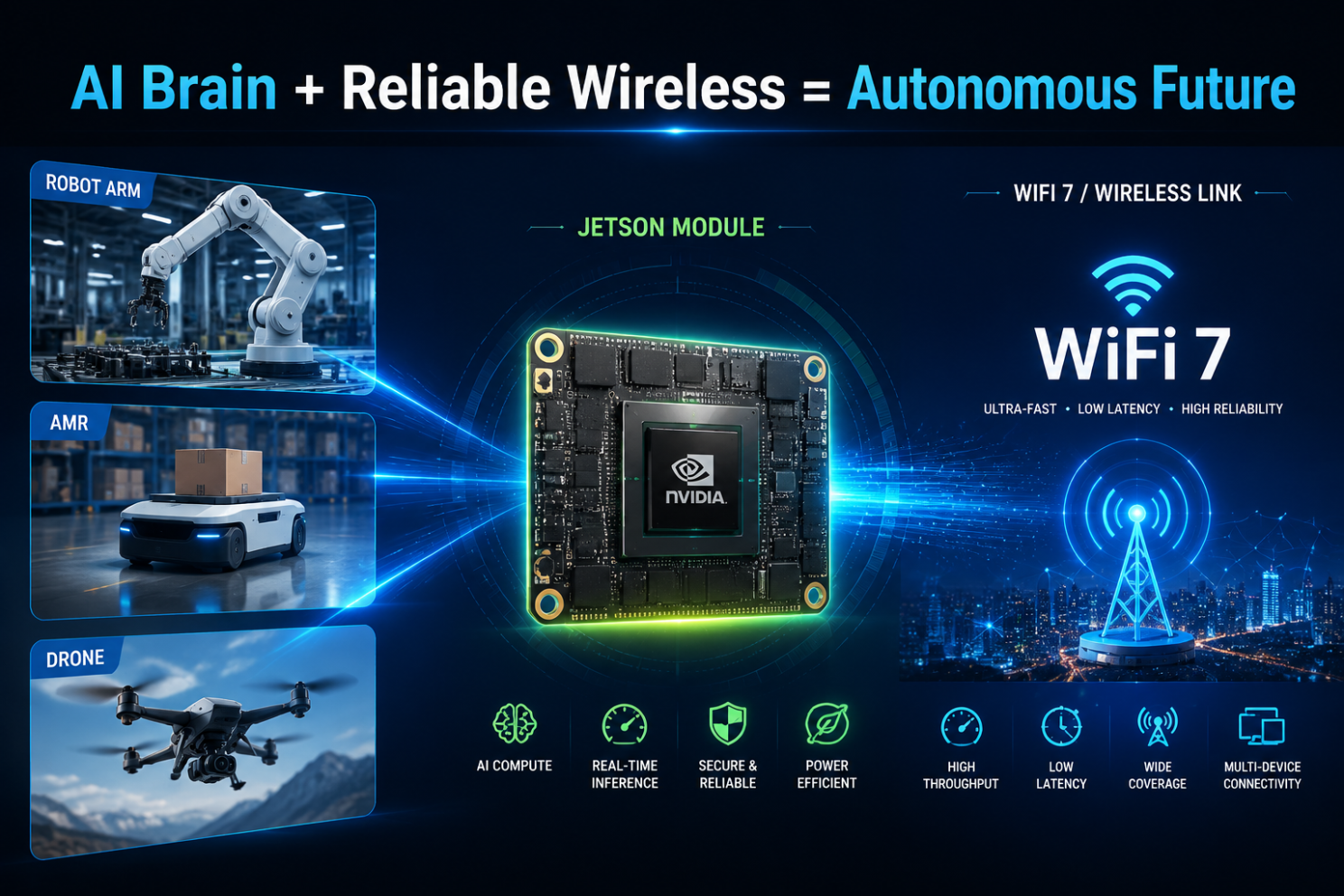
✓ Multi-Link Operation (MLO) ✓ 6GHz WiFi 7 connectivity ✓ 320MHz channels ✓ High-performance multi-radio designsSee content credentials
Article content

Designed for Industrial & Outdoor Applications

Wallys WiFi 7 platforms are designed for customers developing:

Outdoor Wireless Broadband

  • PtP / PtMP networks
  • Rural broadband
  • Campus connectivity
  • Smart city networks

Industrial Wireless

  • Factory automation
  • Robotics communication
  • AI vision systems
  • Autonomous machines

Enterprise Networking

  • High-density environments
  • Managed WiFi infrastructure
  • Private wireless networks

Beyond Hardware: Platform Customization Capability

Different markets have different requirements.

A carrier-grade outdoor wireless product may need:

  • Custom enclosure design
  • High-power RF optimization
  • External antenna solutions
  • PoE integration
  • Industrial temperature design
  • Customized firmware features

Wallys provides OEM/ODM/JDM support, helping wireless solution providers move from concept to production faster.


If your company is developing:

  • Industrial APs
  • Outdoor PtMP systems
  • Wireless broadband solutions
  • Private wireless networks

524WiFi and Wallys can help you build the next generation of WiFi 7 connectivity platforms.

WiFi 7 + TDMA: Moving from faster wireless to smarter wireless infrastructure.

Posted on

Cross-Segment AP Management in Large-Scale Industrial Campuses: A Technical Solution

Cross-Segment AP Management in Large-Scale Industrial Campuses: A Technical Solution

Managing access points (APs) across a large industrial campus presents unique challenges, especially when dealing with segmented networks. To ensure seamless connectivity, efficient remote management, and robust performance, a reliable solution is critical.

This article explores the cross-segment AP management solution enabled by 524WiFi WL-AC1000, a powerful wireless controller designed for industrial applications.


The Challenges in Large-Scale AP Management

  1. Distributed Network Zones: Industrial campuses often consist of multiple zones, each requiring unique IP configurations for localized management. This creates challenges in monitoring and maintaining the network.
  2. Cross-Segment Communication: AP devices across different subnets may face difficulties in seamless data exchange or centralized control.
  3. Maintenance Complexity: Manual intervention is often needed to troubleshoot or update APs spread across the campus, increasing operational overhead.

WL-AC1000: A Simplified Approach to Cross-Segment Management

The WL-AC1000 is a versatile wireless controller that supports Multi-IP Settings, enabling centralized management of AP devices across segmented networks. Here’s how it works:

Multi-IP Configuration:

  • Assigns unique IP ranges for different AP groups (e.g., 10.10.10.X, 10.10.9.X, 10.10.8.X).
  • Simplifies network segmentation and reduces IP conflicts.

Centralized Control via Ethernet:

  • Connects all AP groups to the WL-AC1000 through a switch, providing a unified platform for remote configuration, monitoring, and updates.

Efficient Resource Allocation:

  • Ensures each AP group operates independently while remaining accessible through a central controller, optimizing network performance and reducing downtime.

Real-World Application

Imagine managing multiple AP zones in a manufacturing facility, port, or warehouse. With the WL-AC1000, IT teams can:

  • Monitor AP performance in real-time.
  • Push updates or troubleshoot without needing to access each AP physically.
  • Improve connectivity across different zones, ensuring uninterrupted operations.

Why Choose 524WiFi Wallys’ WL-AC1000?

The WL-AC1000 provides a robust and cost-effective solution for managing APs across large, segmented networks. Designed for industrial applications, it ensures:

  • Scalability for expanding network needs.
  • Reliability to handle demanding environments.
  • Ease of Use with intuitive configuration and management features.

Posted on

The incredibly powerful AP Controller has evolved again! It’s even better than before!

For those serious about industrial network management, the 524WiFi Wallys AP Controller has always been a reliable tool. However, as with any great software, there are constant improvements and updates, and this latest version is no exception. After facing some common issues that are often seen with less durable solutions, 524WiFi Wallys AP Controller has evolved, and it’s now better than ever!

Let’s take a deeper look at what’s new, and why this tool should be your go-to for seamless network management.

What’s New in This Version of 524WiFi Wallys AP Controller?

524WiFi Wallys AP Controller has evolved to include essential features that will transform how you manage your network, especially in large environments like factories or campuses.

  • Group Management Functionality: The new version introduces group management features, allowing you to organize and manage AP devices across different network segments. Imagine you’re managing a large factory where the warehouse and office building are on separate subnets. Previously, the AP controller could only manage one subnet per instance, but now, you can seamlessly handle devices across multiple network segments from a single interface.
Group Management Functionality
  • Batch Settings and Categorization: With the group management feature, you can now batch set notes for your AP devices. These notes help you categorize devices based on their location or function, making it easy to filter and manage them accordingly. This means you can quickly find and apply settings to a specific group of devices, whether it’s for firmware upgrades, Wi-Fi configurations, or other tasks.
Batch Configure Equipment Notes
Building A
Building B
Warehouse
  • Batch Firmware Upgrades: The batch firmware upgrade feature has been enhanced, enabling you to upgrade the firmware of multiple devices at once, saving you time and ensuring consistency across your network.
Batch Firmware Upgrades
  • Wi-Fi Configuration: Now, you can batch configure Wi-Fi settings, including SSIDs and security protocols, across different groups of devices, making network setup and management even more efficient.
Wi-Fi Configuration
  • Bulk Command Execution: A standout feature of this update is the bulk command execution capability. This new feature is incredibly useful when troubleshooting or debugging. For example, you can select multiple devices and issue commands to make their LEDs flash, helping you quickly identify and isolate devices that might not be functioning properly. This makes network issues much more visual and easier to diagnose.
Bulk Command Execution

What Can You Manage with 524WiFi Wallys AP Controller?

With the 524WiFi Wallys AP Controller, you can manage a variety of tasks to keep your network running smoothly:

  • Upgrading Device Firmware: Keep all your devices up to date with the latest firmware, ensuring optimal performance and security across your entire network.
  • Configure Wi-Fi: Easily configure Wi-Fi settings across all connected devices, including SSID, security protocols, and bandwidth management for optimal performance.
  • Deleting Offline Devices: Remove offline or inactive devices from your network to maintain efficiency and ensure only active devices are consuming resources.
  • Update Equipment Notes: Add or update equipment notes for each device to track changes, configurations, or any specific requirements for your network management.
  • Importing Whitelist: Import a whitelist of authorized devices to prevent unauthorized access and keep your network secure.
  • Execute Commands: Execute custom commands across multiple devices simultaneously to streamline tasks like troubleshooting, configuration changes, or system resets.

Why Choose AP Controller from 524WiFi and Wallys?

The 524WiFi Wallys AP Controller has become a truly powerful tool for managing large-scale, multi-segment networks. With new features like group management, batch firmware upgrades, Wi-Fi configuration, and bulk command execution, it’s never been easier to keep your network in check.

If you’re managing a large facility or complex network, this upgraded 524WiFi Wallys AP Controller is the ideal solution to streamline your tasks and make troubleshooting easier.

For project inquiries or to schedule a sample test, contact our sales team. We’re here to help you tailor the perfect solution for your needs.

Two Version for Option

WL-AC1000-E
WL-AC1000-1U
Posted on

Access Controller + AP vs. Mesh Networking: Which Offers Better Coverage for Your Industrial Setup?

AC+AP Networking vs. Mesh Networking

In today’s rapidly advancing wireless technologies, networking has evolved significantly to meet the growing demand for faster and more reliable internet connectivity. Two popular methods for expanding Wi-Fi coverage in various environments are AC+AP and Mesh networking. While both methods aim to improve the coverage and performance of wireless networks, they differ in their architecture and functionality.

What is AC+AP Networking?

AC+AP Networking refers to a traditional approach in which an Access Point (AP) is connected to a central device, such as a router or a wireless controller (AC). This setup is often used in larger environments where multiple APs are deployed to extend Wi-Fi coverage, particularly in enterprise settings.

  • Access Point (AP): An AP is a device that allows wireless devices to connect to a wired network. It acts as a bridge between the wired network and wireless clients.
  • Access Controller (AC): The AC is a centralized device that manages multiple APs, providing a single point of control for wireless network configuration, security settings, and performance optimization.

The AC+AP solution works well for environments where there is a need for extensive control over the network, such as in large office buildings, campuses, or industrial sites. However, the key challenge with this setup is that the coverage area might be limited by the range of each individual AP, and users may experience interruptions when moving between APs.

What is Mesh Networking?

On the other hand, Mesh Networking is a more modern approach that involves multiple wireless nodes working together as a network. Each node in a Mesh network communicates with the others to create a seamless, self-healing Wi-Fi coverage area. This method is particularly effective in environments where extended coverage is required, such as homes, large enterprises, or industrial spaces with complex layouts.

  • Nodes: Mesh networks consist of multiple nodes (which can function as both APs and routers) that collaborate with one another to extend coverage.
  • Self-Healing: One of the key benefits of a Mesh network is that if one node fails, the others can automatically adjust to maintain network stability without interruptions.
  • Seamless Roaming: Mesh networks offer seamless connectivity, allowing users to move freely between nodes without experiencing connectivity drops or network handoffs.

Mesh networks are ideal for environments with complex, large-scale spaces, and they are particularly useful in overcoming dead zones that traditional Wi-Fi setups may fail to cover.

Wallys’ Mesh and AC+AP Solutions

At Wallys, we understand the need for high-performance wireless solutions that cater to diverse networking environments. Whether you’re looking for robust connectivity for industrial environments or home office setups, our solutions can meet your needs.

  • Wallys AC+AP Solutions: Our AC+AP systems are designed for large-scale, enterprise-level networks where centralized control and extensive coverage are essential. With features like high-speed throughput, efficient roaming, and seamless integration, our AC+AP solutions offer a reliable, cost-effective way to expand network coverage without compromising performance.
  • Wallys Mesh Solutions: Wallys’ Mesh networking solutions offer flexibility, ease of setup, and seamless connectivity across large, complex spaces. Our Mesh systems are designed to handle high-density environments, ensuring stable connections across multiple devices. These solutions are ideal for industrial settings, smart cities, large homes, and office networks. With Wallys’ Mesh solutions, you can ensure consistent performance, even in challenging environments with multiple obstructions.

Both AC+AP and Mesh solutions are fully customizable to meet your specific needs, whether you’re deploying them in industrial, commercial, or residential environments.

Contact Us for Testing

We invite you to explore the power and flexibility of Wallys’ networking solutions. Our team is ready to assist you with testing our AC+AP and Mesh products to ensure they meet your requirements. For more information and to schedule a test, please get in touch with us