

Posted on — Leave a comment

524WiFi™ 6E 3000 Real-World Test: Sustained 1.2 Gbps with 8–9 Clients

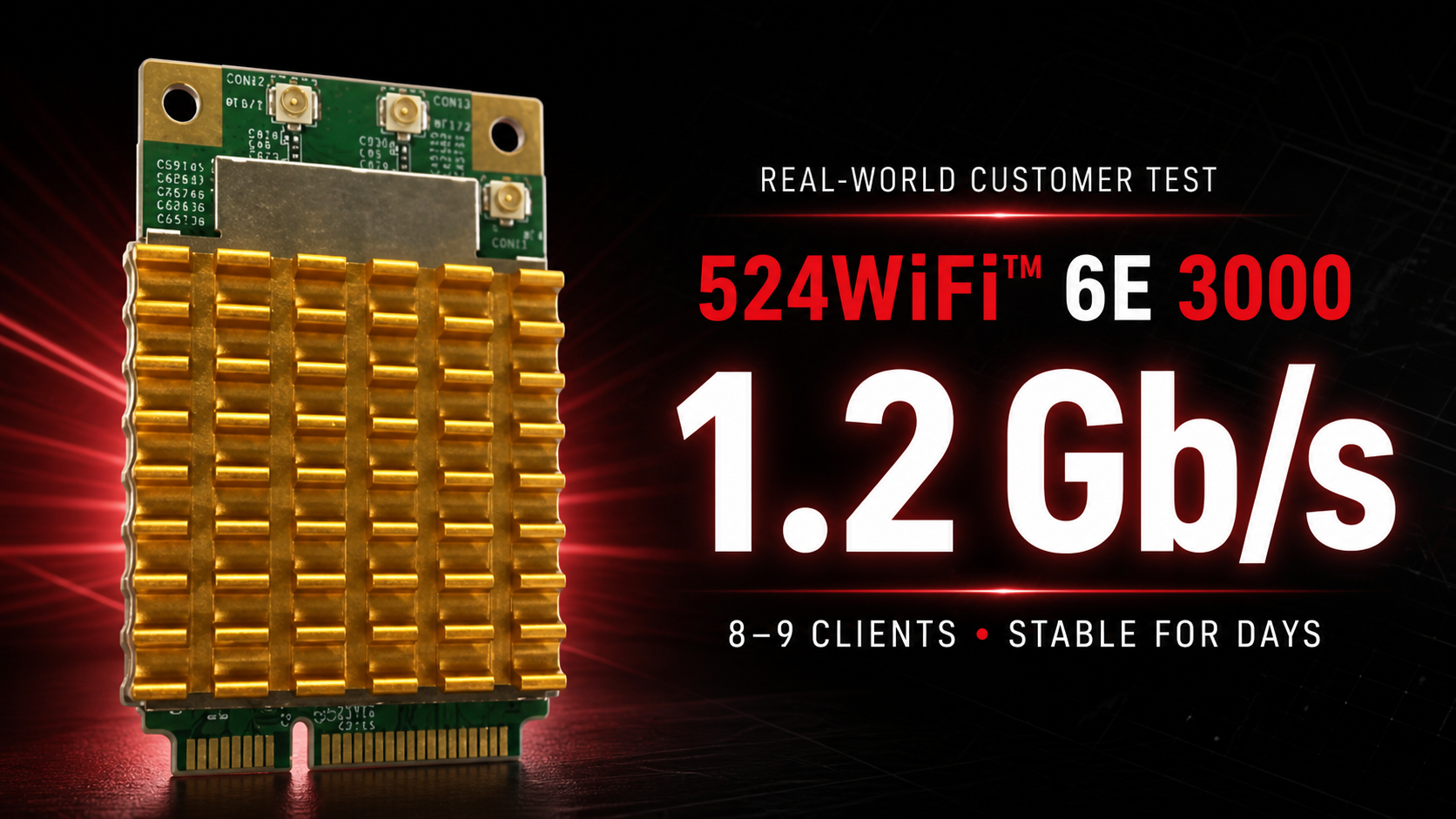
524WiFi™ 6E 3000 customer test: 1.2 Gb/s with 8–9 clients

A real customer deployment has put the 524WiFi™ 6E 3000, SKU 524WiFi-7916-NPD through exactly the kind of demanding upgrade this professional module was built for: an older desktop platform, a Linux access point, multiple simultaneous clients and sustained gigabit-class traffic. The verdict was immediate:

“this device is a banger”

524WiFi-7916-NPD professional mPCIe Wi-Fi module

This is not a theoretical peak-rate claim. In the customer’s own working access-point setup, the card sustained 1.2 Gb/s to a Wi-Fi 6 client while serving a real network.

The upgrade that finally delivered

The customer installed the 524WiFi-7916-NPD in an older small-form-factor PC through a miniPCIe-to-PCIe adapter. It was configured as a Linux access point using hostapd—the service that lets a compatible Wi-Fi module operate as an access point and manage connected clients.

After years limited to older Wi-Fi technology and several unsuccessful adapter trials, this was the module that finally delivered the upgrade he wanted.

1.2 Gb/s with 8–9 concurrent clients

  • 1.2 Gb/s sustained application throughput
  • 8–9 simultaneous Wi-Fi 6 and Wi-Fi 5 clients
  • Several days of continuous operation without a crash
  • Stable Linux access-point operation
  • A successful upgrade on a legacy desktop platform

The customer described the setup as “very stable.” That combination of real throughput, multi-client operation and stability is why 524WiFi™ focuses on specialist wireless hardware for professional integrations.

A practical note about cooling

The customer also reported that the card runs quite hot despite its fitted heatsink. In this compact installation, the slot direction left the module upside down. It nevertheless remained stable, but builders should provide suitable airflow and verify temperatures in compact or passively ventilated systems.

Why customers choose 524WiFi™

Strong hardware is only part of the purchase. Correct product selection, dependable logistics and specialist experience matter just as much.

“i’d recommend”

“as usual, 524wifi order, logistics, products are top notch quality.”

That feedback captures what 524WiFi™ is built to deliver: carefully selected professional wireless products backed by an experienced supplier selling online since 2003.

Build your own high-performance access point

For a compact mPCIe radio for a Linux router, access point, embedded system or specialist wireless upgrade, choose the 524WiFi-7916-NPD. The customer’s result shows what the right 524WiFi™ module can unlock—even in hardware more than a decade old.

Posted on

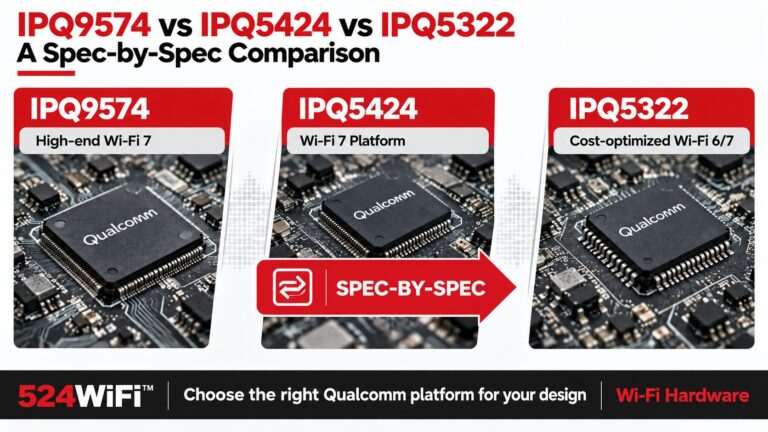
IPQ9574 vs IPQ5424 vs IPQ5322: Full Comparison

524WiFi™ comparison of Qualcomm IPQ9574, IPQ5424 and IPQ5322 wireless platforms

Key takeaways

  • Platform choice depends on radio topology and I/O as much as CPU performance.
  • 524WiFi™ Pulse B9574-2×2-SFP Pro Plus emphasizes CPU headroom and expansion; 524WiFi™ Pulse B5424-4×4 Pro Plus emphasizes 4×4 tri-band capacity and Ethernet density.
  • 524WiFi™ Pulse B7-04 uses a different upper-band module architecture that must be included in BOM and RF planning.

Most comparisons of these three chips treat them as a simple good/better/best tri-band lineup. The datasheets say otherwise. CPU architecture, radio topology and wired interfaces distinguish the selected board configurations. And IPQ5322 isn’t actually a tri-band SoC on its own: 5GHz/6GHz only exist on a 524WiFi™ Pulse B7-04 board because of an added QCN9274/QCN6274 module, not because the chip integrates them. This breakdown goes through the datasheet numbers for 524WiFi™ Pulse B9574-2×2-SFP Pro Plus (IPQ9574), 524WiFi™ Pulse B5424-4×4 Pro Plus (IPQ5424), and 524WiFi™ Pulse B7-04 (IPQ5322) — CPU, radio chains, channel width, and I/O — so the platform choice is based on what’s actually on the silicon.

CPU and Reference Design

524WiFi™ Pulse B9574-2x2-SFP, Pulse B5424-4x4 and Pulse B7-04 platform technical comparison

Pulse B9574-2×2-SFP Pro Plus uses a quad-core ARM Cortex-A73 at 2.2 GHz. The current Pulse B5424-4×4 Pro Plus configuration uses a quad-core ARM Cortex-A55 at 1.8 GHz with 4 GB DDR4. The IPQ5322 platform described for Pulse B7-04 uses a quad-core Cortex-A53 at 1.5 GHz with 1 GB DDR4. Select the board around its complete compute, radio and I/O architecture.

Radio Topology — the Part That Determines System Design

This is where the three platforms actually diverge, and it’s not just “more bands = better”:

524WiFi™ Pulse B9574-2×2-SFP Pro Plus (IPQ9574): three independent on-board radios, 2×2 each — 2.4GHz (up to 573.6Mbps PHY), 5GHz (up to 2882Mbps PHY), 6GHz (up to 5765Mbps PHY). All three run concurrently.

524WiFi™ Pulse B5424-4×4 Pro Plus (IPQ5424): three independent on-board radios, but 4×4 MU-MIMO on each band — 2.4GHz (802.11b/g/n/ax/be, 23dBm/chain max), 5GHz (802.11a/n/ac/ax/be, 21dBm/chain max), 6GHz (802.11ax/be, 19dBm/chain max), all concurrent. 12× U.FL antenna connectors reflect the 4×4-per-band chain count.

524WiFi™ Pulse B7-04 (IPQ5322): only 2×2 2.4GHz is on-board. There is no native 5GHz or 6GHz radio on the IPQ5322 SoC itself — 5/6GHz coverage requires adding a separate QCN9274 or QCN6274 WiFi 7 module. This is a structurally different platform from the other two: 524WiFi™ Pulse B9574-2×2-SFP Pro Plus and 524WiFi™ Pulse B5424-4×4 Pro Plus are integrated tri-band SoCs; 524WiFi™ Pulse B7-04 is a 2.4GHz baseband platform designed to pair with an external WiFi 7 radio module for the upper bands.

If your BOM assumption was “IPQ5322 = cheaper tri-band chip,” that’s incorrect at the silicon level — the tri-band capability on a 524WiFi™ Pulse B7-04 design is a module-add, not an on-die feature. Budget and BOM planning should treat it accordingly.

Channel Width and Modulation

524WiFi™ Pulse B5424-4×4 Pro Plus supports 240MHz on 5GHz, a step beyond 524WiFi™ Pulse B9574-2×2-SFP Pro Plus’s 160MHz ceiling on that band — relevant if you’re doing 5GHz-heavy backhaul rather than leaning on 6GHz for the wide channels.

I/O and Interfaces

524WiFi™ Pulse B9574-2×2-SFP Pro Plus is the only one of the three with M.2 E-key PCIe 3.0 expansion slots — relevant if your design needs an add-in card (cellular, additional radio) beyond what’s on-board. 524WiFi™ Pulse B5424-4×4 Pro Plus carries the heaviest native Ethernet backhaul (2×10GbE + 4×2.5GbE), which lines up with its role as a high-density AP/gateway aggregation point rather than an edge client device.

Selection Guidance

  • Need three genuinely concurrent radios with maximum per-band throughput and PCIe expansion: 524WiFi™ Pulse B9574-2×2-SFP Pro Plus. The 2.2GHz A73 CPU and M.2 slots also make it the better fit if you’re layering additional compute or a cellular module onto the same board.
  • Need three concurrent radios with more antenna chains (4×4) and heavier Ethernet backhaul, at a lower CPU clock: 524WiFi™ Pulse B5424-4×4 Pro Plus. This is the platform for high-density AP deployments where per-band MIMO order matters more than raw CPU headroom.
  • Building a cost-optimized 2.4GHz-anchor design and adding WiFi 7 upper-band coverage via an external QCN9274/QCN6274 module: 524WiFi™ Pulse B7-04. Don’t spec this as a drop-in tri-band replacement for 524WiFi™ Pulse B5424-4×4 Pro Plus — the radio architecture is fundamentally different, and your BOM needs to account for the module separately.

Platform references: DR9574S, DR5424 and DR5322S.

Posted on

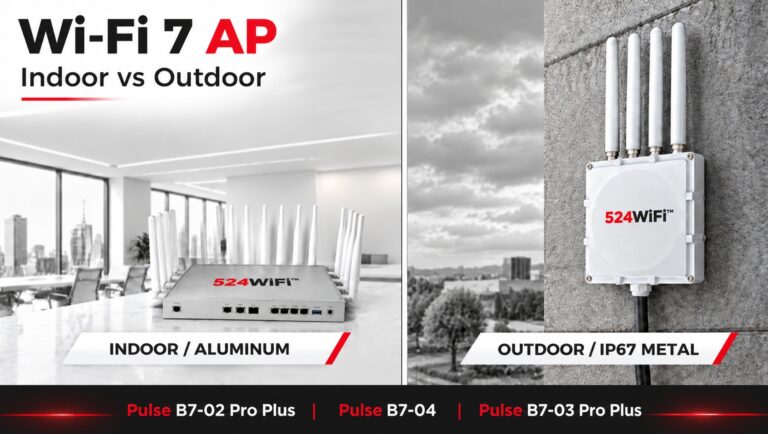
How to Choose a Wi-Fi 7 AP: Indoor vs Outdoor

524WiFi™ Pulse B7 platforms for indoor and outdoor access point designs

Key takeaways

  • Indoor and outdoor access points need different enclosure, thermal, antenna and environmental designs.
  • 524WiFi™ Pulse B9574-2×2-SFP Pro Plus, 524WiFi™ Pulse B5424-4×4 Pro Plus and 524WiFi™ Pulse B7-04 provide distinct CPU, radio, Ethernet and expansion starting points.
  • A production AP combines the platform with power, antennas, firmware, mechanics and validation.

A Wi-Fi 7 AP is more than a Wi-Fi 7 chipset.

For a finished access point, the hardware platform, wireless configuration, Ethernet interfaces, enclosure, power design, and deployment environment all affect the final product.

524WiFi™ provides several Wi-Fi 7 AP platforms that can be combined with indoor aluminum enclosures or outdoor IP67-rated metal enclosures.

Under the enclosure, customers can choose from three hardware platforms: 524WiFi™ Pulse B9574-2×2-SFP Pro Plus, 524WiFi™ Pulse B5424-4×4 Pro Plus, and 524WiFi™ Pulse B7-04.

The three platforms are designed for different system requirements rather than being simple variations of the same AP.

What Do You Need to Consider When Building a Wi-Fi 7 AP?

There are three basic questions:

1. Where will the AP be deployed?

Indoor or outdoor?

2. What wireless and processing capacity does the application require?

2×2 or 4×4 radios? More CPU resources? More memory?

3. What wired interfaces does the product need?

2.5G, 10G, SFP, PoE, USB, or customized interfaces?

The answer to these questions determines which Wi-Fi 7 platform and enclosure combination makes sense.


Indoor or Outdoor Wi-Fi 7 AP?

The first decision is the enclosure.

Indoor Wi-Fi 7 AP

For indoor applications, 524WiFi™ offers an aluminum enclosure.

It is suitable for deployments such as:

  • Enterprise networks
  • Offices and commercial buildings
  • High-density indoor wireless
  • Industrial facilities
  • Warehouses
  • Smart buildings

The enclosure provides a practical platform for thermal management while keeping the AP suitable for indoor installation.

Outdoor Wi-Fi 7 AP

Outdoor deployments require a different mechanical design.

524WiFi™ offers an IP67-rated metal enclosure for outdoor Wi-Fi 7 AP applications.

It is designed for environments where the equipment needs protection against dust and water, including:

  • Outdoor wireless networks
  • Industrial connectivity
  • Warehouses and logistics yards
  • Outdoor surveillance
  • Campus and infrastructure networks
  • Outdoor wireless backhaul

The enclosure is therefore not simply an external housing choice. It is part of the AP’s deployment architecture.


Which Wi-Fi 7 Platform Should You Choose?

The Pulse family provides two catalogue platforms and a compact IPQ5322 platform for project planning:

524WiFi™ Pulse B9574-2×2-SFP Pro Plus, 524WiFi™ Pulse B5424-4×4 Pro Plus, and 524WiFi™ Pulse B7-04.

They use different Qualcomm platforms and provide different combinations of CPU resources, wireless configuration, Ethernet connectivity, memory, and expansion interfaces.

The important difference is not simply CPU speed.

Each platform gives you a different starting point for the final AP architecture.


524WiFi™ Pulse B9574-2×2-SFP Pro Plus: When CPU and Expansion Matter

The 524WiFi™ Pulse B9574-2×2-SFP Pro Plus is based on the Qualcomm IPQ9574 platform, with a quad-core ARM A73 processor running at 2.2GHz.

It combines:

  • 2GB DDR4
  • 1× 10Gbps Ethernet
  • 1× 10Gbps SFP
  • 2× 1Gbps Ethernet
  • Active PoE 802.3at/bt
  • 48V passive PoE
  • 2× M.2 E-Key interfaces with PCIe 3.0
  • 2×2 radios on 2.4GHz, 5GHz, and 6GHz
  • 6× MMCX connectors

The two M.2 E-Key interfaces provide additional expansion possibilities for projects that need more than the standard wireless configuration.

This makes 524WiFi™ Pulse B9574-2×2-SFP Pro Plus a suitable starting point for Wi-Fi 7 APs and gateways where CPU resources, 10G connectivity, PoE, or hardware expansion are important.


524WiFi™ Pulse B5424-4×4 Pro Plus: When Wireless Capacity and Ethernet Density Matter

The 524WiFi™ Pulse B5424-4×4 Pro Plus takes a different approach.

It combines 4×4 radios on 2.4GHz, 5GHz, and 6GHz with multiple multi-Gigabit Ethernet interfaces.

The platform provides:

  • 4GB DDR4 in the current Pulse B5424-4×4 configuration
  • 4×4 2.4GHz radio
  • 4×4 5GHz radio
  • 4×4 6GHz radio
  • 2× 10Gbps RJ45
  • 4× 2.5Gbps RJ45
  • USB 2.0
  • USB 3.0
  • 12× U.FL connectors

It supports up to 320MHz channel width on 6GHz and up to 240MHz on 5GHz according to the platform specification.

This makes 524WiFi™ Pulse B5424-4×4 Pro Plus a platform for applications where wireless capacity and wired network density are both important.

For example, a high-density AP or gateway may need multiple 2.5G connections for local devices while using 10G Ethernet for aggregation or backhaul.


524WiFi™ Pulse B7-04: When the Design Needs to Stay Compact

The 524WiFi™ Pulse B7-04 uses the Qualcomm IPQ5322 platform with a quad-core Cortex-A53 processor at 1.5GHz and 1GB DDR4.

Its wireless configuration includes:

  • 2×2 2.4GHz
  • 2×2 5GHz
  • 2×2 6GHz
  • 2× MMCX-N connectors for 5GHz
  • 2× MMCX-N connectors for 6GHz
  • 2×2 2.4GHz antenna interfaces

For wired connectivity, it provides:

  • 1× 2.5Gbps Ethernet
  • 1× 2.5G PoE-out Ethernet
  • 1× 10G SFP
  • JTAG
  • GPIO interfaces
  • Reset button

The platform is therefore different from 524WiFi™ Pulse B5424-4×4 Pro Plus.

Instead of maximizing the number of Ethernet ports and using 4×4 radios, 524WiFi™ Pulse B7-04 provides a more compact 2×2 tri-band Wi-Fi 7 architecture with 2.5G, 10G SFP, and PoE-out connectivity.

This can be useful when the project does not require multiple 2.5G LAN ports but still needs multi-Gigabit connectivity.


How Do You Choose Between the Three Platforms?

A simple way to start is with the system requirement.

Need more CPU resources and expansion options?

→ 524WiFi™ Pulse B9574-2×2-SFP Pro Plus

Need 4×4 tri-band Wi-Fi 7 with multiple 10G and 2.5G Ethernet ports?

→ 524WiFi™ Pulse B5424-4×4 Pro Plus

Need a more compact 2×2 tri-band platform with 2.5G, 10G SFP, and PoE-out?

→ 524WiFi™ Pulse B7-04

The platform can then be combined with the appropriate enclosure and interface configuration.

In other words:

Wi-Fi 7 platform → Wireless configuration → Ethernet interfaces → Enclosure → Power → Customization


Can the Wi-Fi 7 AP Interfaces Be Customized?

Yes.

For OEM/ODM projects, the AP does not have to remain a fixed off-the-shelf configuration.

524WiFi™ can work with customers to customize the hardware around specific project requirements, including:

  • Ethernet interfaces
  • Network port configuration
  • Power interfaces
  • PoE requirements
  • RF and antenna connections
  • Other project-specific hardware interfaces
  • Mechanical and enclosure requirements

This is useful when a customer already has a product specification but cannot find an off-the-shelf Wi-Fi 7 AP that matches it.

Instead of changing the project around an existing product, the hardware can be adapted around the application.


From Wi-Fi 7 Platform to a Finished AP

A development board is only the starting point.

A production Wi-Fi 7 AP also needs:

Wireless platform + enclosure + antennas + interfaces + thermal design + power design + firmware + production configuration

This is why the same Wi-Fi 7 platform can be turned into different products depending on the target market.

For example:

Indoor Enterprise AP

→ 524WiFi™ Pulse B9574-2×2-SFP Pro Plus / 524WiFi™ Pulse B5424-4×4 Pro Plus → Aluminum enclosure → Multi-Gigabit Ethernet → Customized antenna configuration

Outdoor Industrial AP

→ 524WiFi™ Pulse B9574-2×2-SFP Pro Plus / 524WiFi™ Pulse B7-04 → IP67 metal enclosure → PoE → Outdoor antenna configuration → Customized interfaces

Compact Wi-Fi 7 AP

→ 524WiFi™ Pulse B7-04 → Compact enclosure → 2.5G + 10G SFP → Customized mechanical design

The platform stays relatively consistent, while the final product can be adapted to the application.


Wi-Fi 7 APs for OEM/ODM Projects

524WiFi™ provides Wi-Fi 7 hardware platforms for customers developing their own AP, gateway, or wireless networking products.

The available approach includes:

  • 524WiFi™ Pulse B9574-2×2-SFP Pro Plus / IPQ9574
  • 524WiFi™ Pulse B5424-4×4 Pro Plus / IPQ5424
  • 524WiFi™ Pulse B7-04 / IPQ5322
  • Indoor aluminum enclosure
  • Outdoor IP67 metal enclosure
  • Different wireless configurations
  • Multi-Gigabit Ethernet options
  • PoE options
  • Interface customization
  • OEM/ODM hardware customization

The goal is to shorten the path from a Wi-Fi 7 platform to a finished, application-specific wireless product.

Summary

Choosing a Wi-Fi 7 AP is not only about choosing a Wi-Fi 7 chipset.

The right configuration depends on where the AP will be deployed, how much wireless and CPU performance is required, what Ethernet interfaces are needed, and how much customization the project requires.

524WiFi™ provide multiple Wi-Fi 7 platforms, enclosure options, and hardware customization possibilities so that customers can build a Wi-Fi 7 AP around their application instead of adapting their application to a fixed product.

Interested in Wi-Fi 7 samples or a customized AP configuration?

Pulse B9574-2×2-SFP Pro Plus and Pulse B5424-4×4 Pro Plus are available in our catalogue. Pulse B7-04 is the name for the IPQ5322 platform under evaluation.

Platform references: DR9574S, DR5424 and DR5322S.

Posted on

Zbtlink Firmware Vulnerability: Our Protection Explained

Key takeaways

  • The reported issue concerns Zbtlink factory firmware and should be evaluated at the firmware-supply-chain level.
  • 524WiFi™ customer systems use a separate firmware and control path described in this advisory.
  • Secure deployment still depends on controlled images, updates, credentials and network configuration.

Dear Customers and Business Partners,

A major security discovery has emerged in the field of network security affecting popular routers manufactured by Zbtlink. Security analysts at VulnCheck have uncovered a critical vulnerability in the factory software of these devices that functions as a persistent backdoor.

We want to immediately reassure all our clients that your networks and devices are completely unaffected by this risk. As a trusted systems integrator and network solutions provider, we do not deploy these devices with their factory software. Instead, we have long standardly replaced it with the secure, verified, and open-source ROOter Golden Orb firmware.

⚠️ The Threat: “ENDLESSDOORS” Backdoor (CVE-2026-66747)

Security experts have identified an embedded malicious implant dubbed ENDLESSDOORS. This backdoor is present across virtually every published build of the Zbtlink factory firmware across their entire product range (including WE, WG, and CPE series models).

How does this backdoor operate?

  • Process Masking: The malicious code triggers immediately upon system boot and runs under the name kworker. This is a deliberate attempt to blend in with legitimate Linux kernel threads and evade basic detection.
  • Phone-Home Beaconing: The device does not open any external listening ports that a firewall might flag. Instead, it actively initiates an unencrypted TCP connection to a hardcoded Command-and-Control (C2) server roughly every 35 seconds.
  • Full Root Control: When the remote C2 server responds, it grants the attacker an interactive shell with the highest possible privileges (root/uid=0). Because the communication channel is entirely unauthenticated and unencrypted, anyone capable of intercepting or hijacking the network path can easily gain full remote code execution on the router.

Due to the severity of this design flaw, the vulnerability has been assigned a near-maximum severity rating of CVSS 9.3 (Critical).


✅ Why Our Customers Are 100% Protected

Our core philosophy is to deliver solutions that are not only high-performing but fundamentally secure. For this exact reason, our provisioning process always involves completely wiping the factory software from the hardware.

In its place, we flash the advanced ROOter Golden Orb firmware:

  1. Zero Malicious Footprint: ROOter Golden Orb is built on top of a clean, community-vetted OpenWrt base. It completely eliminates all proprietary, closed-source Zbtlink software packages—including the compromised librctl.so binary responsible for the ENDLESSDOORS implant.
  2. Total Transparency: Every process running within our deployed firmware is fully transparent and auditable. There are no hidden “phone-home” routines communicating with external third-party servers.
  3. Enhanced Performance & Features: Beyond absolute security, Golden Orb provides our clients with vastly superior cellular (LTE/5G) modem management, advanced routing capabilities, and rock-solid long-term stability.

💡 Summary

If your router was purchased, configured, and deployed by our team with Rooter firmware, then you do not need to take any action or worry about this vulnerability. Your device was fully immunized against this factory flaw before it ever connected to your network. If you run the factory OpenWRT firmware, then please replace it by Rooter firmware immediately. It is availabel for free for download or we can send it to you upon request.

Should you have any technical questions regarding this advisory or wish to verify the firmware status of a specific deployment, please do not hesitate to reach out to our technical support team.


Posted on

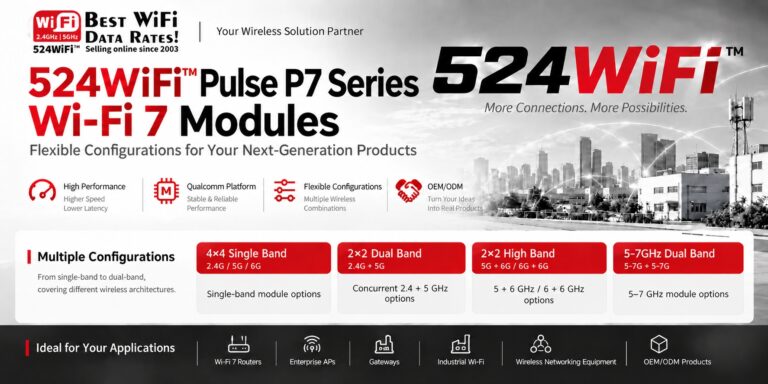
How to Choose the Right Wi-Fi 7 Module Architecture

524WiFi™ Pulse P7 Wi-Fi 7 module family and radio architectures

Key takeaways

  • Wi-Fi 7 modules differ in band coverage, concurrent-radio topology, spatial streams and host interface.
  • The right 524WiFi™ Pulse P7 variant follows the product’s RF environment and throughput requirements.
  • Selecting the architecture first reduces redesign risk later in antenna, thermal and firmware integration.

Neither should your wireless module be.

THE REAL QUESTION

Most teams ask the wrong thing. Not “do you need Wi-Fi 7.” The real question is different.

Which Wi-Fi 7 architecture fits your product.


INTRODUCING THE 524WiFi™ Pulse P7 SERIES

A flexible Wi-Fi 7 module portfolio. Built around real application requirements.


FOUR CONFIGURATIONS. ONE PHILOSOPHY.

4×4 single-band. For high-performance wireless demands.

2×2 dual-band. For mainstream networking products.

High-band 5GHz/6GHz. For high-capacity connectivity needs.

5-7GHz dual-band. For next-gen high-band flexibility.


BUT HERE IS THE BIGGER IDEA

Flexibility beats a fixed spec sheet. Your product may need higher throughput.

Or lower latency. Or more wireless capacity. Or a specific band combination.

Or a particular module form factor. Or Qualcomm platform support.

Or OpenWrt/QSDK integration. Or a fully customized wireless design.


THE PRINCIPLE

You should not redesign your product around a module. The module should fit the product.

That is the value of the 524WiFi™ Pulse P7 Series.


WHERE IT FITS

Wi-Fi 7 routers.

Enterprise access points.

Industrial Wi-Fi and gateways.

Wireless networking equipment.

OEM and ODM products.


LET’S TALK ARCHITECTURE, NOT DATASHEETS

If you are designing your next product, we would rather discuss your application than simply send you a spec sheet. What are you building?

Tell us your target application. Your wireless bands. Your product requirements.

Let’s find the right Wi-Fi 7 configuration.

524WiFi™ – Your Wireless Solution Partner.

524WiFi™ Pulse P7 family radio configurations, board data codes and interfaces
524WiFi™ Pulse P7 model variants with radio configurations, interfaces and dimensions
524WiFi™ Pulse P7-D6G dual-radio 6 GHz M.2 E-key Wi-Fi 7 module
524WiFi™ Pulse P7-TB-E concurrent 2.4 GHz and 5–7 GHz Mini PCIe Wi-Fi 7 module

Our catalogue includes Pulse P7-01 Pro Plus (4×4, 5 GHz), P7-02 (4×4, 6 GHz), P7-03 (2×2 dual-band, 2.4 + 5 GHz), P7-04 (2×2 dual-band, 5 + 6 GHz) and P7-07 (5 + 6 GHz, Mini PCIe). The architecture matrices also cover variants for project evaluation; confirm the selected radio profile, board data, dimensions and host software when specifying a system.

Platform reference: DR9274 series.

Posted on

2.4 vs 5 vs 6 GHz Antennas: PtP and PtMP Guide

524WiFi™ antenna selection guide for 2.4, 5 and 6 GHz PtP and PtMP systems

Key takeaways

  • Frequency changes propagation and link budget, but the complete RF design determines real performance.
  • PtP links prioritize directional gain and interference rejection; PtMP networks prioritize controlled sector coverage.
  • MIMO, polarization, cable loss, connectors and mounting must be engineered as one antenna system.

Choosing Between 2.4GHz, 5GHz and 6GHz Antennas: A PtP/PtMP Design Guide

When designing a wireless link, it’s tempting to simplify antenna selection down to:

Pick the right connector → pick the highest-gain antenna → connect it to the radio.

For industrial wireless, point-to-point (PtP), and point-to-multipoint (PtMP) deployments, that approach often produces disappointing real-world results.

What actually determines link performance is a combination of frequency, antenna gain, radiation pattern, polarization, bandwidth, cable loss, mounting position, and the physical environment. This becomes especially clear when comparing 2.4GHz, 5GHz and 6GHz side by side.

Why Frequency Changes the Whole Design Approach

Higher frequency means shorter wavelength:

Band Approx. Wavelength Typical Role 2.4GHz ~12.5 cm Long-range coverage, better penetration 5GHz ~6 cm Balance of capacity and range 6GHz ~5 cm High capacity, cleaner spectrum

At the same distance under otherwise comparable conditions, higher frequencies suffer greater free-space path loss: 5GHz has roughly 6.4 dB more path loss than 2.4GHz, and 6GHz has roughly 8 dB more than 2.4GHz. The gap between 5GHz and 6GHz, however, is only about 1.6 dB.

So the common claim that “6GHz doesn’t go far” is an oversimplification. The better engineering question is:

What link budget, antenna gain, channel width, and propagation environment does this specific application actually require?

2.4GHz: When Coverage Matters More Than Capacity

2.4GHz has the longest wavelength of the three bands, which gives it an edge when the RF path includes obstacles, vegetation, walls, or other obstructions — and it can deliver better coverage at a given transmit power than higher bands.

The trade-off is that 2.4GHz spectrum is crowded: Bluetooth, legacy WiFi, IoT devices, and other systems all compete for the same limited channel space. In PtMP deployments, this matters because a sector serving multiple clients is effectively sharing airtime across all of them.

2.4GHz tends to make sense when coverage matters more than peak throughput, when the path has obstacles, when clients are spread far apart, in rural or low-congestion environments, or for lower-bandwidth industrial telemetry/IoT applications. But for a high-capacity PtP backhaul, 2.4GHz is usually not the first choice.

5GHz: The Practical Workhorse for PtP and PtMP

For most outdoor wireless networks, 5GHz strikes a useful balance between propagation and capacity: more usable spectrum, wider channel options, higher potential throughput, more practical directional antenna designs, and better support for high-capacity PtP/PtMP links. The trade-off is greater path loss and generally weaker penetration than 2.4GHz.

This is why 5GHz remains widely used for wireless backhaul, WISP networks, building-to-building links, and industrial PtP/PtMP deployments. For PtP, directional options include parabolic dishes, panel antennas, horn antennas, or high-gain directional arrays — but the goal isn’t simply “more dBi.” It’s a better link budget and stronger interference rejection.

6GHz: More Capacity, More Demanding RF Design

6GHz opens up substantially more spectrum for WiFi 6E and WiFi 7 systems — more spectrum means wider channels and potentially higher capacity. But it also demands more careful RF design: the shorter wavelength means somewhat higher path loss than 5GHz, and building materials or obstructions can have a stronger impact.

That said, the real-world gap between 5GHz and 6GHz is often overstated — free-space propagation difference is typically only around 1–2 dB. So for a clear, line-of-sight outdoor PtP link, the right question isn’t “can 6GHz reach far enough?” It’s:

“Can my antenna and link budget deliver the required SNR and throughput at the target distance?”

Don’t Choose an Antenna by dBi Alone

A 20 dBi antenna is not automatically better than a 12 dBi antenna. Antenna gain describes how tightly RF energy is concentrated in space — higher gain usually means a narrower beam.

  • PtP: a narrow, high-gain beam is exactly what you want between two fixed endpoints.
  • PtMP: the base station needs to cover a defined sector, not a single point — so beamwidth, front-to-back ratio, side-lobe suppression, and polarization performance matter just as much as peak gain. An excessively narrow, ultra-high-gain antenna can actually be the wrong choice when clients are spread across a wide area.

Polarization and MIMO: Antenna Ports Can’t Be Designed in Isolation

Modern WiFi radios use multiple spatial streams. For a 2×2 radio, the antenna system needs coordinated polarization, port isolation, impedance matching, radiation characteristics, and spatial separation — poor isolation between elements increases coupling and degrades MIMO performance. This matters most with compact integrated antennas or multiple external antennas mounted close together. Efficiency matters too: realized gain depends on both directivity and efficiency, not the headline gain number alone.

PtP vs. PtMP: Two Different Design Priorities

PtP prioritizes link budget: distance → path loss → antenna gain → SNR → modulation → throughput. A high-gain directional antenna delivers higher received signal, stronger interference rejection, a narrower beam, and better spatial reuse — which is why 5GHz or 6GHz directional systems are attractive with a clear line of sight.

PtMP prioritizes coverage and capacity: the base station must serve multiple remote stations at once, so the antenna pattern becomes critical — sector width (60°/90°/120°), client distribution, distance variation, elevation differences, co-channel interference, polarization, and airtime utilization all come into play.

Antenna Selection in Practice: The IPQ 6010 524WiFi™ Pulse B6010-2×2-SFP Pro Plus Platform

Antenna selection becomes part of system design once you’re building around a specific platform.

The 524WiFi™ Pulse B6010-2×2-SFP Pro Plus is built on Qualcomm’s IPQ6010 platform, supporting dual-band WiFi 6 with 2×2 at 2.4GHz and 2×2 at 5GHz, plus Gigabit Ethernet, PoE support, and M.2 expansion — making it a solid foundation for industrial WiFi, outdoor wireless, and custom networking equipment. Three example configurations:

Example 1 — Industrial PtP bridge: Two factories need a wireless link. A 524WiFi™ Pulse B6010-2×2-SFP Pro Plus + 5GHz directional antenna focuses energy toward the remote site, with 5GHz balancing capacity and propagation. Design priorities: high gain, narrow beam, good polarization isolation, and a clear line of sight.

Example 2 — Industrial PtMP network: One site needs to connect several remote buildings. Instead of a narrow directional antenna, a 524WiFi™ Pulse B6010-2×2-SFP Pro Plus + 5GHz sector antenna is usually the better fit. The key question shifts from “how many dBi?” to “how wide does the sector need to be, and how much capacity does each client require?”

Example 3 — Mixed-frequency network: Use 2.4GHz for wider-area, lower-bandwidth devices, and 5GHz for PtP/PtMP backhaul and higher-capacity clients. This division of labor is often more practical than trying to solve every connectivity requirement with a single band.

For projects that need true concurrent tri-band operation rather than a switched implementation, the 524WiFi™ Pulse B5424-4×4 Pro Plus (built on Qualcomm’s IPQ5424 platform) runs 2.4GHz, 5GHz, and 6GHz as three independent, simultaneous radio chains, with up to 320MHz channel width on 6GHz — a step up from 524WiFi™ Pulse B6010-2×2-SFP Pro Plus for higher-capacity scenarios. This is a meaningfully different architecture from tri-band-switchable modules on the market, which operate on only one of the three bands at any given moment; the distinction is worth confirming during platform selection.

Six Things to Check Before Selecting an Antenna

  1. Frequency range — Don’t just check “5GHz compatible.” Verify the antenna’s actual operating range against the radio’s supported channels; this matters even more for 6GHz designs given the wider spectrum span.
  2. Antenna gain — Look at gain across the entire operating band, not just the peak advertised figure.
  3. Radiation pattern — Narrow beam and high front-to-back ratio for PtP; controlled sector coverage and low side lobes for PtMP.
  4. Polarization — Confirm the antenna supports the polarization configuration and isolation your MIMO system requires.
  5. Cable loss — Often overlooked. If the antenna sits several meters from the radio, coax loss eats directly into the link budget — and this effect grows at higher frequencies. The power delivered at the radio is not the same as the power that actually reaches the antenna.
  6. Connector and impedance — Check 50Ω system matching, connector type, cable type, adapter losses, and weatherproofing for outdoor installs. A good radio behind a poor RF chain still produces a poor wireless link.

The Antenna Is Part of the Radio System — Not an Accessory

For PtP and PtMP deployments, it helps to think of the entire RF chain as one system:

Radio → connector → cable → antenna → propagation environment → antenna → cable → connector → radio

— rather than the simpler “radio + antenna” mental model. As WiFi moves from 5GHz toward 6GHz and beyond, this system-level thinking only becomes more important.

The best antenna is never simply the one with the highest gain — it’s the one that delivers the right combination of frequency coverage, radiation pattern, polarization, efficiency, and link budget for the actual deployment. That’s why a platform like 524WiFi™ Pulse B6010-2×2-SFP Pro Plus is worth more than the sum of its WiFi module — it’s a starting point for a custom industrial AP, outdoor wireless bridge, or PtP/PtMP CPE.

If you’re evaluating antenna and RF platform selection for an industrial PtP/PtMP wireless project, reach out to info@524wifi.net to discuss your application.

Platform references: DR6018S, DR5424.

Posted on — 2 Comments

524WiFi™ Pulse B5018-2×2 vs Pulse B9574-2×2-SFP: OpenWrt Platform Planning

524WiFi™ Pulse B5018 and Pulse B9574-02 OpenWrt platform planning

Key takeaways

  • Start OpenWrt planning with chipset, kernel and upstream-support direction rather than a feature checklist.
  • 524WiFi™ Pulse B5018-2×2 Pro Plus provides an IPQ5018-based Wi-Fi 6/6E path with a public OpenWrt contribution.
  • 524WiFi™ Pulse B9574-2×2-SFP Pro Plus provides a separate IPQ9574-based Wi-Fi 7 path for next-generation product planning.

When an industrial wireless project is evaluating OpenWrt, the most useful starting point is not a feature checklist. It is the direction of the platform path itself.
For 524WiFi™ Pulse B5018-2×2 Pro Plus, the platform-specific OpenWrt contribution is here: https://github.com/openwrt/openwrt/pull/24910

This contribution adds 524WiFi™ Pulse B5018-2×2 Pro Plus support to the qualcommax/ipq50xx target and gives engineering teams a useful reference point for platform planning.
For 524WiFi™ Pulse B9574-2×2-SFP Pro Plus, the current OpenWrt development line uses Linux 6.18. This gives Wi-Fi 7-oriented projects a separate planning track when teams are considering architecture, integration scope, and future software maintenance.


Hardware snapshot: 524WiFi™ Pulse B5018-2×2 Pro Plus is built on Qualcomm IPQ5018 with tri-band Wi-Fi 6/6E. 524WiFi™ Pulse B9574-2×2-SFP Pro Plus (2.4 + 5 + 6 GHz) uses Qualcomm IPQ9574 with tri-band Wi-Fi 7 and 10G network interfaces. See the comparison above for the exact public datasheet fields.


The practical comparison is less about declaring a winner. A Wi-Fi 6E-oriented 524WiFi™ Pulse B5018-2×2 Pro Plus path may suit a project that values an upstream review path today; a Wi-Fi 7-oriented 524WiFi™ Pulse B9574-2×2-SFP Pro Plus path may fit teams planning their next platform generation. In both cases, define radio requirements, lifecycle expectations, and validation

Platform references: DR5018S, DR9574S.

Posted on

2.4, 5 or 6 GHz? Industrial Wi-Fi Band Selection Guide

524WiFi™ industrial wireless frequency-band planning

Key takeaways

  • Band selection should follow propagation, interference and capacity requirements—not generation labels alone.
  • A switchable tri-band radio gives integrators one hardware platform that can be tuned to different RF environments.
  • Transmit power, MIMO design and the complete antenna chain remain essential to stable coverage.

Choppy security camera feeds. Hotel guests complaining about WiFi. Remote forest sensors dropping in and out. Large sites with stubborn dead zones. These issues show up in operations chats across industries almost every day. What’s strange is that many of these sites already run the “latest” WiFi gear — and the problems persist anyway. Is the hardware simply not good enough, or did we pick the wrong approach from the start?

The answer usually isn’t “how new is the equipment,” but “how clean is the spectrum, and how stable is the coverage.”

  • 2.4GHz is congested almost everywhere — too many devices, too much interference, no way around it.
  • 5GHz has limited penetration; thick walls, metal structures, and complex terrain all cause fast signal decay.
  • Most deployments still run on a single band. When that band gets jammed or congested, there’s no fallback — the system just has to tough it out.

In other words, the core issue isn’t a lack of bandwidth. It’s the lack of a clean path to begin with.

Put this principle into concrete scenarios and the conflict becomes obvious:

Security surveillance: HD and AI-driven analytics keep pushing bandwidth requirements higher — a single 4K stream can demand several times the bandwidth of a typical scenario. Yet many installations still connect through consumer-grade routers. Once interference or multiple concurrent streams hit, packet loss and lag become almost inevitable — and unlike video streaming services, surveillance footage has no buffer to absorb the hit, so the stutter happens in real time.

Hotel wireless: This is one of the most complained-about scenarios in the past couple of years. Guests rarely say “your RF planning is weak” — they say the WiFi keeps dropping, or the room signal is worse than the lobby’s. The commonly cited root cause is insufficient AP density — one AP covering eight to a dozen-plus rooms, leaving marginal signal at the far end. Worse, simply adding bandwidth doesn’t always fix it; many performance problems actually trace back to network design and band management.

Forest fire monitoring and remote-area coverage: The conflict here is more extreme — it’s not a lack of bandwidth, it’s often no usable network at all. Mountainous and forested areas typically lack stable public network coverage. When a fire breaks out, communication has to be established within minutes, and any band congestion or coverage gap can mean a delayed warning.

Large-site and commercial coverage: Whether it’s a campus, an industrial park, or a large commercial venue, the bigger the footprint, the more a single band’s limitations get magnified — signal can be solid in one corner and drop off entirely around the next.

These scenarios look completely different on the surface, but they share the same underlying problem: once the band in use gets “jammed,” the device has no alternate route.

A genuinely stable solution isn’t about chasing a higher theoretical throughput number — it’s about giving the network a fallback. When 2.4GHz is congested and 5GHz can’t penetrate far enough, is there a clean, open band it can switch to instead?

That’s exactly the value of tri-band switchable design: a single card covering 2.4GHz, 5GHz, and 6GHz, switching to whichever band is cleanest for the current environment, instead of sticking with a band that’s already jammed. It’s worth being precise here: this is “switchable,” not three bands running concurrently on different traffic at once. It solves the deployment problem of “always having a clean path available,” not a throughput-stacking problem.

Take 524WiFi™ Pulse P6-06 Pro Plus as an example — a WiFi 6E (802.11ax) module built on the Qualcomm QCN9024 platform, using an M.2 E Key interface over PCIe 3.0, supporting switchable operation across 2.4GHz/5GHz/6GHz, with a 4T4R (4-spatial-stream) design, up to 23dBm per chain, and a theoretical rate of up to 4949Mbps.

524WiFi™ Pulse P6-06 Pro Plus

Mapped back to the scenarios above, here’s where that matters in practice:

  • Security surveillance: 6GHz is cleaner spectrum — in high-density camera deployments or environments with heavy WiFi interference, switching to it can cut packet loss and lag.
  • Hotel wireless: For the classic pain point of dense rooms and congested bands, there’s no need to deploy different band-specific hardware per floor or interference profile — one card switches as needed to cover multiple conditions.
  • Forest fire / remote areas: 23dBm transmit power combined with 4T4R spatial streams helps deliver a more stable coverage radius across open or complex terrain.
  • Large-site coverage: The ability to switch flexibly across three bands lets deployers tune each area to its actual interference conditions, instead of applying one fixed configuration everywhere.

Wireless network stability was never really about the numbers on a spec sheet — it’s about whether the system can keep finding a usable path in a real, complex, interference-heavy environment. Band-switching capability, transmit power, and multi-stream design all ultimately serve the same goal: keeping the network from failing you when it matters most.

If you’re evaluating wireless solutions for surveillance, hospitality, remote monitoring, or large-site coverage, reach out to talk through the details.

Platform references: DR9074-Triband.

Posted on

DR5018S 524 WiFi 6 MESH|10 Hops. Zero Compromise. 400Mbps

10 Hops. Near-zero attenuation. 400Mbps.

Most industrial mesh networks start choking after 3-4 hops — latency spikes, throughput collapses, and your robots lose their control link exactly when you need it most.

We just wrapped a 10-hop mesh stress test on our WiFi 6 platform, and the results speak for themselves: near-zero attenuation across all 10 hops, with sustained throughput of 400Mbps at the final node.

Article content
524WiFI mesh 10 hops testing environment

For AMR fleets, warehouse automation, and multi-robot deployments, this isn’t a lab number — it’s the difference between a robot that stays connected across a 50,000 sq ft facility and one that drops out the moment it turns a corner.

Article content
From PC1 to PC2 10 HOPS THROUGHPUT TEST RESULTS

No more compromising on coverage. No more babysitting mesh hops. Just reliable, high-throughput connectivity that scales with your facility, not against it — no need for WiFi 7 to get there.

Complete DR5018S MESh product family : https://524wifi.net/?s=mesh&post_type=product

Want the full test report or a demo on your floor plan? Please feel fre to contact us !

Posted on

Bezpečnostní hrozba v továrním firmwaru routerů Zbtlink: Proč jsou naši zákazníci v bezpečí

Vážení zákazníci a obchodní partneři,

v oblasti síťové bezpečnosti se objevil závažný nález, který se týká populárních routerů značky Zbtlink. Bezpečnostní analytici ze společnosti VulnCheck objevili v továrním softwaru těchto zařízení kritickou zranitelnost, která funguje jako zadní vrátka (backdoor)

Chceme vás okamžitě ujistit, že našich zákazníků se toto riziko netýká. Jako integrátor a dodavatel síťových řešení do zařízení Zbtlink dlouhodobě neinstalujeme tovární software, ale nahrazujeme jej bezpečným a ověřeným firmwarem ROOter Golden Orb.

O co jde: Zranitelnost „ENDLESSDOORS“ (CVE-2026-66747)

Bezpečnostní experti identifikovali vestavěný škodlivý kód pojmenovaný jako ENDLESSDOORS. Tento implantát je přítomen v podstatě ve všech publikovaných verzích továrního firmwaru napříč celou produktovou řadou Zbtlink (např. modely řady WE, WG či CPE). [1]

Jak tento backdoor funguje?

  • Maskování v systému: Škodlivý kód se spouští hned při startu routeru pod názvem procesu kworker, aby záměrně splynul s legitimními procesy operačního systému (jádra). [1]
  • Volání řídicího serveru: Zařízení neotevírá žádné viditelné porty zvenčí. Místo toho každých cca 35 sekund samo aktivně kontaktuje nezašifrovaným TCP spojením předem pevně definovaný server (tzv. Command-and-Control server). [1]
  • Plná kontrola jako Root: Pokud útočník na druhé straně odpoví, získá okamžitý přístup k interaktivnímu shellu s nejvyššími právy (root/uid=0). Vzhledem k tomu, že komunikace neobsahuje žádné ověření ani šifrování, může zařízení ovládnout kdokoliv, kdo obsadí danou síťovou cestu nebo doménu. [1, 2]

Tato chyba získala mimořádně vysoké hodnocení nebezpečnosti CVSS 9.3 (Kritická).


✅ Proč jsou naši zákazníci stoprocentně chráněni?

Základem naší filozofie je dodávat řešení, která jsou nejen výkonná, ale především bezpečná. Z toho důvodu při přípravě routerů pro naše klienty kompletně mažeme původní tovární software.

Namísto něj instalujeme pokročilý, otevřený firmware ROOter Golden Orb:

  1. Absence škodlivého kódu: ROOter Golden Orb je postaven na čistém, komunitou kontrolovaném základu OpenWrt. Neobsahuje žádné proprietární knihovny výrobce Zbtlink, a tedy ani skrytý implantát librctl.so (ENDLESSDOORS). [1]
  2. Transparentnost: Veškeré procesy běžící v tomto firmwaru jsou plně auditovatelné. Neexistuje zde žádné skryté „telefonování domů“ na neznámé servery. [1]
  3. Vyšší stabilita a funkce: Vedle stoprocentní bezpečnosti přináší Golden Orb našim zákazníkům také mnohem lepší správu mobilních (LTE/5G) modemů, pokročilé možnosti routování a dlouhodobou stabilitu.

💡 Shrnutí na závěr

Pokud máte router zakoupený a nakonfigurovaný od nás s firmware Rooter, nemusíte podnikat žádné kroky ani se obávat zneužití této zranitelnosti. Vaše zařízení již v momentě instalace dostalo imunitu vůči této tovární chybě. Pokud má vaše zařízení tovární OpenWRT firmware, doporučujeme ihned přejít na Rooter firmware. Je ke stažení zdarma a rádi vám jej zašleme.

Pokud byste měli k této problematice jakékoliv technické dotazy nebo si chtěli ověřit stav specifického zařízení, neváhejte kontaktovat naši technickou podporu.