Posted on

Support 524 wifi 6 DR9074 Tri-band card on rockchip-5b

Dear Linux users,

Please see our reference guide how to run QCN 9024 / 9074 DR9074-Triband module with our ath11k driver on Rockship board .

The driver is sensitive to the hardware, so we refer you to use the Rockchip board to try these driver. If you have a bigger project, then lets discuss on the driver issues or send us the hardware description and we would help you to develope the ath11k driver for your application.

First step, download development for rockchip-5b:

you can get source code by

git clone https://github.com/Joshua-Riek/ubuntu-rockchip

Use -ko compilation option can only build the kernel to deb, -uo can only build uboot and -ro can only build rootfs.

Then, you can move to development create you img by

./build.sh –board=rock-5b –suite=oracular –flavor=desktop

Then download our ath11k driver from our ftp, dowload teh DR9074 rockchip.rar file :

https://wifi5.eu/dls/Wallys/DR9074

In order to support tri band cards, modifications need to be made to the kernel module.

Firstly, the ath11k_pci module needs to be added to support QCOM PCI cards. Move config.common.ubuntu to

build/linux-rockchip/debian.rockchip/config/config.common.ubuntu

in the compiled environment. This directory may not be available in the newly downloaded environment. You can compile the kernel to obtain this directory.

Move mac.c to

build/linux-rockchip/drivers/net/wireless/ath/ath11k/mac.c

Move reg.c to

build/linux-rockchip/drivers/net/wireless/ath/ath11k/reg.c

Compile the kernel so you can get a new kernel deb with ath11k_pci.

Secondly, the correct firmware of the WiFi card is also required to activate it, you can move our firmware (amss.bin, board-2.bin) to:

/lib/firmware/ath11k/QCN9074/hw1.0

and delete the amss.bin.zst and board-2.bin.zst from the directory.

Setup wireless on ubuntu

Download hostapd

 you can download hostapd by use command:

sudo apt-get install hostapd

Use hostapd to create a wireless access point

First, you should turn off ubuntu’s wifi tool by this command:

sudo nmcli radio wifi off

it will block you wifi function unblock wifi by use this command:

sudo rfkill unblock wifi

You can setup an access point by using command:

sudo hostapd hostapd.conf

hostapd.config is a configuration which has set the type of wi-fi you want to enable and the following figure shows its typical structure:

I have marked the most important part with a red box, where ssid represents the name of the wifi and interface represents the device selected to enable wifi. By the way if you don’t know your interface name, you can use command: ip addr    which can show you the information about the interface, the wireless interface always seem like wlan* or wlp*.

If you see following output after you use hostapd command:

this means you have successfully started the AP.

And when you see this:

it means a device connected to you access point.

This also means connect if you not set password:

Use wpa_supplicant to connect a access point

First, you should turn off ubuntu’s wifi tool by this command:

sudo nmcli radio wifi off

it will block you wifi function unblock wifi by use this command:

sudo rfkill unblock wifi

You can connect an access point by using command:

sudo wpa_supplicant  -Dnl80211 -iwlp1s0 -c wpa.conf

-i can set the interface you want to use to connect. wpa.config is a configuration which has set the type of wi-fi you want to connect and the following figure shows its typical structure:

you can change the ssid to which access point you want.

If you see following output after you use hostapd command:

this means connect successful.

If you want to connect a access point which has a password you should change the wpa_supplicant configuration like this:

the psk is the password proto and key_mgmt is the encryption options.

FAQ

when you see this output you can use: sudo rfkill unblock wifi

when you see this output that means you may run another wpa_supplicant, you should close it then you can run another wpa_supplicant if you don’t know where is it, you can use command: sudo killall wpa_supplicant to kill all wpa_supplicant.

Posted on

QCN9024-Powered DR9074-TRIBAND: Advanced WiFi 6 Tri-Band Solution

DR9074-TRIBAND: High-Performance WiFi 6 Tri-Band Network Card for Next-Gen Wireless Solutions

Introduction

With the increasing demand for high-speed wireless networks, WiFi 6 technology has become the preferred choice for upgrading enterprise and industrial wireless solutions. Offering higher throughput, lower latency, and superior interference resistance, WiFi 6 enables seamless connectivity across multiple applications.

524WiFi introduces the DR9074-TRIBAND, a high-performance WiFi 6 tri-band network card powered by the Qualcomm QCN9024 chipset. Supporting 2.4GHz, 5GHz, and 6GHz frequency bands, this card is designed for high-density environments, multi-device connectivity, and low-latency applications. This article will explore the technical features, application scenarios, and benefits of the DR9074-TRIABND in upgrading wireless network solutions.


DR9074-TRIABND Specifications

524WIFi DREAM DR9074-TRIBAND is built on the Qualcomm QCN9024 chipset and boasts the following core specifications:

Parameter Specification Chipset Qualcomm QCN9024 WiFi Standard 802.11ax (WiFi 6) Frequency Bands 2.4GHz / 5GHz / 6GHz Antenna Interface 4×4 MU-MIMO Throughput 2.4GHz: 1148 Mbps ;5GHz: 2402 Mbps ;6GHz: 2402 Mbps Interface PCIe 3.0 Transmit Power Up to 23dBm Security WPA3 Encryption Compatibility Supports OpenWRT / Linux / Custom Firmware


Advantages of a Tri-Band WiFi Design

One of the standout features of the DR9074-TRIABDN is its tri-band support (2.4GHz, 5GHz, 6GHz). Compared to traditional single-band or dual-band network cards, it provides higher throughput, reduced interference, and more flexible networking options.

1. 2.4GHz Band: Wide Coverage, Ideal for IoT Devices

  • Advantages: Strong penetration capability, suitable for long-distance connections.
  • Applications: Smart home devices, industrial sensors, low-power IoT devices.

2. 5GHz Band: High Throughput for Mainstream Wireless Applications

  • Advantages: Supports higher bandwidth while avoiding congestion in the 2.4GHz band.
  • Applications: Enterprise WiFi networks, HD video streaming, cloud computing offices.

3. 6GHz Band: Low-Interference, High-Speed Wireless Connectivity

  • Advantages: Offers higher bandwidth and less interference, meeting the needs of WiFi 6E devices.
  • Applications: VR/AR, low-latency cloud gaming, high-speed wireless backhaul.

With tri-band operation, the DR9074-TRIBAND can support multiple use cases simultaneously, optimizing network performance and reducing interference.


Qualcomm QCN9024: The Power Behind WiFi 6

As the core of the DR9074-TRIBAND, the QCN9024 chipset from Qualcomm is a flagship WiFi 6 solution offering:

✅ 4×4 MU-MIMO – Enables simultaneous multi-user transmissions, improving throughput and network efficiency. ✅ OFDMA (Orthogonal Frequency Division Multiple Access) – Efficient data scheduling, reducing network latency. ✅ BSS Coloring Technology – Reduces co-channel interference, enhancing network stability. ✅ TWT (Target Wake Time) – Reduces power consumption, extending the battery life of IoT devices. ✅ WPA3 Security – Provides enhanced wireless security for modern network environments.


Application Scenarios and Industry Benefits

The DR9074-TRIBAND is well-suited for enterprise WiFi, industrial IoT, wireless Mesh networks, and dedicated wireless systems.

1. Enterprise-Grade Wireless AP / WiFi Solutions

  • High-concurrency WiFi connectivity for office environments.
  • OFDMA & MU-MIMO improve multi-device performance.
  • 6GHz support reduces interference, ensuring a fast and reliable WiFi experience.

2. Industrial IoT (IIoT) & Smart Cities

  • 2.4GHz for IoT device connections, ideal for long-range, low-power sensors.
  • 5GHz/6GHz for industrial data transmission, supporting smart factories and remote monitoring.
  • TWT technology extends the battery life of IoT sensors and edge devices.

3. High-Performance Mesh & Backhaul Networks

  • 6GHz as a dedicated backhaul frequency, enhancing mesh WiFi efficiency.
  • Compatible with BATMAN and other mesh networking protocols, optimizing multi-hop routing.

4. Wireless HD Video & Low-Latency Gaming

  • WiFi 6 + 6GHz low-interference connectivity for smooth 4K/8K video streaming.
  • Ultra-low latency for cloud gaming and VR/AR applications.

Comparison with Other WiFi 6 Network Cards

Parameter DR9074-TRIBAND Competitor A Competitor B

WiFi Standard WiFi 6 (802.11ax) WiFi 6 WiFi 5

Frequency Bands 2.4G / 5G / 6G 2.4G / 5G 5G

MU-MIMO 4×4 2×2 2×2

Max Throughput 2402 Mbps (5G/6G) 1733 Mbps (5G) 1300 Mbps (5G)

BSS Coloring ✅ Supported ❌ Not Supported ❌ Not Supported

TWT Power Saving ✅ Supported ❌ Not Supported ❌ Not Supported

WPA3 Security ✅ Supported ❌ Not Supported ❌ Not Supported

As seen in the comparison, DR9074-TRIBAND offers superior performance, broader frequency options, less interference, and enhanced security, making it a leading WiFi 6 solution.


Why Choose 524WiFi DR9074-TRIBAND?

✅ Tri-band WiFi 6 support – 2.4G / 5G / 6G compatibility for diverse applications. ✅ Powered by Qualcomm QCN9024 – 4×4 MU-MIMO for ultra-fast, stable connections. ✅ OFDMA & BSS Coloring – Increases network efficiency and reduces congestion. ✅ Advanced WPA3 security – Ideal for enterprise and industrial wireless deployments. ✅ Mesh & Backhaul compatibility – Perfect for high-density WiFi installations.

The 524WiFi DREAM DR9074-TRIBAND is designed for enterprises, industrial applications, smart cities, and high-performance wireless networking, bringing WiFi 6 capabilities to the next level.

Posted on

IPQ6018 SoC with 4×4 MU-MIMO for High-Speed Networking

If you’re looking for a powerful and flexible wireless communication solution, the QCA based DR6018 Router Board, powered by the Qualcomm IPQ6018 CPU, and paired with the DR9074 network card (featuring the QCN9074 chip), offers exceptional performance for industrial applications. Whether you’re setting up a wireless network for IoT devices, smart factories, or remote monitoring systems, this combination provides the speed, reliability, and scalability you need.

Key Features of the DR6018 Router Board with IPQ6018 and DR9074 Network Card

Powerful Qualcomm IPQ6018 CPU

  1. The Qualcomm IPQ6018 is a high-performance quad-core processor designed for Wi-Fi 6 (802.11ax) solutions. This powerful CPU ensures that your router board can handle high traffic and multiple simultaneous connections without compromising performance, making it perfect for demanding industrial and enterprise networks.

Flexible Wireless Connectivity with DR9074 Network Card

  1. The DR9074 network card features the QCN9074 chip, which supports Wi-Fi 6 and offers high-speed wireless performance. Wallys’ DR9074 card comes with multiple radio options—2.4GHz, 5GHz, and even 6GHz—allowing you to choose the most suitable band for your specific application.

Wi-Fi 6 for Faster, More Efficient Networks

  1. Wi-Fi 6 brings a host of advantages, including faster speeds, better range, and improved efficiency, especially in crowded networks. The DR6018 Router Board combined with the DR9074 network card ensures that your system can handle multiple devices, with the ability to prioritize traffic and reduce latency, making it ideal for high-demand environments like smart manufacturing, IoT systems, and enterprise networking.

Scalability with Multiple Radio Options

  1. With the DR9074 network card, you can select between 2.4GHz, 5GHz, and 6GHz radios depending on your needs:2.4GHz: Great for long-range communication, even through obstacles, with decent speeds.5GHz: Ideal for fast, high-throughput applications like video streaming, data-intensive tasks, and real-time monitoring.6GHz: The latest in Wi-Fi technology, offering the fastest speeds, least congestion, and low latency for high-density environments.

Enhanced Network Security

  1. With the latest WPA3 encryption standard, your DR6018 Router Board and DR9074 network card ensure that your data remains secure, protecting sensitive information and ensuring safe communication across your network.

Applications for the DR6018 Router Board with DR9074 Network Card

Industrial IoT (IIoT)

  1. The DR6018 Router Board with the DR9074 card is ideal for IIoT applications where reliability and real-time data transmission are crucial. Whether you’re managing smart sensors, automated machinery, or monitoring systems, this combination ensures your devices stay connected with minimal downtime.

Smart Factories

  1. In smart manufacturing environments, the DR6018 Router Board delivers fast and reliable wireless communication, supporting machine-to-machine (M2M) communication, predictive maintenance, and data analysis. The Wi-Fi 6 capabilities and flexible radio options ensure smooth operation in a fast-paced industrial setting.

Enterprise Networking

  1. For enterprise applications requiring high-speed and high-capacity networks, the DR6018 Router Board provides the performance needed to handle large amounts of data, multi-user connectivity, and high-density environments, ensuring your business operations run smoothly.

Smart Cities

  1. The DR6018 Router Board and DR9074 network card are perfect for smart city applications like traffic management systems, public safety monitoring, and environmental monitoring networks. The flexibility of the Wi-Fi 6 technology and different radio options makes it easy to deploy high-performance networks across urban environments.

Wireless Access Points

  1. Whether you’re upgrading existing infrastructure or setting up new wireless access points in an industrial setting, the DR6018 Router Board with the DR9074 network card offers reliable, high-speed connectivity. The multiple radio options make it adaptable to different use cases, from wide-area coverage to high-speed, low-latency communication.

Why Choose the DR6018 Router Board with DR9074 Network Card?

  • High Performance: Powered by the Qualcomm IPQ6018 CPU and Wi-Fi 6 technology, this solution offers exceptional speed and capacity for high-demand industrial networks.
  • Flexible Wireless Options: With the DR9074 network card, you can select the best radio for your environment—2.4GHz, 5GHz, or 6GHz—for optimal performance.
  • Scalable: Easily scale your network as your needs grow, with multiple wireless channels and a modular design.
  • Reliability: Designed for industrial environments, this solution ensures continuous, stable communication even in challenging conditions.
  • Security: Built-in WPA3 encryption ensures that your network is secure and your data is protected from unauthorized access.

Conclusion

The DR6018 Router Board, powered by the Qualcomm IPQ6018 CPU and paired with the DR9074 network card, offers a comprehensive and flexible solution for industrial wireless communication. With support for Wi-Fi 6 and multiple radio options, this platform ensures your systems remain fast, reliable, and secure, no matter how demanding the environment.

If you’re looking to enhance your industrial network with high-speed wireless communication, contact 524WiFi team to learn more about our products and how we can tailor a solution for your needs.

Posted on

Industrial Wi-Fi with AI: Opportunities and Challenges Brought by DeepSeek

The integration of AI into industrial Wi-Fi networks is revolutionizing how industries operate, creating smarter, more efficient systems that can process data in real-time, automate processes, and enhance security. One notable advancement in AI technology is DeepSeek, an AI-powered solution leveraging deep learning models to accelerate data processing. As these technologies make their way into industrial networks, they present both exciting opportunities and unique challenges. In this article, we explore how DeepSeek can benefit industrial Wi-Fi networks, the advantages it offers, and the hurdles businesses must overcome to successfully implement these systems.

1. Opportunities: Enhancing Industrial Wi-Fi with AI

AI technologies, such as DeepSeek, are significantly improving how industrial systems handle and analyze data. Here’s a look at how DeepSeek can unlock new possibilities in industrial Wi-Fi networks:

1.1. Improved Network Efficiency and Real-Time Data Processing

With DeepSeek AI models, industrial Wi-Fi networks can process massive amounts of data generated by IoT devices, sensors, and cameras in real-time. Platforms like the Rockchip RK3588, which integrates a 6 TOPS NPU, offer the perfect environment for running these AI models. According to a recent post on CNX Software, DeepSeek running on the RK3588 achieves up to 15 tokens per second, which significantly accelerates real-time data analysis and decision-making. This performance boost is especially important in industries like smart manufacturing and security, where low latency and rapid data processing are essential.

AI-powered networks can reduce delays, boost decision-making speed, and improve operational efficiency by quickly analyzing large data sets. For industries that rely on real-time decision-making, this can translate into faster responses to changing conditions.

1.2. Predictive Maintenance and Automation

Predicting machine malfunctions before they occur is another advantage of integrating AI into industrial Wi-Fi systems. By analyzing data from machines, sensors, and connected devices, DeepSeek can detect patterns and predict potential failures. This is known as predictive maintenance—a key element of Industry 4.0.

The ability to identify early warning signs of equipment issues reduces the risk of costly downtime and improves overall equipment efficiency. Moreover, AI automation powered by DeepSeek can enhance processes like inventory management, quality control, and production scheduling, all while reducing human error.

1.3. Enhanced Security and Surveillance

Security is a major concern for industries that rely on connected systems and devices. AI enables smarter surveillance systems that are capable of face recognition, license plate detection, and anomaly detection in real time. When integrated into industrial Wi-Fi networks, DeepSeek models can significantly enhance security systems by processing video feeds and sensor data quickly and accurately.

AI-powered surveillance is especially useful in smart cities and sensitive industrial environments, where constant monitoring is crucial to prevent unauthorized access or security breaches.

2. Challenges: Barriers to AI Integration in Industrial Wi-Fi

While the advantages of integrating AI into industrial Wi-Fi systems are clear, there are several challenges that organizations must address to make the most of these technologies.

2.1. Hardware Compatibility and Performance

To run AI models like DeepSeek effectively, industrial systems need powerful hardware. In many cases, this means upgrading legacy infrastructure to include AI-capable hardware and ensuring compatibility between existing Wi-Fi equipment and AI acceleration platforms like Rockchip RK3588. These advanced NPU systems, capable of handling complex computations, are crucial for enabling real-time AI workloads.

As mentioned in the CNX Software article, the RK3588 platform’s AI acceleration allows for high-speed data processing, achieving up to 15 tokens per second, an impressive feat for industrial applications. However, organizations need to ensure that their systems can support these platforms and leverage their full potential.

2.2. Power Consumption and Thermal Management

AI workloads are energy-intensive, and the increased power consumption of AI systems can be a concern in industrial environments. High-performance AI accelerators, such as those using NPUs, generate substantial heat, which requires efficient thermal management systems to prevent overheating.

In industries where equipment runs continuously, managing the power consumption and heat generated by AI-enabled devices is critical. Companies must factor in these needs when implementing AI solutions like DeepSeek.

2.3. Data Security and Privacy

As AI systems process vast amounts of data, especially sensitive operational or security data, data security becomes a significant concern. Industrial Wi-Fi networks must ensure that AI models like DeepSeek are deployed with strong security frameworks in place.

Ensuring data privacy and compliance with regulatory standards is essential to avoid breaches or misuse of sensitive information. As AI models become more integrated into industrial systems, companies must adopt robust encryption and data protection protocols.

2.4. High Initial Costs and Complexity

The cost of upgrading infrastructure to support AI models can be prohibitively high for some businesses, especially small and medium-sized enterprises. Integrating advanced hardware, such as Rockchip RK3588 with NPU support, along with AI software like DeepSeek, requires a significant financial and resource investment. Additionally, these systems often require specialized personnel to implement and manage them.

The complexity of deploying and maintaining AI-powered industrial networks, combined with the need for specialized skills and hardware, can be a barrier to entry for many organizations.

3. 524WiFi’ Solutions for Optimizing Industrial Wi-Fi with AI

To address these challenges, 524WiFi and Wallys provide tailored solutions that integrate AI acceleration into industrial Wi-Fi networks. Products such as the DR9574 Router Board and the DR9074-triband module are designed to support high-performance AI applications, ensuring that companies can leverage AI-powered networks without sacrificing security, performance, or energy efficiency.

Wallys’ customized hardware and software support make it easier for industries to adopt AI technologies like DeepSeek, enabling seamless integration and efficient operation.

4. Conclusion

The integration of AI into industrial Wi-Fi networks brings remarkable opportunities for industries such as smart manufacturing, surveillance, and smart cities. With solutions like DeepSeek, powered by platforms like Rockchip RK3588, businesses can enhance network efficiency, enable predictive maintenance, and improve security.

However, the implementation of these technologies comes with its own set of challenges, such as hardware compatibility, energy consumption, data security, and cost. By addressing these issues with customized solutions from companies like 524WiFi or Wallys, industries can unlock the full potential of AI in their Wi-Fi networks, driving innovation and operational efficiency.

Posted on

QCN 9074 QCN 9024 Tri-Band Capability Meets Versatile Development: ROCK 5B + 524 WiFi 6 DR9074-Triband !

Harnessing the Power of 524WiFi 6 DR9074-TRIBAND with x86 Platforms: Practical Case Studies

In the fast-evolving world of wireless networking, Wi-Fi 6E is transforming connectivity with its higher speeds, lower latency, and increased device capacity. At 524WiFi and Wallys, we are dedicated to providing high-performance, easily integrable industrial wireless hardware to empower developers, businesses, and innovators. This article explores how the 524WiFi 6 DR9074-TRIBAND Wi-Fi card paired with x86 platforms can deliver exceptional value and elevate your project outcomes.


Why Choose DR9074-TRIBAND with x86 Platforms?

Selecting the right hardware often involves addressing key challenges:

  1. Does it meet current and future performance needs?
  2. Is it compatible with existing systems?
  3. Can it provide long-term reliability?

The 524WiFi 6 DR9074-TRIBAND card, powered by the Qualcomm QCN9074 chipset, supports Wi-Fi 6E across three frequency bands (2.4 GHz, 5 GHz, and 6 GHz). Combined with the computational power of x86 platforms, this pairing offers robust solutions for:

  • High-performance wireless access points (APs)
  • Extensive wireless mesh networks
  • Wireless protocol development and testing platforms
  • IoT gateways and data center connectivity

By integrating DR9074 and x86 platforms, we aim to help you build reliable, flexible, and scalable wireless networks for a wide range of applications.


Case Studies: How We Enable Success

Case 1: Deploying High-Performance Wireless Networks for SMEs

Challenge A small to medium-sized enterprise (SME) sought to enhance its internal network with low latency, high stability, and support for multiple concurrent connections.

524WiFi Solution

  • Provided the DR9074-TRIBAND card, seamlessly integrated with the client’s x86 motherboard via PCIe.
  • Enabled tri-band Wi-Fi using Ubuntu and the Ath11k driver.
  • Configured Hostapd to deploy an efficient wireless access point.

Results

  • Expanded Wi-Fi coverage to 150 meters and improved throughput by over 50%.
  • Maintained stable performance even under high concurrency, ensuring uninterrupted business operations.

“524WiFi hardware’s performance and ease of use allowed us to upgrade our network effortlessly, saving both time and budget.” — Client Feedback


Case 2: Building a Wireless Mesh Network for a Smart Campus

Challenge A smart campus required seamless wireless coverage across multiple buildings and open spaces with excellent roaming performance.

Wallys Solution

  • Configured multiple x86 devices, each equipped with a DR9074-TRIBAND card, to create mesh network nodes.
  • Utilized OpenWrt to establish the 6 GHz band as the backhaul, reducing interference.
  • Leveraged MU-MIMO and OFDMA to enhance connection density.

Results

  • Achieved full campus coverage with reduced latency using 6 GHz backhaul links.
  • Enabled seamless roaming for users, improving the overall smart campus experience.
For support drivers, please contact: 524wifi team

Case 3: Providing a Cost-Effective Wireless Testing Platform

Challenge A wireless technology research company needed a platform to test Wi-Fi 6E performance and optimize its products.

Wallys Solution

  • Paired x86 servers with DR9074-TRIBAND cards for a versatile testing framework.
  • Integrated tools like iperf3 and Wireshark to analyze bandwidth, latency, and protocols.
  • Simulated complex network environments under high load across multiple bands.

Results

  • Improved testing efficiency by 40% and reduced overall costs.
  • Enabled faster product launches with enhanced market readiness.

Our Commitment: Empowering Your Vision

At 524WiFi, we believe that the true value of technology lies in enabling others. Whether you’re an entrepreneur, developer, or researcher, our products and services are designed to help you:

  • Reduce Deployment Costs: Flexible hardware and software integration for faster implementation.
  • Accelerate Project Timelines: Comprehensive technical documentation and support to minimize trial and error.
  • Achieve Long-Term Goals: Hardware solutions that not only meet today’s needs but also prepare you for tomorrow’s challenges.

📩 For inquiries or hardware procurement, please contact us at [email protected] Let’s build the future of wireless networking together!

How to load driver for DR9074-Triband Tutorial:

Posted on

DR9074 Triband : QCN9074 WiFi 6E Network Card – 23dBm, 4949 Mbps, Industrial-Grade

As wireless technology continues to evolve, the demand for high-performance solutions that can keep pace with increasing connectivity needs has never been greater. At the forefront of this revolution is the Qualcomm QCN9074 chipset, a powerful and versatile component designed to meet the rigorous demands of modern wireless networks. Here’s why the QCN9074 is considered the future of high-performance wireless solutions.

1. Cutting-Edge Wi-Fi 6 Technology

The QCN9074 chipset is built to fully harness the capabilities of Wi-Fi 6 (802.11ax), the latest and most advanced Wi-Fi standard. Wi-Fi 6 brings a host of improvements over previous generations, including faster speeds, greater capacity, and enhanced efficiency. With the QCN9074, you can achieve data rates that are up to four times faster than Wi-Fi 5, making it ideal for bandwidth-intensive applications such as video streaming, online gaming, and virtual reality.

2. Superior Multi-User Performance

One of the standout features of the QCN9074 is its support for OFDMA (Orthogonal Frequency Division Multiple Access) and MU-MIMO (Multi-User, Multiple Input, Multiple Output). These technologies allow the QCN9074 to handle multiple devices simultaneously without a drop in performance. This is particularly beneficial in environments with high device density, such as smart homes, offices, and public spaces, where multiple users need to access the network at the same time.

3. Exceptional Signal Quality and Coverage

The QCN9074 chipset is engineered to deliver superior signal quality and coverage. It supports 4×4 MIMO, which enhances the signal strength and extends the coverage area. Whether you’re deploying a network in a large office, a multi-story building, or an outdoor environment, the QCN9074 ensures that every corner is covered, providing a reliable connection even in challenging conditions.

4. Energy Efficiency

In today’s world, energy efficiency is a critical consideration for any wireless solution. The QCN9074 is designed with power-saving features that reduce energy consumption without compromising performance. This makes it an excellent choice for IoT devices, smart home applications, and other scenarios where power efficiency is crucial.

5. Versatile Frequency Support

The QCN9074 supports a wide range of frequency bands, including 2.4 GHz, 5 GHz, and 6 GHz. This versatility allows it to operate in various environments, from congested urban areas to remote industrial sites. The ability to switch between different frequency bands also ensures that your network can adapt to changing conditions and maintain optimal performance at all times.

6. Robust Security Features

With increasing concerns about cybersecurity, the QCN9074 offers advanced security features to protect your wireless network. It supports the latest WPA3 security protocol, providing enhanced protection against unauthorized access and ensuring that your data remains secure. This is particularly important in enterprise and industrial environments where sensitive information is transmitted over the network.

QCN9074 6E CARD

DR9074-Triband Spes

Symbol: Parameter

Chipset: Qualcomm Atheros QCN9024

WLAN Host Interface: PCI Express 3.0 Interface

System Memory: 2Mbit serial I²C bus EEPROM

Standard Operating Voltage: 3.3V

Operating Systems: QSDK

Host Interface: M.2 E Key

Antenna Cable / Port: 4 x ufl Connectors, 4T4R

Frequency Range: 2.412GHz-2.472GHz & 5.18GHz-5.825GHz & 5.925GHz-7.125GHz

Data Rates: Maximum 23dBm per chain, up to 4804Mbps

Channel Spectrum Widths: Supports 20/40/80/160MHz

Modulation Techniques: OFDMA: BPSK, QPSK, DBPSK, DQPSK, 16-QAM, 64-QAM, 256-QAM, 1024-QAM

Temperature Range: Operating: -20°C to 70°C, Storage: -40°C to 90°C

Humidity: Operating: 5% to 95% (non-condensing), Storage: Max. 90% (non-condensing)

Certification: TBD

Reference Design: PN02

Power Consumption: TBD

Dimensions (WxHxD): 57mm x 63mm x 6mm

Conclusion

The Qualcomm QCN9074 chipset is more than just a component; it’s a gateway to the future of wireless technology. With its advanced features, superior performance, and versatility, the QCN9074 is poised to lead the next generation of high-performance wireless solutions. Whether you’re building a smart home, deploying an enterprise network, or designing an industrial application, the QCN9074 offers the reliability and performance you need to stay ahead in a rapidly evolving digital world.

As the demand for faster, more reliable, and more secure wireless networks continues to grow, the QCN9074 stands out as a future-proof solution that can meet the challenges of tomorrow’s connectivity needs today.

If you’re looking for a QCN9074-based module, consider the 524WiFi DR9074 network card. The DR9074 is a high-performance network card designed by 524WiFi and Wallys, offering multiple configurations to meet the diverse needs of industrial projects.

Posted on

How to use QCA QCN DR 9074 TriBand 4×4 Wlan module on QCA based PCBA board or a third party x86 ecosys like Ubuntu?

NEW 524 WIFI DUAL BAND TRI-BAND DR9074 WIFI 6/6E MODULES INFO – “WE CAN HELP OUR CUSTOMERS DEVELOP ATH11K TO BE USED WITH DR9074 CARDS” :

Informations regarding Linux and OpenWRT drivers – The ath11k code from github can’t support the dual / tri band card now, it needs modification. Wallystech and 524WiFi did some changes and applied in Linux kernel version 5.17.0 – if you use different kernel version, then 524WiFi will do some work for you. That is a Linux issue, there are some incompatible with different kernel versions. So the Customer need tell us the kernel version, then we release the ath11k and board-2.bin, bdf and amss.bin to customer – all is binary. Jason, chief of development, told us : “We will build it based on the Customer’s Linux version, The kernel should be 5.17 up. The Card can be AP or Client mode on x86. We do it better than others, DR9074 Triband and Dualband cards are very good and its is powerful opportunity for all customers developing WiFi6 devices. We have software engineers and we we have resources to support all Customers tu use our WiFI6 modules“

If The Customer has big volume order, then we can open the ath11k code to the customer customer based on NDA, SLA.

NEW WIFI 6 TRIBAND AND DUAL BAND MODULES LIST. 

HOW TO USE 524WIFI 6 DR9074-TRIBAND M.2 WIFI MODULE TOGETHER WITH WALLYS ROUTER PCBA OR A THIRD PARTY X86 ECOSYS LIKE UBUNTU? AND LOADING QCN9024 QCN9074 – DR9074-TRIBAND DRIVER ON LINUX 5.17.0 – STEP-BY-STEP GUIDE !


As you know, 524WiFI recently has launched two new unique Wifi modules DR9074-Triband M.2 and DR9074E – Dual Band miniPCIe,Today, this article will present how to use the module together with target platform. OpenWRT systems also use ath11k, so the information above is same for OpenWRT users.


(1) USAGE WITH WALLYS ROUTER PCBA WITH QCA IPQ 6018 CPU AND QSDK FIRMWARE :


DR6018 PCBA x1 (the board has to be pre-flashed with an exclusive version of firmware which
we developed via QSDK and bootargs has been pre-set under U-boot CLI to ensure the correct
board_id for the module )
DR9074-Triband M.2 wifi module x1

wallys pcba router board with the module

After we plug the module onboard and power on, we can access to the GUI webpage via board’s default ip address 192.168.1.1, login (admin / asdf1234)

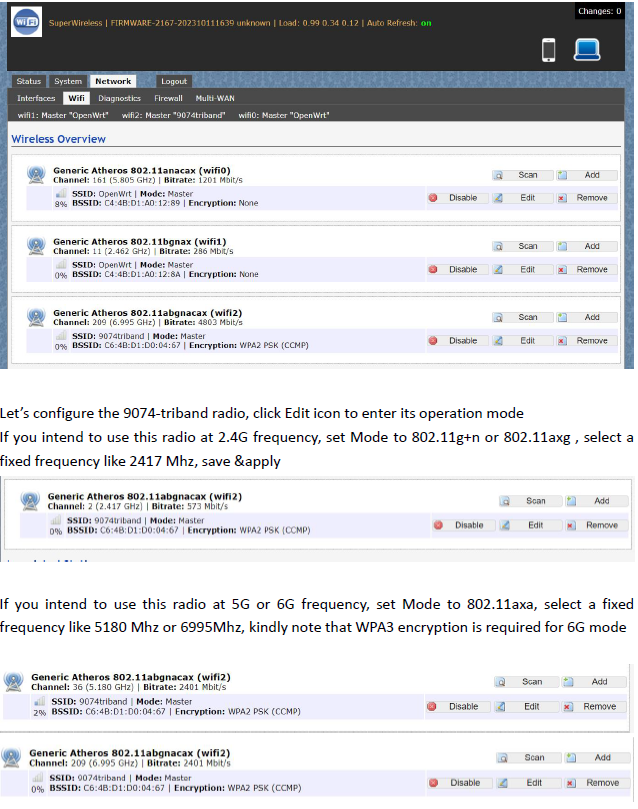
Network>Wifi, at this section, as we can see, there are three radios available, they are Wifi0(2.4G radio),Wifi1(2.4G radio), Wifi2(9074-triband selectable radio)

Let’s configure the 9074-triband radio, click Edit icon to enter its operation mode. If you intend to use this radio at 2.4G frequency, set Mode to 802.11g+n or 802.11axg , select a
fixed frequency like 2417 Mhz, save &apply

config page

If you intend to use this radio at 5G or 6G frequency, set Mode to 802.11axa, select a fixed frequency like 5180 Mhz or 6995Mhz, kindly note that WPA3 encryption is required for 6G mode

Bitrate can be up to 4803Mbit/s under 160Mhz channel spectrum width, both 5G and 6G mode support 160Mhz channel spectrum width. And the 9074-triband module can work under both ap and sta mode

tri band selectabl config

(2) USAGE WITH X86 PLATFORM UBUNTU


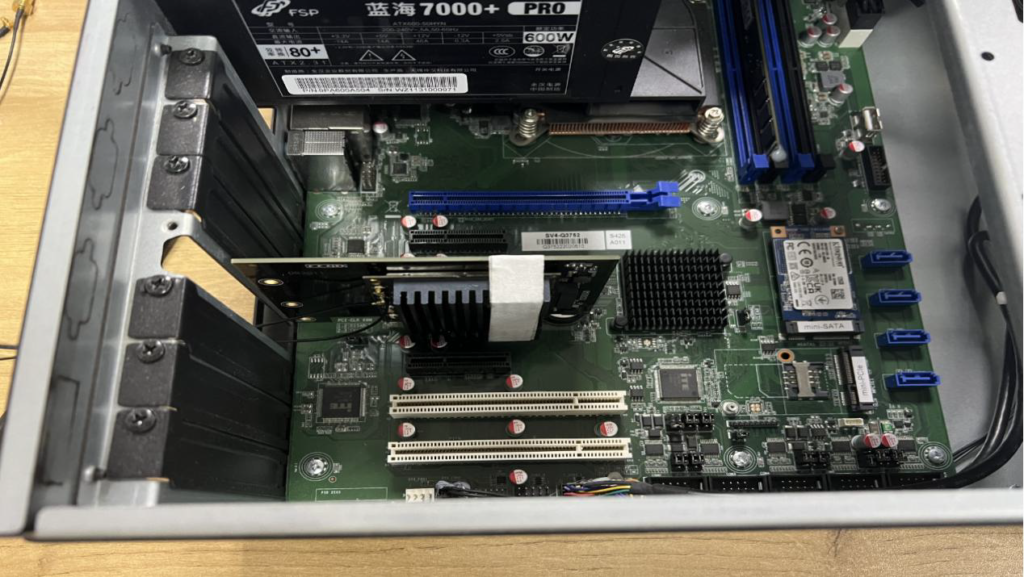
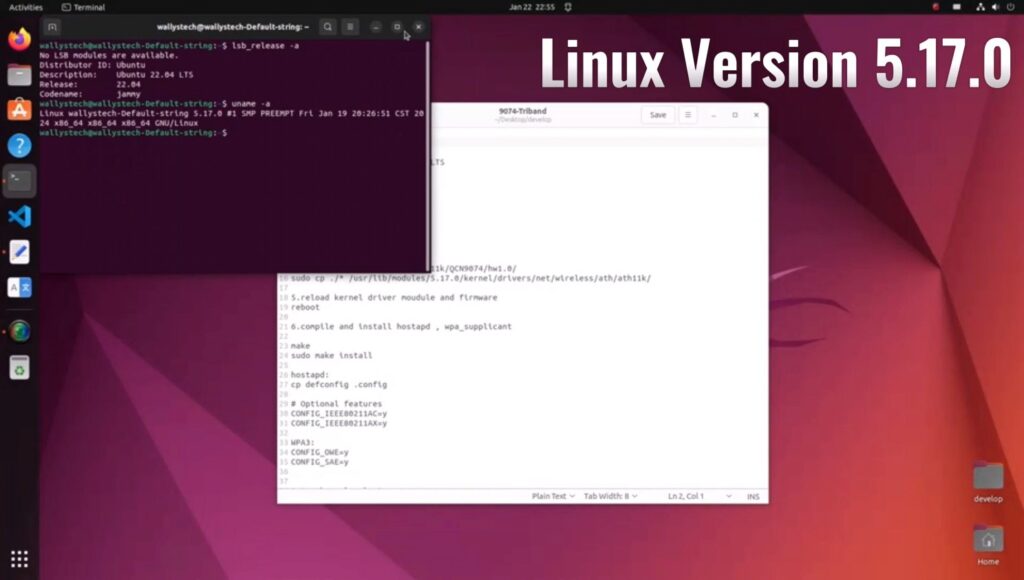
Desktop PC x1 installed Ubuntu 22.04
DR9074-triband module x1
DR3G11 adpater x1 – https://www.524wifi.com/index.php/catalogsearch/result/?q=dr3g11

The kernel version is 5.17.0 which integrated ath11k driver
Use this command ‘sudo hostapd -dd /etc/hostapd/hostapd.conf ’to enable the module under AP mode

UBUNTU system config

The module can work under STA mode as well, and this command need to be run ‘ sudo wpa_supplicant -Dnl80211 -i wlp4s0 -c wpa.conf’
If you are interested in the product or have any technical questions, feel free to reach out 524WiFi or Wallys team

QCN9024 QCN9074 | LOADING DR9074-TRIBAND DRIVER ON LINUX 5.17.0 – STEP-BY-STEP GUIDE 

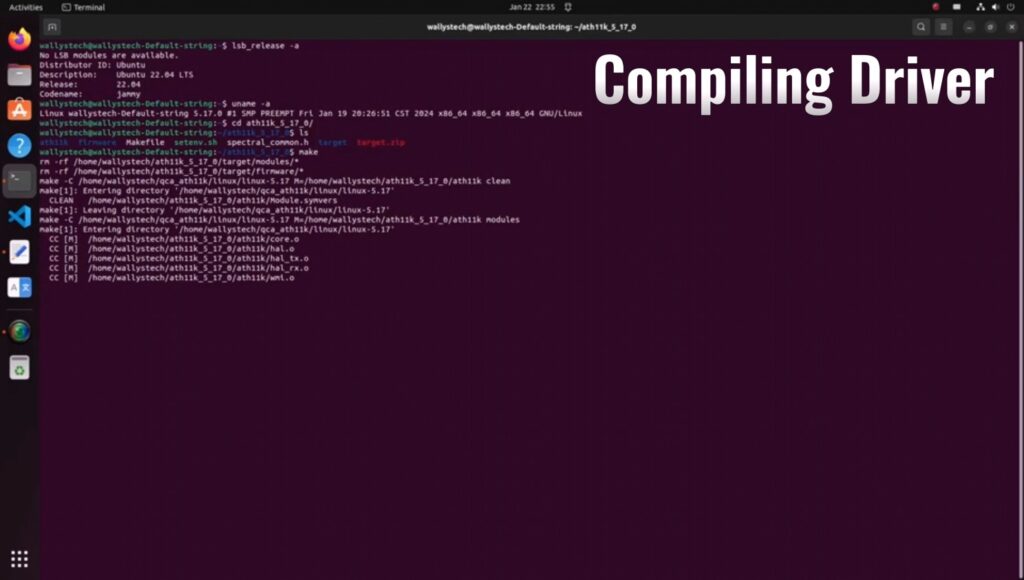
how to load driver linux

Wallys recently announced the compatibility of DR9074-TRIBAND with ATH11K on Linux, expanding its support beyond Qualcomm platforms to various Linux embedded systems, including Ubuntu. In this guide, we’ll walk you through the process of loading the driver for DR9074-Triband on Linux 5.17.0, demonstrating its seamless integration with ath11k. The module is showcased to function effectively in both AP (Access Point) and STA (Station) modes across the 2.4GHz, 5GHz, and 6GHz bands.

INTRODUCTION TO DR9074 (QCN9024):

DR9074-Triband equipped with the Qualcomm Atheros QCN9024 chipset, is an advanced enterprise wireless module. It incorporates a 4×4 MU-MIMO Dual Band Wireless Module, tailored for mobile access in high-bandwidth applications such as video streaming, voice communication, and data transmission. Key features include a maximum power of 23 dBm per chain, supporting data rates up to 4949Mbps. Operating in Tri-Band (2.4GHz, 5GHz, and 6GHz) with 4×4 WiFi 6E (802.11ax) and 4 spatial streams, it features an M.2 E Key Interface and PCI Express 3.0 Interface. Applications span security surveillance, commercial radio coverage, hotel wireless setups, and specialized scenarios.

Device Specifications:

  • Chipset: Qualcomm Atheros QCN9024
  • WLAN Host Interface: PCI Express 3.0
  • Frequency Range: 2.412GHz-2.472GHz & 5.18GHz-5.825GHz & 5.925GHz-7.125GHz
  • Data Rates: Maxim 23dBm per chain, up to 4949Mbps
  • Channel Spectrum Widths: Support 20/40/80/160MHz
  • Modulation Techniques: OFDMA, including BPSK, QPSK, DBPSK, DQPSK, 16-QAM, 64-QAM, 256-QAM, 1024-QAM, 4096-QAM
  • Temperature Range: Operating: -20°C to 70°C, Storage: -40°C to 90°C
  • Humidity: Operating: 5% to 95% (non-condensing), Storage: Max. 90% (non-condensing)
  • Certification: TBD
  • Reference Design: PN02.7
  • Power Consumption: TBD
  • Dimensions (WxHxD): 57mm x 63mm x 6mm

Device Setup:

  • PC with Linux 5.17.0
  • Adapter card (1pc)
  • DR9074-Triband (1pc)

Driver Loading Steps:

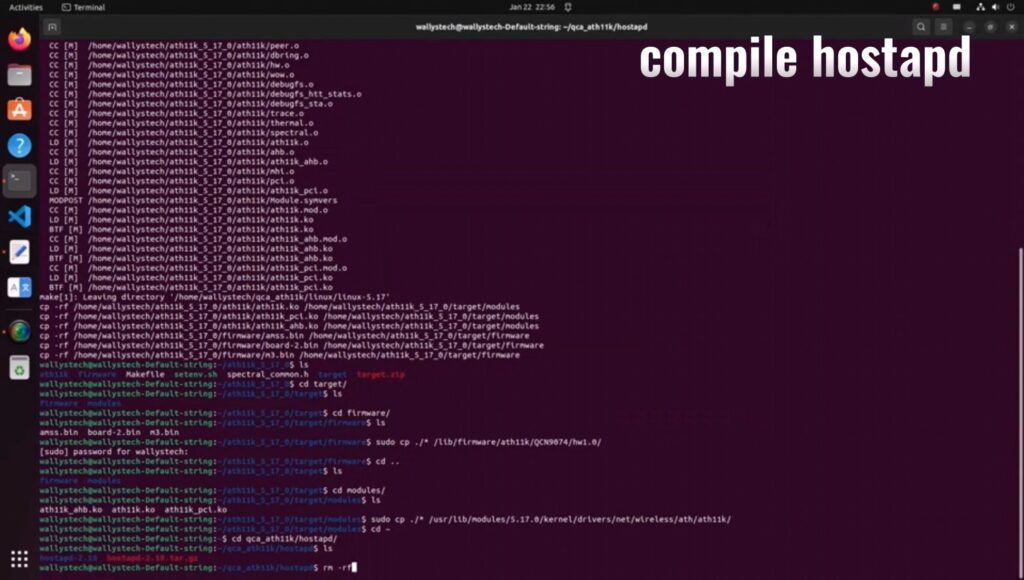
Compile the driver.

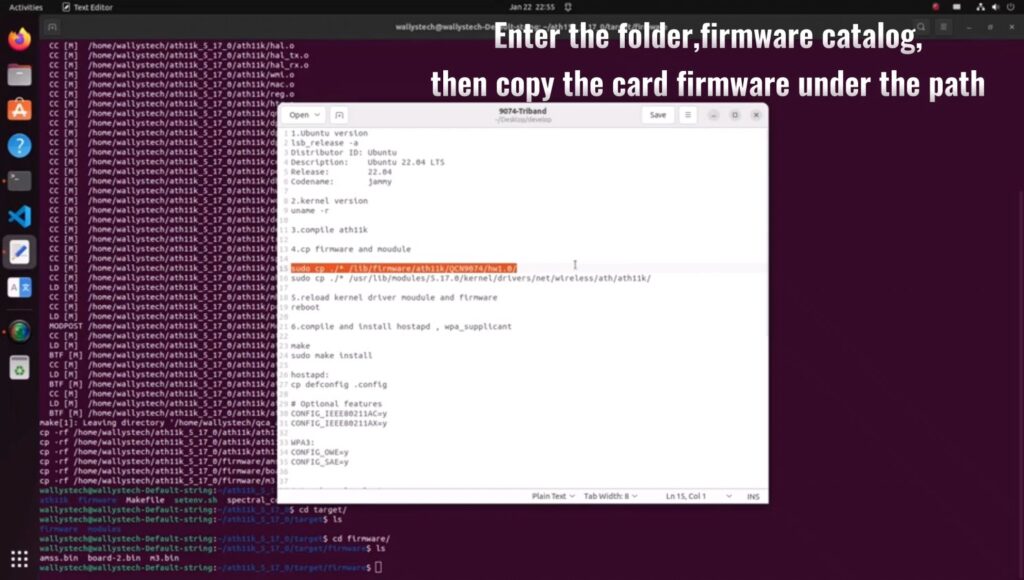
Navigate to the firmware folder and copy the card firmware.

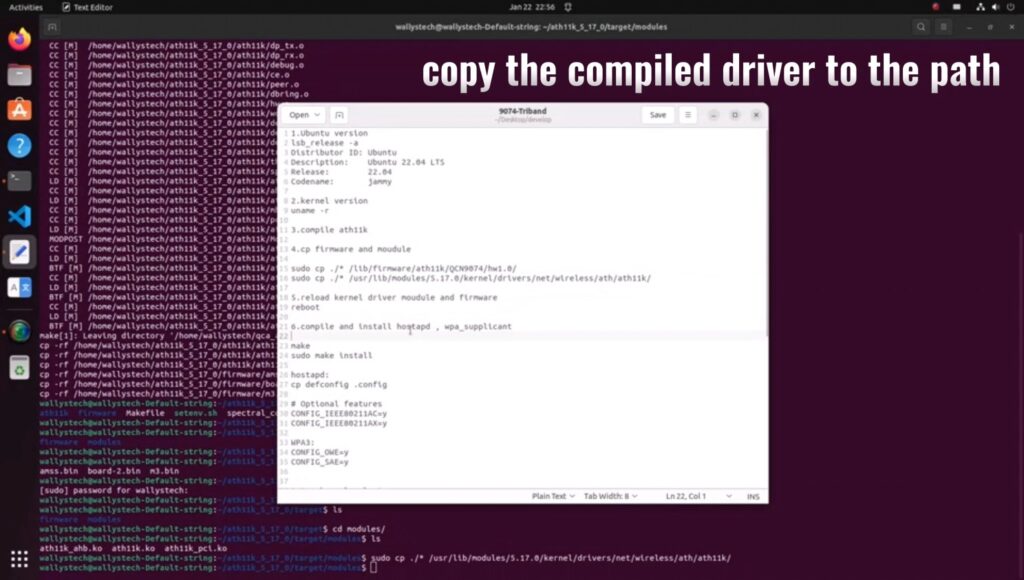
Copy the compiled driver to the designated path.

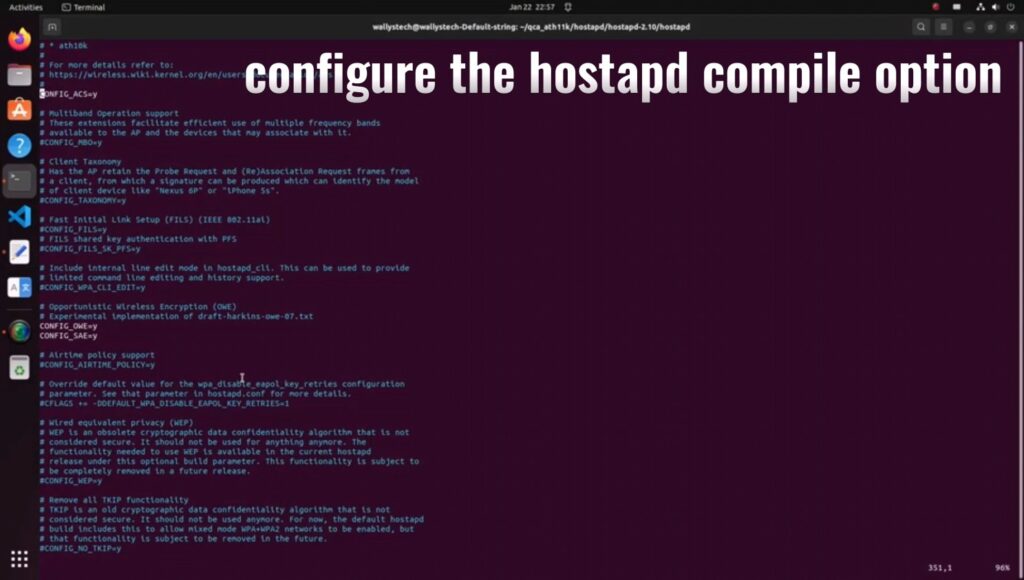
Compile hostapd.

Configure hostapd compile option

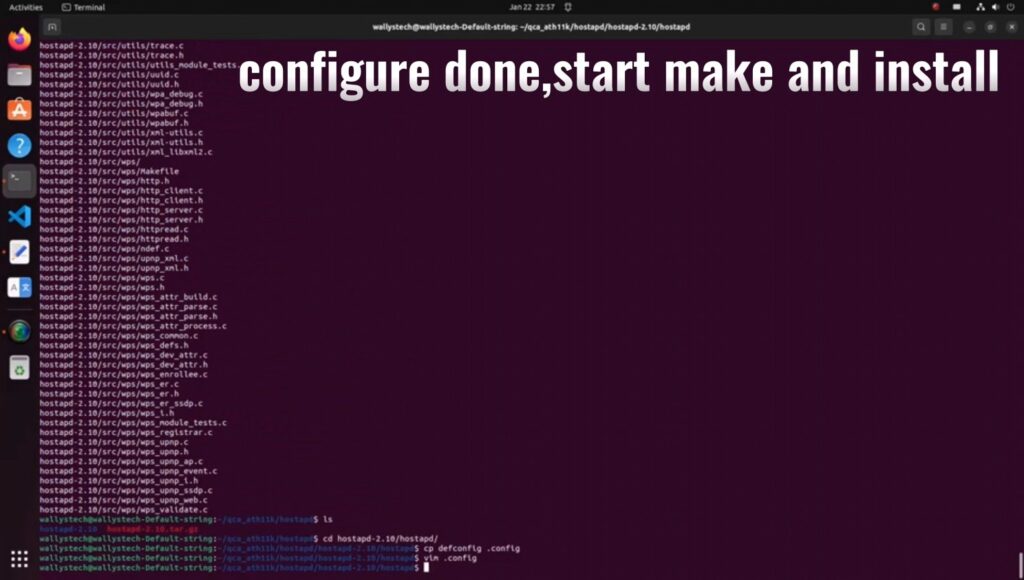
Complete configuration, commence making, and install.

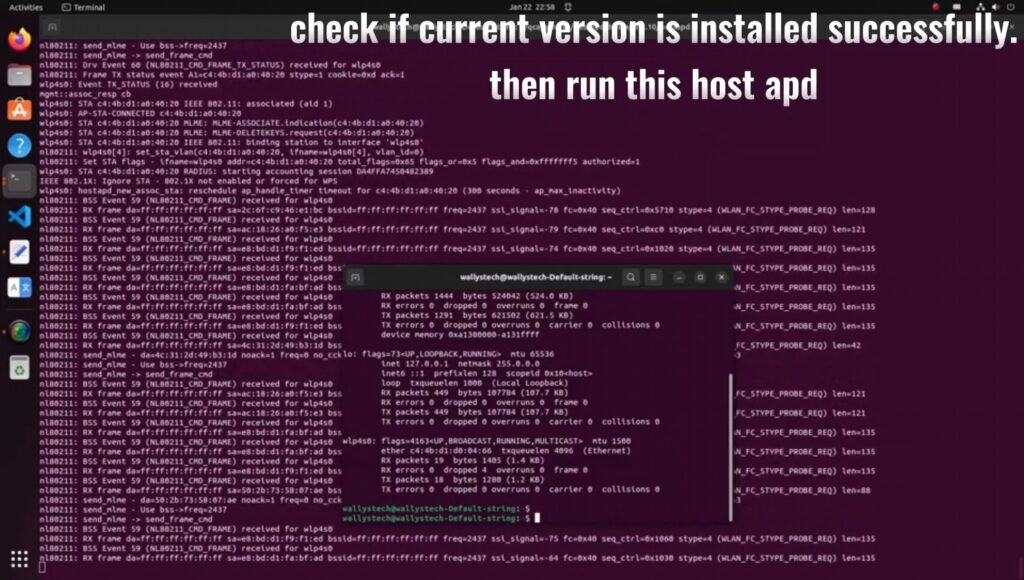
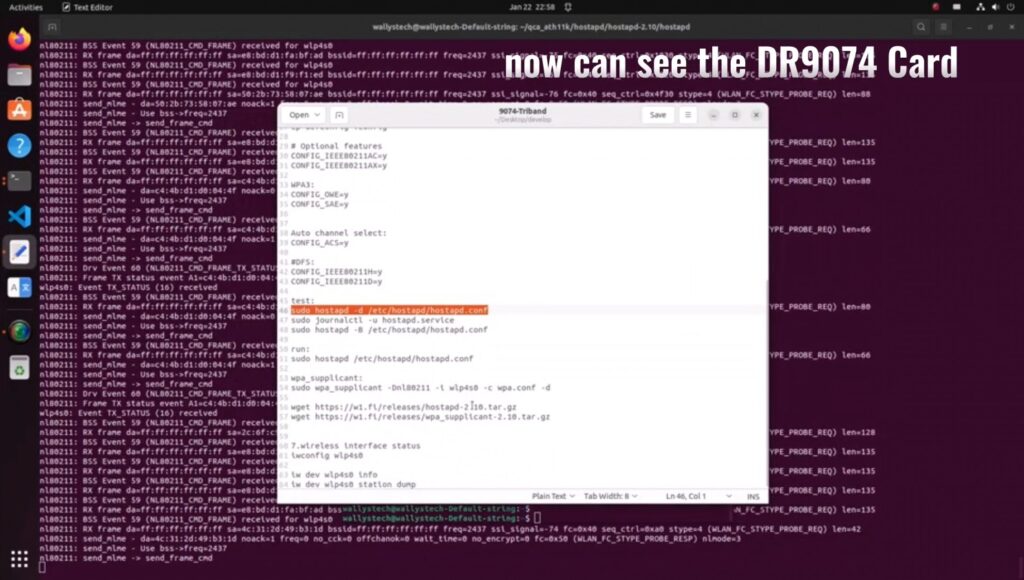
Verify the successful installation of the current version, then run hostapd.

Confirm the presence of the DR9074 card.

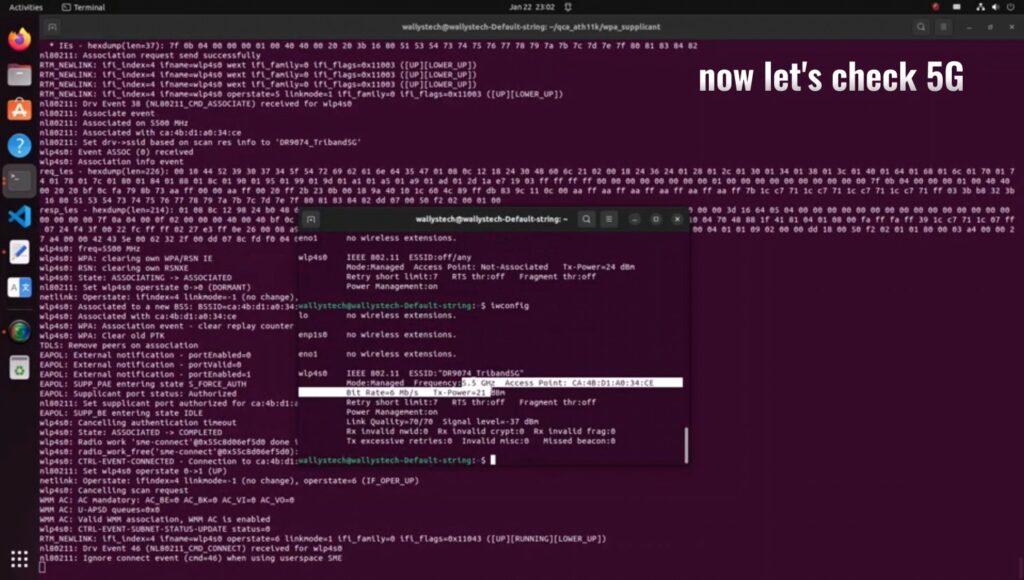
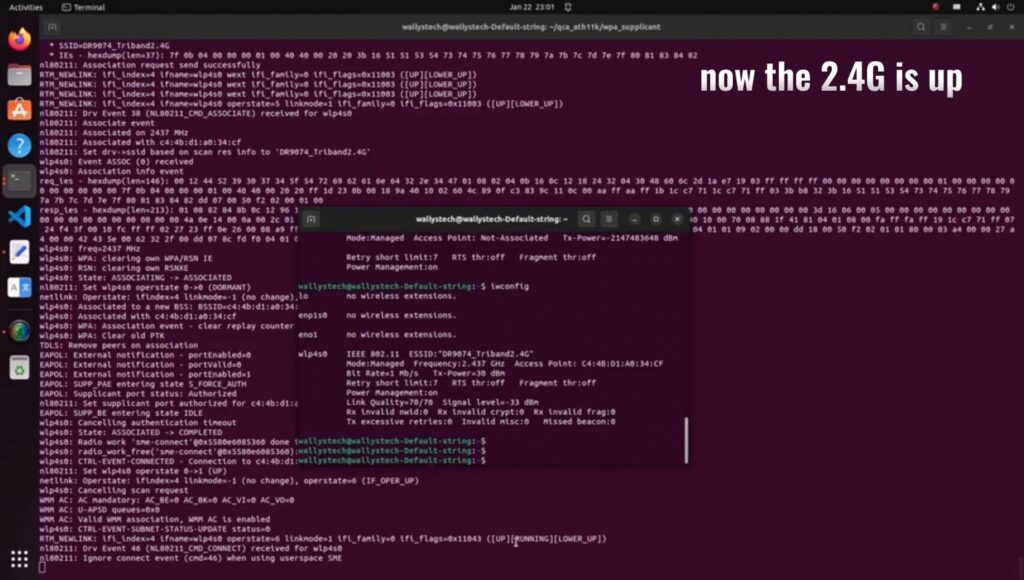
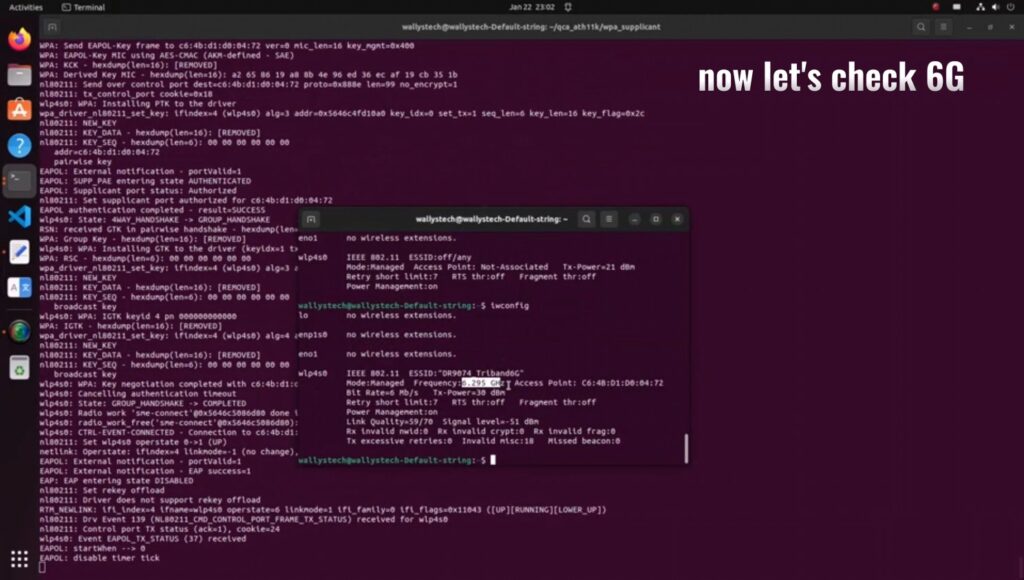
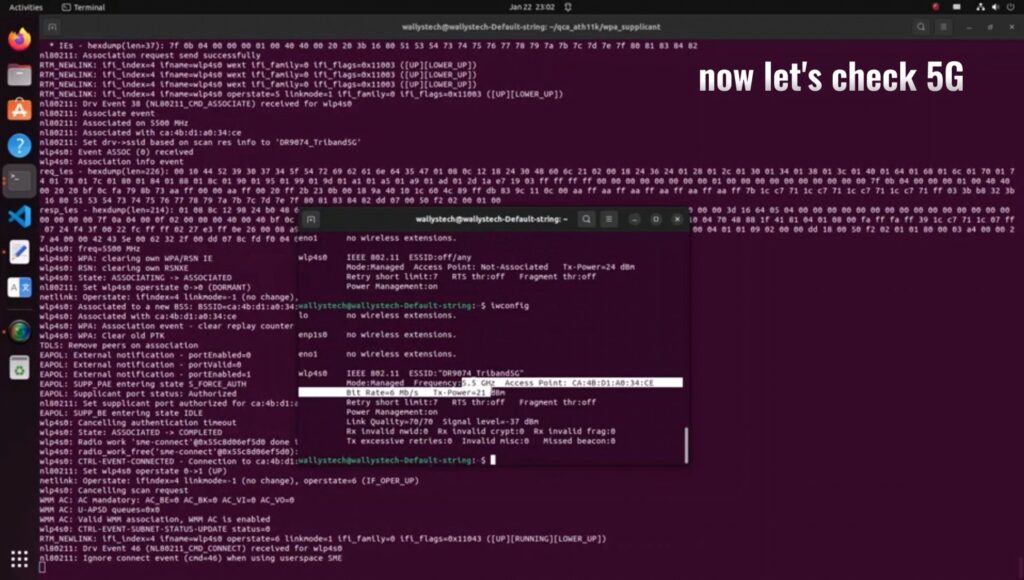
Validate the functionality of 2.4G/5G/6G under AP mode.

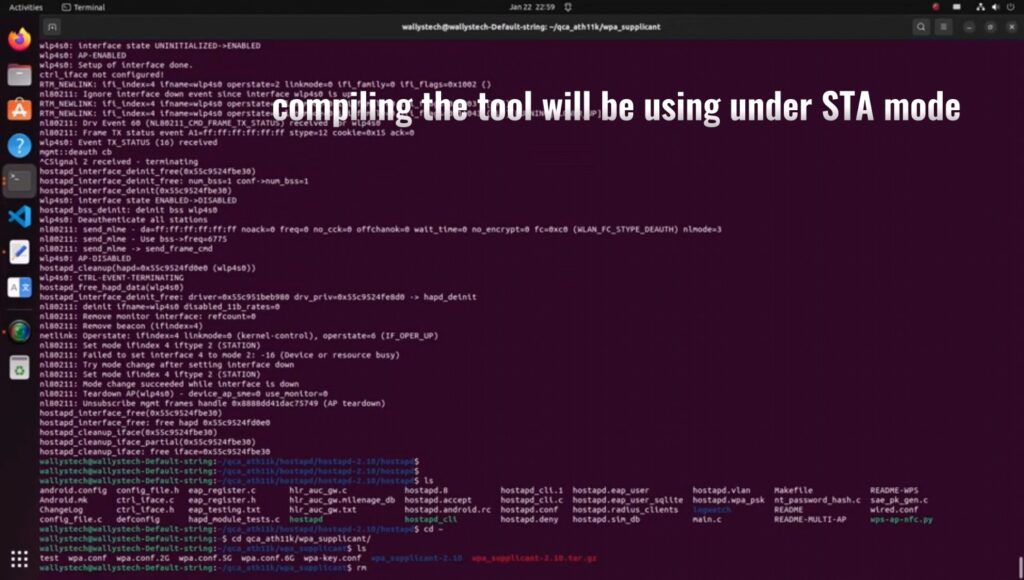
Compile the tool for STA mode and configure compile options.

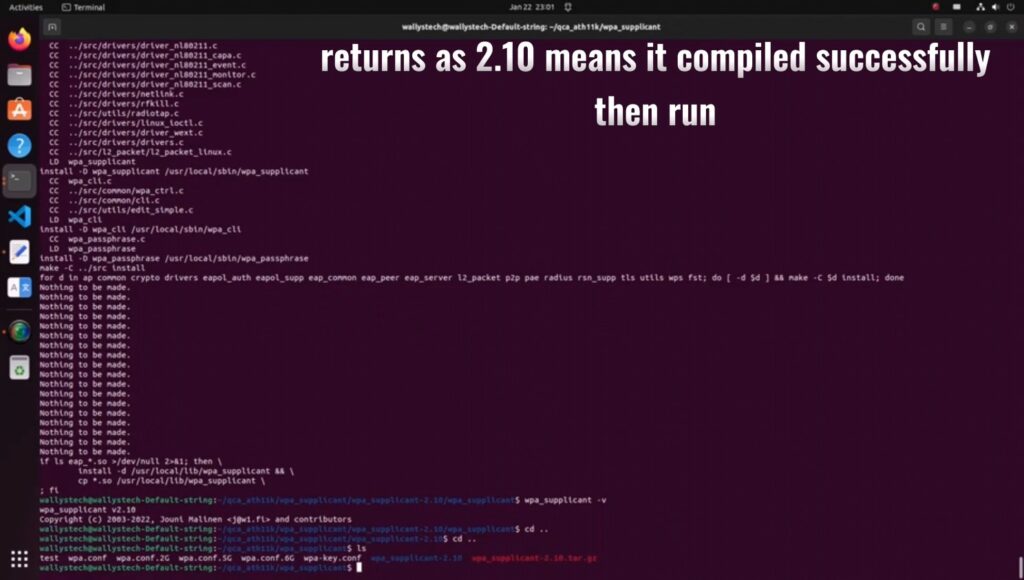
Finish compilation, check the version (returns as 2.10 for successful compilation), then run.

Confirm the functionality of 2.4G/5G/6G under STA mode

For any uncertainties, refer to the YouTube channel for a comprehensive video tutorial:

https://youtu.be/RL6X0xm74Fc?si=F-tuNn-wHNkeAvLB

Thanks for watching…

And now you can continue to 

How to Enable DR9074-Triband Functionality on Linux 5.17.0: Step-by-Step Guide

This tutorial builds upon the previous one and provides additional information on:

1.How to download Ubuntu 22.04.

2.How to compile the 5.17 kernel to support ath11k.