
Posted on

DR6018 + QCN9024: Reliable WiFi 6 for Real-World Industrial Deployments

When it comes to building high-performance wireless infrastructure for industrial or outdoor use, stability and scalability matter just as much as speed.

At 524WiFi and Wallys, we continue to support our customers with proven, cost-effective WiFi 6 solutions — like the DR6018 router board paired with the QCN9024 module — designed for real-world performance in smart cities, surveillance networks, and rugged environments.

🔧 DR6018: Built to Perform

Powered by the Qualcomm IPQ6010/IPQ6018 platform, the DR6018 is one of our most popular and versatile router boards. It features:

  • ✅ Dual-band concurrent 2.4GHz + 5GHz support
  • ✅ Mini PCIe and M.2 slots for modular expansion
  • ✅ 5x Gigabit Ethernet ports
  • ✅ USB 3.0, SD card, SIM support
  • ✅ PoE optional
  • ✅ OpenWrt and QSDK compatibility

Its modularity and robustness make it a go-to choice for OEM/ODM clients who need a balance of performance, flexibility, and cost.

📶 Why QCN9024?

QCN9024 is Qualcomm’s high-throughput WiFi 6 radio chip:

  • 🔁 Supports 4×4 MU-MIMO
  • 📡 Optimized for DFS, long-range & outdoor stability
  • ⚙️ Excellent Linux/OpenWrt driver support
  • 🔩 Easily integrated into DR6018 or DR5018S for consistent results

Whether you’re setting up outdoor CPEs, APs for city-wide WiFi, or reliable backhaul links for security systems, QCN9024 delivers where it counts.

🧠 For Developers & System Integrators

Wallys offers:

  • 🔧 Fully assembled kits or PCBA-only versions
  • ✏️ Custom software/firmware tuning (MIMO, TX power, DFS channels)
  • 📞 Pre-sales and post-sales engineering support

Your project is unique — and our team is here to help you tailor the right solution.

📢 Coming Soon: IPQ5424 Support

Looking ahead? Our R&D team is preparing a new line based on Qualcomm IPQ5424 (Marina Series), featuring Quad-Core ARM-A55 @1.8GHz. Ideal for next-gen industrial APs and higher-end deployments. Stay tuned!

Posted on

What is a Captive Portal? Complete Guide to Coova Chilli Configuration 

Complete Guide to Captive Portal Configuration on 524WiFi DR6018 Wallys Router

In this article, we’ll walk you through everything you need to know about setting up a captive portal on the DR6018 router, from understanding what a captive portal is to configuring it step by step.


1. What is Captive Portal?

Captive portal is a web page that users are automatically directed to when they connect to a public Wi-Fi network. This page typically requires the user to authenticate, agree to terms of service, or log in before gaining access to the internet.

Captive portals are commonly used in places such as cafes, airports, hotels, and corporate environments. When a user connects to the network, their browser is redirected to this login page, allowing the network owner to control access or display messages.


2. Why Is a Captive Portal Beneficial?

Captive portals provide several advantages for both network administrators and users:

  1. Improved Security: Captive portals allow network administrators to control access to the network, ensuring that only authorized users can connect. This helps to prevent unauthorized access and enhances overall network security.
  2. User Authentication: By requiring users to log in or agree to terms of service, you can track who is accessing your network. This is particularly important for public Wi-Fi networks where many users may connect.
  3. Marketing Opportunities: Captive portals provide an excellent platform for displaying advertisements, promotions, or important messages to users before they access the internet. This is a great way for businesses to increase engagement with their customers.
  4. Regulatory Compliance: In some industries or regions, regulations require businesses to monitor and track internet usage. A captive portal helps ensure that the network is used in compliance with legal guidelines.

3. Step-by-Step Guide: Configuring Captive Portal on DR6018 Router

Now that we’ve covered the basics, let’s move on to the detailed steps for setting up a captive portal on the DR6018 router.

Step 1: Upgrade the DR6018 Router with CoovaChilli Firmware

The first step is to ensure your Wallys DR6018 router is running the CoovaChilli firmware. This firmware is essential for setting up a captive portal. Follow the firmware upgrade process in the router’s interface to ensure you have the latest version.

Step 2: Configure eth0 as the WAN Port

Once the firmware is installed, log into the router’s interface and configure the eth0 interface as the WAN port. Remove eth0 from the LAN bridge and disable the DHCP server for this interface. This ensures the router properly routes internet traffic through the WAN port.

Step 3: Connect the Internet Cable and Verify IP Address

Next, plug in your internet cable to the eth0 port. The router should now obtain an IP address within the 192.168.7.xx range. Verify that the WAN port has successfully connected to the internet and is assigned the correct IP address.

Step 4: Configure the Landing Page in CoovaChilli

Now, it’s time to configure the landing page. This is the page users will see when they first connect to your Wi-Fi network. In the CoovaChilli panel, set up the URL for your landing page. For example, you can configure the landing page to redirect users to Baidu’s website or any custom page you want to use.

Step 5: Connect a Device and Test the Captive Portal

With the landing page configured, you can now test the setup. Connect a device, such as a laptop, to the Wi-Fi network provided by the Wallys DR6018 router. Once connected, open a web browser, and you should be automatically redirected to the landing page you configured.

Step 6: Authorize Internet Access with chilli_query authorize ip

Finally, once the user has interacted with the landing page, you can authorize internet access using the CoovaChilli chilli_query authorize ip command. This grants the user permission to browse the internet.


4. Procurement and Project Consultation

If you’re interested in purchasing the Wallys DR6018 router or need further consultation for your networking projects, feel free to reach out to us. Our team is here to assist with any technical or project-related inquiries.

IPQ6010 IPQ6018 Routerboard DR6018

By following this guide, you should now have a fully functioning captive portal on your 524WiFi DR6018 router, offering enhanced security, user management, and marketing opportunities. Stay tuned for more networking tips and tutorials!

Posted on

Speed, Efficiency, and Security: IPQ5332 vs. IPQ6010 – Which One is Right for You?

As modern network technology continues to evolve, choosing the right WiFi solution is crucial for both businesses and individual users. Among many wireless chipsets, the IPQ5332 and IPQ6010 stand out as prominent choices. This article delves into a detailed comparison of these two chipsets to help you understand their advantages and suitable applications.

1. Performance Comparison

IPQ5332

  • Processor: The IPQ5332 features a Quad-Core ARM Cortex-A53 processor with a clock speed of 1.5 GHz. This “Miami” series processor offers excellent energy efficiency while providing stable performance.
  • Memory: It supports up to 2GB of DDR4 memory, ensuring fast data transmission and processing capabilities.
  • Network Standard: It supports the latest WiFi 7 standard, offering higher bandwidth and lower latency, ideal for future high-speed network demands.

IPQ6010

  • Processor: The IPQ6010 is powered by a Quad-core ARM 64-bit A53 processor with a clock speed of 1.8 GHz. With a higher clock speed compared to the IPQ5332, the IPQ6010 delivers stronger computing power.
  • Memory: It supports up to 1GB of DDR3 memory, which, while less than the IPQ5332, is still sufficient for most network applications.
  • Network Standard: It supports the WiFi 6 standard, providing high bandwidth and low latency suitable for current mainstream network needs.

2. Features and Capabilities

IPQ5332

  • High-Speed Connectivity: Supports up to 8 data streams, providing faster transmission speeds and wider coverage.
  • Advanced MIMO Technology: Supports 8×8 MU-MIMO, enhancing efficiency when multiple users access simultaneously.
  • Security: Built-in advanced security protocols, including WPA3, ensuring network security.
  • Expandability: Supports more interfaces and peripherals, suitable for various complex network topologies.

IPQ6010

  • Stable Connectivity: Supports 4 data streams, offering stable transmission speeds and coverage.
  • MIMO Technology: Supports 4×4 MU-MIMO, ideal for typical home and small office use.
  • Security: Supports WPA3 protocol, providing good security.
  • Cost-Effective: While providing basic functionality, it offers a higher cost-performance ratio, suitable for budget-conscious users.

3. Suitable Scenarios

IPQ5332

  • Enterprise Networks: Ideal for medium to large enterprises’ internal networks, capable of supporting many devices and providing efficient data transmission.
  • High-Density Environments: Suitable for venues like large conference centers, schools, hospitals, where many concurrent connections are needed.
  • Future Network Demands: Perfect for scenarios requiring support for future high-bandwidth applications, such as 4K/8K video streaming, virtual reality, etc.

IPQ6010

  • Home Networks: Perfect for home users, providing stable and fast WiFi coverage for daily internet needs.
  • Small Offices: Suitable for small business offices, supporting basic office network needs.
  • Budget-Conscious Users: For users with limited budgets, the IPQ6010 offers an economical solution with good performance.

Conclusion

The IPQ5332 and IPQ6010 each have distinct features and suitable applications. The IPQ5332, with its high-performance processor, advanced MIMO technology, and support for the latest WiFi standards, is ideal for users needing high-speed, large-scale network solutions. The IPQ6010, with its cost-effective nature and sufficient performance, is the perfect choice for home users and small businesses. When choosing, users should consider their specific needs and budget to determine the best solution.

Posted on

Which is better for industrial WiFi: IPQ6010 with QCN9074 or IPQ5332 with QCN9274?

Industrial-Grade WiFi Solutions: IPQ6010 with QCN9074 vs IPQ5332 with QCN9274

In industrial-grade applications, reliable and high-performance wireless solutions are critical. Here we compare two advanced options tailored for such demanding environments: the IPQ6010 with QCN9074 and the IPQ5332 with QCN9274. These solutions are designed to meet the rigorous standards of industrial settings, providing robust connectivity and performance.

IPQ6010 with QCN9074

The IPQ6010 chipset paired with the QCN9074 is a powerful WiFi 6E solution suitable for industrial applications. It supports enhanced network capacity and efficiency, making it ideal for environments that demand high performance and reliability.

Key Features:

  • Chipset: Qualcomm IPQ6010
  • Wireless Standard: WiFi 6E (802.11ax)
  • Wireless Configuration: 4×4 MIMO
  • Bands Supported: 2.4GHz, 5GHz, 6GHz
  • Ethernet Ports:Multiple 1Gbps and 2.5Gbps portsSFP interfaces for fiber connections
  • OFDMA Support: Yes
  • MU-MIMO Support: Yes
  • Power Options: Flexible POE support, DC power
  • Memory & Storage: Up to 512MB DDR, various Flash options

Advantages for Industrial Applications:

  • Robust Performance: Enhanced wireless performance with support for the 6GHz band.
  • Versatile Connectivity: Multiple Ethernet ports and SFP interfaces for diverse networking needs.
  • Backward Compatibility: Supports legacy WiFi standards for seamless integration.
  • Enhanced Efficiency: OFDMA and MU-MIMO support ensure efficient network traffic management.

IPQ5332 with QCN9274

The IPQ5332 chipset paired with the QCN9274 is a next-generation WiFi 7 solution designed for industrial-grade applications that require ultra-high-speed network connections with low latency. This setup is future-proof, ensuring top-notch performance for years to come.

Key Features:

  • Chipset: Qualcomm IPQ5332
  • Wireless Standard: WiFi 7 (802.11be)
  • Wireless Configuration:2×2 2.4GHz MIMO4x4 5GHz MIMO4x4 6GHz MIMO
  • Bands Supported: 2.4GHz, 5GHz, 6GHz
  • Ethernet Ports:Multiple 2.5Gbps ports10Gbps SFP interfaces for high-speed fiber connections
  • OFDMA Support: Yes
  • MU-MIMO Support: Yes
  • Power Options: DC Jack, POE support
  • Memory & Storage: 1GB DDR4, 512MB NAND Flash, 8MB NOR Flash

Advantages for Industrial Applications:

  • Future-Proof Technology: Cutting-edge WiFi 7 performance with high bandwidth and low latency.
  • High Capacity: Advanced MIMO configurations for efficient handling of multiple simultaneous connections.
  • Ultra-High-Speed Connectivity: Supports up to 10Gbps Ethernet and SFP interfaces for fiber optic connections.
  • Scalable and Reliable: Designed to meet the rigorous demands of industrial environments with scalable network options.

Comparative Table

Recommendation for Industrial-Grade Applications

For WiFi 6E Triband Solution: The IPQ6010 with QCN9074 is highly recommended. It provides robust performance and supports the new 6GHz band, making it ideal for industrial applications requiring enhanced capacity and efficiency.

For WiFi 7 Triband Solution: The IPQ5332 with QCN9274 is the best choice. It offers cutting-edge performance with high bandwidth and low latency, ensuring it meets the demands of high-performance industrial applications and is future-proof for upcoming wireless technology needs.

Posted on

524WiFi DRiver DR6018S: Achieve 808Mbps Stable Long-Distance PTP Transmission at 1.5km with the IPQ6010 WiFi 6 Chipset

DR6018S: Achieve 808Mbps Stable Long-Distance PTP Transmission at 1.5km with the IPQ6010 WiFi 6 Chipset

As wireless communication technology continues to evolve, the demand for high-performance, long-distance, point-to-point (PTP) solutions has grown significantly. The DR6018S routerboard, featuring the IPQ6010 WiFi 6 chipset, has emerged as a robust solution capable of delivering impressive speeds over long distances. This article delves into the testing results of the DR6018S, provides an overview of its specifications, compares the IPQ6010 with the IPQ6000, explores various applications, and highlights the services offered by Wallys, the company behind this innovative technology.

DR6018S Long-Distance Testing Results

3.3km Test Results

The DR6018S routerboard, when tested at a distance of 3.3 kilometers, demonstrated strong performance. Paired with the DR5G17 antenna, the test results were as follows:

  • Speed: 572 Mbps
  • RSSI (Received Signal Strength Indicator): 34
  • RX (Receive Rate): 854.7 Mbps
  • TX (Transmit Rate): 432.4 Mbps

These results underscore the capability of the DR6018S to maintain a reliable connection over a considerable distance, ensuring effective data transmission even in challenging environments.

1.5km Test Results

When the testing distance was reduced to 1.5 kilometers, the performance of the DR6018S improved significantly, showcasing its potential for high-speed transmission over moderate distances. Using the same DR5G17 antenna, the results were:

  • Speed: 808 Mbps
  • RSSI: 44
  • RX: 1080.9 Mbps
  • TX: 1080.9 Mbps

The improved RSSI and data rates at 1.5 kilometers highlight the DR6018S’s efficiency in delivering superior performance, making it an ideal choice for various industrial applications requiring stable and fast connectivity.

Overview of the DR6018S Routerboard

The DR6018-S V02 routerboard is built on the IPQ6010/IPQ6018/IPQ6000 chipset family, which is known for its powerful performance and advanced features. Key specifications of the DR6018S include:

https://www.524wifi.com/index.php/catalogsearch/result/?q=6018

  • Processor: Quad-core ARM 64-bit A53 @ 1.8GHz, ensuring robust processing power for demanding tasks.
  • Memory: 1GB DDRL3L System Memory, providing ample capacity for smooth operation and multitasking.
  • Storage: 8MB NOR Flash and 256MB NAND Flash, offering sufficient storage for firmware and applications.
  • Frequency Support: Dynamic Frequency Selection (DFS), enhancing flexibility and reducing interference.
  • 2.4GHz Radio: 2×2 on-board configuration with up to 573Mbps physical data rate, ensuring reliable performance in the 2.4GHz band.
  • 5GHz Radio: 2×2 on-board configuration with up to 1201Mbps physical data rate, enabling high-speed connections in the 5GHz band.
  • Software Support: Openwifi and QSDK, allowing for customization and optimization to meet specific requirements.

IPQ6010 vs. IPQ6000 Comparison

The IPQ6010 and IPQ6000 chipsets belong to the same family but cater to different performance needs. The IPQ6010 is designed for higher performance, offering enhanced stability and reliability, making it suitable for demanding applications. In contrast, the IPQ6000 serves as a lower-end option, suitable for less intensive applications where cost efficiency is a priority. The superior performance of the IPQ6010 makes it a preferred choice for industrial and enterprise applications requiring consistent and high-speed connectivity.

Applications of DR6018S

The versatility of the DR6018S routerboard allows it to be deployed in a wide range of industrial applications, including:

  • Industrial Long-Distance Transmission: Ensures stable and high-speed communication over extensive distances, critical for remote monitoring and control systems.
  • Customer Premises Equipment (CPE): Ideal for providing internet access to end-users in residential and commercial settings.
  • Logistics and Warehousing: Enhances connectivity and data management in large facilities, improving operational efficiency.
  • Security: Supports high-definition surveillance systems, providing reliable and secure transmission of video data for enhanced security.
Posted on

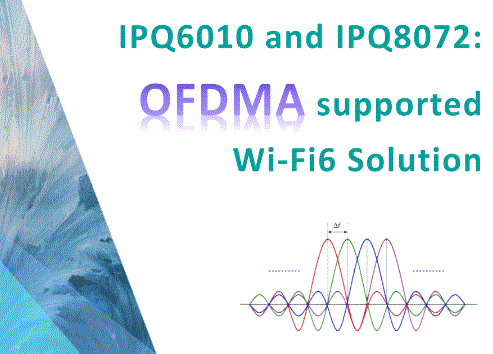
IPQ6010 and IPQ8072 OFDMA support in Wifi6 Solution

IPQ6010 and IPQ8072:OFDMA support in Wifi6 Solution

Introduction:

In the dynamic landscape of wireless communication, the techniques employed play a crucial role in optimizing data transmission and overcoming challenges. Two key technologies, FDMA (Frequency Division Multiple Access) and OFDMA (Orthogonal Frequency Division Multiple Access), are pivotal in this context. This blog aims to unravel the disparities between FDMA and OFDMA, shedding light on their applications and significance in mitigating multipath interference, particularly in the realm of Wi-Fi.

The Need for Multiple Carrier Technologies:

To comprehend the essence of OFDMA, it’s imperative to first delve into the concept of OFDM (Orthogonal Frequency Division Multiplexing). OFDM is a multicarrier modulation technique designed to combat multipath interference encountered in wireless communication. Multipath interference occurs when radio waves encounter obstacles, causing reflections and refractions. This phenomenon results in multiple versions of the same signal reaching the receiver, leading to what is known as multipath interference.

The Challenge of Inter-Symbol Interference:

Multipath interference directly contributes to intersymbol interference (ISI). In the realm of wireless communication, ISI poses a challenge where, for a given set of serial signals, the receiver encounters difficulty distinguishing between them. This challenge arises when the time delay between two identical signals is less than the signal’s transmission interval. The outcome is known as inter-symbol interference, making it arduous for the receiver to accurately decipher the intended signals.

OFDM as a Solution:

OFDM addresses this issue by transforming high-speed serial data into parallel low-speed data streams, thereby reducing inter-symbol interference. However, OFDM comes with its own set of drawbacks. In Wi-Fi 4/5, where communication is single-user-centric, each data transmission occupies all available subcarriers. This results in inefficiencies when small data packets, such as instant messages or web browsing, are transmitted, as the entire bandwidth is underutilized.

Introduction of OFDMA:

In response to this inefficiency, Wi-Fi 6 introduced OFDMA, borrowing a page from 5G’s playbook. OFDMA, despite its name’s resemblance to OFDM, is fundamentally a multiple access technique. Multiple access techniques distinguish different users, and common methods include FDMA, TDMA, and CDMA.

FDMA vs. OFDMA:

FDMA relies on allocating different frequency channels to different users. In the analogy of a gathering, it’s akin to separating rooms for distinct conversations. On the other hand, OFDMA divides the channel into Resource Units (RUs), each orthogonal to the others. In our gathering analogy, OFDMA creates individual compartments within a room, facilitating multiple conversations simultaneously.

Enhancing Efficiency with OFDMA:

OFDMA optimizes spectral efficiency by scheduling users in specific resource units instead of utilizing the entire channel for a single user, as seen in traditional OFDM. It introduces a more flexible approach, akin to efficiently utilizing a delivery vehicle by allocating designated compartments for different recipients.

Conclusion:

In summary, while OFDM successfully addresses multipath interference by transforming data streams, OFDMA takes a step further by introducing an innovative multiple access technique. By adopting OFDMA, Wi-Fi 6 has elevated efficiency in point-to-multipoint communication, ensuring that a single cycle completes communication with multiple users. This evolution underscores the dynamic nature of wireless communication technologies, continually adapting to enhance performance and meet the demands of evolving applications.

Here are some of Wallys’ 802.11ax products support OFDMA

DR6018:

Qualcomm-Atheros IPQ6010

Quad-core ARM 64bit A53 @1.8GHz Processor

1GB DDRL3L System Memory

32MB NOR Flash, 256MB NAND Flash

Supports Dynamic Frequency Selection (DFS)

2×2 On-board 2.4GHz radio, up to 573Mbps physical Data Rate

2×2 On-board 5GHz radio, up to 1201Mbps physical Data Rate

Support: QUECTEL RM500Q-GL

Support: QCN9074 WiFi 6E Card

Support Openwifi

Support QSDK

DR8072:

Qualcomm Atheros IPQ8072A AR Quad Core CPU

On-board 5GHz radio, up to 2475 Mbps physical data rate,On-board 2.4GHz radio, up to 1147Mbps physical data rate

8 MB NOR Flash, 256MB NAND Flash(NAND Flash can be up to 1GB as optional)

Support 11ax TX Beamforming,Support 11ac/ax MU-MIMO DL and UL,Support OFDMA DL and UL

Supports Dynamic Frequency Selection (DFS)

DDR 1GB DDR3L(Support DDR3L can be up to 2GB as optional)

M.2 connector can support QCN9074 production

DR9074-TRIBAND

Qualcomm Atheros QCN9024

Maxim 23 dBm per chain,up to 4949Mbps

Data Rateup to 4949Mbps

Support  Tri Band 2.4GHz&5GHz&6GHz 4×4 WiFi 6E (802.11ax)

4 spatial streams (4SS)

M.2 E Key Interface

PCI Express 3 .0 Interface

Posted on

Revolutionizing Connectivity: WiFi 6, OpenWiFi, and the QCA IPQ6010 DR6018 board

In an era where connectivity is paramount, the evolution of wireless networking technology never ceases to amaze. WiFi 6, also known as 802.11ax, represents the latest leap forward, building upon the strong foundation laid by its predecessor, WiFi 5 (802.11ac), and introducing a host of groundbreaking enhancements.

But WiFi 6 isn’t the only star of the show. Enter OpenWiFi, an industry movement that’s reshaping the landscape of Wi-Fi infrastructure innovation. OpenWiFi is an open-sourced, community-driven Wi-Fi software system, comprising a cloud controller SDK and enterprise-grade Access Point (AP) firmware, meticulously designed to work in perfect harmony.

The Power of OpenWiFi

OpenWiFi is a game-changer in several aspects:

  1. Cost-Efficiency: Developing enterprise-grade Wi-Fi solutions can be a costly endeavor. OpenWiFi significantly reduces R&D costs, empowering both existing and new suppliers to deliver top-notch Wi-Fi products with less development effort.
  2. Accelerated Innovation: OpenWiFi fosters open innovation by providing a common foundation for suppliers and service providers. With shared control, data, and management layers, the focus shifts from reinventing Wi-Fi basics to service innovation.
  3. Seamless Integration: The cloud controller SDK offers open north-bound APIs, enabling over-the-top Wi-Fi applications to integrate effortlessly with multiple vendor solutions. This not only saves integration costs but also accelerates time to market.
  4. Economic Benefits: For service providers and enterprises alike, OpenWiFi translates into substantial savings. With reduced deployment costs (CAPEX) and automation-driven operational efficiency (OPEX), the Total Cost of Ownership (TCO) drops significantly compared to proprietary solutions.
  5. Diverse Choice: OpenWiFi offers a wide selection of cloud controllers and access points from multiple vendors, providing flexibility and choice in enterprise-grade Wi-Fi infrastructure.

Meet the QCA IPQ 601 DR6018 board from Wallys

Empowering the OpenWiFi revolution is the Wallys DR6018—an industrial-grade, concurrent dual-band Wi-Fi 6 Routerboard. Let’s explore what makes it a standout choice:

  • Processing Prowess: Equipped with the Qualcomm-Atheros IPQ6010, a quad-core ARM 64-bit A53 processor running at 1.8GHz, it’s designed for exceptional performance.
  • Ample Memory: With 1GB of DDR3L system memory and a clever memory bus design, it’s ready for demanding networking tasks.
  • Wireless Wizardry: Onboard 2×2 2.4GHz and 5GHz radios with support for MU-MIMO and OFDMA technologies deliver top-tier wireless performance.
  • Connectivity Galore: Multiple Ethernet ports, including a 2.5Gbps Ethernet port, offer a wealth of wired connectivity options.
  • POE Versatility: Whether you need passive POE or active POE (802.3bt), the DR6018 has you covered.
  • Compact Form: At 185mm x 116mm, it packs power into a compact design.

Unlocking New Possibilities

What’s truly remarkable is that the DR6018 series routers have recently undergone rigorous long-distance testing, achieving an astonishing 23 km long-distance transmission.

To explore how the Wallys DR6018 can transform your connectivity, check out WallysTech.

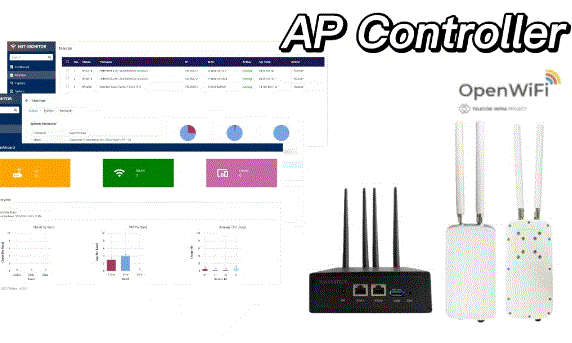
Furthermore, 524WIFI and Wallystech offers the opportunity to customize your own AC+AP Solution (AP Controller). Their AC software is designed to enable cross-city, cross-domain management capabilities, with customizable special functions. Reach out to our sales team to learn more.