

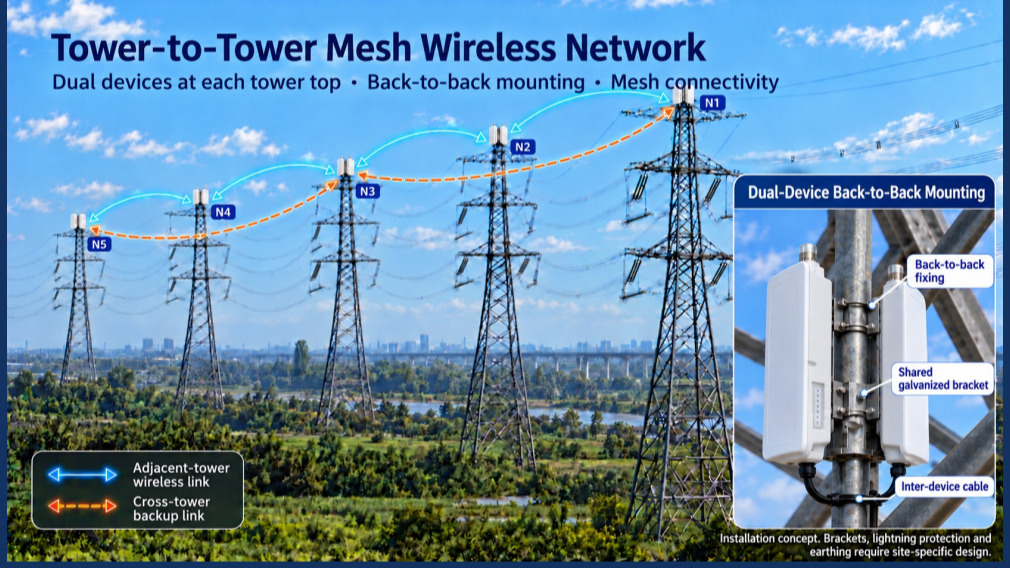
Most industrial mesh networks lose throughput with every hop, because one radio has to receive and retransmit on the same channel. We recently documented a cleaner way to deploy the 524WiFi DR5018S Mesh (Qualcomm IPQ5018, Wi-Fi 6) using two separate backhaul bands. It matters – because our DR5018-S MESH is the tri-band concurrent solution 2+5+6 GHz !
The topology
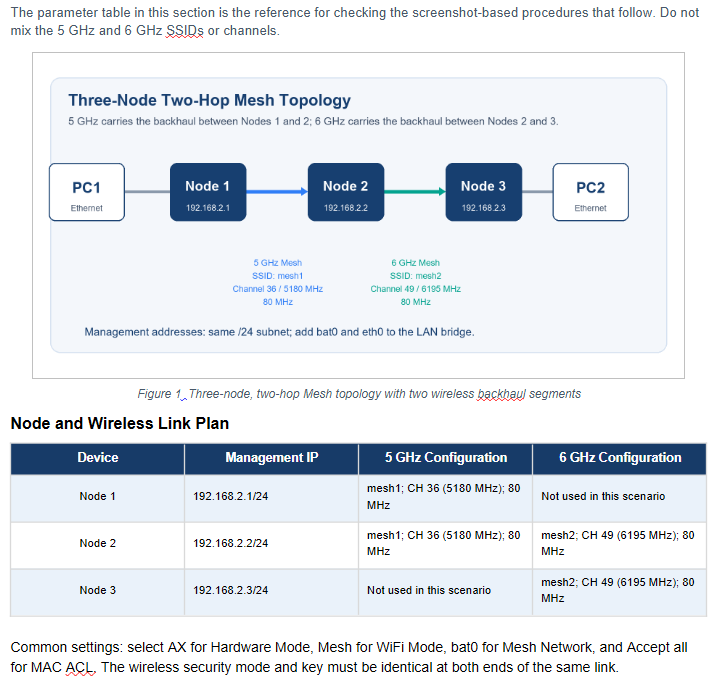
PC1 → Node 1 → Node 2 → Node 3 → PC2
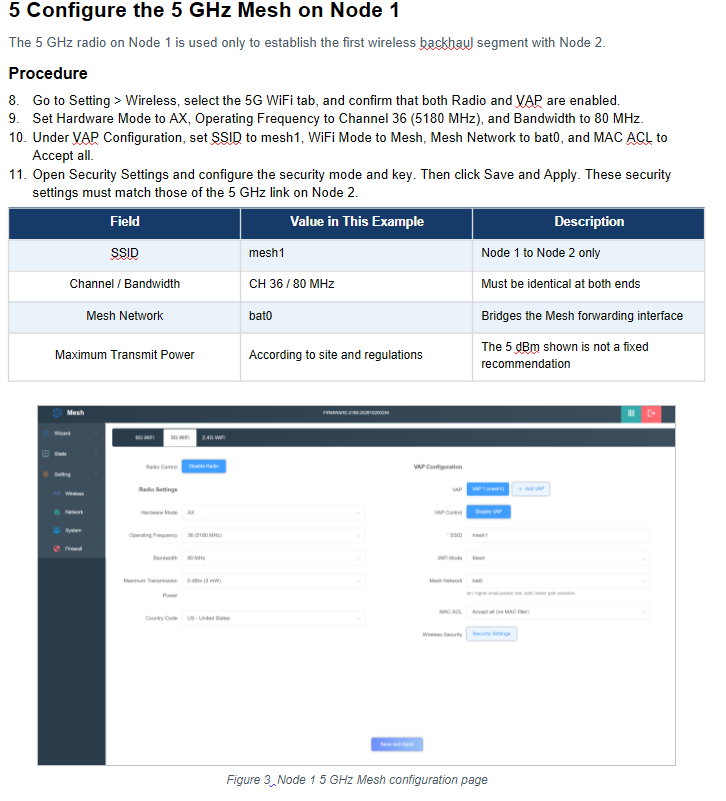
- Node 1 to Node 2: 5 GHz, SSID mesh1, CH 36 (5180 MHz), 80 MHz
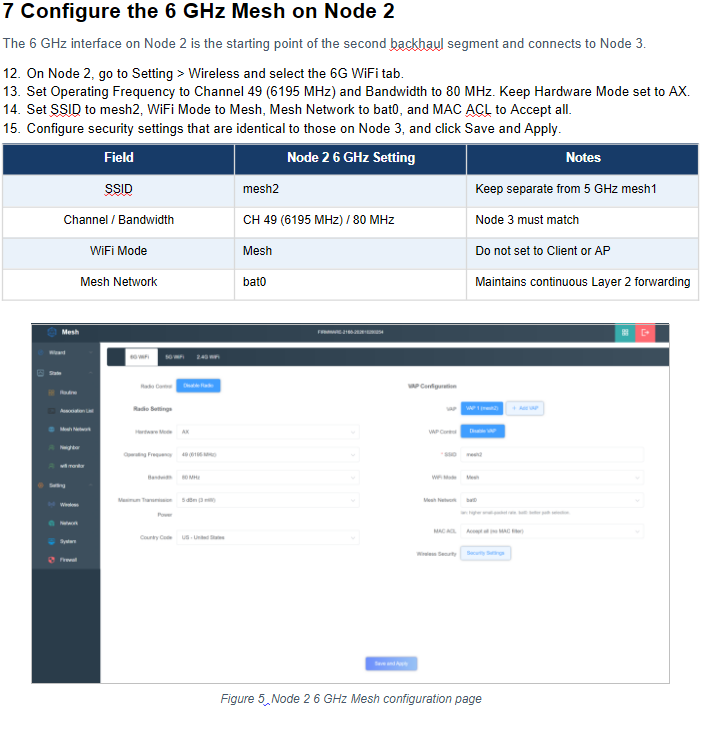
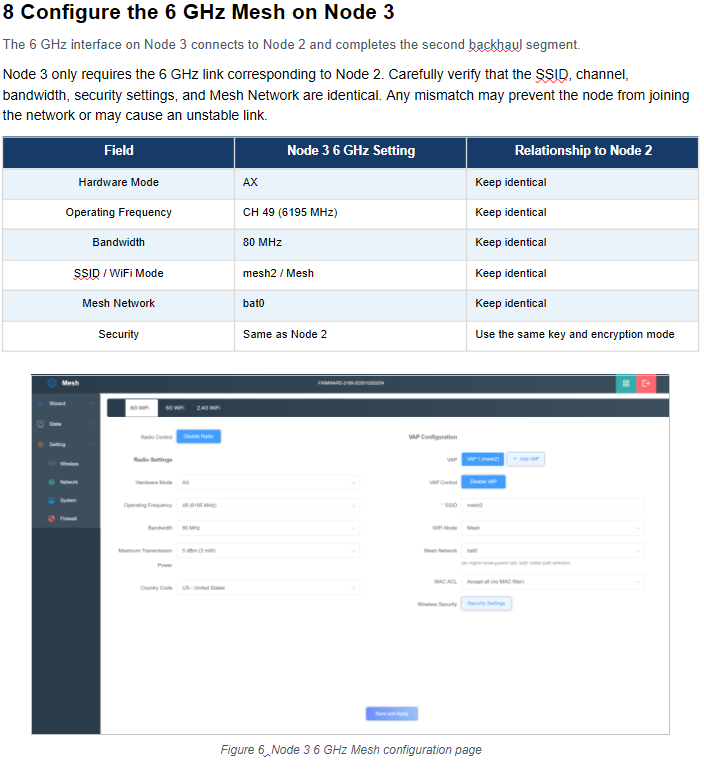
- Node 2 to Node 3: 6 GHz, SSID mesh2, CH 49 (6195 MHz), 80 MHz
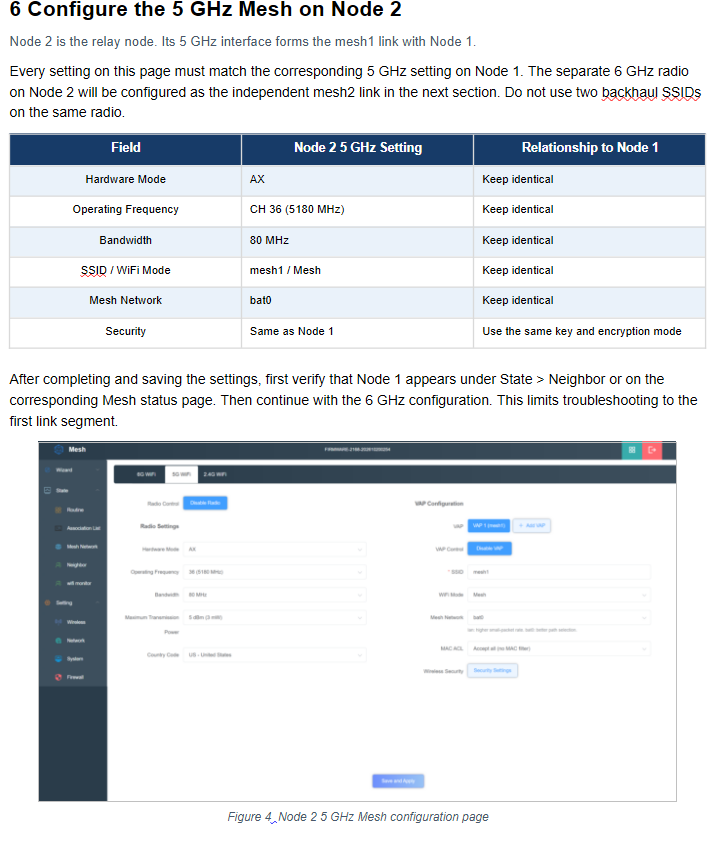
Node 2 is the relay. It carries both backhaul segments, one on each radio, so the two hops never compete for the same channel. Each segment has its own SSID. Never put two backhaul SSIDs on one radio.
The result
We ran iperf3 from PC1 to PC2 with 10 parallel streams (iperf3 -c <PC2 address> -P 10). The aggregate rate stayed at roughly 624–634 Mbits/sec over several consecutive one-second intervals. This is aggregate multi-stream throughput across the two-hop path, not single-client speed. It is a reference for this topology under our test conditions, not a performance guarantee for your site.
Five setup details that matter
- Set management IPs first. Configure static addresses (192.168.2.1, .2 and .3 in our example) before enabling the mesh radios, so you don’t lose access after saving.
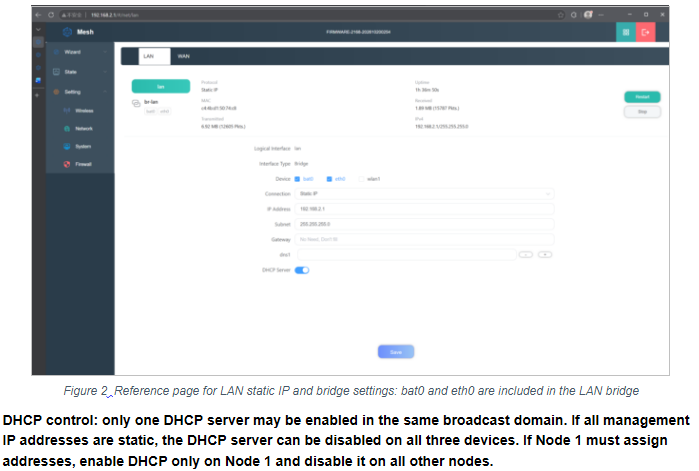
- Put bat0 and eth0 in the same LAN bridge. This keeps Layer 2 forwarding continuous between the wired port and the mesh interface.
- Match both ends of every link exactly. Hardware mode (AX), channel, bandwidth, SSID, Mesh mode, Mesh Network (bat0) and security key must be identical. A single mismatch causes failed joins or unstable links.
- Bring up one link at a time. Confirm Node 1 appears on Node 2’s Neighbor page before you configure 6 GHz. If something fails, you know which hop to check.
- Run only one DHCP server per broadcast domain. Duplicate DHCP is a common cause of “I can manage the nodes but PC1 can’t reach PC2.”
Acceptance testing that is repeatable
Verify in order, from the nearest link to the farthest:
- Neighbor status: Node 1 sees Node 2, Node 2 sees both Node 1 and Node 3, and Node 3 sees Node 2.
- Routes to every node’s management address.
- Continuous ping from PC1 to PC2 to check for packet loss and latency variation.
- iperf3 with the same methodology each time, so results can be compared.
Record distance, obstructions, antenna direction, channel and power with every result. Without them, nobody can reproduce or optimize the test.
A compliance note
The US country code and 5 dBm transmit power in our screenshots are test-page values only. Available channels, bandwidth and power for 5 GHz and 6 GHz depend on local regulations at your installation site. Always confirm that your 6 GHz channel is permitted locally.
Where this fits
The 524WiFi DR5018S Mesh comes in two versions: default is Mesh-256 (2.4/5/6 GHz) and optional Mesh-255 (2.4/5/5 GHz). Both offer optional GPS and optional 2.5G PoE. The platform is aimed at deployments that need extended coverage and stable multi-hop links:
- AGVs and AMRs
- Factory automation and logistics sorting
- Ports, airports and rail transit
- Mining and energy sites
- Industrial parks and video surveillance backhaul
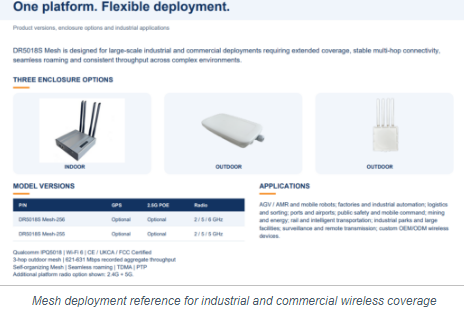
In our outdoor test, a four-node, three-hop mesh averaged about 200 m per hop. Real distance, capacity and latency depend on antenna gain, installation height, obstructions, interference and local power limits, so complete a site survey before engineering deployment.
If you are planning a multi-hop wireless backhaul for robots, vehicles or large facilities, I’m happy to share the full setup guide and discuss your topology.