Posted on

Long-Range Drone Video & Control Links: Choosing Between DR5322, DR9574S, and DR5424

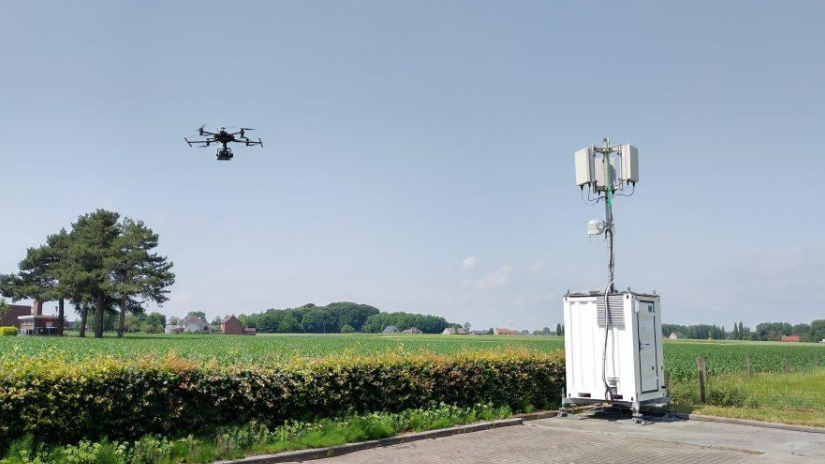
For agricultural, inspection, and mapping drones, the weakest link in the field is rarely the flight controller — it’s the wireless link. Video dropouts, control-command latency, and interference between multiple concurrent aircraft all directly affect operational efficiency and, in some cases, flight safety. Picking the right wireless hardware platform ultimately comes down to trade-offs between throughput, range, integration approach, and deployment environment.

524WiFi and Wallys currently offer three Qualcomm WiFi 7-based platforms that map to different drone video/control link scenarios: DR5322, DR9574S, and DR5424. Here’s how they differ, and which one fits which use case.

DR5322: Lightweight and modular, built for cost-sensitive edge nodes

The DR5322 is built on Qualcomm’s IPQ5322 (quad-core Cortex-A53 @1.5GHz) and is essentially a compact routerboard: onboard 2×2 2.4GHz radio, with 5GHz/6GHz handled through an add-on QCN9274/QCN6274 WiFi 7 module, reaching up to roughly 5764Mbps physical data rate. It offers 4x 2.5G Ethernet ports plus 1x 10G SFP, with 802.3bt PoE support.

This “onboard 2.4G + pluggable high-band module” architecture makes the DR5322 well suited as a relay node or video-transmission hub for a single small multirotor — where the priority is small footprint, low power, and controlled cost rather than maximum throughput. Think field-deployable relay boxes or vehicle-mounted repeaters.

DR9574S: The modular flagship, built for relay towers and multi-drone coordination

The DR9574S runs on Qualcomm’s IPQ9574 (quad-core ARM-A73 @2.2GHz) and is the most configurable of the three — six version options (2×2/4×4, 5G/6G/5-7G) let you tailor the band mix to the project. It supports OFDMA, MU-MIMO, and multi-link operation (MLO), with 10G SFP, 10G Ethernet with PoE, and 2 Gigabit ports, plus optional GPS. Industrial-grade design supports operation from -20°C to 70°C.

This configuration is a better fit for fixed base stations, relay towers, or scenarios that need to manage video/control links for multiple drones at once — for example, a large-scale agricultural operation running several spraying drones simultaneously, where the ground station needs to reliably carry multiple concurrent video and control streams.

DR5424: High-throughput tri-band, built for aggregating high-definition multi-stream video

The DR5424 is the most integrated of the three: Qualcomm IPQ5424 (quad-core Cortex-A55 @1.8GHz), full onboard tri-band WiFi 7 (4×4 MU-MIMO), 320MHz channel width, with theoretical physical data rates up to 1376Mbps on 2.4GHz, 8647Mbps on 5GHz, and 11530Mbps on 6GHz. It also carries the strongest port configuration of the three: 4x 2.5G plus 2x 10G Ethernet.

One important clarification: DR5424’s tri-band design is switchable, not concurrent — the three bands are there to be switched between as needed to avoid interference, not to simultaneously carry separate traffic types (e.g., control on one band, video on another, backhaul on a third). This distinction matters when evaluating a project’s actual concurrent multi-video-stream capacity.

With onboard tri-band radios and multiple high-speed Ethernet ports, the DR5424 is well suited as an aggregation gateway for high-definition, multi-channel video feeds — for example, when several aerial video streams need to be backhauled simultaneously to a ground station for real-time stitching or AI-based analysis.

Side-by-side comparison

DR5322 DR9574S DR5424 Chipset IPQ5322 (A53 @1.5GHz) IPQ9574 (A73 @2.2GHz) IPQ5424 (A55 @1.8GHz) Radio architecture Onboard 2.4G + pluggable 5/6G module Modular, 6 version options (2×2/4×4) Full onboard tri-band, 4×4 Max theoretical rate ~5764Mbps ~5765Mbps (per radio) ~11530Mbps (6GHz) Channel width — Up to 160MHz Up to 320MHz Ethernet 4x 2.5G + 1x 10G SFP 2x 1G + 1x 10G+PoE + 1x 10G SFP 4x 2.5G + 2x 10G GPS No Optional No Typical use case Lightweight relay node / cost-sensitive projects Fixed base station / multi-drone relay tower High-definition multi-stream aggregation gateway

Which one should you choose?

  • Budget-constrained projects that only need to support a single drone or a small number of video links — a lightweight relay node: go with DR5322.
  • Larger operational radius, managing multiple drones online at once, needing a fixed base station or relay tower: go with DR9574S, selecting the version that matches your band requirements.
  • Concurrent high-definition multi-stream video backhaul with high Ethernet aggregation bandwidth requirements, needing an edge gateway: go with DR5424.

All three platforms support OEM/ODM customization, including long-range transmission software tuning, antenna selection, and enclosure design. If you’re evaluating wireless hardware for a drone video/control link project, reach out to info at 524wifi.net or 524wifi.com for selection guidance or to request samples.

Posted on — Leave a comment

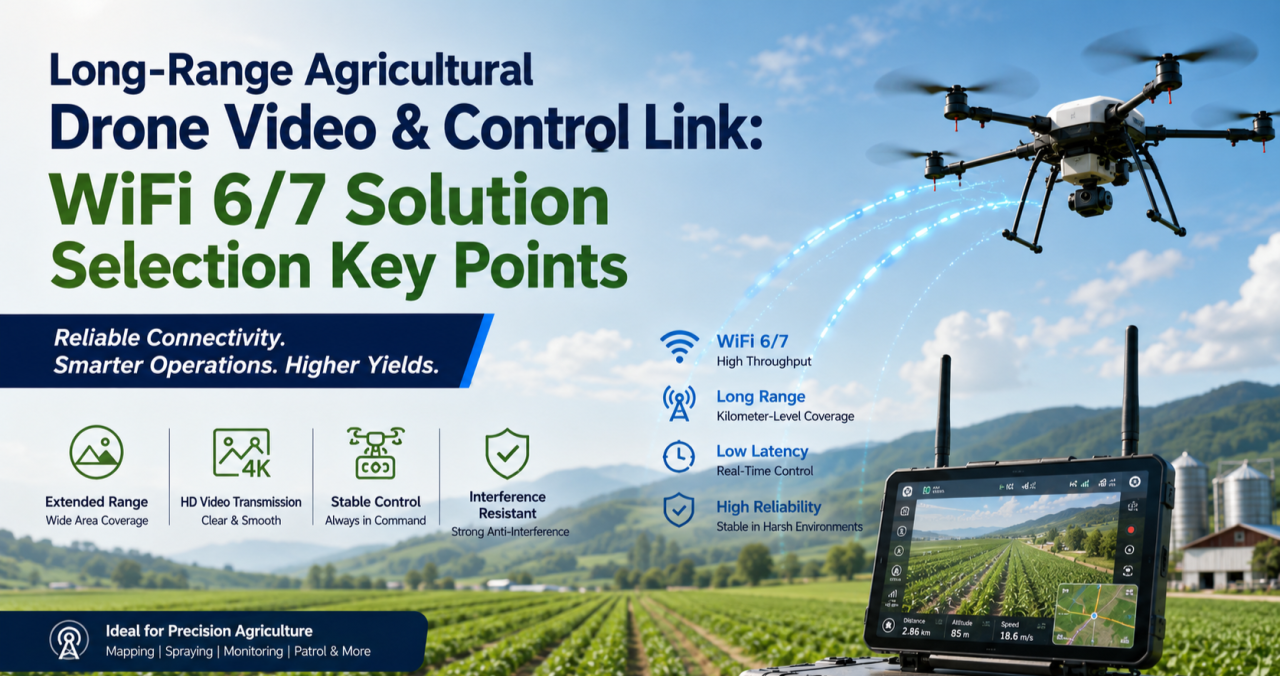
How to Design a Reliable Long-Range Wireless Link for Agricultural Drones (WiFi 6/7 Selection Guide)

If you’ve deployed drones for crop spraying, field mapping, or orchard inspection over any real distance, you’ve probably run into this: the link holds fine at 200 meters, then starts dropping commands or breaking up video well before you hit the range the datasheet promised. It’s rarely a bad chip. It’s almost always an architecture problem.

This guide walks through why long-range agricultural links behave differently from indoor or short-range WiFi deployments, what actually determines reliability at range, and how to select hardware — control-side and video-side — that holds up in the field.

Why Agricultural Drone Links Are a Different Problem

Most WiFi hardware is designed and benchmarked for indoor, short-range, high-density environments — offices, warehouses, retail. Agricultural drone deployments invert almost every one of those assumptions:

  • Distance is the default, not the exception. A single control link routinely needs to cover several hundred meters to a few kilometers across open farmland or orchards.
  • There’s no multipath to lean on. Indoor WiFi benefits from reflections off walls and ceilings. Open fields don’t offer that — and offer very little shielding from other interference either.
  • Control and video have opposite requirements. Control commands are small, frequent packets that need low, consistent latency and near-zero loss. Video (especially 4K, multispectral, or thermal payloads) needs sustained bandwidth and can tolerate some jitter. Serving both well on one link is hard.
  • One-to-many is common. A single ground station frequently needs to manage multiple aircraft flying formation or covering different zones of the same field, which means the AP side has to handle concurrent, fast-moving clients — not a single static link.
  • Power is capped by regulation, not by ambition. ISM-band transmit power and antenna gain both have legal ceilings. You can’t out-power your way to more range.

The Five Things That Actually Determine Reliability at Range

1. Band Strategy: Split the Link, Don’t Pick One Band

2.4GHz diffracts better around terrain, crops, and structures, which is why it’s traditionally the default choice for long-range control links. 5GHz and 6GHz offer far more spectrum and fewer competing signals, which is exactly what high-resolution video needs.

The reliable pattern in the field isn’t choosing one band for everything — it’s running a split architecture: control on 2.4GHz, video on 5GHz or 6GHz. That’s a strong argument for radio hardware where the band configuration is flexible (single-band, dual-band, or switchable tri-band) rather than fixed to one band at the factory.

2. Modulation and Spatial Streams: Know What They Actually Control

Specs like 4096-QAM and multi-stream MU-MIMO are real and useful — but they define your near-field ceiling, not your far-field floor. As distance increases and signal-to-noise ratio drops, the link automatically falls back to lower-order modulation regardless of the chip’s peak capability.

When evaluating hardware for a long-range deployment, the number that matters isn’t the “Gbps peak” on the datasheet. It’s the rate-adaptation curve under low SNR, and specifically the minimum usable data rate at the outer edge of your intended range. That’s the number that tells you whether video will break up or commands will get dropped when the aircraft is farthest from the ground station — which is exactly when you need the link most.

3. MLO (Multi-Link Operation): Redundancy, Not Traffic Splitting

WiFi 7 introduced Multi-Link Operation, which lets a device establish links across multiple bands or channels at once. There’s a common misconception worth clearing up here: MLO isn’t a way to route control traffic on one band, video on another, and backhaul on a third, each running independently.

What MLO actually does is transmit the same data redundantly across multiple links simultaneously, so that if one link momentarily fades or gets interfered with, the other link covers for it — improving reliability and reducing effective latency. For agricultural drones, where a lost link is often the trigger for a return-to-home failsafe, that kind of redundancy has real operational value, not just a spec-sheet checkbox.

4. Topology: Point-to-Point vs. One-to-Many

A single aircraft doing long-range mapping or inspection is often best served by a point-to-point link — a directional antenna setup trading beamwidth for range and stability. But if a ground station needs to manage multiple aircraft or ground terminals simultaneously, the AP side needs OFDMA multi-user scheduling and fast roaming/handoff behavior, or you’ll see queuing delay whenever multiple aircraft check in around the same time.

Know which problem you’re actually solving before you pick hardware — they call for different radio capabilities.

5. Form Factor: Airborne and Ground-Side Needs Diverge

The airborne side is constrained by payload weight and available power, so it needs a small, low-power radio module that can be integrated directly into a flight controller or gimbal payload — with just enough band flexibility to serve the control link without unnecessary weight or draw.

The ground station side is a different design problem entirely: it needs to aggregate multiple client connections, handle higher sustained throughput, and typically needs wired backhaul (Ethernet, sometimes 10GbE) to move the collected video and telemetry off to a local server or the cloud. That usually points toward a board-level platform rather than a compact module.

Mapping Hardware to the Problem

Once you’ve worked through the five factors above, hardware selection becomes a matter of matching platform to role rather than chasing a single “best” spec sheet.

Airborne / terminal-side radio module. You want something small, power-efficient, and configurable — ideally a module where you can select or trim the band configuration (single-band 2.4GHz for a dedicated control radio, or dual-band where the payload allows) without carrying unused radio hardware and power draw. This is the role a WiFi 7 M.2 module built on a chipset like Qualcomm’s QCN9274/QCN6274 platform is designed for, with configurations spanning single-band, dual-band, and 4×4 single-band variants depending on what the airframe needs.

Ground-station aggregation board. This is where you want a flagship-class multi-band platform — four simultaneous bands, wide channels (up to 320MHz), high-order modulation (4096-QAM), multiple M.2 slots for additional radio cards, and dual 10GbE-class wired uplinks. This tier handles concurrent multi-aircraft connections, dynamic channel selection (AFC) to work around interference, and reliably backhauling the aggregated video streams to wherever they’re processed.

Edge gateway with onboard compute. For deployments where you want to do video processing or stream aggregation closer to the field — rather than pushing everything raw to the cloud — a tri-band gateway platform with high-speed wired I/O (dual 10GbE + multiple 2.5GbE) and an onboard AI accelerator tuned for networking workloads is the better fit. It handles wireless backhaul while also doing local compute, cutting the bandwidth pressure on the uplink.

A Practical Decision Order

When you’re actually speccing a system, work through it in this order:

  1. Point-to-point or one-to-many? This determines whether OFDMA and fast roaming on the ground-station side are must-haves or nice-to-haves.
  2. Does the control link need to be physically separated from the video link? This determines whether a single-band module or a multi-band board is the right call for each end of the system.
  3. What are the payload’s power and space constraints? This determines module-level vs. board-level hardware on the airborne side.
  4. Does the back end need edge compute or multi-stream video aggregation? If yes, prioritize a gateway platform with onboard AI acceleration and high-speed wired I/O.

FAQ

Is 2.4GHz or 5GHz better for a long-range drone control link? 2.4GHz generally holds up better over distance and around obstructions like terrain or crop canopy, which is why it’s the more common choice for the control link specifically. 5GHz and 6GHz are typically reserved for the video link, where the extra bandwidth matters more than raw range.

Do I need WiFi 7, or is WiFi 6 enough? It depends on whether you need MLO’s link redundancy and whether your video payload actually needs the extra bandwidth WiFi 7’s wider channels provide. Many long-range control links work fine on WiFi 6; WiFi 7 becomes more valuable as video resolution, aircraft count, or reliability requirements increase.

What’s the actual benefit of MLO for a drone link? Redundancy. The same data is sent across multiple links at once, so a momentary fade on one link doesn’t cost you the connection — it isn’t a way to assign different traffic types to different bands independently.

Should the airborne radio and the ground-station radio be the same hardware? No — they’re solving different problems. The airborne side prioritizes size, weight, and power; the ground station prioritizes aggregate throughput, multi-client handling, and wired backhaul capacity.


If you’re evaluating or redesigning the wireless subsystem in a drone flight-control or video-transmission stack — or migrating an existing deployment from WiFi 5/6 to WiFi 7 — reach out to info at 524wifi.com or .net. We build radio hardware across all three tiers described above and can walk through the specifics of your deployment.

Posted on

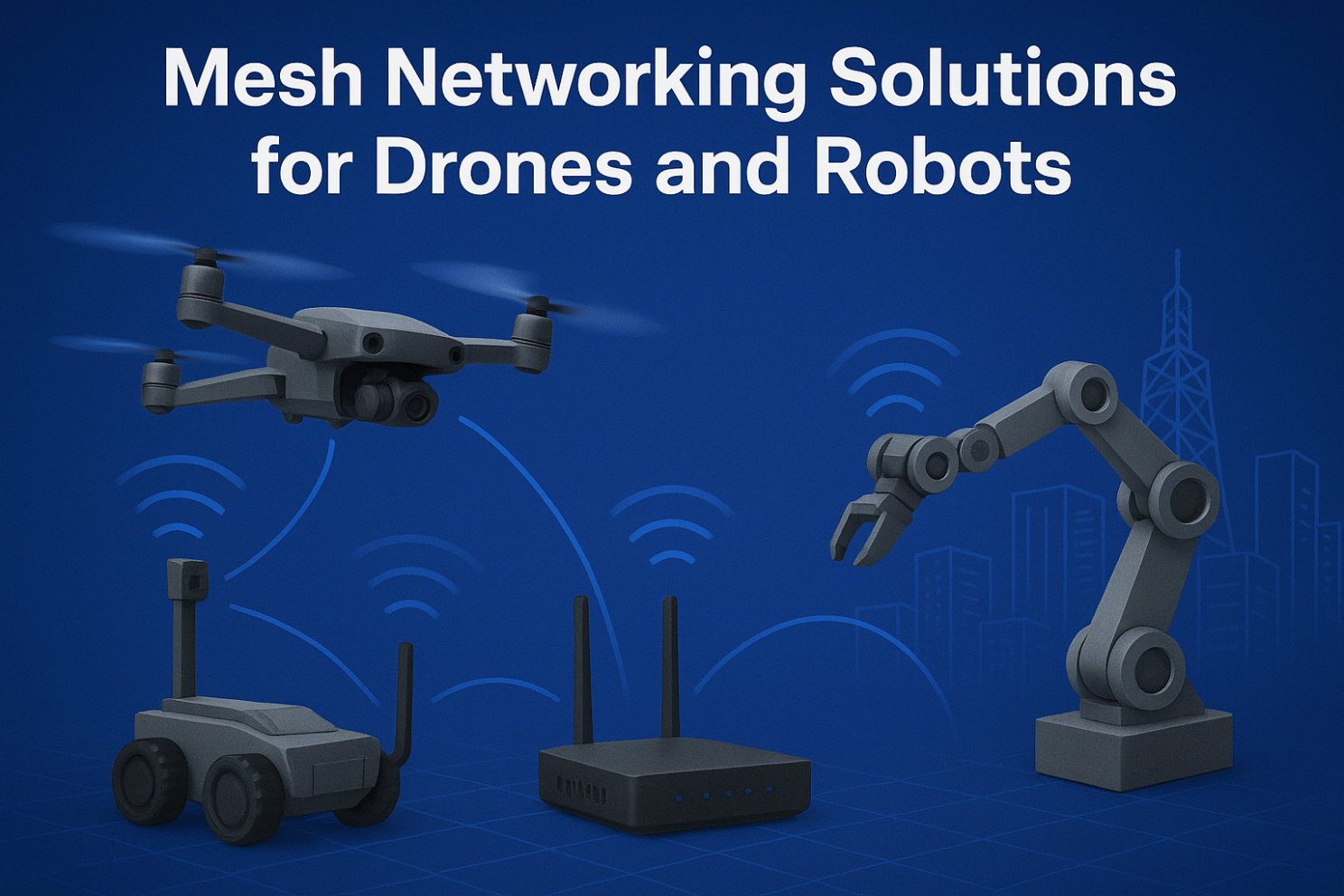
Mesh Networking Solutions for Drones and Robots

Mesh Networking Solutions for Drones and Robots

1. Introduction: Why Mesh for Drones and Robots?

Traditional wireless setups (AP + client) often fail in dynamic, mobile, and large-scale environments. Drones and robots require:

  • Low-latency links for real-time control
  • Resilient communication when nodes move or fail
  • Flexible scalability for adding new devices instantly

This is where Mesh networking shines — offering self-healing, self-configuring, and adaptive connectivity.


2. Mesh Networking for Drones

  • Formation Flying & Swarm Operations Drones in formation need constant synchronization of GPS, sensor, and video feeds. Mesh ensures each drone acts as a node, maintaining real-time links.
  • Emergency Response & Disaster Recovery In areas without cellular coverage, drones can instantly deploy a Mesh network, relaying data back to the command center for faster rescue operations.
  • Beyond Line-of-Sight Missions Mesh allows drones to extend their communication range via relays, enabling operators to control them far beyond visual range.

3. Mesh Networking for Robots

  • Smart Warehouses & Industrial Automation Robots need to stay connected across large spaces with moving inventory. Mesh avoids single-point AP failures and supports seamless roaming.
  • Security & Patrol Robots Continuous connectivity is essential for live video streaming and real-time threat detection. Mesh keeps robots online without service drops.
  • Collaborative Swarm Robots Multiple robots can share sensory data, distribute tasks, and adapt dynamically using Mesh as their backbone.

4. Key Technical Aspects of Drone & Robot Mesh

  • Dynamic Routing Protocols (OLSR, B.A.T.M.A.N, HWMP) ensure optimal paths in mobile networks.
  • Frequency Bands:
  • 2.4 GHz for longer range
  • 5 GHz / 6 GHz for high throughput
  • Wi-Fi 6/7 with MLO for ultra-stable multi-link performance
  • Security: WPA3, AES encryption, and private protocols protect mission-critical data.
  • Low Latency Optimization: Necessary for navigation and collision avoidance in autonomous systems.

5. Real-World Use Cases

  • Drone Relay Networks for Search & Rescue
  • Mesh-Enabled Warehouse Robots for Amazon-like Logistics
  • Hybrid Mesh + 5G Networks for Smart City Patrols

6. Future Trends

  • Wi-Fi 7 with Multi-Link Operation (MLO): Brings reliability and speed to swarms of robots and drones.
  • Integration with 6G & Edge AI: Mesh networks will work hand-in-hand with edge computing for local decision-making.
  • Larger-Scale Autonomous Systems: From 5 drones to 500 robots, Mesh will scale efficiently.

Mesh networking is transforming how drones and robots communicate in real time. Whether for industrial automation, emergency missions, or smart city deployments, Mesh provides the backbone for reliability and scalability.

👉 At 524WiFi and Wallys, we design industrial-grade router boards and network cards (IPQ5018, IPQ9574, QCN9074, etc.) that support advanced Mesh networking. Our hardware enables drone and robotics developers to build custom, robust, and scalable Mesh solutions.

Article content
Posted on

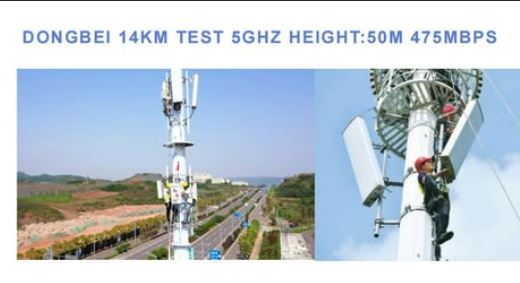
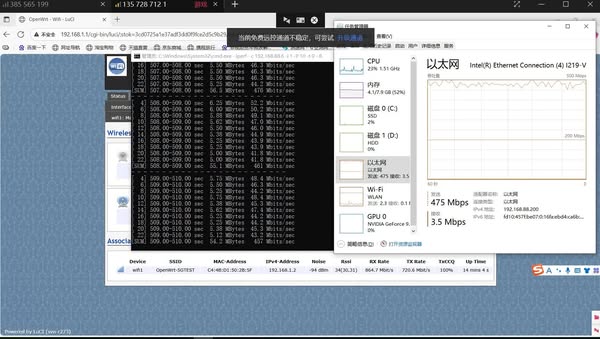
The DR5018S-AP crushed a 14 km 5 GHz link test – hitting 475 Mbps unidirectional throughput!

Wallystech DR5018S-AP crushed a 14 km 5 GHz link test in Dongbei at 50 m high — hitting 475 Mbps unidirectional throughput! We prepare more detailed test report.

Posted on

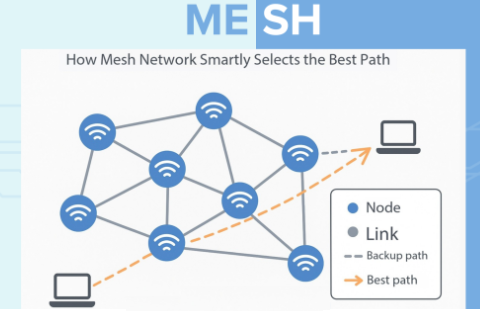
How Mesh Networks Intelligently Select the Best Path: Enhancing Wireless Stability and Efficiency

In modern multi-node, multi-band wireless environments, traditional Wi-Fi often struggles to maintain stable, high-speed connections. Mesh networks solve this by enabling collaboration and intelligent routing between nodes — ensuring that data always follows the “best path” for efficiency and stability.


🔍 Intelligent Routing: The Core of Mesh Networks

In a Mesh network, every node is not just an access point, but also a relay and router. Data paths are dynamic, continuously optimized in real time based on link quality and traffic conditions.

Key mechanisms include:

  1. Link Quality Assessment – Nodes monitor RSSI, latency, bandwidth, and packet loss.
  2. Multi-Path Selection – Data can take multiple possible routes, with the system choosing the best one.
  3. Dynamic Load Balancing – Traffic shifts when a link is congested, preventing bottlenecks.
  4. Self-Healing Capability – If a node or link fails, the network reroutes instantly.

📊 Key Metrics in Path Selection

Mesh networks combine metrics such as:

  • Signal strength
  • Latency
  • Bandwidth capacity
  • Packet loss rate

These factors are translated into a “path weight.” The system then automatically selects the lowest-weight path for transmission.


🌍 Real-World Applications

  • Industrial & Mining Sites – Reliable connections across tunnels, multi-floor buildings, and wide open areas.
  • Enterprise Offices – Optimized bandwidth distribution for dense device environments.
  • Smart Homes & IoT – Smooth connectivity across distributed sensors and devices.

✅ Conclusion

Mesh networks achieve stable, efficient, and adaptive wireless communication through intelligent routing, dynamic balancing, and self-healing features. By ensuring each device always follows the best available path, Mesh technology delivers reliable performance across industries — from smart factories to everyday IoT environments.

At 524WiFi and Wallys, we design industrial-grade router boards and network cards (IPQ5018, IPQ9574, QCN9074, etc.) that support advanced Mesh networking. Our hardware enables drone and robotics developers to build custom, robust, and scalable Mesh solutions.