Posted on

524WiFi™ Pulse B5-01: Industrial Wi-Fi Platform with OpenWrt

524WiFi™ Pulse B5-01 industrial OpenWrt platform

Key takeaways

  • A mature Qualcomm IPQ4019 platform shortens the path from wireless concept to deployable product.
  • OpenWrt, dual-band Wi-Fi, SFP, Mini PCIe and USB provide a flexible integration base.
  • Industrial power and customization options support access points, mesh nodes, gateways and robotics links.

If you’ve ever tried to take a wireless idea from concept to product, you already know the real challenge isn’t “making Wi-Fi work.” It’s finding a platform that’s actually ready to become a product.

Most consumer-grade routers hit their limits fast — no OpenWrt, no mesh, no industrial power input, no room to customize. And building everything from scratch? That means a longer timeline, higher cost, and a lot more risk than most teams want to take on.

This is exactly the gap the 524WiFi™ Pulse B5-01 is built to close.

Start from a mature platform — not from zero

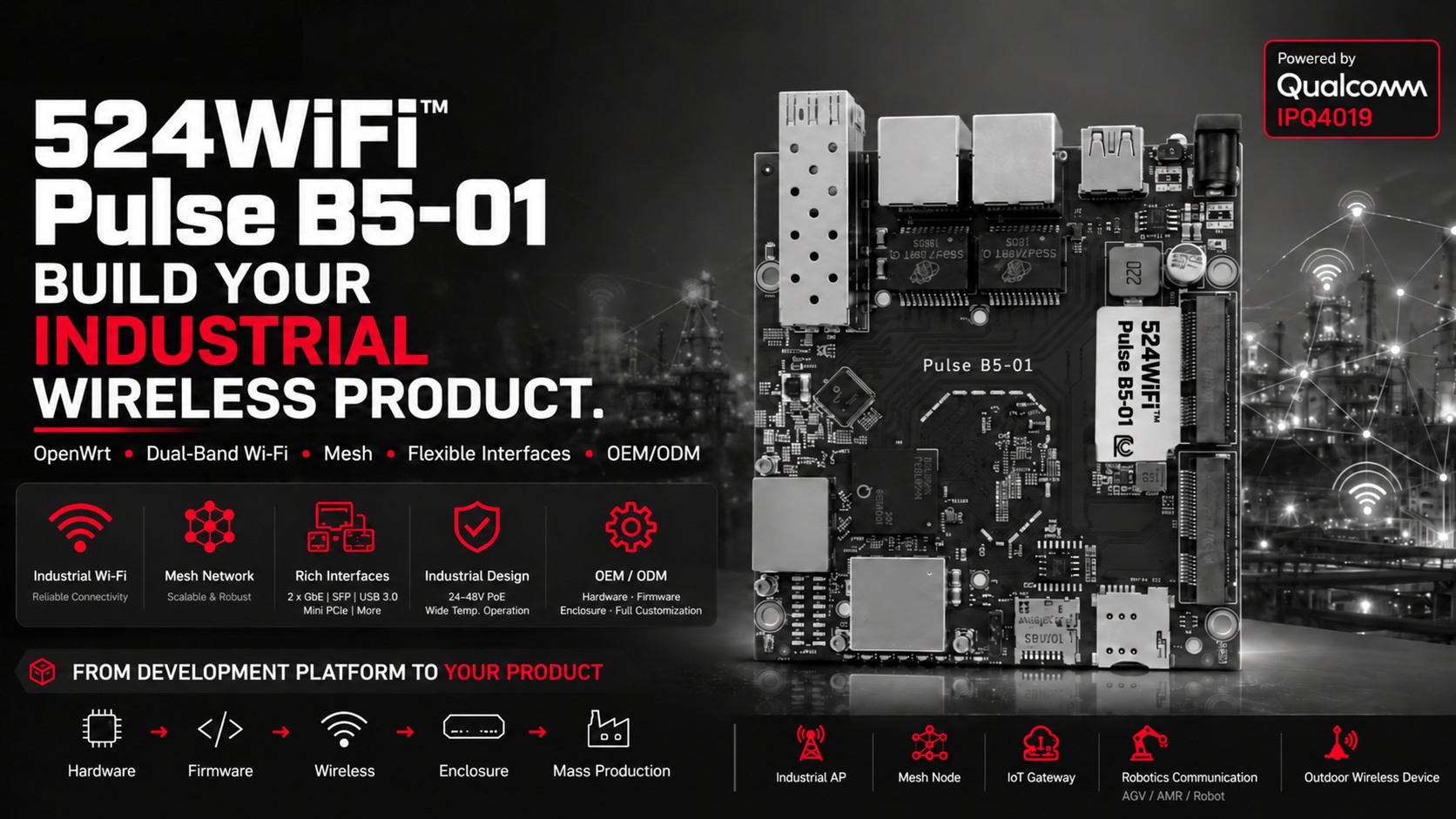
The 524WiFi™ Pulse B5-01 runs on the proven Qualcomm IPQ4019, with dual-band Wi-Fi and full OpenWrt support out of the box. That gives you a solid wireless foundation plus an open platform to build on — custom firmware, mesh networking, third-party integrations, your own branded software. Instead of fighting a closed consumer router, you get a base that’s actually meant to be shaped into your product.

More ways to connect, out of the box

The IPQ4019 SoC isn’t just Wi-Fi — it comes with 2x Gigabit Ethernet, SFP, Mini PCIe, and USB 3.0, so you can add cellular, fiber, or other peripherals depending on what your application needs. With 24–48V passive PoE support and a wide operating temperature range, it’s built to handle industrial and outdoor deployments, not just a lab bench.

Where it fits

We’re seeing the 524WiFi™ Pulse B5-01 used as the wireless core for:

  • Industrial access points
  • Mesh nodes and wireless repeaters
  • IoT gateways
  • Robot, AGV, and AMR communication links
  • Outdoor wireless equipment

And here’s the part that matters most: it can become your product

The 524WiFi™ Pulse B5-01 doesn’t have to stay a development board. Through our OEM/ODM services, we can take it further — different interfaces, custom wireless configs, tailored firmware, hardware changes, your own enclosure, full production. We take the platform from hardware to firmware to wireless to enclosure to mass production, so what starts as a wireless concept ends up as a real, market-ready product.

If you’re working on industrial Wi-Fi, mesh, an IoT gateway, robotics communication, or outdoor wireless — you don’t have to start from zero. The 524WiFi™ Pulse B5-01 gives you a mature, open, and customizable starting point.

Qualcomm IPQ4019 · OpenWrt · Dual-Band Wi-Fi · Mesh · SFP · LTE · OEM/ODM

📩 If you’re evaluating a Wi-Fi platform for your next product, I’d be happy to talk through whether the 524WiFi™ Pulse B5-01 is the right fit — feel free to reach out at [email protected]

Platform reference: DR4019.

Posted on

Chipset Comparison: IPQ5322 vs IPQ5424-What’s the Difference and Which One Fits Your Project?

DR5332S vs DR5424: What’s the Difference and Which One Fits Your Project?

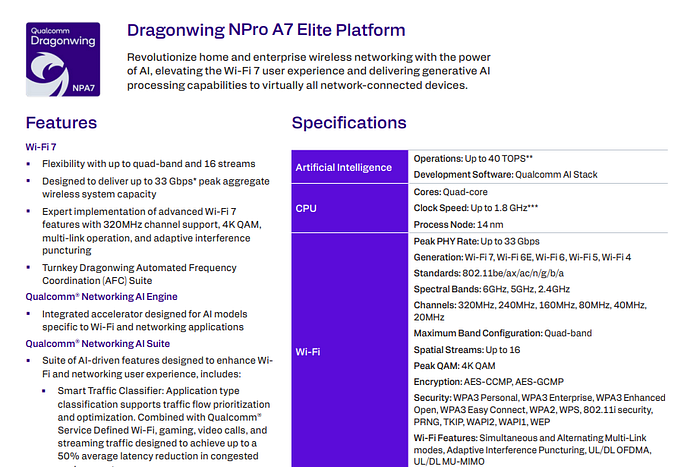
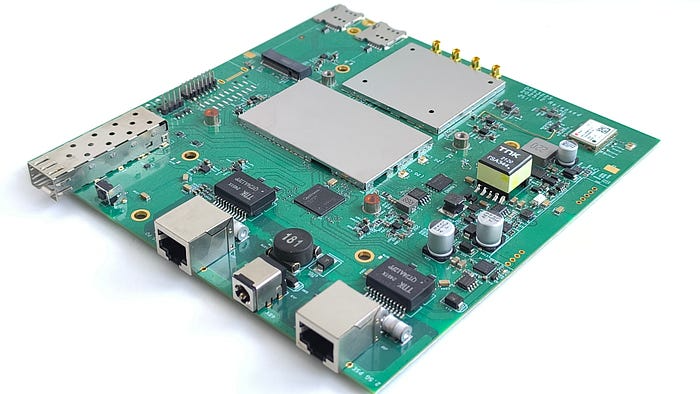
As Wi-Fi 7 enters the spotlight of next-gen wireless connectivity, developers and OEMs are seeking powerful, cost-effective router boards to power AIoT, edge computing, mesh networking, and enterprise-grade gateways. At Wallys, we provide two flagship tri-band Wi-Fi 7 router boards: the DR5332S and the DR5424. While they share a common mission — delivering ultra-reliable, high-throughput connectivity — they are built on different SoC platforms and tailored for slightly different project needs.

Let’s break down the differences and help you decide which one is the right fit for your application.

1. Chipset Comparison: IPQ5322 vs IPQ5424

CPU Architecture: A53 vs A55

  • The IPQ5424 uses a Cortex-A55 @1.8GHz, which is newer, more efficient, and more powerful than the Cortex-A53 @1.5GHz in IPQ5332.
  • A55 supports out-of-order execution, making it significantly better for multitasking and edge workloads.

IPQ5424 offers superior computing performance, making it ideal for intensive processing and multitasking at the edge.

AI Acceleration

  • IPQ5424 benefits from its more capable CPU architecture and overall system bandwidth for smoother AI task handling.
Article content

If you’re considering router boards such as Wallys DR5332S (IPQ5332) or DR5424 (IPQ5424):

  • 🧩 DR5332S + IPQ5332: Great for budget-sensitive, compact, quick-to-market solutions
  • 🚀 DR5424 + IPQ5424: Built for edge intelligence, multi-client environments, and future-proof mesh deployments

🔍 DR5424 offers higher performance and better power efficiency at the same time the costs will be higher than DR5322S.

Article content

2. Wireless Capabilities (Tri-Band Wi-Fi 7)

Both boards support tri-band (2.4GHz + 5GHz + 6GHz) Wi-Fi 7, including:

  • Multi-Link Operation (MLO) for increased stability
  • 320MHz bandwidth support on 6GHz band
  • 4096-QAM for enhanced throughput
  • Onboard radio modules for space-saving and simplified integration

However, DR5424 has more headroom for advanced use cases involving concurrent client management, AI inference at the edge, or industrial-grade networking.

3. Use Case Suitability

💡 Recommendation:

  • Choose DR5332S if your project prioritizes cost, compactness, and moderate throughput.
  • Choose DR5424 if you need higher computing power, better future-proofing, and support for intensive applications like edge inference, video analytics, or high-density mesh.

4. Hardware Interface & Customization

Both boards offer:

  • 2.5G Ethernet
  • Multiple UART, I2C, SPI
  • M.2 / USB3.0 / GPIO
  • Support for OpenWRT SDK
  • Optional expansion for LTE/5G/Storage modules

Customization and ODM services are available for both platforms.

5. Pricing & Availability

Both models are available for sampling, with volume support for OEM/ODM integration. DR5332S is generally more affordable and available sooner for entry-level or mid-range products, while DR5424 is geared for premium products with long-term lifecycle planning.

📬 For pricing, datasheets, or demo kits, contact us at: 📧 info@524wifi dot net or com

🧠 Final Thoughts

Whether you’re building a smart city gateway, an industrial mesh router, or a next-gen enterprise AP, 524WiFi and Wallys’ Wi-Fi 7 router boards offer flexible, powerful foundations.

  • DR5332S → Cost-effective, compact, fast-to-market
  • DR5424 → High-performance, future-ready, edge-AI capable

Need help choosing or customizing for your unique application? 

Posted on

Why Mesh Networking is the Recommended Choice Today?

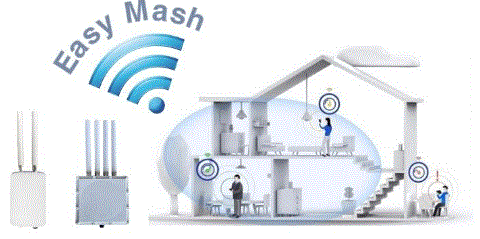
Mesh networking is the answer to the growing demand for extended wireless coverage. Its primary purpose is to overcome obstacles like walls, addressing the need for connectivity throughout your home.

🌐 Mesh vs. EasyMesh
It’s important to clarify that the term “Mesh” in this context refers to “EasyMesh.” Mesh, fundamentally, is a network topology, while EasyMesh is the specific technology used in Wi-Fi.

🔌 The Simplicity of EasyMesh
EasyMesh is a more straightforward solution, designed for ease of use. Many manufacturers offer EasyMesh routers that are essentially ready to use out of the box. Users can set them up without requiring in-depth technical knowledge.

📶 Mesh Before EasyMesh
Before the advent of EasyMesh, other methods like WDS or 802.11s were used to extend Wi-Fi coverage. However, these approaches often required technical expertise for configuration. In contrast, EasyMesh simplifies the process significantly.

🏡 Mesh’s Original Purpose
Traditional Mesh networking aimed at redundancy and backup, particularly in scenarios where network link failures needed to be avoided, such as in wireless setups. For home use, the primary goal of Mesh is to expand coverage. Therefore, EasyMesh is better suited for this purpose compared to earlier Mesh technologies.

In conclusion, Mesh networking, or more specifically EasyMesh, is the go-to solution for extending your wireless coverage effortlessly, especially in home environments. Its simplicity, user-friendliness, and coverage enhancement capabilities make it an ideal choice for today’s connected world.