
Posted on

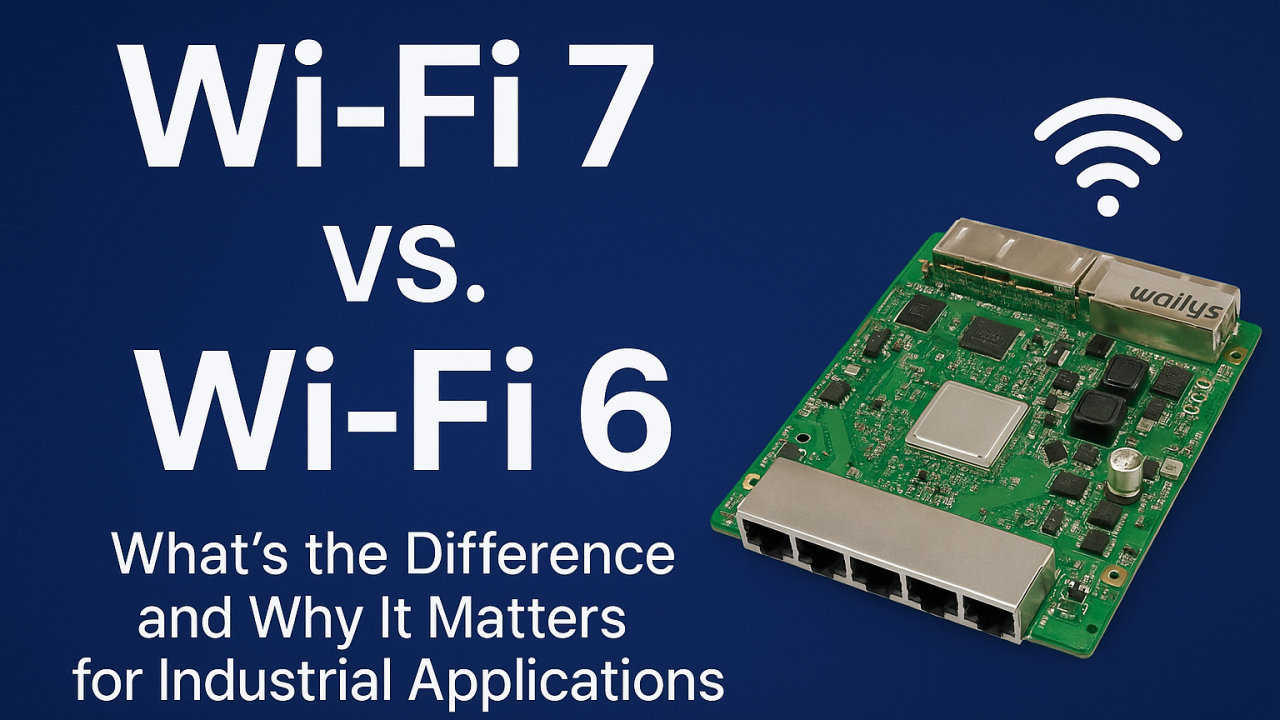
Wi-Fi 7 vs. Wi-Fi 6: What’s the Difference and Why It Matters for Industrial Applications?

As industrial environments become more automated, connected, and data-driven, the demand for a faster, more reliable wireless network continues to grow. Wi-Fi 6 has served industries well in recent years, but Wi-Fi 7 introduces features that fundamentally reshape performance, latency, and reliability—especially in mission-critical industrial applications.

Many factories, warehouses, and outdoor industrial sites are now evaluating whether upgrading to Wi-Fi 7 is worth it. The answer becomes clear once you understand the major improvements Wi-Fi 7 brings compared to Wi-Fi 6.


What’s New in Wi-Fi 7 Compared to Wi-Fi 6?

Wi-Fi 7 introduces several breakthroughs that directly benefit industrial environments:

Faster Speeds and Higher Throughput Wi-Fi 7 supports up to 320 MHz channels and 4K QAM, providing significantly higher bandwidth. This is especially beneficial for AI vision systems, 4K/8K video streams, and large volumes of sensor data in industrial scenarios.

Multi-Link Operation (MLO) This is the most important upgrade for industrial automation. MLO allows devices to connect to multiple Wi-Fi bands at the same time, dramatically enhancing:

  • Reliability
  • Latency
  • Roaming
  • Interference resistance

When one link experiences congestion or interference, data continues flowing through the other link—ideal for AGVs, AMRs, and robotic control systems.

Lower Latency for Real-Time Control Wi-Fi 7 reduces latency to sub-millisecond levels, enabling smoother machine-to-machine communication, PLC data exchange, and industrial robot coordination.

Better Performance in Noisy Industrial Environments Factories, ports, and warehouses contain many devices that create interference. Wi-Fi 7 handles these challenges through:

  • Intelligent multi-link scheduling
  • Faster channel switching
  • Improved OFDMA efficiency

This results in more stable wireless networks, even in heavily congested areas.


Why Wi-Fi 7 Matters for Industrial Applications

Enhanced Reliability for Smart Factories Real-time monitoring, predictive maintenance, and machine communication depend on uninterrupted connectivity. Wi-Fi 7 ensures stable links for sensors, controllers, and production lines.

Seamless Mobility for AGV and AMR Fleets Automated robots cannot afford Wi-Fi dead zones or packet loss. MLO supports smoother roaming, faster handovers, and high-precision navigation.

Better Edge Computing and AI Performance Industrial AI workloads often transmit large amounts of data for inference or analysis. Wi-Fi 7 accommodates high-throughput data without compromising stability.

Higher Density Support for IIoT Deployments Factories may have thousands of connected devices. Wi-Fi 7’s improved scheduling and wider channels support larger device ecosystems without congestion.

Strengthening Industrial Video Surveillance AI-enhanced cameras and real-time analytics benefit from Wi-Fi 7’s higher bitrate capacity and lower latency.


Real-World Industrial Use Cases for Wi-Fi 7

  • AGV/AMR navigation and fleet management
  • Smart logistics and warehouse management systems
  • Industrial video surveillance with AI analytics
  • Real-time sensor networks in smart factories
  • Wireless backhaul bridging for ports and outdoor sites
  • Edge computing devices with high data demands
  • Autonomous machines and robotics

Wi-Fi 7 enables smoother, safer, and more efficient industrial operations.


Why Choose 524WiFi and Wallys Wi-Fi 7 Routerboards?

We provide industrial-grade Wi-Fi 7 routerboards such as DR5322S (IPQ5322) and next-generation DR9574 (IPQ9574) that support:

  • Wi-Fi 7 + MLO
  • POE/POE Out
  • Long-distance transmission
  • Industrial temperature rating
  • Customizable hardware and firmware
  • Mesh & roaming solutions
  • OEM/ODM/JDM services for industry customers

Each board is optimized for harsh industrial deployment and supports custom configurations for automation, logistics, or edge computing projects.


Wi-Fi 7 is not just an incremental improvement over Wi-Fi 6—it’s a major leap designed for industries that require reliability, speed, and real-time responsiveness. For industrial automation companies planning future-proof networks, upgrading to Wi-Fi 7 can unlock significant performance and operational advantages.

For customized Wi-Fi 7 routerboards and industrial wireless solutions, contact us !

Posted on

QCN9274 & QCN6274 Wi-Fi 7 with Multi-Link Operation (MLO) on X86 Devices: A New Era of Connectivity

Wi-Fi 7 with Multi-Link Operation (MLO) on X86 Devices: A New Era of Connectivity

As the world of wireless technology continues to evolve, the introduction of Wi-Fi 7 is nothing short of a game-changer. With its potential for significantly higher speeds, lower latency, and enhanced reliability, Wi-Fi 7 is set to revolutionize industries and applications ranging from industrial IoT to high-performance consumer devices. At Wallys, we’re always driven by customer needs, and as part of our commitment to offering cutting-edge solutions, we’re focused on expanding the possibilities for Wi-Fi 7 technology—specifically by enabling Multi-Link Operation (MLO) support on X86 platforms.

Expanding the Reach of Wi-Fi 7: A New Level of Compatibility

Last year, we introduced X86 driver support for our Wi-Fi 6 module, DR9074, which enabled seamless integration across a broader range of motherboard platforms, not just Qualcomm devices. This support empowered our customers to experience high-quality, stable Wi-Fi data transmission and opened the door for new applications that demand reliable and high-throughput wireless connections.

With the introduction of Wi-Fi 7, cross-platform compatibility becomes even more critical. Wi-Fi 7 brings with it a new set of features designed to push the boundaries of wireless connectivity, and one of the most significant is Multi-Link Operation (MLO). But to harness the full potential of MLO, we need to ensure that our solutions can operate on multiple platforms—something we’re excited to announce we’re working on with our DR9274 (QCN9274) and QCN6274 Wi-Fi 7 modules.

wifi6 vs wifi7

What is MLO? And Why Does It Matter?

Multi-Link Operation (MLO) is one of the standout features of Wi-Fi 7. MLO allows devices to transmit data across multiple frequency bands (like 2.4 GHz, 5 GHz, and 6 GHz) simultaneously. This multi-band transmission significantly improves throughput and reliability, while reducing latency and congestion, making it an ideal solution for environments that require high-speed and low-latency communication.

In simple terms, MLO will enable your devices to leverage the full bandwidth potential of Wi-Fi 7, resulting in faster speeds, more stable connections, and more efficient use of available spectrum.

Introducing the QCN9274 & QCN6274 Wi-Fi 7 Modules

To enable the full potential of MLO, we’re leveraging the power of QCN9274 and QCN6274—two of Qualcomm’s latest Wi-Fi 7 chipsets, both designed for high-performance applications.

  1. QCN9274 (Waikiki)
  2. QCN6274 (Waikiki)
MLO

These two powerful chipsets represent the future of Wi-Fi 7 and provide the foundation for expanding compatibility across a variety of platforms. With MLO support, both the QCN9274 and QCN6274 enable better utilization of the 2.4, 5, and 6 GHz bands, delivering faster speeds and more reliable connections.

wifi7 new features

What Will MLO Bring to Your X86 Devices?

By introducing MLO support for X86 devices, we’re pushing the envelope on what’s possible in wireless networking. Users of X86 platforms will now be able to tap into the full power of Wi-Fi 7, unlocking:

  • Higher Throughput: With MLO, data is split across multiple channels, leading to faster speeds and higher data rates, ideal for bandwidth-hungry applications like streaming, gaming, and industrial IoT.
  • Enhanced Reliability: MLO ensures that devices can maintain stable connections, even in environments with interference or congestion, by balancing traffic across different frequency bands.
  • Reduced Latency: Faster communication between devices can significantly reduce lag and improve the responsiveness of real-time applications, from virtual reality to autonomous systems.

The implications are significant. Wi-Fi 7, combined with MLO, could transform industries that rely on seamless, high-performance wireless connectivity—think smart cities, industrial automation, healthcare, and beyond.

524WiFi Adapter Card (wifi7 adapter card coming soon)

What’s Next for Wi-Fi 7 on X86?

At 524WiFi, we’re committed to ensuring that our solutions are as versatile and adaptable as possible. With the upcoming X86 driver support for DR9274 and MLO functionality, you’ll be able to take full advantage of Wi-Fi 7 speeds and unlock new potential for your devices.

Thoughtput testing:achieve 8Gbps+ speed

This new capability will open up new opportunities for a variety of applications, and we’re eager to see how our customers will integrate this powerful technology into their own use cases.

DR9274 wifi7 M.2 card

Are You Ready for the Future of Wireless Connectivity?

With Wi-Fi 7’s blazing-fast speeds and MLO’s game-changing capabilities, the possibilities are endless. How do you envision using Wi-Fi 7 with MLO on your X86 platforms? Whether it’s enhancing your industrial IoT devices, supporting next-gen gaming applications, or powering high-bandwidth communications, the potential is vast.

At 524WiFi, we’re excited to continue innovating and providing the tools you need to stay ahead in the rapidly evolving wireless landscape. If you’re interested in learning more about our Wi-Fi 7 solutions or how we can help with your next project, feel free to reach out to us.

Let’s shape the future of connectivity, together.

Posted on

Mastering MLO on the IPQ 5332 Board with DR 9274 5G6G Card: Step-by-Step Video Guide

Are you working on industrial wireless projects and looking for a reliable guide to set up Multi-Link Operation (MLO)? Look no further! At 524WiFi and WallysTech, we’ve just released a comprehensive tutorial video to help you configure MLO on the IPQ5332 board (DR5332) paired with the DR9274-5G6G card.

This video covers everything you need to know, including:

✅ Hardware connection setup

✅ Firmware loading instructions

✅ Access Point (AP) configuration

✅ Practical tips to optimize your industrial wireless network

Why MLO Matters

MLO is a game-changing feature in WiFi 7 that allows simultaneous use of multiple bands for enhanced throughput and reliability. With industrial applications demanding higher speeds and more stable connections, mastering MLO is key to staying ahead.

Watch the Tutorial Now

Click below to watch the full step-by-step guide: 👉 How to Set Up MLO on the IPQ5332 Board with DR9274-5G6G Card

Need This Hardware? We’ve Got You Covered!

If you’d like to test this setup or integrate it into your project, contact our sales team at [email protected]. We’re here to provide tailored solutions and support your success.


💬 We’d love to hear from you! What other topics would you like us to cover? Comment below with your suggestions, and don’t forget to share this article with your network.

📢 Follow us for more updates, tutorials, and insights into the latest wireless technologies!

Posted on

Your Go-To Guide for Loading Firmware and Configuring MLO on QCA DR9574 IPQ9574 !

Your Go-To Guide for Loading Firmware and Configuring MLO on IPQ9574 !

Hey there! Are you feeling a bit lost when it comes to loading firmware and configuring MLO on the IPQ9574? Fret not! Here at 524WiFi, we’ve crafted a super easy and detailed tutorial just for you. Let’s jump right into it!

Why This Guide?

Whether you’re a seasoned pro or a complete newbie, setting up advanced hardware can be daunting. That’s why we’re here to break it down into simple, manageable steps. By the end of this guide, you’ll be a pro at loading firmware and configuring your device like a champ!

What You’ll Get

  • Clear Hardware Setup: We’ll kick things off by connecting the hardware. Don’t worry; we’ll guide you through the process of connecting your UART cable without any hassle.
  • Seamless Firmware Loading: Next, we’ll tackle loading the firmware. We’ll ensure you have everything in the right place and give you step-by-step instructions to make it a breeze.
  • Effortless AP Configuration: Finally, we’ll walk you through configuring the Access Point. This step is crucial for ensuring your device runs at its best.

Stick Around for More!

But wait, there’s more! If you stick around until the end of the video, you’ll get an exclusive sneak peek at our upcoming DR9574kit throughput test. Trust us, you won’t want to miss it!

Ready to Dive In?

So, what are you waiting for? Click the link below to watch our tutorial and empower yourself with the skills to conquer firmware loading and MLO configuration!

📺 Watch here:

P.S.: The MLO for DR5332/DR5322 is currently in active preparation. We appreciate your patience as our R&D team works diligently on this. Stay tuned for the latest updates coming your way soon—just you wait!

Posted on

IPQ 9574: Does DR9574 Router Powered by Qualcomm IPQ9574 Support MLO?

524WiFi Wi-Fi 7 Router Powered by Qualcomm IPQ9574 and QCN9274: Enhanced Network Experience with MLO Technology

MLO (Multi-Link Operation) is a key technology in Wi-Fi 7 that allows data to be transmitted across multiple wireless links simultaneously, significantly improving network performance, stability, and efficiency. Specifically, MLO enables devices to transmit and receive data on multiple frequency bands (2.4GHz, 5GHz, and 6GHz) at the same time, rather than being limited to a single band.

Key Roles of MLO in Wi-Fi 7:

  • Increased Throughput: MLO allows devices to utilize multiple links for data transmission, greatly boosting bandwidth and data transfer speeds, especially for high-bandwidth applications like 4K/8K streaming, cloud gaming, and VR/AR.
  • Reduced Latency: Parallel transmission across multiple links accelerates data transfer, lowering latency, which is crucial for real-time applications like online gaming and video conferencing.
  • Enhanced Reliability: MLO can automatically switch to other links if one experiences interference or congestion, ensuring connection stability, especially in crowded environments or when devices are far from the router.
  • More Efficient Spectrum Usage: MLO dynamically distributes traffic across different links, improving spectrum resource utilization and reducing wireless congestion.

Why Many Applications Need MLO:

  • High Bandwidth Demands: As 4K/8K video and immersive media become more prevalent, applications increasingly require higher bandwidth. MLO’s multi-link capability meets these demands.
  • Low Latency Requirements: Applications like cloud gaming and video conferencing require very low latency. MLO can significantly reduce latency through parallel transmission.
  • Reliability: Smart home and industrial automation applications need stable connections. MLO’s multi-link mechanism ensures stability even if one link fails.

About IPQ9574 and QCN9274:

  • Qualcomm IPQ9574: This powerful SoC (System on Chip) is designed for high-performance networking applications, providing robust processing power and advanced features to support next-gen Wi-Fi 7 capabilities. Its architecture is optimized for handling multiple data streams, ensuring seamless connectivity and improved network efficiency.
  • Qualcomm QCN9274: Qualcomm Wi-Fi 7 ‘Waikiki’ series radio solution.

In summary, MLO is a core technology in Wi-Fi 7 that enhances network experience by providing higher throughput, lower latency, and greater reliability, making it essential for modern high-performance applications.

524WiFi Solution:

524WiFI and Wallystech’s Wi-Fi 7 router DR9574 supports MLO functionality with the DR9274 Wi-Fi 7 card, fulfilling diverse Wi-Fi project needs:

  • DR9574 supports 3 DR9274 single cards: 2.4G, 5G, and 6G can operate simultaneously.
  • DR9574 supports one DBDC card: DR9274-5G6G