
Posted on — Leave a comment

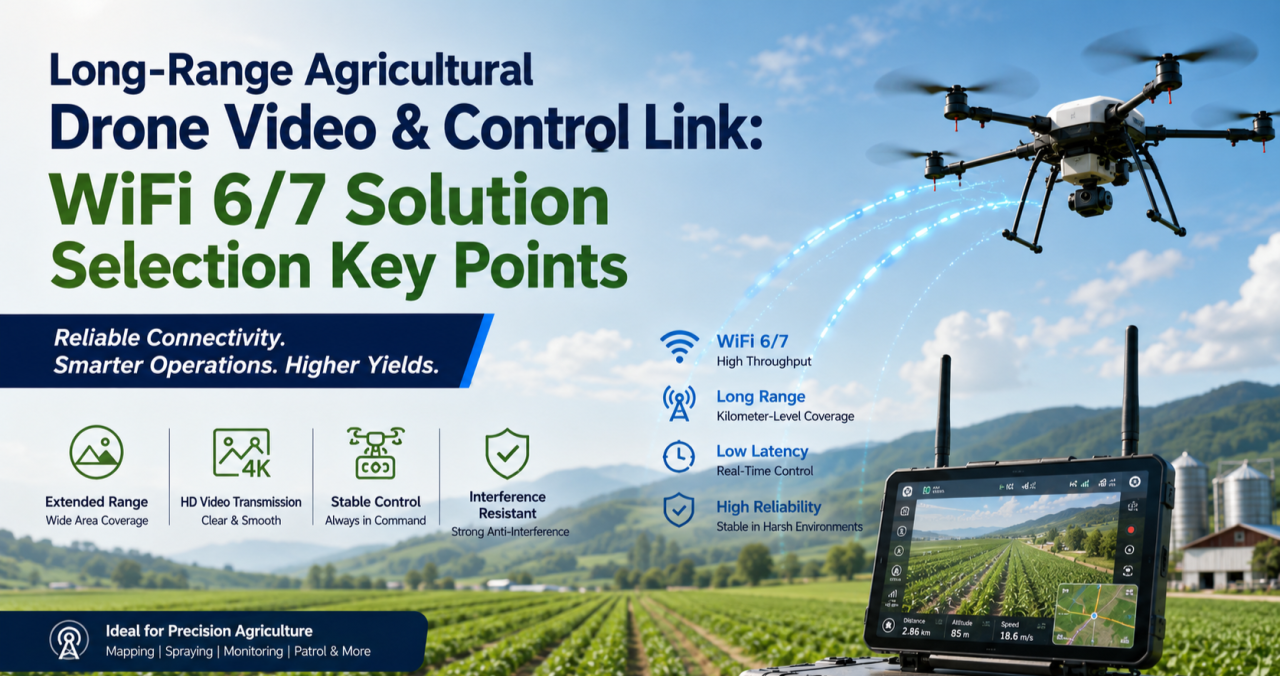
How to Design a Reliable Long-Range Wireless Link for Agricultural Drones (WiFi 6/7 Selection Guide)

If you’ve deployed drones for crop spraying, field mapping, or orchard inspection over any real distance, you’ve probably run into this: the link holds fine at 200 meters, then starts dropping commands or breaking up video well before you hit the range the datasheet promised. It’s rarely a bad chip. It’s almost always an architecture problem.

This guide walks through why long-range agricultural links behave differently from indoor or short-range WiFi deployments, what actually determines reliability at range, and how to select hardware — control-side and video-side — that holds up in the field.

Why Agricultural Drone Links Are a Different Problem

Most WiFi hardware is designed and benchmarked for indoor, short-range, high-density environments — offices, warehouses, retail. Agricultural drone deployments invert almost every one of those assumptions:

  • Distance is the default, not the exception. A single control link routinely needs to cover several hundred meters to a few kilometers across open farmland or orchards.
  • There’s no multipath to lean on. Indoor WiFi benefits from reflections off walls and ceilings. Open fields don’t offer that — and offer very little shielding from other interference either.
  • Control and video have opposite requirements. Control commands are small, frequent packets that need low, consistent latency and near-zero loss. Video (especially 4K, multispectral, or thermal payloads) needs sustained bandwidth and can tolerate some jitter. Serving both well on one link is hard.
  • One-to-many is common. A single ground station frequently needs to manage multiple aircraft flying formation or covering different zones of the same field, which means the AP side has to handle concurrent, fast-moving clients — not a single static link.
  • Power is capped by regulation, not by ambition. ISM-band transmit power and antenna gain both have legal ceilings. You can’t out-power your way to more range.

The Five Things That Actually Determine Reliability at Range

1. Band Strategy: Split the Link, Don’t Pick One Band

2.4GHz diffracts better around terrain, crops, and structures, which is why it’s traditionally the default choice for long-range control links. 5GHz and 6GHz offer far more spectrum and fewer competing signals, which is exactly what high-resolution video needs.

The reliable pattern in the field isn’t choosing one band for everything — it’s running a split architecture: control on 2.4GHz, video on 5GHz or 6GHz. That’s a strong argument for radio hardware where the band configuration is flexible (single-band, dual-band, or switchable tri-band) rather than fixed to one band at the factory.

2. Modulation and Spatial Streams: Know What They Actually Control

Specs like 4096-QAM and multi-stream MU-MIMO are real and useful — but they define your near-field ceiling, not your far-field floor. As distance increases and signal-to-noise ratio drops, the link automatically falls back to lower-order modulation regardless of the chip’s peak capability.

When evaluating hardware for a long-range deployment, the number that matters isn’t the “Gbps peak” on the datasheet. It’s the rate-adaptation curve under low SNR, and specifically the minimum usable data rate at the outer edge of your intended range. That’s the number that tells you whether video will break up or commands will get dropped when the aircraft is farthest from the ground station — which is exactly when you need the link most.

3. MLO (Multi-Link Operation): Redundancy, Not Traffic Splitting

WiFi 7 introduced Multi-Link Operation, which lets a device establish links across multiple bands or channels at once. There’s a common misconception worth clearing up here: MLO isn’t a way to route control traffic on one band, video on another, and backhaul on a third, each running independently.

What MLO actually does is transmit the same data redundantly across multiple links simultaneously, so that if one link momentarily fades or gets interfered with, the other link covers for it — improving reliability and reducing effective latency. For agricultural drones, where a lost link is often the trigger for a return-to-home failsafe, that kind of redundancy has real operational value, not just a spec-sheet checkbox.

4. Topology: Point-to-Point vs. One-to-Many

A single aircraft doing long-range mapping or inspection is often best served by a point-to-point link — a directional antenna setup trading beamwidth for range and stability. But if a ground station needs to manage multiple aircraft or ground terminals simultaneously, the AP side needs OFDMA multi-user scheduling and fast roaming/handoff behavior, or you’ll see queuing delay whenever multiple aircraft check in around the same time.

Know which problem you’re actually solving before you pick hardware — they call for different radio capabilities.

5. Form Factor: Airborne and Ground-Side Needs Diverge

The airborne side is constrained by payload weight and available power, so it needs a small, low-power radio module that can be integrated directly into a flight controller or gimbal payload — with just enough band flexibility to serve the control link without unnecessary weight or draw.

The ground station side is a different design problem entirely: it needs to aggregate multiple client connections, handle higher sustained throughput, and typically needs wired backhaul (Ethernet, sometimes 10GbE) to move the collected video and telemetry off to a local server or the cloud. That usually points toward a board-level platform rather than a compact module.

Mapping Hardware to the Problem

Once you’ve worked through the five factors above, hardware selection becomes a matter of matching platform to role rather than chasing a single “best” spec sheet.

Airborne / terminal-side radio module. You want something small, power-efficient, and configurable — ideally a module where you can select or trim the band configuration (single-band 2.4GHz for a dedicated control radio, or dual-band where the payload allows) without carrying unused radio hardware and power draw. This is the role a WiFi 7 M.2 module built on a chipset like Qualcomm’s QCN9274/QCN6274 platform is designed for, with configurations spanning single-band, dual-band, and 4×4 single-band variants depending on what the airframe needs.

Ground-station aggregation board. This is where you want a flagship-class multi-band platform — four simultaneous bands, wide channels (up to 320MHz), high-order modulation (4096-QAM), multiple M.2 slots for additional radio cards, and dual 10GbE-class wired uplinks. This tier handles concurrent multi-aircraft connections, dynamic channel selection (AFC) to work around interference, and reliably backhauling the aggregated video streams to wherever they’re processed.

Edge gateway with onboard compute. For deployments where you want to do video processing or stream aggregation closer to the field — rather than pushing everything raw to the cloud — a tri-band gateway platform with high-speed wired I/O (dual 10GbE + multiple 2.5GbE) and an onboard AI accelerator tuned for networking workloads is the better fit. It handles wireless backhaul while also doing local compute, cutting the bandwidth pressure on the uplink.

A Practical Decision Order

When you’re actually speccing a system, work through it in this order:

  1. Point-to-point or one-to-many? This determines whether OFDMA and fast roaming on the ground-station side are must-haves or nice-to-haves.
  2. Does the control link need to be physically separated from the video link? This determines whether a single-band module or a multi-band board is the right call for each end of the system.
  3. What are the payload’s power and space constraints? This determines module-level vs. board-level hardware on the airborne side.
  4. Does the back end need edge compute or multi-stream video aggregation? If yes, prioritize a gateway platform with onboard AI acceleration and high-speed wired I/O.

FAQ

Is 2.4GHz or 5GHz better for a long-range drone control link? 2.4GHz generally holds up better over distance and around obstructions like terrain or crop canopy, which is why it’s the more common choice for the control link specifically. 5GHz and 6GHz are typically reserved for the video link, where the extra bandwidth matters more than raw range.

Do I need WiFi 7, or is WiFi 6 enough? It depends on whether you need MLO’s link redundancy and whether your video payload actually needs the extra bandwidth WiFi 7’s wider channels provide. Many long-range control links work fine on WiFi 6; WiFi 7 becomes more valuable as video resolution, aircraft count, or reliability requirements increase.

What’s the actual benefit of MLO for a drone link? Redundancy. The same data is sent across multiple links at once, so a momentary fade on one link doesn’t cost you the connection — it isn’t a way to assign different traffic types to different bands independently.

Should the airborne radio and the ground-station radio be the same hardware? No — they’re solving different problems. The airborne side prioritizes size, weight, and power; the ground station prioritizes aggregate throughput, multi-client handling, and wired backhaul capacity.


If you’re evaluating or redesigning the wireless subsystem in a drone flight-control or video-transmission stack — or migrating an existing deployment from WiFi 5/6 to WiFi 7 — reach out to info at 524wifi.com or .net. We build radio hardware across all three tiers described above and can walk through the specifics of your deployment.
Posted on

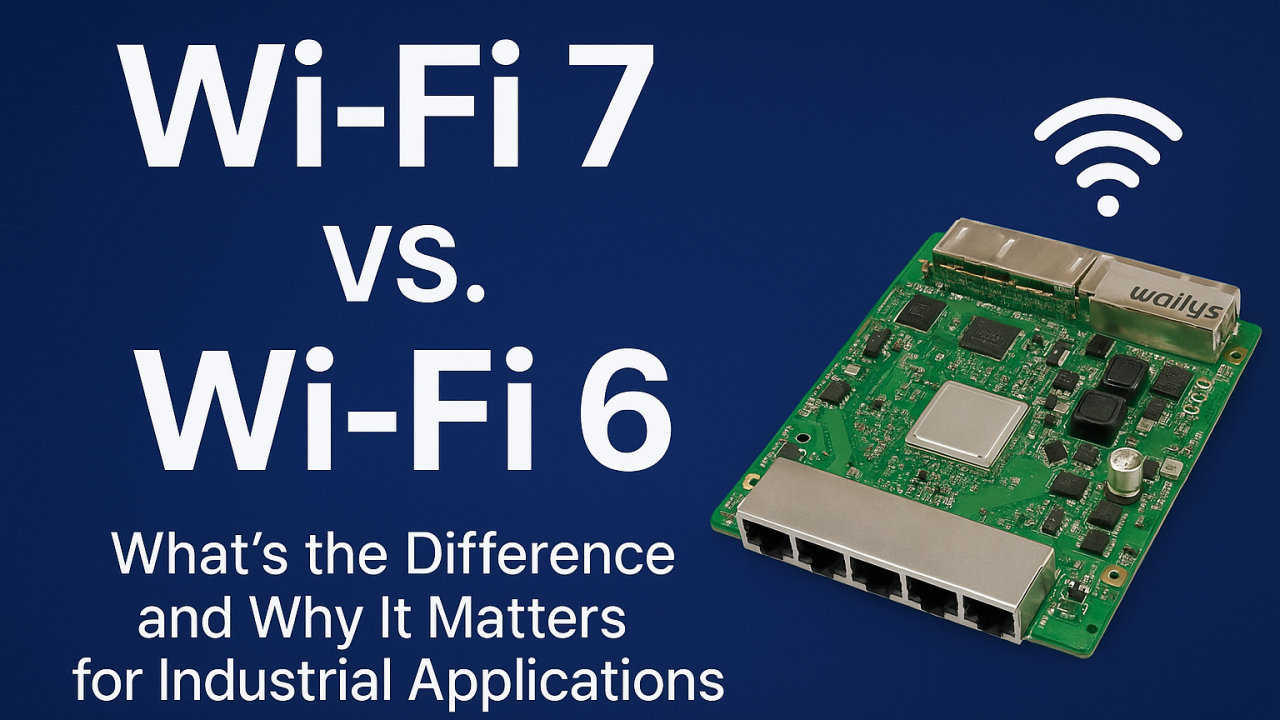
Wi-Fi 7 vs. Wi-Fi 6: What’s the Difference and Why It Matters for Industrial Applications?

As industrial environments become more automated, connected, and data-driven, the demand for a faster, more reliable wireless network continues to grow. Wi-Fi 6 has served industries well in recent years, but Wi-Fi 7 introduces features that fundamentally reshape performance, latency, and reliability—especially in mission-critical industrial applications.

Many factories, warehouses, and outdoor industrial sites are now evaluating whether upgrading to Wi-Fi 7 is worth it. The answer becomes clear once you understand the major improvements Wi-Fi 7 brings compared to Wi-Fi 6.


What’s New in Wi-Fi 7 Compared to Wi-Fi 6?

Wi-Fi 7 introduces several breakthroughs that directly benefit industrial environments:

Faster Speeds and Higher Throughput Wi-Fi 7 supports up to 320 MHz channels and 4K QAM, providing significantly higher bandwidth. This is especially beneficial for AI vision systems, 4K/8K video streams, and large volumes of sensor data in industrial scenarios.

Multi-Link Operation (MLO) This is the most important upgrade for industrial automation. MLO allows devices to connect to multiple Wi-Fi bands at the same time, dramatically enhancing:

  • Reliability
  • Latency
  • Roaming
  • Interference resistance

When one link experiences congestion or interference, data continues flowing through the other link—ideal for AGVs, AMRs, and robotic control systems.

Lower Latency for Real-Time Control Wi-Fi 7 reduces latency to sub-millisecond levels, enabling smoother machine-to-machine communication, PLC data exchange, and industrial robot coordination.

Better Performance in Noisy Industrial Environments Factories, ports, and warehouses contain many devices that create interference. Wi-Fi 7 handles these challenges through:

  • Intelligent multi-link scheduling
  • Faster channel switching
  • Improved OFDMA efficiency

This results in more stable wireless networks, even in heavily congested areas.


Why Wi-Fi 7 Matters for Industrial Applications

Enhanced Reliability for Smart Factories Real-time monitoring, predictive maintenance, and machine communication depend on uninterrupted connectivity. Wi-Fi 7 ensures stable links for sensors, controllers, and production lines.

Seamless Mobility for AGV and AMR Fleets Automated robots cannot afford Wi-Fi dead zones or packet loss. MLO supports smoother roaming, faster handovers, and high-precision navigation.

Better Edge Computing and AI Performance Industrial AI workloads often transmit large amounts of data for inference or analysis. Wi-Fi 7 accommodates high-throughput data without compromising stability.

Higher Density Support for IIoT Deployments Factories may have thousands of connected devices. Wi-Fi 7’s improved scheduling and wider channels support larger device ecosystems without congestion.

Strengthening Industrial Video Surveillance AI-enhanced cameras and real-time analytics benefit from Wi-Fi 7’s higher bitrate capacity and lower latency.


Real-World Industrial Use Cases for Wi-Fi 7

  • AGV/AMR navigation and fleet management
  • Smart logistics and warehouse management systems
  • Industrial video surveillance with AI analytics
  • Real-time sensor networks in smart factories
  • Wireless backhaul bridging for ports and outdoor sites
  • Edge computing devices with high data demands
  • Autonomous machines and robotics

Wi-Fi 7 enables smoother, safer, and more efficient industrial operations.


Why Choose 524WiFi and Wallys Wi-Fi 7 Routerboards?

We provide industrial-grade Wi-Fi 7 routerboards such as DR5322S (IPQ5322) and next-generation DR9574 (IPQ9574) that support:

  • Wi-Fi 7 + MLO
  • POE/POE Out
  • Long-distance transmission
  • Industrial temperature rating
  • Customizable hardware and firmware
  • Mesh & roaming solutions
  • OEM/ODM/JDM services for industry customers

Each board is optimized for harsh industrial deployment and supports custom configurations for automation, logistics, or edge computing projects.


Wi-Fi 7 is not just an incremental improvement over Wi-Fi 6—it’s a major leap designed for industries that require reliability, speed, and real-time responsiveness. For industrial automation companies planning future-proof networks, upgrading to Wi-Fi 7 can unlock significant performance and operational advantages.

For customized Wi-Fi 7 routerboards and industrial wireless solutions, contact us !

Posted on

Access Controller + AP vs. Mesh Networking: Which Offers Better Coverage for Your Industrial Setup?

AC+AP Networking vs. Mesh Networking

In today’s rapidly advancing wireless technologies, networking has evolved significantly to meet the growing demand for faster and more reliable internet connectivity. Two popular methods for expanding Wi-Fi coverage in various environments are AC+AP and Mesh networking. While both methods aim to improve the coverage and performance of wireless networks, they differ in their architecture and functionality.

What is AC+AP Networking?

AC+AP Networking refers to a traditional approach in which an Access Point (AP) is connected to a central device, such as a router or a wireless controller (AC). This setup is often used in larger environments where multiple APs are deployed to extend Wi-Fi coverage, particularly in enterprise settings.

  • Access Point (AP): An AP is a device that allows wireless devices to connect to a wired network. It acts as a bridge between the wired network and wireless clients.
  • Access Controller (AC): The AC is a centralized device that manages multiple APs, providing a single point of control for wireless network configuration, security settings, and performance optimization.

The AC+AP solution works well for environments where there is a need for extensive control over the network, such as in large office buildings, campuses, or industrial sites. However, the key challenge with this setup is that the coverage area might be limited by the range of each individual AP, and users may experience interruptions when moving between APs.

What is Mesh Networking?

On the other hand, Mesh Networking is a more modern approach that involves multiple wireless nodes working together as a network. Each node in a Mesh network communicates with the others to create a seamless, self-healing Wi-Fi coverage area. This method is particularly effective in environments where extended coverage is required, such as homes, large enterprises, or industrial spaces with complex layouts.

  • Nodes: Mesh networks consist of multiple nodes (which can function as both APs and routers) that collaborate with one another to extend coverage.
  • Self-Healing: One of the key benefits of a Mesh network is that if one node fails, the others can automatically adjust to maintain network stability without interruptions.
  • Seamless Roaming: Mesh networks offer seamless connectivity, allowing users to move freely between nodes without experiencing connectivity drops or network handoffs.

Mesh networks are ideal for environments with complex, large-scale spaces, and they are particularly useful in overcoming dead zones that traditional Wi-Fi setups may fail to cover.

Wallys’ Mesh and AC+AP Solutions

At Wallys, we understand the need for high-performance wireless solutions that cater to diverse networking environments. Whether you’re looking for robust connectivity for industrial environments or home office setups, our solutions can meet your needs.

  • Wallys AC+AP Solutions: Our AC+AP systems are designed for large-scale, enterprise-level networks where centralized control and extensive coverage are essential. With features like high-speed throughput, efficient roaming, and seamless integration, our AC+AP solutions offer a reliable, cost-effective way to expand network coverage without compromising performance.
  • Wallys Mesh Solutions: Wallys’ Mesh networking solutions offer flexibility, ease of setup, and seamless connectivity across large, complex spaces. Our Mesh systems are designed to handle high-density environments, ensuring stable connections across multiple devices. These solutions are ideal for industrial settings, smart cities, large homes, and office networks. With Wallys’ Mesh solutions, you can ensure consistent performance, even in challenging environments with multiple obstructions.

Both AC+AP and Mesh solutions are fully customizable to meet your specific needs, whether you’re deploying them in industrial, commercial, or residential environments.

Contact Us for Testing

We invite you to explore the power and flexibility of Wallys’ networking solutions. Our team is ready to assist you with testing our AC+AP and Mesh products to ensure they meet your requirements. For more information and to schedule a test, please get in touch with us

Posted on

Is It Time to Upgrade? IPQ5018 and IPQ5010 vs. IPQ4019 and IPQ4029 Performance Breakdown

WIFI 7 IS HERE, ARE YOU STILL STUCK WITH WIFI 5?

With the rapid evolution of wireless communication, industries relying on stable and high-performance connectivity must stay ahead. If you’re still using WiFi 5 solutions, it’s time to explore the new generation of industrial networking with 524WiFi’ DR5018S router board powered by IPQ5018 / IPQ5010.


Where Are the Application Scenarios?

Industrial WiFi demands reliability, long-range coverage, and high bandwidth. The DR5018S series is designed for applications such as:

  • Smart factories
  • Security surveillance
  • Industrial automation
  • Outdoor deployments
  • IoT & edge computing networks

These environments require low latency, enhanced throughput, and better multi-device connectivity, making WiFi 6 a necessity.


The Former Advantages of DR4019

The DR4019, based on IPQ4019, has long been a go-to solution for many industrial applications due to its stability, affordability, and performance in WiFi 5 networks. It has served well in demanding environments, offering a balance between cost and capability. However, as connectivity demands grow, an upgrade is essential.


Why Upgrade to WiFi 6?

WiFi 6 offers significant improvements over WiFi 5, such as:

  • Higher speeds – Increased data rates for better efficiency.
  • Lower latency – Ideal for real-time applications.
  • Improved device handling – Supports a higher number of connected devices efficiently.
  • Better power efficiency – Crucial for IoT applications.
  • OFDMA & MU-MIMO – Ensures smooth data transmission in congested environments.

These advantages make WiFi 6 an obvious choice for next-gen industrial applications.


Is Industrial WiFi 6 Much More Expensive Than WiFi 5?

One common concern is pricing. While WiFi 6 solutions may have a slightly higher upfront cost, they offer long-term benefits such as improved performance, extended lifespan, and reduced operational costs. With 524WiFi, you get cost-effective WiFi 6 solutions tailored for industrial use.


When Should I Choose WiFi 6 and When Should I Opt for WiFi 7?

  • Choose WiFi 6 (IPQ5018/IPQ5010) if you need a reliable, cost-effective, and high-performance upgrade from WiFi 5.
  • Consider WiFi 7 when you require multi-link operation (MLO), extremely high throughput, and lower interference in advanced applications.

For most industrial needs today, WiFi 6 remains the best balance of performance and cost.


Why Choose us?

524WiFi and Wallys provide end-to-end industrial wireless solutions, combining hardware and software expertise:

  • Custom Hardware & Firmware Development – Tailored solutions for specific applications.
  • Advanced WiFi Protocol Optimization – Specialized features for industrial use.
  • OEM/ODM Services – Fully customized manufacturing options.
  • Expert Software Support – In-house development for specialized industrial protocols.
  • Strong After-Sales & Technical Support – Ensuring smooth deployments and long-term reliability.

The DR5018S Series – Tailored Industrial Solutions

524WiFi and Wallys have launched three models of the DR5018S router board to meet diverse industrial requirements:

Please check more informations : https://524wifi.net/?s=5018s and https://524wifi.net/?s=4029

Posted on

Unlock Next-Gen WiFi with QCN9074: The Ideal Choice for Your Project

Unlock Next-Gen WiFi with QCN9074: The Ideal Choice for Your Project

When it comes to selecting the best components for your wireless network, the Qualcomm QCN9074 stands out as a game-changer. Whether you’re building an industrial-grade access point or upgrading your existing infrastructure, QCN9074 offers the performance, reliability, and advanced features you need for today’s demanding applications.

Unparalleled Performance

The QCN9074 is engineered to deliver exceptional WiFi performance. Supporting the latest WiFi 6E standard, it operates in the 6 GHz band, providing:

  • Higher Throughput: Speeds up to 4804 Mbps, ideal for high-density environments.
  • Maximum Power: Up to 23 dBm per chain, ensuring robust signal strength.
  • Reduced Latency: Ensures smoother connectivity for applications like video streaming, IoT devices, and industrial automation.
  • Multi-User MIMO (MU-MIMO): Efficient data handling for multiple simultaneous users.

Enhanced Security

With built-in WPA3 support, QCN9074 enhances your network’s security against cyber threats. This is crucial for industries where data protection is paramount, such as healthcare, finance, and manufacturing.

Wide Application Compatibility

The QCN9074’s versatile design makes it suitable for various applications, including:

  • Smart Cities: Ensures seamless connectivity for large-scale IoT networks.
  • Industrial IoT: Robust enough for harsh environments and mission-critical operations.
  • Enterprise Solutions: High-performance WiFi for offices and campuses.

Key Features of QCN9074

  1. WiFi 6E Compatibility: Access to the 6 GHz spectrum for reduced interference and faster speeds.
  2. 160 MHz Channel Support: Wider bandwidth for greater data throughput.
  3. Advanced Beamforming: Improved signal strength and range.
  4. Power Efficiency: Optimized for reduced power consumption, crucial for energy-conscious projects.

Why QCN9074 Outshines Competitors

While there are other WiFi chipsets available, the QCN9074 excels due to its:

  • Cutting-Edge Technology: Qualcomm’s expertise in wireless innovation.
  • Flexibility: Easy integration into various hardware designs.
  • Future-Ready: Support for the Wifi6E wireless standards ensures longevity for your projects.

Discover Wallys’ DR9074 Module

To fully unlock the potential of the QCN9074, consider Wallys’ DR9074 wireless module. Designed for industrial applications, the DR9074 module integrates QCN9074 and offers:

  • Linux Ubuntu 22.04 Support: Seamless software integration.
  • Robust Hardware: Built for demanding environments.
  • Customizable Options: Tailored to meet your specific project requirements.

Conclusion

Choosing the QCN9074 for your next WiFi project means investing in cutting-edge technology that delivers superior performance, enhanced security, and versatile applications. Pair it with 524WiFi´ DR9074 module for an unbeatable solution.

Contact Us Today! Reach out to our sales team to learn more about the QCN9074 and our tailored solutions. Let’s elevate your WiFi project to the next level!

524 WiFi 6 DR9074-6E
Posted on

Why IPQ5322 is the Ideal Choice for Wi-Fi 7 IoT Networks

As the demand for faster, more reliable wireless connectivity continues to grow, the need for advanced networking solutions has never been greater. One of the standout solutions for next-generation wireless networks is the IPQ5322 chip, which supports Wi-Fi 7 (802.11be). Developed by Qualcomm, the IPQ5322 is optimized to deliver exceptional performance, efficiency, and scalability, making it the perfect choice for IoT (Internet of Things) applications that require high-speed, low-latency connections. In this article, we’ll explore why the IPQ5322 is the ideal solution for Wi-Fi 7 IoT networks.

1. Wi-Fi 7: The Future of Connectivity

The IPQ5322 is built to support Wi-Fi 7, the latest Wi-Fi standard offering several key enhancements over its predecessors. Wi-Fi 7 introduces wider channels, faster data transfer speeds, and lower latency, providing a significantly better user experience. With Wi-Fi 7, the IPQ5322 is capable of supporting multi-gigabit speeds and seamless, stable connections even in high-demand environments. This is particularly crucial for IoT devices that need to transfer large amounts of data quickly and reliably.

2. High-Speed Data Transfer for IoT Devices

One of the main advantages of Wi-Fi 7, and by extension the IPQ5322, is its ability to handle higher bandwidth and support more devices simultaneously. This is essential for IoT networks where devices like sensors, cameras, and smart devices are constantly communicating with each other. The increased data transfer rates provided by Wi-Fi 7 enable faster communication between devices, which is crucial for time-sensitive applications like industrial automation, smart cities, and healthcare monitoring.

With the IPQ5322, IoT networks can experience high-speed data transfer without sacrificing reliability, allowing devices to operate smoothly and efficiently even in crowded environments with many connected devices.

3. Low Latency for Real-Time IoT Applications

Latency is a critical factor for many IoT applications that require real-time communication. The IPQ5322 supports low-latency operation thanks to the improvements in Wi-Fi 7, ensuring that data is transmitted with minimal delay. This makes the chip ideal for mission-critical IoT applications, such as autonomous vehicles, remote surgery, or smart grids, where milliseconds matter.

The low latency offered by the IPQ5322 ensures that data is transmitted quickly, helping to reduce any potential delays that could compromise the performance of these real-time systems.

4. Efficient Use of Spectrum with Multi-Link Operation (MLO)

Wi-Fi 7 introduces Multi-Link Operation (MLO), a feature that enables devices to use multiple frequency bands simultaneously, improving throughput, reliability, and reducing interference. The IPQ5322 fully supports MLO, making it possible to aggregate 2.4GHz, 5GHz, and 6GHz bands for more efficient and flexible use of the wireless spectrum.

This feature is particularly valuable in IoT environments where devices may be spread across large areas, or where interference from other networks can degrade performance. MLO ensures that devices stay connected and operate at optimal speeds, no matter where they are located within the network.

5. Enhanced Network Efficiency and Scalability

IoT networks are typically large-scale systems consisting of many interconnected devices. The IPQ5322 excels in supporting large, scalable IoT networks by enabling devices to operate with optimal efficiency. With Wi-Fi 7’s advanced modulation techniques, the chip can handle high-density environments, where a large number of devices are simultaneously transmitting and receiving data.

The increased capacity of Wi-Fi 7 ensures that IoT networks can grow without sacrificing performance. Whether it’s a smart home with hundreds of devices or an industrial setting with thousands of sensors and machines, the IPQ5322 can scale to meet the needs of the network.

6. Improved Security for IoT Applications

Security is a top priority in IoT networks, where devices often handle sensitive data. The IPQ5322 integrates advanced security features to protect IoT devices from threats. Wi-Fi 7 includes enhanced encryption protocols and more secure authentication methods, ensuring that data transmitted over the network remains safe from unauthorized access.

The IPQ5322’s security features are critical for industries that require high levels of data integrity, such as healthcare, finance, and critical infrastructure. With the IPQ5322, IoT devices can communicate securely, safeguarding both user data and network integrity.

7. Energy Efficiency for Long-Lasting IoT Devices

While Wi-Fi 7 provides superior performance, it also maintains energy efficiency, which is crucial for IoT devices that run on batteries or need to minimize power consumption. The IPQ5322’s power-efficient design ensures that devices can operate for longer periods without frequent charging, making it ideal for battery-powered IoT devices deployed in remote or hard-to-reach locations.

8. Cost-Effective for Mass Deployment

Despite its high-end performance, the IPQ5322 offers a cost-effective solution for deploying Wi-Fi 7 IoT networks at scale. The chip’s affordability, combined with its advanced capabilities, makes it an attractive choice for businesses and organizations looking to deploy large-scale IoT solutions without exceeding their budgets.

DR5322 Product Information

The DR5322 is a powerful wireless solution based on the Qualcomm IPQ5322 chip, designed to meet the growing demands of modern IoT networks. Here are some key features and applications of the DR5322:

DR5322 Features

  • Qualcomm IPQ5322 Quad-Core Cortex-A53 @ 1.5GHz processor for robust performance.
  • 2×2 on-board 2.4GHz radio, offering up to 573Mbps physical data rate for reliable connectivity.
  • Supports 2×2 5GHz & 2×2 6GHz QCN9274/QCN6274 Wi-Fi 7 modules, delivering up to 5764Mbps physical data rate for high-speed wireless transmission.
  • Equipped with 4 x 2.5Gbps Ethernet ports and 1x 10Gbps SFP port, providing fast and flexible wired connectivity options.

Applications

  • 802.11be MU-MIMO OFDMA Access Point: Ideal for high-demand wireless environments with multiple devices.
  • Internet of Things (IoT): Perfect for large-scale IoT networks that require high-speed, low-latency connectivity.
  • HD Streaming and Gaming: Supports high-definition content streaming and low-latency gaming, making it suitable for entertainment applications.

The DR5322 is a versatile, high-performance solution for IoT, smart homes, industrial applications, and more, offering next-generation Wi-Fi 7 capabilities with advanced features for seamless connectivity and optimal performance.

Posted on

AI Driven Industrial Solutions: 524WiFi Is Ready for the AI Powered Future

The world is evolving fast, and industries are increasingly turning to AI to drive innovation and efficiency. At 524WiFi, we are harnessing the power of AI to deliver integrated solutions that meet the demands of industrial and enterprise users.

🌟 AI-Powered Image Recognition: In industries like security and automation, real-time image recognition can transform operations. 524WiFi´s and Wallys’ AI system processes images with incredible speed and accuracy, ensuring precise recognition of objects, people, and vehicles.

AI-Powered Image Recognition

🤖 Smart Chatbots for Business: From automatically translating company profiles to generating C programming solutions, 524WiFi and Wallys’ chatbots are designed to simplify complex tasks and improve productivity.

Smart Chatbots for Business

🌐 Seamless Integration for Industry Needs: Our 524WiFi 6 DR9074-TRIBAND Wi-Fi module, paired with our AI capabilities, ensures fast, reliable video, image, and data transmission. Whether it’s for smart cities, automated factories, or enterprise networks, our solutions provide the reliability and speed you need.

Seamless Integration for Industry Needs

524WiFI and Wallys are committed to providing industrial-grade hardware and software solutions, ensuring your business stays ahead of the curve in an AI-driven world.

524WiFi AI Integrated Solution with Triband Module – DR9074 and UBUNTU system

524WiFi AI Integrated Solution with Triband Module – DR9074 and UBUNTU system

🔗 Ready to take the next step in AI integration? Let’s connect with us! You can watch the video :

Posted on

What Makes QCN9074 Stand Out in the WiFi 6E Landscape?

In the ever-evolving world of wireless technology, WiFi 6E has emerged as a game-changer, offering unprecedented speed and connectivity. Among the numerous chipsets available, the QCN9074 stands out with its unique features and capabilities. Let’s explore what makes the QCN9074 a leader in the WiFi 6E landscape.

Introduction to WiFi 6E

WiFi 6E extends the capabilities of WiFi 6 (802.11ax) by operating in the 6 GHz band, in addition to the existing 2.4 GHz and 5 GHz bands. This expansion provides more channels, reduces congestion, and supports higher data rates, making it ideal for environments with multiple connected devices.

The QCN9074 Advantage

The QCN9074 chipset, developed by Qualcomm, is designed to maximize the benefits of WiFi 6E. Here’s why it stands out:

1. Extended Frequency Range

The QCN9074 leverages the newly available 6 GHz spectrum, providing additional bandwidth that translates to increased data throughput and reduced latency. This makes it perfect for high-density environments like smart homes and offices, where multiple devices demand stable and fast connections.

2. High Data Throughput and MU-MIMO Support

With support for Multi-User, Multiple-Input, Multiple-Output (MU-MIMO) technology, the QCN9074 can handle multiple simultaneous connections efficiently. This ensures that all connected devices, from smartphones to IoT gadgets, receive optimal performance without compromising speed.

3. OFDMA for Enhanced Efficiency

Orthogonal Frequency Division Multiple Access (OFDMA) is a standout feature of the QCN9074, allowing multiple devices to share channels simultaneously. This not only improves network efficiency but also reduces latency, which is crucial for applications that require real-time data transmission, such as online gaming and video conferencing.

4. Robust Security Features

In today’s digital age, security is paramount. The QCN9074 integrates advanced security protocols to protect sensitive data and maintain privacy. This ensures that users can enjoy a secure browsing experience, free from potential threats and vulnerabilities.

5. Support for Advanced Applications

The QCN9074’s capabilities make it ideal for supporting advanced applications such as virtual reality (VR), augmented reality (AR), and ultra-high-definition streaming. Its high data throughput and low latency ensure seamless experiences, even with bandwidth-intensive applications.

Conclusion: The Future of Connectivity with QCN9074

As the demand for faster and more reliable wireless connectivity continues to grow, the QCN9074 is well-positioned to lead the charge in the WiFi 6E landscape. Its advanced features, combined with Qualcomm’s expertise in wireless technology, make it a top choice for anyone looking to future-proof their network.

For more information on how the QCN9074 can enhance your connectivity solutions, or to explore our product offerings, please contact us

Posted on

Real-Time Streaming Made Easy with QCN9074 WiFi 6E Module

Real-Time Streaming Made Easy with QCN9074 WiFi 6E Module

In today’s fast-paced digital world, real-time streaming has become an essential part of our daily lives. Whether it’s for live sports, online gaming, video conferencing, or entertainment, the demand for seamless and high-quality streaming is ever-growing. The QCN9074 WiFi 6E module is here to revolutionize this experience, offering unparalleled connectivity and performance.

The Importance of Real-Time Streaming

Real-time streaming requires consistent and high-speed internet connectivity to deliver content without interruptions or delays. As more devices connect to the internet, traditional WiFi networks often struggle to provide the necessary bandwidth and stability, leading to buffering and reduced quality.

Enter WiFi 6E and the QCN9074 Module

The introduction of WiFi 6E marks a significant advancement in wireless technology, providing access to the 6 GHz band. This additional spectrum offers more channels and less interference, which is crucial for environments with many connected devices. The QCN9074 WiFi 6E module, developed by Qualcomm, is designed to take full advantage of these benefits.

Key Features of the QCN9074 WiFi 6E Module

Extended Bandwidth and Reduced Congestion

The QCN9074 module operates across the 2.4 GHz, 5 GHz, and 6 GHz bands, providing more channels and reducing network congestion. This ensures smooth and uninterrupted streaming, even in high-density environments like apartments or office buildings.

High Data Throughput

With support for MU-MIMO technology, the QCN9074 can handle multiple data streams simultaneously. This high throughput capability is essential for streaming high-definition content without delays or quality loss.

OFDMA for Improved Efficiency

Orthogonal Frequency Division Multiple Access (OFDMA) allows the QCN9074 module to efficiently allocate bandwidth, serving multiple devices simultaneously. This reduces latency, providing a seamless experience for real-time applications like gaming and live video streaming.

Enhanced Security

The QCN9074 includes advanced security features to protect your data during streaming sessions. This ensures your content remains private and secure from potential cyber threats.

DR9074 Triband

Product Highlight: 524WiFi 6E DR9074

The DR9074 by WallysTech is a tri-band WiFi 6E network card based on the Qualcomm QCN9074 chipset. Supporting 2.4 GHz, 5 GHz, and 6 GHz bands and equipped with a 4T4R M.2 E Key interface, it adheres to the 802.11ax standards. This product is designed for high performance and reliability in wireless network applications, making it particularly suitable for various real-time streaming scenarios.

  • Outstanding Signal Coverage: The DR9074 is engineered to provide robust signal coverage over a wide area, ensuring smooth real-time streaming in any environment.
  • Optimized Performance: With full support for WiFi 6E, the DR9074 can maintain excellent performance even in congested networks, offering users an unparalleled streaming experience.

Conclusion

The QCN9074 WiFi 6E module and its derivative product, the DR9074, stand out as leaders in the realm of wireless connectivity, making real-time streaming easy and efficient. By leveraging the extended spectrum and advanced features of WiFi 6E, they provide a superior streaming experience that meets the demands of today’s digital landscape.

Posted on

Mastering MLO on the IPQ 5332 Board with DR 9274 5G6G Card: Step-by-Step Video Guide

Are you working on industrial wireless projects and looking for a reliable guide to set up Multi-Link Operation (MLO)? Look no further! At 524WiFi and WallysTech, we’ve just released a comprehensive tutorial video to help you configure MLO on the IPQ5332 board (DR5332) paired with the DR9274-5G6G card.

This video covers everything you need to know, including:

✅ Hardware connection setup

✅ Firmware loading instructions

✅ Access Point (AP) configuration

✅ Practical tips to optimize your industrial wireless network

Why MLO Matters

MLO is a game-changing feature in WiFi 7 that allows simultaneous use of multiple bands for enhanced throughput and reliability. With industrial applications demanding higher speeds and more stable connections, mastering MLO is key to staying ahead.

Watch the Tutorial Now

Click below to watch the full step-by-step guide: 👉 How to Set Up MLO on the IPQ5332 Board with DR9274-5G6G Card

Need This Hardware? We’ve Got You Covered!

If you’d like to test this setup or integrate it into your project, contact our sales team at [email protected]. We’re here to provide tailored solutions and support your success.


💬 We’d love to hear from you! What other topics would you like us to cover? Comment below with your suggestions, and don’t forget to share this article with your network.

📢 Follow us for more updates, tutorials, and insights into the latest wireless technologies!