Posted on

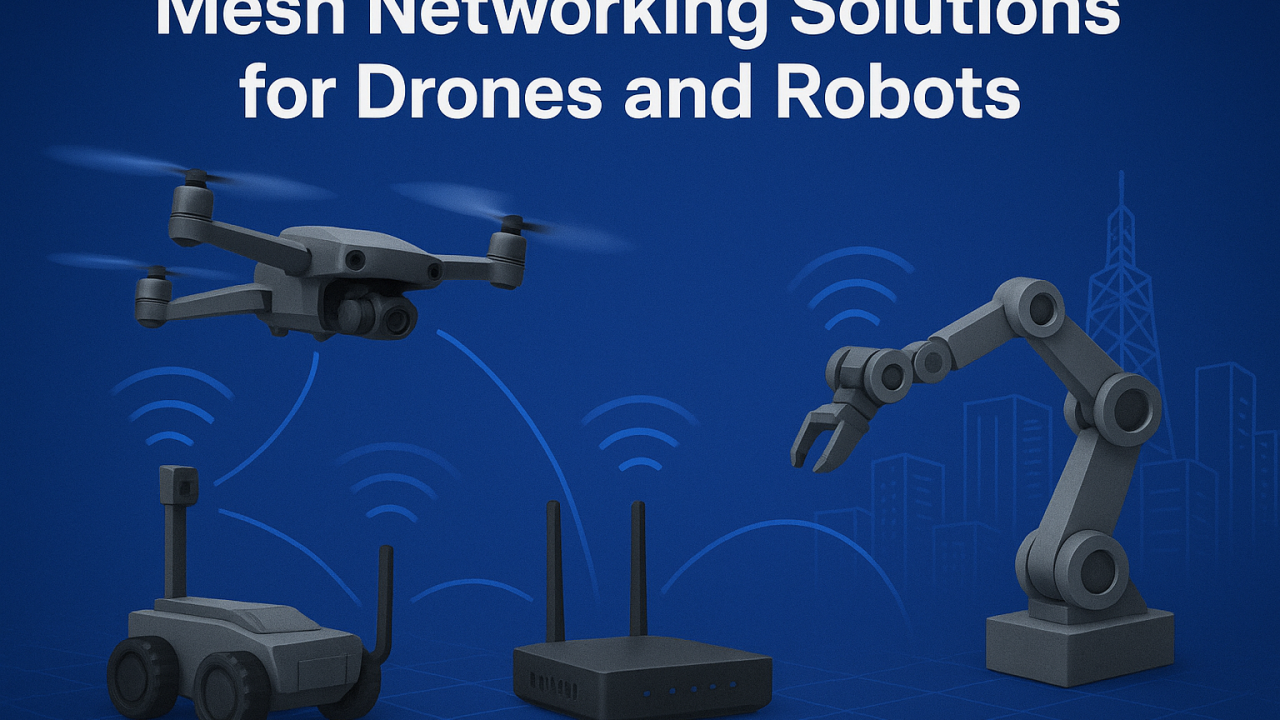
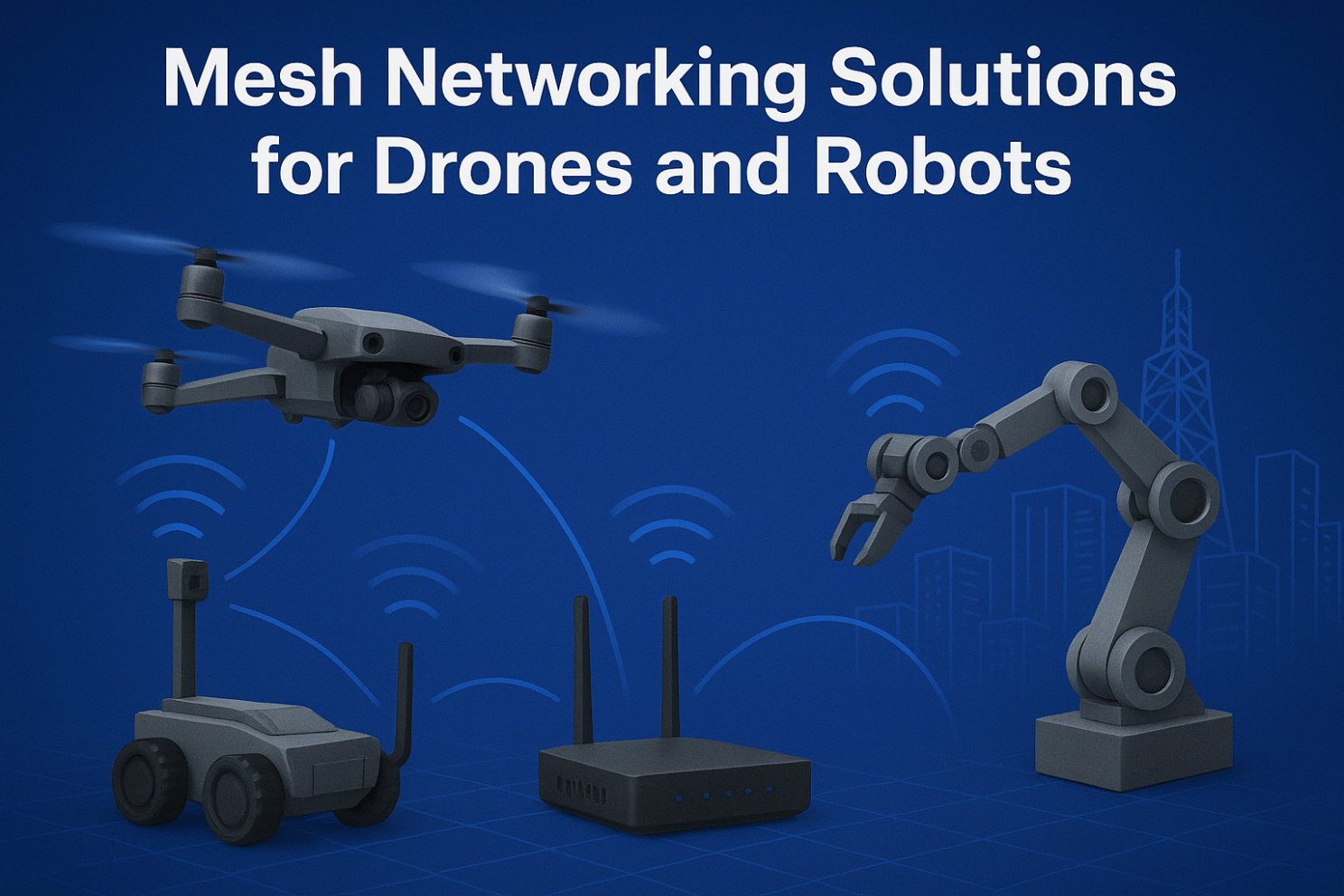
Mesh Networking Solutions for Drones and Robots

Mesh Networking Solutions for Drones and Robots

1. Introduction: Why Mesh for Drones and Robots?

Traditional wireless setups (AP + client) often fail in dynamic, mobile, and large-scale environments. Drones and robots require:

  • Low-latency links for real-time control
  • Resilient communication when nodes move or fail
  • Flexible scalability for adding new devices instantly

This is where Mesh networking shines — offering self-healing, self-configuring, and adaptive connectivity.


2. Mesh Networking for Drones

  • Formation Flying & Swarm Operations Drones in formation need constant synchronization of GPS, sensor, and video feeds. Mesh ensures each drone acts as a node, maintaining real-time links.
  • Emergency Response & Disaster Recovery In areas without cellular coverage, drones can instantly deploy a Mesh network, relaying data back to the command center for faster rescue operations.
  • Beyond Line-of-Sight Missions Mesh allows drones to extend their communication range via relays, enabling operators to control them far beyond visual range.

3. Mesh Networking for Robots

  • Smart Warehouses & Industrial Automation Robots need to stay connected across large spaces with moving inventory. Mesh avoids single-point AP failures and supports seamless roaming.
  • Security & Patrol Robots Continuous connectivity is essential for live video streaming and real-time threat detection. Mesh keeps robots online without service drops.
  • Collaborative Swarm Robots Multiple robots can share sensory data, distribute tasks, and adapt dynamically using Mesh as their backbone.

4. Key Technical Aspects of Drone & Robot Mesh

  • Dynamic Routing Protocols (OLSR, B.A.T.M.A.N, HWMP) ensure optimal paths in mobile networks.
  • Frequency Bands:
  • 2.4 GHz for longer range
  • 5 GHz / 6 GHz for high throughput
  • Wi-Fi 6/7 with MLO for ultra-stable multi-link performance
  • Security: WPA3, AES encryption, and private protocols protect mission-critical data.
  • Low Latency Optimization: Necessary for navigation and collision avoidance in autonomous systems.

5. Real-World Use Cases

  • Drone Relay Networks for Search & Rescue
  • Mesh-Enabled Warehouse Robots for Amazon-like Logistics
  • Hybrid Mesh + 5G Networks for Smart City Patrols

6. Future Trends

  • Wi-Fi 7 with Multi-Link Operation (MLO): Brings reliability and speed to swarms of robots and drones.
  • Integration with 6G & Edge AI: Mesh networks will work hand-in-hand with edge computing for local decision-making.
  • Larger-Scale Autonomous Systems: From 5 drones to 500 robots, Mesh will scale efficiently.

Mesh networking is transforming how drones and robots communicate in real time. Whether for industrial automation, emergency missions, or smart city deployments, Mesh provides the backbone for reliability and scalability.

👉 At 524WiFi and Wallys, we design industrial-grade router boards and network cards (IPQ5018, IPQ9574, QCN9074, etc.) that support advanced Mesh networking. Our hardware enables drone and robotics developers to build custom, robust, and scalable Mesh solutions.
Article content
Posted on

Access Controller + AP vs. Mesh Networking: Which Offers Better Coverage for Your Industrial Setup?

AC+AP Networking vs. Mesh Networking

In today’s rapidly advancing wireless technologies, networking has evolved significantly to meet the growing demand for faster and more reliable internet connectivity. Two popular methods for expanding Wi-Fi coverage in various environments are AC+AP and Mesh networking. While both methods aim to improve the coverage and performance of wireless networks, they differ in their architecture and functionality.

What is AC+AP Networking?

AC+AP Networking refers to a traditional approach in which an Access Point (AP) is connected to a central device, such as a router or a wireless controller (AC). This setup is often used in larger environments where multiple APs are deployed to extend Wi-Fi coverage, particularly in enterprise settings.

  • Access Point (AP): An AP is a device that allows wireless devices to connect to a wired network. It acts as a bridge between the wired network and wireless clients.
  • Access Controller (AC): The AC is a centralized device that manages multiple APs, providing a single point of control for wireless network configuration, security settings, and performance optimization.

The AC+AP solution works well for environments where there is a need for extensive control over the network, such as in large office buildings, campuses, or industrial sites. However, the key challenge with this setup is that the coverage area might be limited by the range of each individual AP, and users may experience interruptions when moving between APs.

What is Mesh Networking?

On the other hand, Mesh Networking is a more modern approach that involves multiple wireless nodes working together as a network. Each node in a Mesh network communicates with the others to create a seamless, self-healing Wi-Fi coverage area. This method is particularly effective in environments where extended coverage is required, such as homes, large enterprises, or industrial spaces with complex layouts.

  • Nodes: Mesh networks consist of multiple nodes (which can function as both APs and routers) that collaborate with one another to extend coverage.
  • Self-Healing: One of the key benefits of a Mesh network is that if one node fails, the others can automatically adjust to maintain network stability without interruptions.
  • Seamless Roaming: Mesh networks offer seamless connectivity, allowing users to move freely between nodes without experiencing connectivity drops or network handoffs.

Mesh networks are ideal for environments with complex, large-scale spaces, and they are particularly useful in overcoming dead zones that traditional Wi-Fi setups may fail to cover.

Wallys’ Mesh and AC+AP Solutions

At Wallys, we understand the need for high-performance wireless solutions that cater to diverse networking environments. Whether you’re looking for robust connectivity for industrial environments or home office setups, our solutions can meet your needs.

  • Wallys AC+AP Solutions: Our AC+AP systems are designed for large-scale, enterprise-level networks where centralized control and extensive coverage are essential. With features like high-speed throughput, efficient roaming, and seamless integration, our AC+AP solutions offer a reliable, cost-effective way to expand network coverage without compromising performance.
  • Wallys Mesh Solutions: Wallys’ Mesh networking solutions offer flexibility, ease of setup, and seamless connectivity across large, complex spaces. Our Mesh systems are designed to handle high-density environments, ensuring stable connections across multiple devices. These solutions are ideal for industrial settings, smart cities, large homes, and office networks. With Wallys’ Mesh solutions, you can ensure consistent performance, even in challenging environments with multiple obstructions.

Both AC+AP and Mesh solutions are fully customizable to meet your specific needs, whether you’re deploying them in industrial, commercial, or residential environments.

Contact Us for Testing

We invite you to explore the power and flexibility of Wallys’ networking solutions. Our team is ready to assist you with testing our AC+AP and Mesh products to ensure they meet your requirements. For more information and to schedule a test, please get in touch with us

Posted on

ZBT WG1608 4G 5G LTE router users setup configuration installation guide

USER FRIENDLY INSTALLATION MANUAL FOR

ZBT WG1608, ZBT WE1326, ZBT WG3526 4G 5G LTE ROUTERS

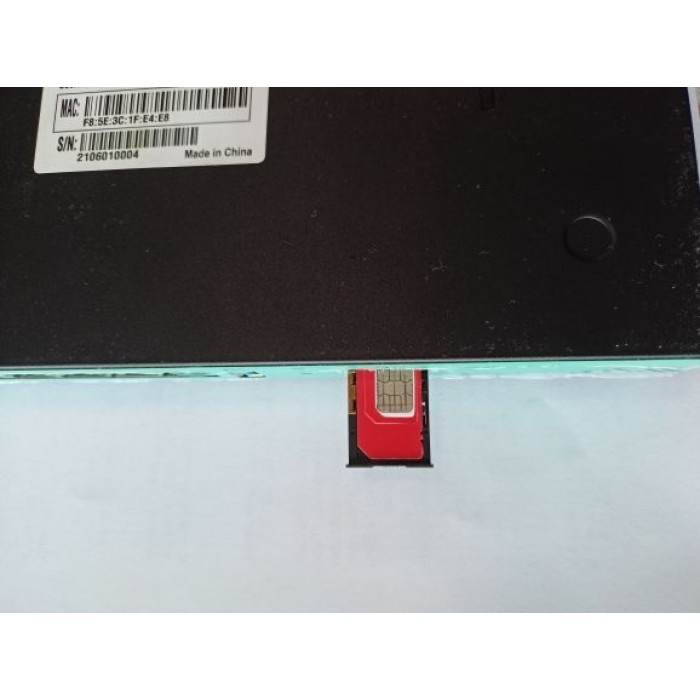
  1. Put a functional SIM card into the SIM slot (please see picture bellow).
  2. Please bear in mind that there are 2 types of antennas: LTE and WiFi. Be sure that you’re putting in the right antenna to the right slot, You can recognize them by female and male connectors.
  3. After ensuring that everything is in the right place, please first connect your LAN port then the routers DC interface, please use 12V / 2A power adapter.
  4. Now type into your browsers URL query “192.168.1.1” it’ll take you to the routers firmware

            Passwords are: Viper firmware “Password1234” or “admin” for OpenWRT

            WiFi default password: Viper firmware “LakeWater561” , in OpenWRT firmware is WiFi without encryption by default.

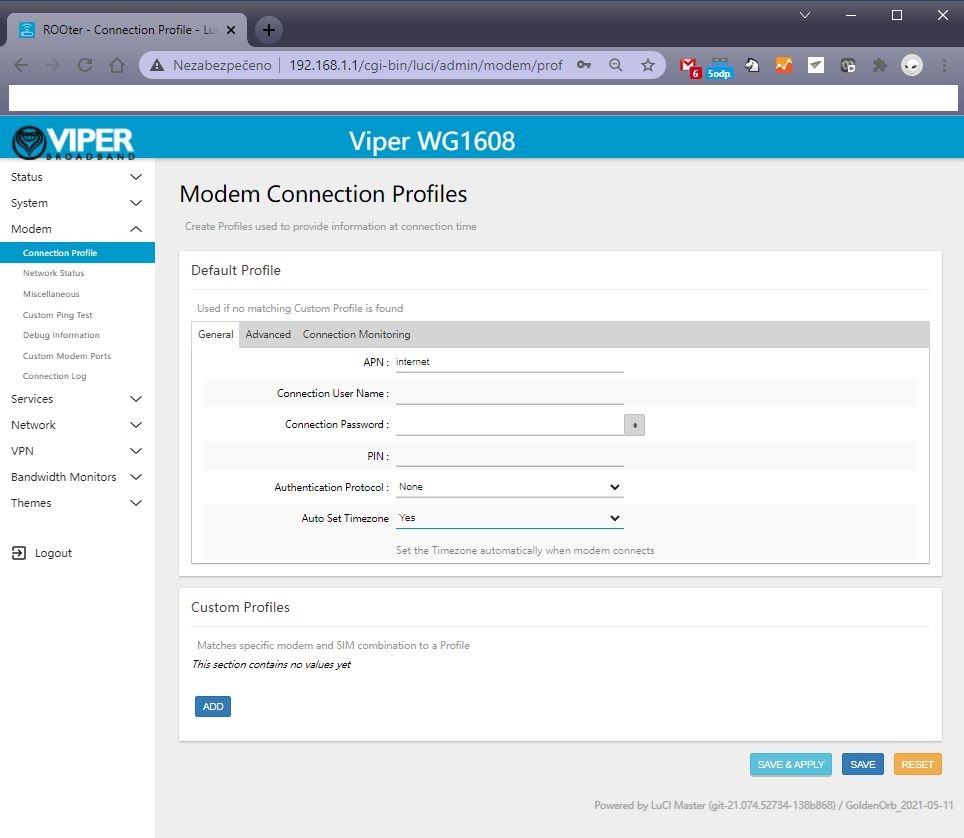
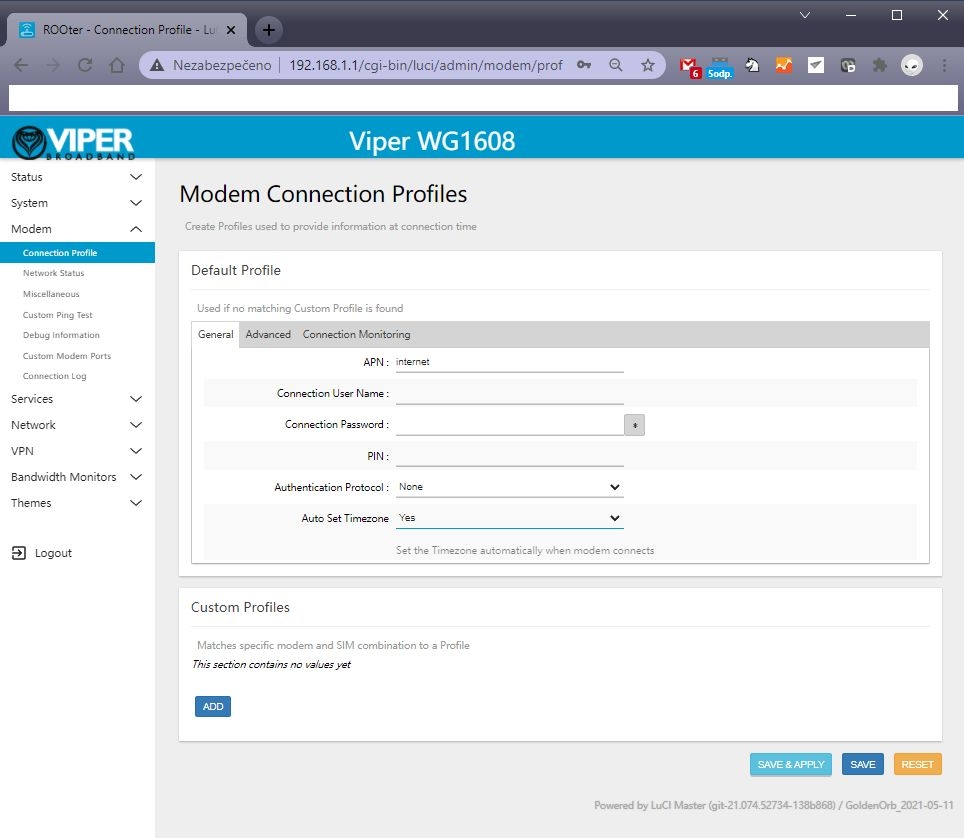
  1. After getting inside your firmware please go to “Modem > Connection profile” and set your APN to “internet” or other APN from your provider and wait at least 5 minutes.

A few of the more common carrier APNs are listed below:

AT&T = BROADBAND
Verizon = VZWINTERNET
T-Mobile = FAST.T-MOBILE.COM
Sprint = R.ISPSN (or, N.ISPSN on some)

  1. Don’t forget to check “Modem > Network Status” to see if your router recognizes:
  • Your SIM card
  • Your modem
  • Strength of your signal

If you see every mentioned option in No. 6 then congratulations!!! Your router is ready to be deployed. We hope that this user manual was helpful. We’re trying to keep it as simple as humanly possible.

We set customers own specific settings as long as they’re mentioned in the order note.

If you have any more questions, please be sure to contact us at [email protected].

ADVANCED SECTION

QUECTEL RM520N-GL, RM502Q AND OTHER QUECTEL MODULE SETUP IN OPENWRT FIRMARE :

1 – go to the Network – Interfaces – 4G menu and check the 4G/5G module button , then you can set the APN

2 – Then save and reboot and you can see 4G/5G connected in Status page :

  1. Please insert your 4G or 5G LTE card in “M.2 LTE card slot”
  2. Connect your pigtails to your LTE card and your WiFi card (If there’s a right slot for it marked with “WiFi” text)

A) is the correct way. 

B) This one isn’t as this may result in damaging contact between the LTE card and antenna.