Unlock the future. By combining DR9274-2G5G and DR9274-5G6G, 524WiFi delivers a true tri-band Wi-Fi 7 platform ready for tomorrow’s wireless demands. X86 Linux supported!
Powered by Multi-Link Operation (MLO), our solution enables:
✅ Simultaneous dual 5GHz operation ✅ Aggregated bandwidth for higher throughput ✅ More resilient and flexible wireless networks
Introduction: The Next Era of Enterprise Wireless Connectivity
The rapid evolution of Wi-Fi 7 (IEEE 802.11be) is revolutionizing enterprise networks, demanding hardware that combines cutting-edge performance with seamless integration. The 524WiFi DR9274 PCIe Wireless Card, powered by Qualcomm QCN9274/QCN6274 chips, emerges as a game-changer. Designed for x86 architecture and fully compatible with Ubuntu systems, this module delivers multi-gigabit speeds, industrial-grade reliability, and future-proof scalability — ideal for high-stakes environments like smart factories, dense office networks, and mission-critical IoT deployments.
5 Key Advantages of 524WiFi DR9274 Wi-Fi 7 Modules
1. x86 & Ubuntu Compatibility: Unleash Developer Flexibility
Native x86 Support: Seamlessly integrates with Intel/AMD-based servers, industrial PCs, and edge gateways, eliminating driver conflicts.
Ubuntu 22.04 LTS Optimization: Pre-certified drivers and SDKs enable rapid deployment on Linux environments, with full access to OpenWRT/OpenWiFi for custom network policies.
Use Case: Deploy as a software-defined access point (SDAP) or cloud-managed wireless controller on existing x86 infrastructure.
Wireless Backhaul: Replace fiber with 6GHz point-to-point links for 5G small cell aggregation.
Public Wi-Fi 7 Hotspots: Deploy in airports or malls with captive portals and AI-driven traffic shaping.
4. Defense & Mission-Critical Systems
Tactical Mesh Networks: Build self-healing wireless grids using MLO and 4K QAM.
Drone Command Centers: Stream 360° LiDAR data via 320MHz channels.
Conclusion: Future-Proof Your Wireless Infrastructure Today
The DR9274 Wi-Fi 7 PCIe Card transcends traditional wireless limitations by merging Qualcomm’s silicon excellence, x86/Ubuntu adaptability, and industrial resilience. Whether upgrading enterprise networks, automating factories, or building smart city backbones, this module delivers unparalleled speed, reliability, and control.
Wi-Fi 7 with Multi-Link Operation (MLO) on X86 Devices: A New Era of Connectivity
As the world of wireless technology continues to evolve, the introduction of Wi-Fi 7 is nothing short of a game-changer. With its potential for significantly higher speeds, lower latency, and enhanced reliability, Wi-Fi 7 is set to revolutionize industries and applications ranging from industrial IoT to high-performance consumer devices. At Wallys, we’re always driven by customer needs, and as part of our commitment to offering cutting-edge solutions, we’re focused on expanding the possibilities for Wi-Fi 7 technology—specifically by enabling Multi-Link Operation (MLO) support on X86 platforms.
Expanding the Reach of Wi-Fi 7: A New Level of Compatibility
Last year, we introduced X86 driver support for our Wi-Fi 6 module, DR9074, which enabled seamless integration across a broader range of motherboard platforms, not just Qualcomm devices. This support empowered our customers to experience high-quality, stable Wi-Fi data transmission and opened the door for new applications that demand reliable and high-throughput wireless connections.
With the introduction of Wi-Fi 7, cross-platform compatibility becomes even more critical. Wi-Fi 7 brings with it a new set of features designed to push the boundaries of wireless connectivity, and one of the most significant is Multi-Link Operation (MLO). But to harness the full potential of MLO, we need to ensure that our solutions can operate on multiple platforms—something we’re excited to announce we’re working on with our DR9274 (QCN9274) and QCN6274 Wi-Fi 7 modules.
wifi6 vs wifi7
What is MLO? And Why Does It Matter?
Multi-Link Operation (MLO) is one of the standout features of Wi-Fi 7. MLO allows devices to transmit data across multiple frequency bands (like 2.4 GHz, 5 GHz, and 6 GHz) simultaneously. This multi-band transmission significantly improves throughput and reliability, while reducing latency and congestion, making it an ideal solution for environments that require high-speed and low-latency communication.
In simple terms, MLO will enable your devices to leverage the full bandwidth potential of Wi-Fi 7, resulting in faster speeds, more stable connections, and more efficient use of available spectrum.
Introducing the QCN9274 & QCN6274 Wi-Fi 7 Modules
To enable the full potential of MLO, we’re leveraging the power of QCN9274 and QCN6274—two of Qualcomm’s latest Wi-Fi 7 chipsets, both designed for high-performance applications.
QCN9274 (Waikiki)
QCN6274 (Waikiki)
MLO
These two powerful chipsets represent the future of Wi-Fi 7 and provide the foundation for expanding compatibility across a variety of platforms. With MLO support, both the QCN9274 and QCN6274 enable better utilization of the 2.4, 5, and 6 GHz bands, delivering faster speeds and more reliable connections.
wifi7 new features
What Will MLO Bring to Your X86 Devices?
By introducing MLO support for X86 devices, we’re pushing the envelope on what’s possible in wireless networking. Users of X86 platforms will now be able to tap into the full power of Wi-Fi 7, unlocking:
Higher Throughput: With MLO, data is split across multiple channels, leading to faster speeds and higher data rates, ideal for bandwidth-hungry applications like streaming, gaming, and industrial IoT.
Enhanced Reliability: MLO ensures that devices can maintain stable connections, even in environments with interference or congestion, by balancing traffic across different frequency bands.
Reduced Latency: Faster communication between devices can significantly reduce lag and improve the responsiveness of real-time applications, from virtual reality to autonomous systems.
The implications are significant. Wi-Fi 7, combined with MLO, could transform industries that rely on seamless, high-performance wireless connectivity—think smart cities, industrial automation, healthcare, and beyond.
At 524WiFi, we’re committed to ensuring that our solutions are as versatile and adaptable as possible. With the upcoming X86 driver support for DR9274 and MLO functionality, you’ll be able to take full advantage of Wi-Fi 7 speeds and unlock new potential for your devices.
Thoughtput testing:achieve 8Gbps+ speed
This new capability will open up new opportunities for a variety of applications, and we’re eager to see how our customers will integrate this powerful technology into their own use cases.
DR9274 wifi7 M.2 card
Are You Ready for the Future of Wireless Connectivity?
With Wi-Fi 7’s blazing-fast speeds and MLO’s game-changing capabilities, the possibilities are endless. How do you envision using Wi-Fi 7 with MLO on your X86 platforms? Whether it’s enhancing your industrial IoT devices, supporting next-gen gaming applications, or powering high-bandwidth communications, the potential is vast.
At 524WiFi, we’re excited to continue innovating and providing the tools you need to stay ahead in the rapidly evolving wireless landscape. If you’re interested in learning more about our Wi-Fi 7 solutions or how we can help with your next project, feel free to reach out to us.
X86 Industrial Computer + QCN9024 DR9024 MINI PCIE Interface 1v1 and 1v100 Performance Test Report:
Test purpose: Test the performance of QCN9024 network card with industrial computer 1v1 and 1v10 Test tool: Ixchariot 6.7 Test equipment: X86 industrial computer + MINI PCIE QCN9024 DR9024 module
X86 as STA test environment:
Self-developed equipment as AP, X86 industrial computer as STA
Chariot traffic test Test 1: STA to AP traffic, throughput 2145Mbps
Test 2: AP sends traffic to STA, throughput 2318Mbps
Test 3: AP and STA bidirectional traffic, throughput 2660Mbps
X86 as AP test environment:
Self-developed equipment as STA, X86 industrial computer as AP
Chariot traffic test Test 1: AP to STA traffic, throughput 2215Mbps
Test 2: STA sends data to AP, throughput 2271Mbps
Test 3: AP and STA bidirectional traffic, throughput 2603Mbps
X86 Industrial Computer + QCN9024 DR9024 MINI PCIE Interface 1v1 and 1v100 Performance Test Report:
Test purpose: Test the performance of QCN9024 network card with industrial computer 1v1 and 1v10 Test tool: Ixchariot 6.7 Test equipment: X86 industrial computer + MINI PCIE QCN9024 DR9024 module
Harnessing the Power of 524WiFi 6 DR9074-TRIBAND with x86 Platforms: Practical Case Studies
In the fast-evolving world of wireless networking, Wi-Fi 6E is transforming connectivity with its higher speeds, lower latency, and increased device capacity. At 524WiFi and Wallys, we are dedicated to providing high-performance, easily integrable industrial wireless hardware to empower developers, businesses, and innovators. This article explores how the 524WiFi 6 DR9074-TRIBAND Wi-Fi card paired with x86 platforms can deliver exceptional value and elevate your project outcomes.
Why Choose DR9074-TRIBAND with x86 Platforms?
Selecting the right hardware often involves addressing key challenges:
Does it meet current and future performance needs?
Is it compatible with existing systems?
Can it provide long-term reliability?
The 524WiFi 6 DR9074-TRIBAND card, powered by the Qualcomm QCN9074 chipset, supports Wi-Fi 6E across three frequency bands (2.4 GHz, 5 GHz, and 6 GHz). Combined with the computational power of x86 platforms, this pairing offers robust solutions for:
High-performance wireless access points (APs)
Extensive wireless mesh networks
Wireless protocol development and testing platforms
IoT gateways and data center connectivity
By integrating DR9074 and x86 platforms, we aim to help you build reliable, flexible, and scalable wireless networks for a wide range of applications.
Case Studies: How We Enable Success
Case 1: Deploying High-Performance Wireless Networks for SMEs
Challenge A small to medium-sized enterprise (SME) sought to enhance its internal network with low latency, high stability, and support for multiple concurrent connections.
524WiFi Solution
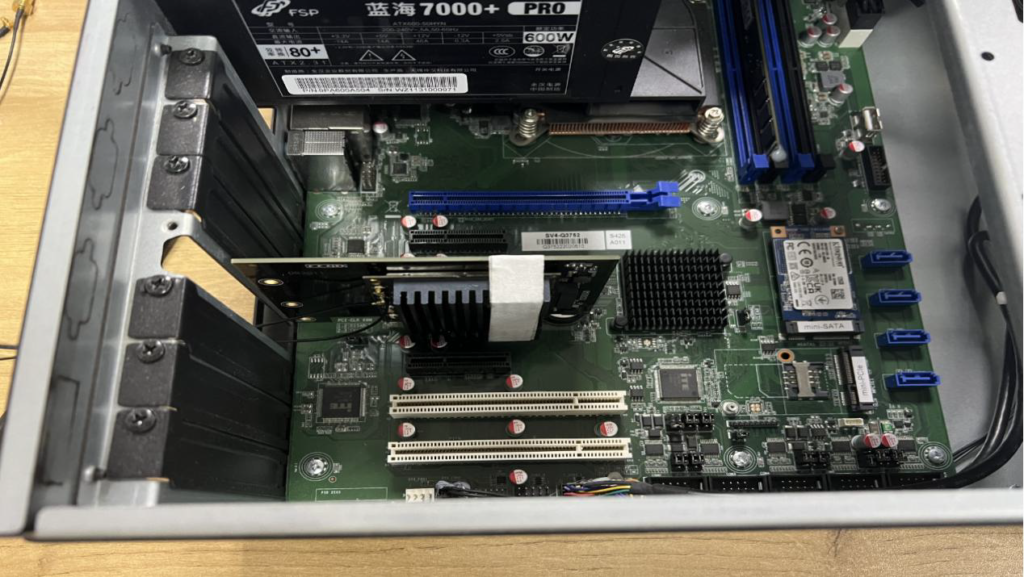
Provided the DR9074-TRIBAND card, seamlessly integrated with the client’s x86 motherboard via PCIe.
Enabled tri-band Wi-Fi using Ubuntu and the Ath11k driver.
Configured Hostapd to deploy an efficient wireless access point.
Results
Expanded Wi-Fi coverage to 150 meters and improved throughput by over 50%.
Maintained stable performance even under high concurrency, ensuring uninterrupted business operations.
“524WiFi hardware’s performance and ease of use allowed us to upgrade our network effortlessly, saving both time and budget.” — Client Feedback
Case 2: Building a Wireless Mesh Network for a Smart Campus
Challenge A smart campus required seamless wireless coverage across multiple buildings and open spaces with excellent roaming performance.
Wallys Solution
Configured multiple x86 devices, each equipped with a DR9074-TRIBAND card, to create mesh network nodes.
Utilized OpenWrt to establish the 6 GHz band as the backhaul, reducing interference.
Leveraged MU-MIMO and OFDMA to enhance connection density.
Results
Achieved full campus coverage with reduced latency using 6 GHz backhaul links.
Enabled seamless roaming for users, improving the overall smart campus experience.
For support drivers, please contact: 524wifi team
Case 3: Providing a Cost-Effective Wireless Testing Platform
Challenge A wireless technology research company needed a platform to test Wi-Fi 6E performance and optimize its products.
Wallys Solution
Paired x86 servers with DR9074-TRIBAND cards for a versatile testing framework.
Integrated tools like iperf3 and Wireshark to analyze bandwidth, latency, and protocols.
Simulated complex network environments under high load across multiple bands.
Results
Improved testing efficiency by 40% and reduced overall costs.
Enabled faster product launches with enhanced market readiness.
Our Commitment: Empowering Your Vision
At 524WiFi, we believe that the true value of technology lies in enabling others. Whether you’re an entrepreneur, developer, or researcher, our products and services are designed to help you:
Reduce Deployment Costs: Flexible hardware and software integration for faster implementation.
Accelerate Project Timelines: Comprehensive technical documentation and support to minimize trial and error.
Achieve Long-Term Goals: Hardware solutions that not only meet today’s needs but also prepare you for tomorrow’s challenges.
📩 For inquiries or hardware procurement, please contact us at [email protected] Let’s build the future of wireless networking together!
NEW 524 WIFI DUAL BAND TRI-BAND DR9074 WIFI 6/6E MODULES INFO – “WE CAN HELP OUR CUSTOMERS DEVELOP ATH11K TO BE USED WITH DR9074 CARDS” :
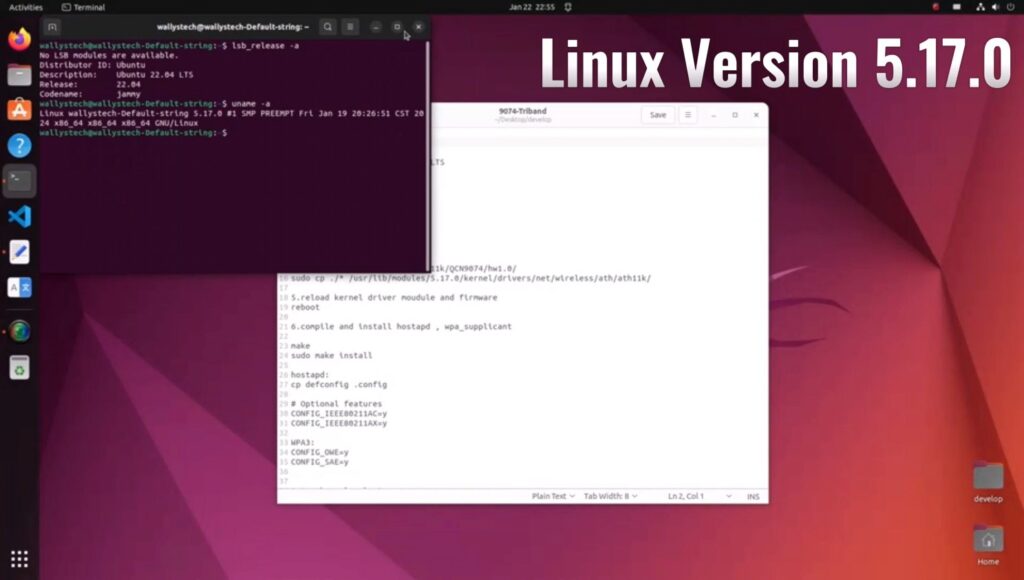
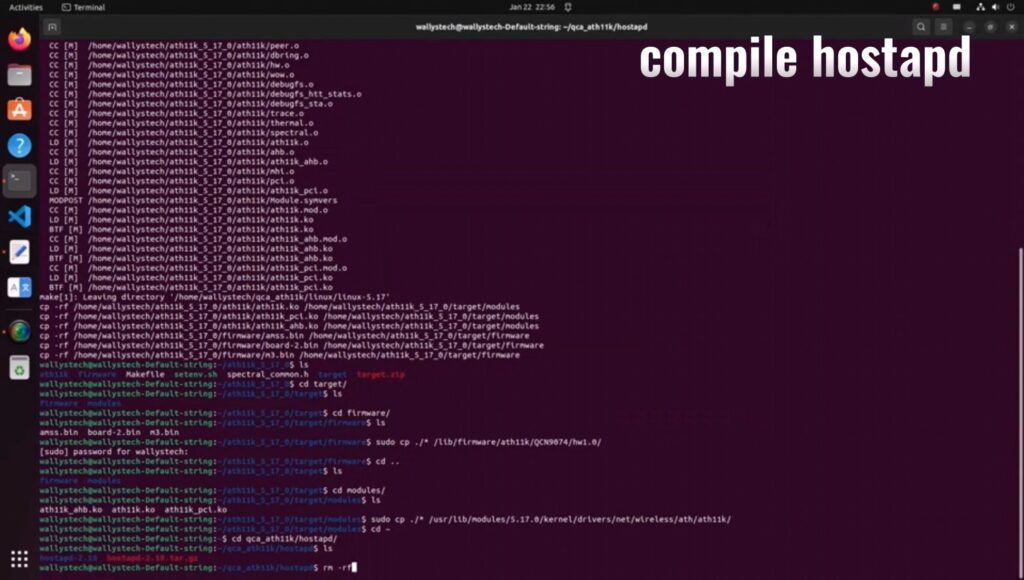
Informations regarding Linux and OpenWRT drivers – The ath11k code from github can’t support the dual / tri band card now, it needs modification. Wallystech and 524WiFi did some changes and applied in Linux kernel version 5.17.0 – if you use different kernel version, then 524WiFi will do some work for you. That is a Linux issue, there are some incompatible with different kernel versions. So the Customer need tell us the kernel version, then we release the ath11k and board-2.bin, bdf and amss.bin to customer – all is binary. Jason, chief of development, told us : “We will build it based on the Customer’s Linux version, The kernel should be 5.17 up. The Card can be AP or Client mode on x86. We do it better than others, DR9074 Triband and Dualband cards are very good and its is powerful opportunity for all customers developing WiFi6 devices. We have software engineers and we we have resources to support all Customers tu use our WiFI6 modules“
If The Customer has big volume order, then we can open the ath11k code to the customer customer based on NDA, SLA.
HOW TO USE 524WIFI 6 DR9074-TRIBAND M.2 WIFI MODULE TOGETHER WITH WALLYS ROUTER PCBA OR A THIRD PARTY X86 ECOSYS LIKE UBUNTU? AND LOADING QCN9024 QCN9074 – DR9074-TRIBAND DRIVER ON LINUX 5.17.0 – STEP-BY-STEP GUIDE !
As you know, 524WiFI recently has launched two new unique Wifi modules DR9074-Triband M.2 and DR9074E – Dual Band miniPCIe,Today, this article will present how to use the module together with target platform. OpenWRT systems also use ath11k, so the information above is same for OpenWRT users.
(1) USAGE WITH WALLYS ROUTER PCBA WITH QCA IPQ 6018 CPU AND QSDK FIRMWARE :
DR6018 PCBA x1 (the board has to be pre-flashed with an exclusive version of firmware which we developed via QSDK and bootargs has been pre-set under U-boot CLI to ensure the correct board_id for the module ) DR9074-Triband M.2 wifi module x1
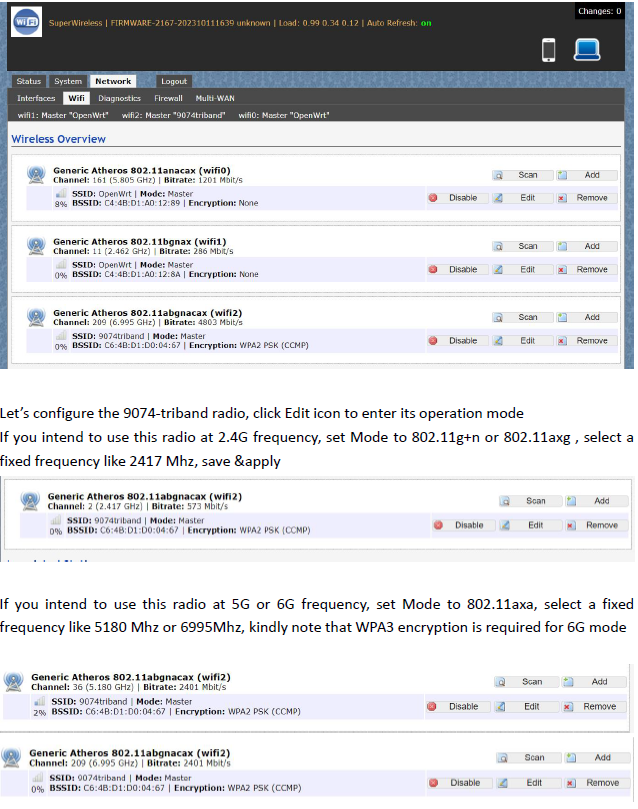
After we plug the module onboard and power on, we can access to the GUI webpage via board’s default ip address 192.168.1.1, login (admin / asdf1234)
Network>Wifi, at this section, as we can see, there are three radios available, they are Wifi0(2.4G radio),Wifi1(2.4G radio), Wifi2(9074-triband selectable radio)
Let’s configure the 9074-triband radio, click Edit icon to enter its operation mode. If you intend to use this radio at 2.4G frequency, set Mode to 802.11g+n or 802.11axg , select a fixed frequency like 2417 Mhz, save &apply
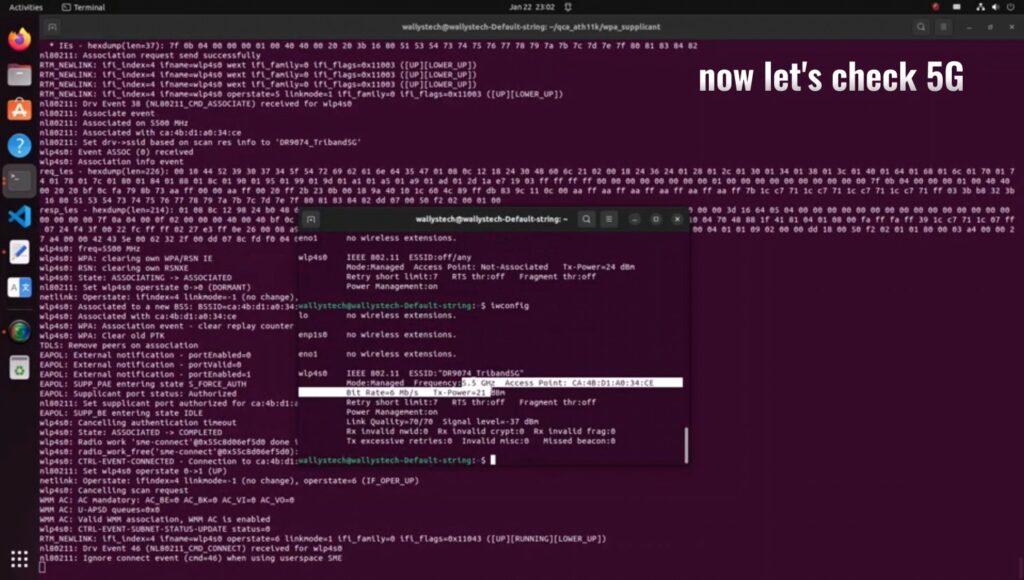
If you intend to use this radio at 5G or 6G frequency, set Mode to 802.11axa, select a fixed frequency like 5180 Mhz or 6995Mhz, kindly note that WPA3 encryption is required for 6G mode
Bitrate can be up to 4803Mbit/s under 160Mhz channel spectrum width, both 5G and 6G mode support 160Mhz channel spectrum width. And the 9074-triband module can work under both ap and sta mode
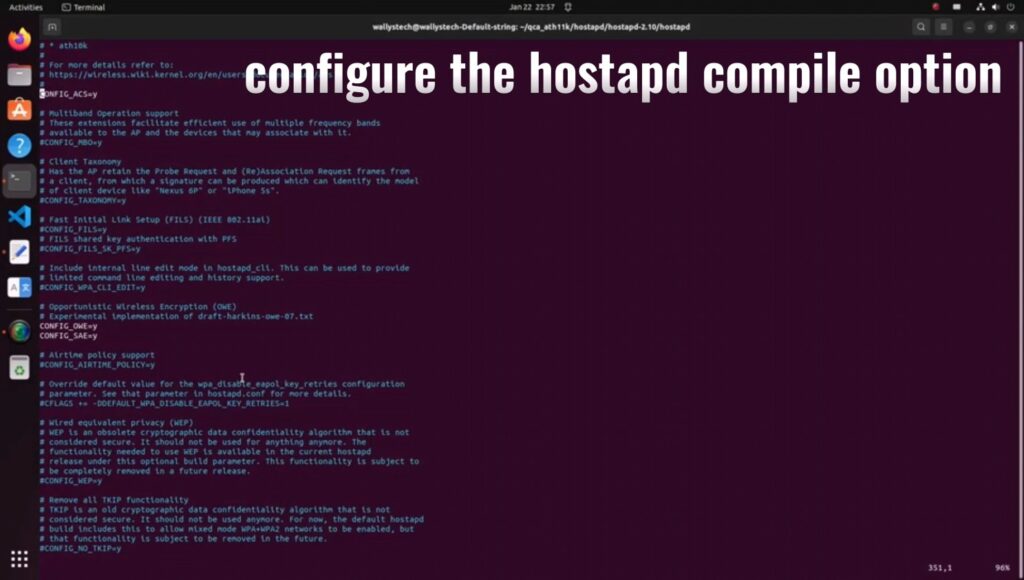
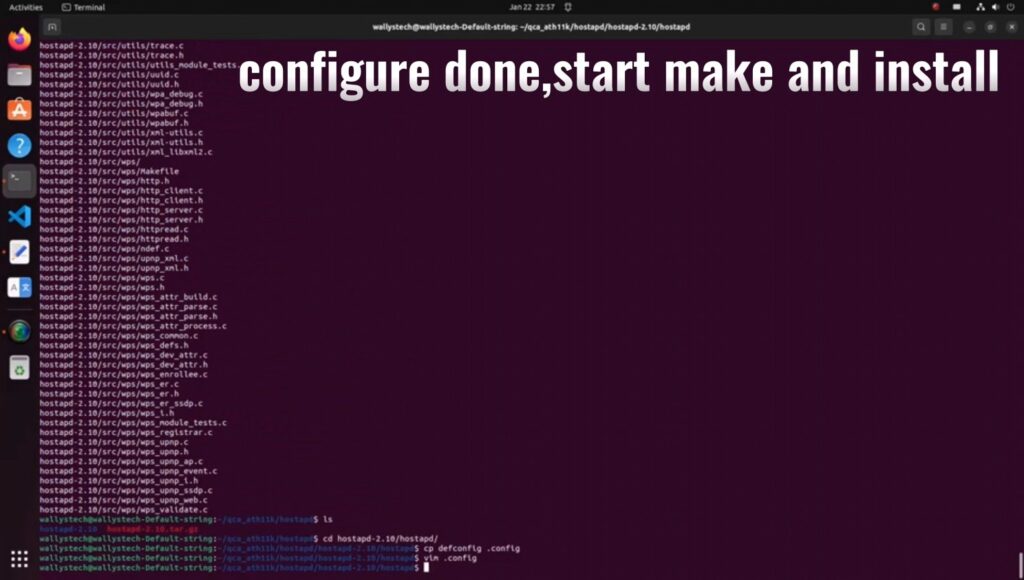
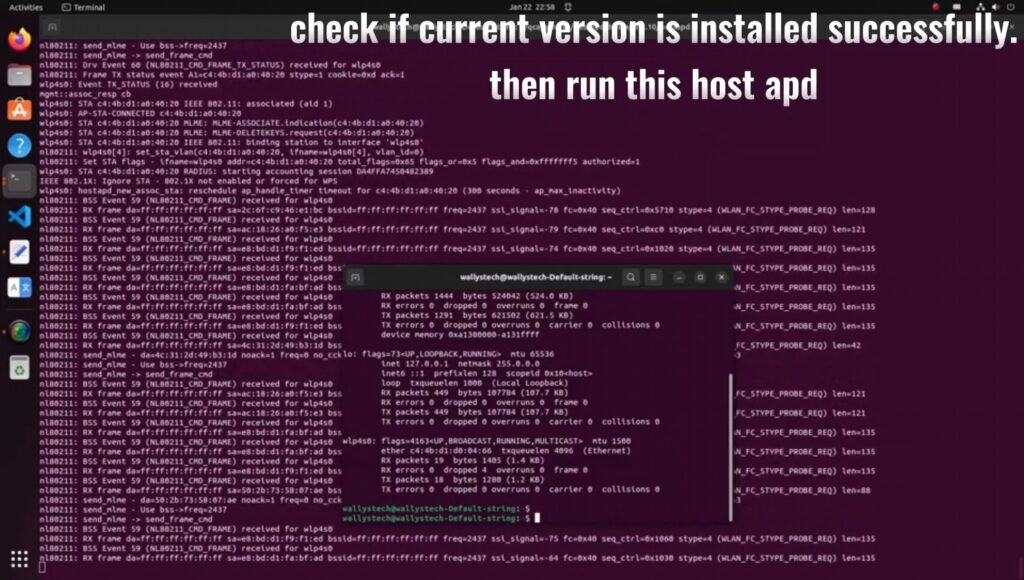
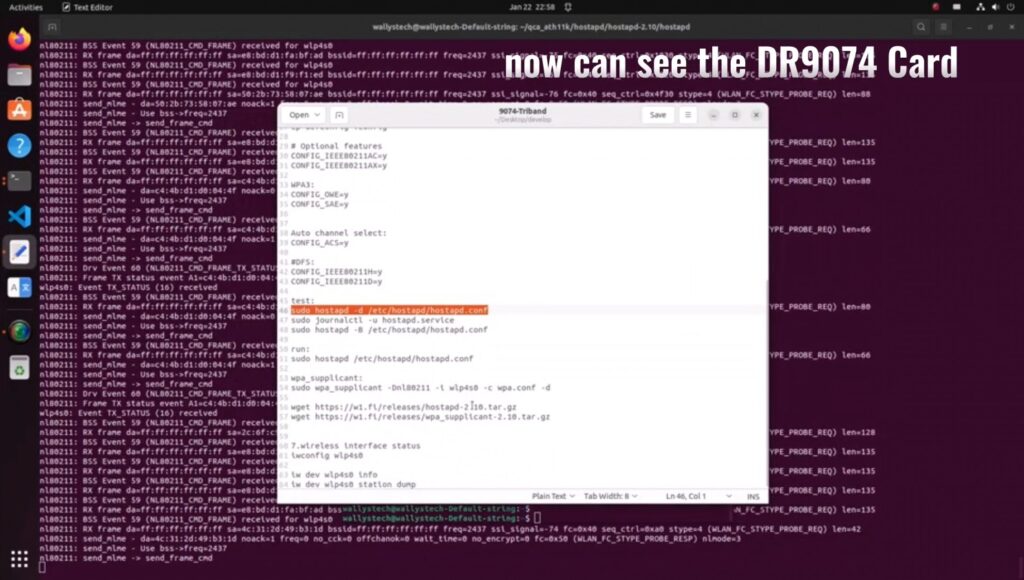
The kernel version is 5.17.0 which integrated ath11k driver Use this command ‘sudo hostapd -dd /etc/hostapd/hostapd.conf ’to enable the module under AP mode
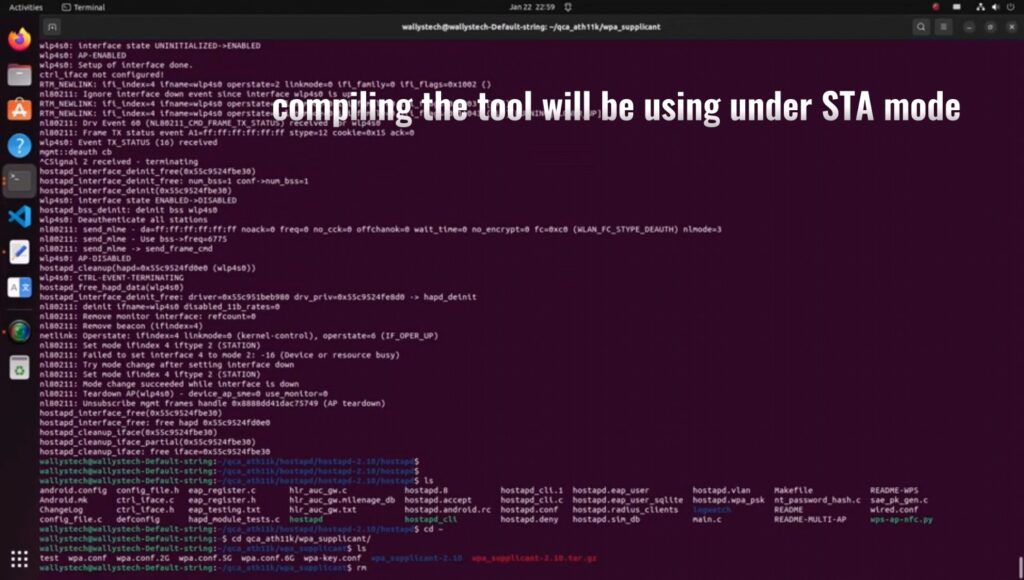
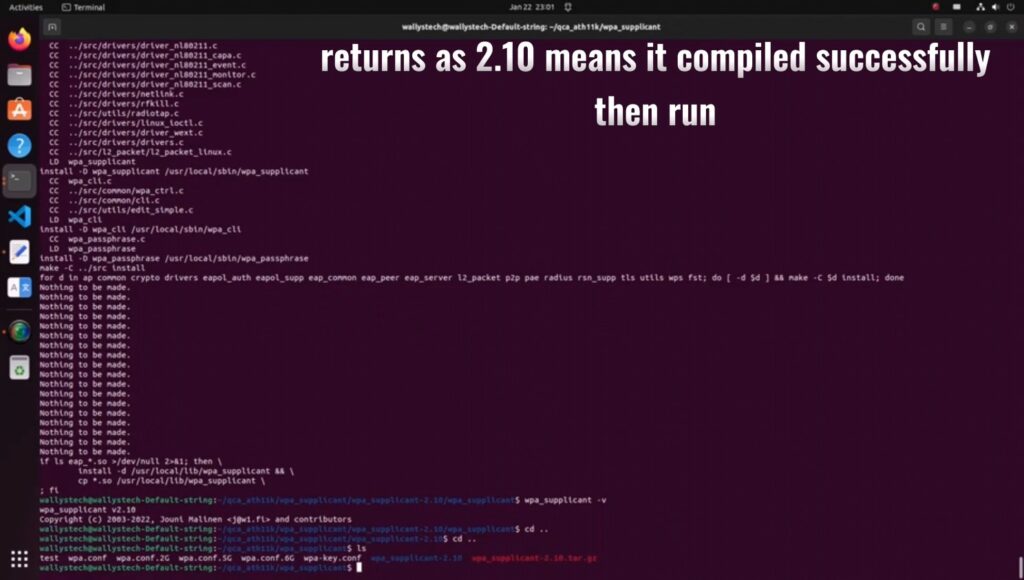
The module can work under STA mode as well, and this command need to be run ‘ sudo wpa_supplicant -Dnl80211 -i wlp4s0 -c wpa.conf’ If you are interested in the product or have any technical questions, feel free to reach out 524WiFi or Wallys team
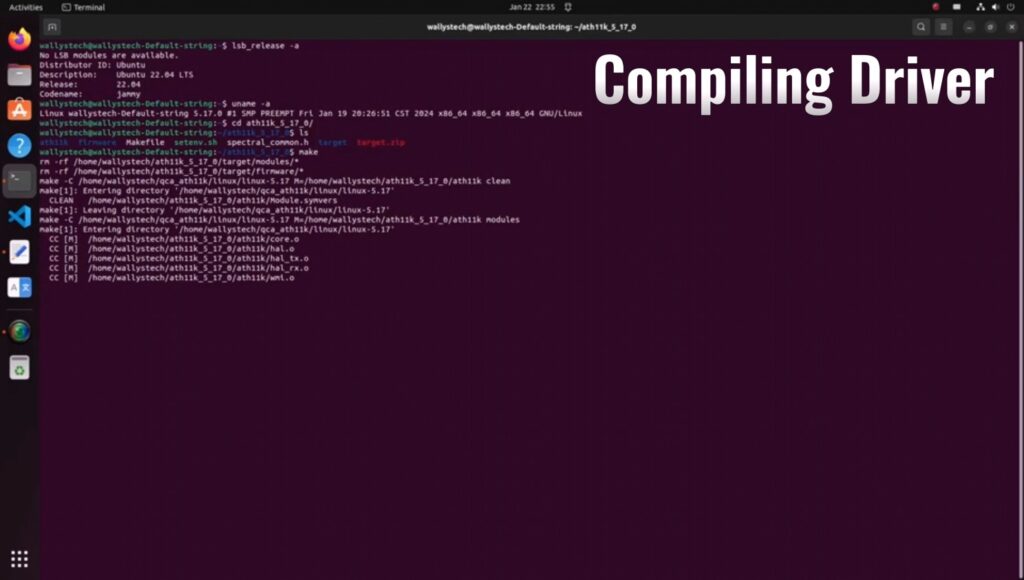
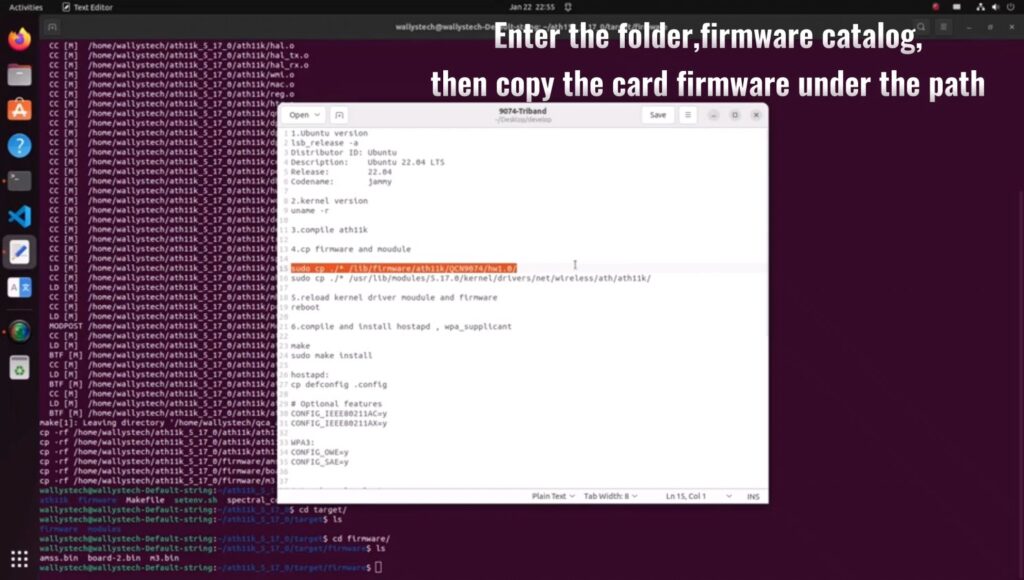
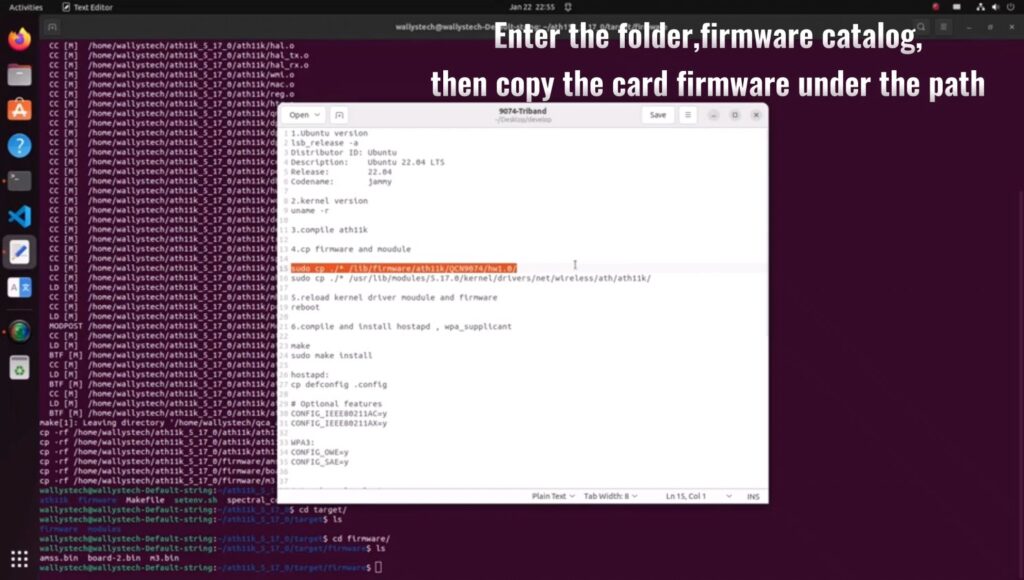
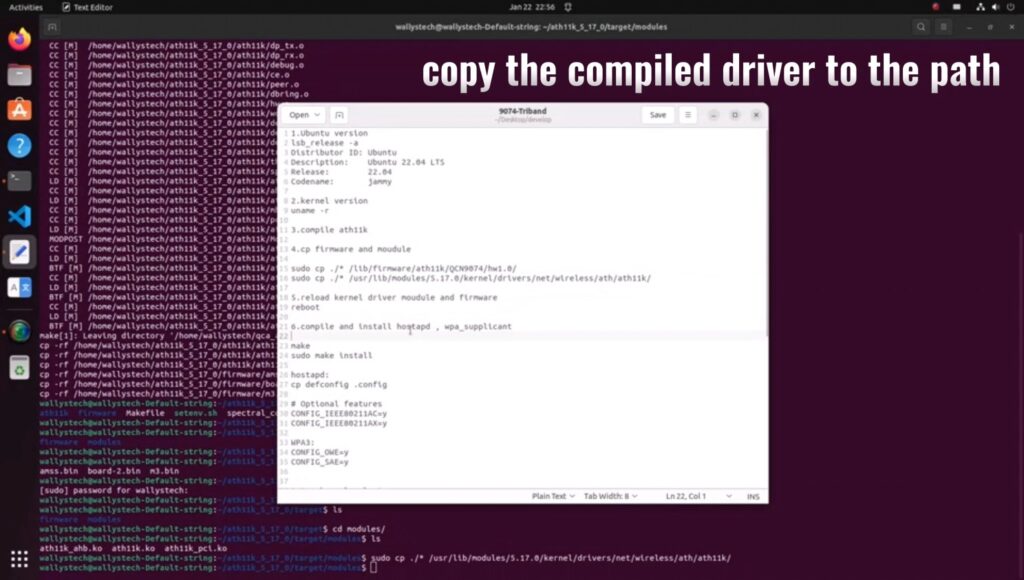
QCN9024 QCN9074 | LOADING DR9074-TRIBAND DRIVER ON LINUX 5.17.0 – STEP-BY-STEP GUIDE
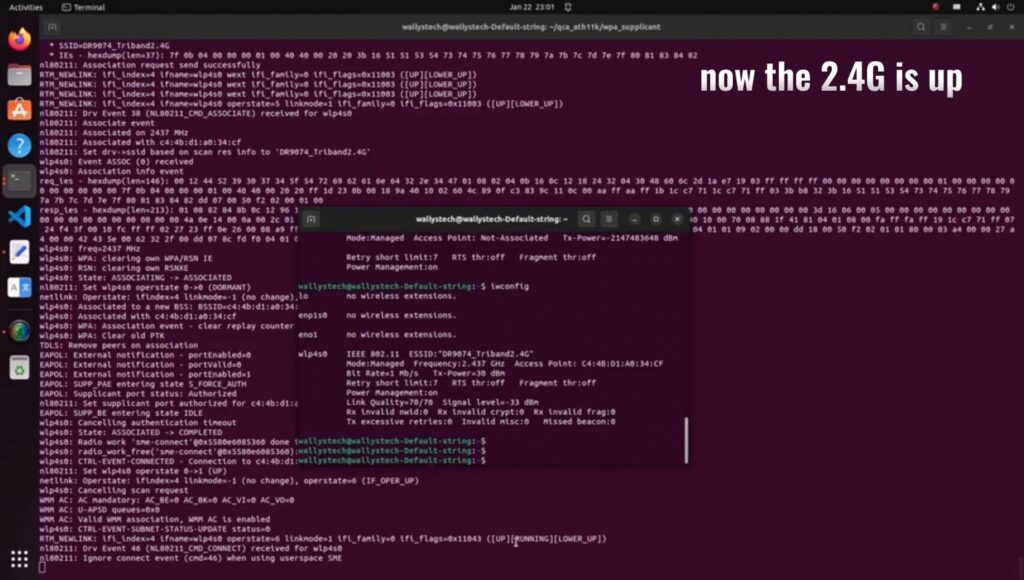
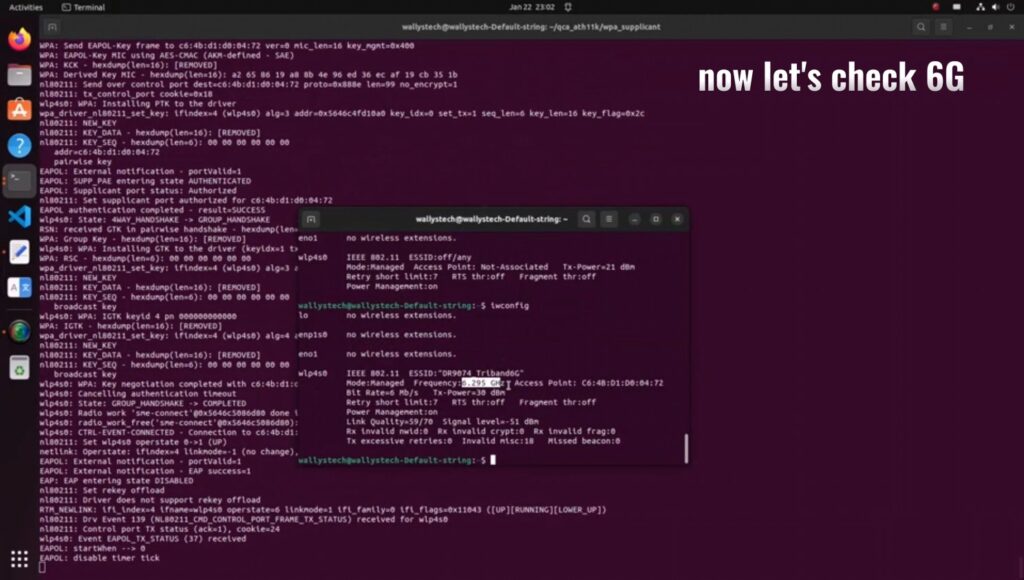
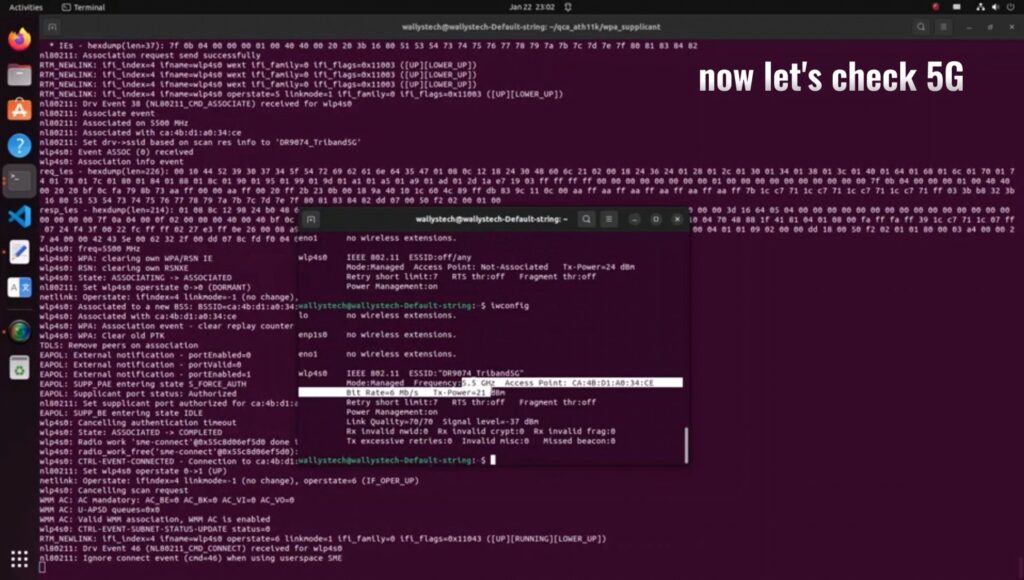
Wallys recently announced the compatibility of DR9074-TRIBAND with ATH11K on Linux, expanding its support beyond Qualcomm platforms to various Linux embedded systems, including Ubuntu. In this guide, we’ll walk you through the process of loading the driver for DR9074-Triband on Linux 5.17.0, demonstrating its seamless integration with ath11k. The module is showcased to function effectively in both AP (Access Point) and STA (Station) modes across the 2.4GHz, 5GHz, and 6GHz bands.
INTRODUCTION TO DR9074 (QCN9024):
DR9074-Triband equipped with the Qualcomm Atheros QCN9024 chipset, is an advanced enterprise wireless module. It incorporates a 4×4 MU-MIMO Dual Band Wireless Module, tailored for mobile access in high-bandwidth applications such as video streaming, voice communication, and data transmission. Key features include a maximum power of 23 dBm per chain, supporting data rates up to 4949Mbps. Operating in Tri-Band (2.4GHz, 5GHz, and 6GHz) with 4×4 WiFi 6E (802.11ax) and 4 spatial streams, it features an M.2 E Key Interface and PCI Express 3.0 Interface. Applications span security surveillance, commercial radio coverage, hotel wireless setups, and specialized scenarios.
Device Specifications:
Chipset: Qualcomm Atheros QCN9024
WLAN Host Interface: PCI Express 3.0
Frequency Range: 2.412GHz-2.472GHz & 5.18GHz-5.825GHz & 5.925GHz-7.125GHz