
 524WiFi™
524WiFi Pulse B6-03 Pro Plus – Wi-Fi 6E Tri-Band Router Board with 2.5GbE
Wi-Fi 6E Tri-Band Router Board with 2.5GbE. Compact tri-band gateways combining 6 GHz access with 2.4 GHz and 5 GHz coverage. Dual-core Cortex-A53; 512 MB DDR3L; 1 x 2.5GbE + 1 x Gigabit Ethernet; 2x2 radios.
524WiFi™ Pro Plus — tuned for your wireless deployment

Our Pro Plus router boards are tuned for their intended wireless applications. Combine the radio architecture specified for this model with the right host, software configuration and antenna system to get the most from your installation. The technical sections below explain the settings, interfaces and configuration details relevant to this product.
524WiFi™ Signal Plus™ — make the most of your RF path

Signal Plus™ brings the antenna, operating band, polarization, connectors and installation together as one RF system. Match the antenna coverage to your application and keep the feed path short and low-loss to preserve useful signal in both directions. This model is part of our tuned product range; use its specified RF connector layout and supported bands when building your Signal Plus™ installation.
Choose matched antennas and cabling through 524WiFi™ and discuss your complete installation with our technical team. Explore our Pro Plus and Signal Plus™ approach.
Where this board fits
Compact tri-band gateways combining 6 GHz access with 2.4 GHz and 5 GHz coverage. The Qualcomm IPQ5018 platform and 2.4 + 5 + 6 GHz configuration define the role of this model in your network. Select the radio topology around the intended client population, channel plan and uplink design. A dedicated radio cell can be assigned its own SSID and security policy through the chosen software configuration.
Technical specification
| Model | Pulse B6-03 Pro Plus |
|---|---|
| Platform | Qualcomm IPQ5018 |
| Radio bands | 2.4 + 5 + 6 GHz |
| Configuration | Dual-core Cortex-A53; 512 MB DDR3L; 1 x 2.5GbE + 1 x Gigabit Ethernet; 2x2 radios |
| Software integration | Board-specific QSDK/Linux image and matching boot configuration |
| CPU architecture | Dual-core ARM Cortex-A53 |
|---|---|
| CPU clock | 1.0 GHz |
| System memory | 512 MB DDR3L |
| Ethernet | 1 x 2.5GbE + 1 x Gigabit Ethernet |
| Theoretical PHY by band | 573 / 2402 / 2402 Mb/s at 2.4 / 5 / 6 GHz |
| Channel widths | Up to 40 / 160 / 160 MHz at 2.4 / 5 / 6 GHz respectively |
| USB | USB 2.0 |
| Integration focus | Keep the complete three-radio software image and its calibration data together for deployment. |
Detailed hardware and RF reference
Electrical, mechanical and interface detail
| Parameter | Pulse B6-03 |
|---|---|
| Processor and memory | IPQ5018; Cortex-A53 platform; 512 MB DDR3L |
| System storage | 8 MB NOR and 128 MB NAND |
| Network interfaces | One 2.5GbE and one 1GbE port |
| Engineering interfaces | USB 2.0, SGMII and UART |
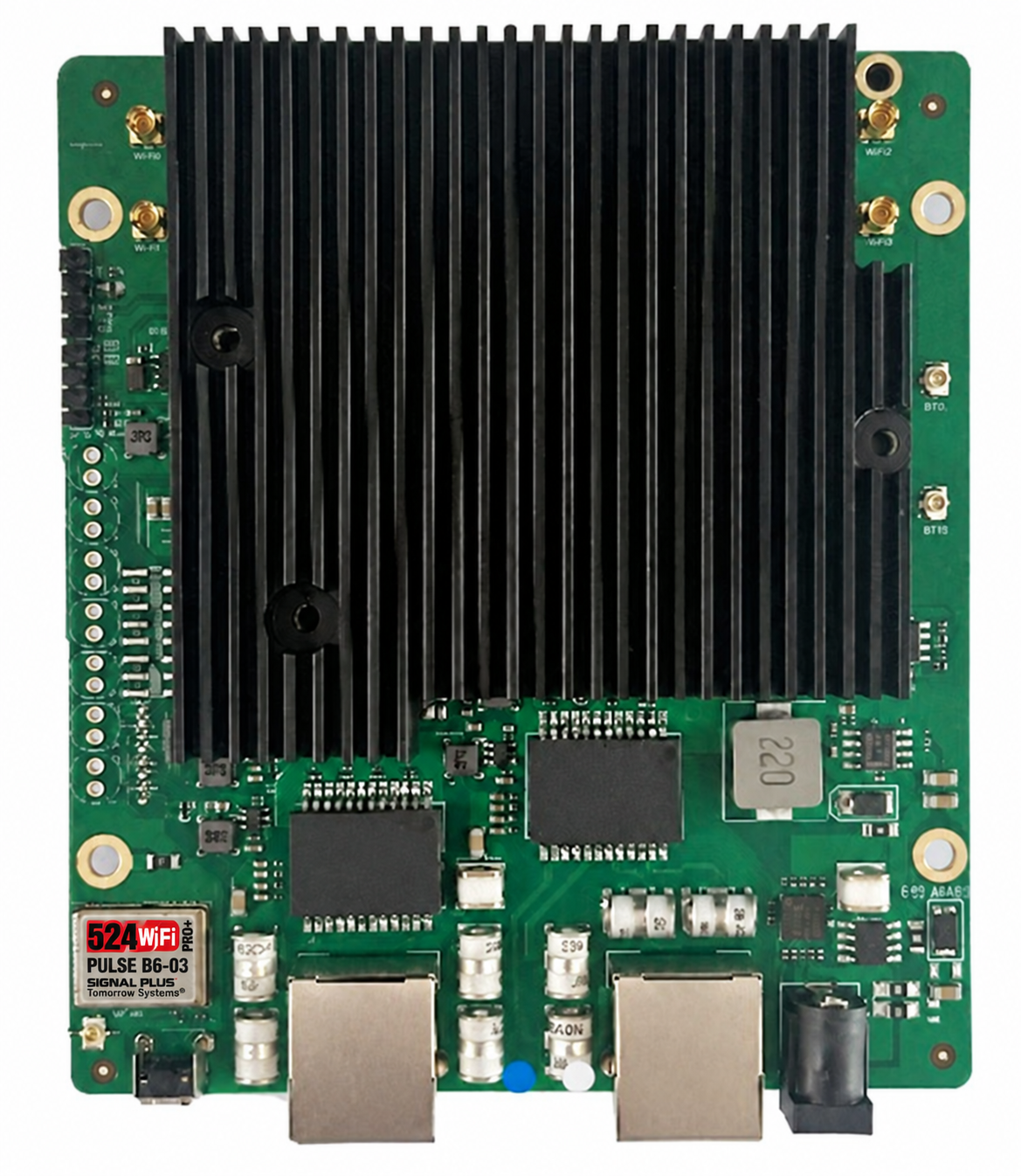
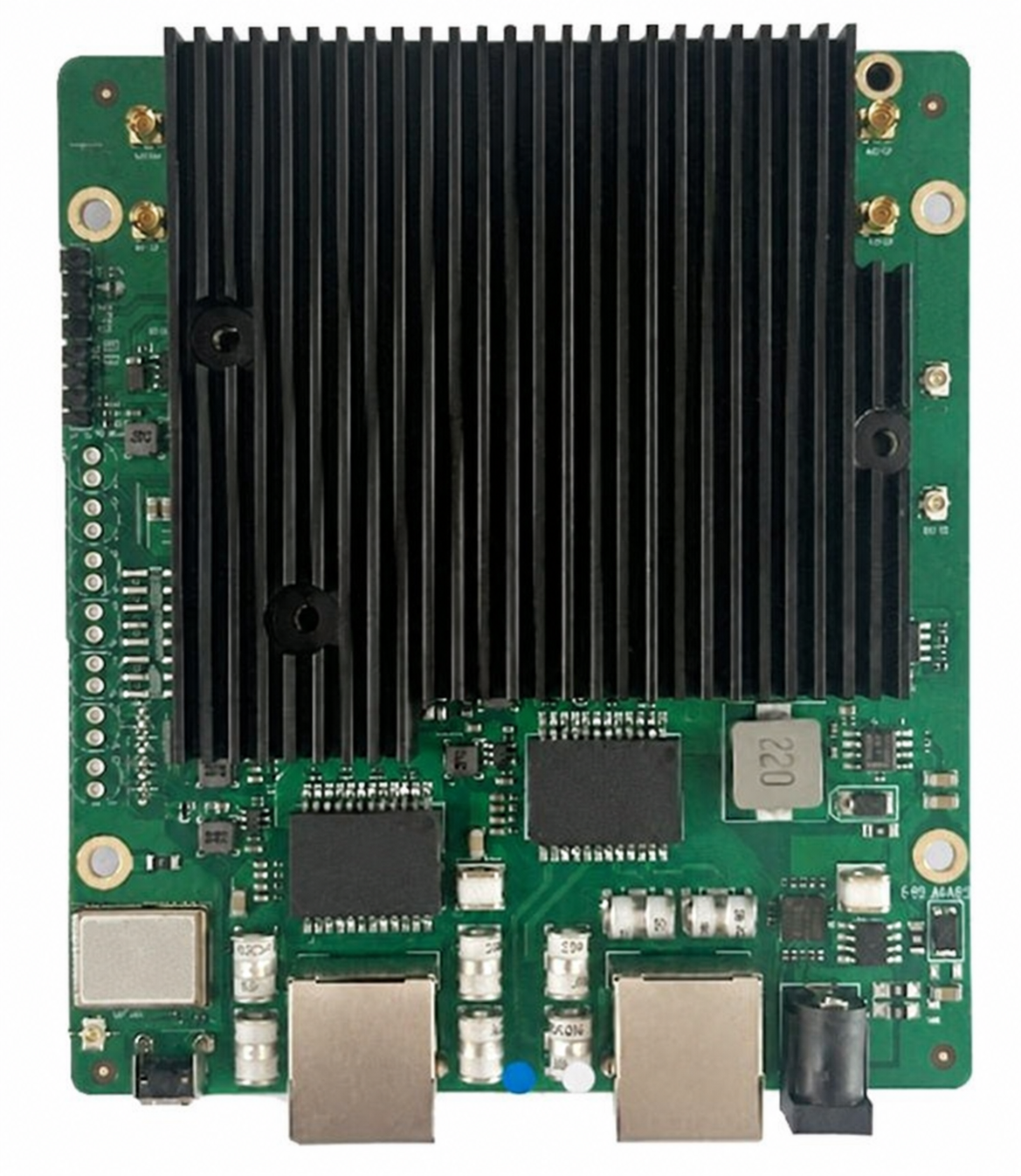
| RF allocation | Two U.FL at 2.4 GHz; two MMCX at 5 GHz and two MMCX at 6 GHz |
| Channel profiles | 20/40 MHz at 2.4 GHz; 20/40/80/160 MHz at 5 and 6 GHz |
| Power integration | 12-56 V DC input; matched active/passive PoE configuration |
| Mechanical and environment | 122 x 105 x 21 mm including heatsink; -40 to +70 C operating |
RF engineering tables
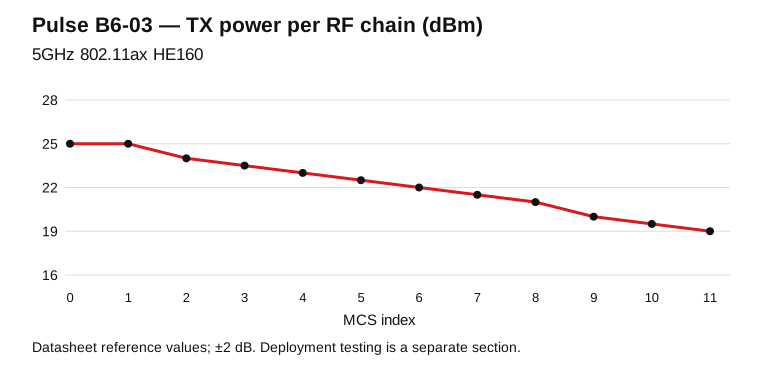
Model-specific datasheet reference points for RF design. TX is conducted power per RF chain; RX is input sensitivity. Configure channel, output power and antenna gain for the operating country.
5GHz 802.11ax HE160
| MCS | TX / chain (dBm) | RX sensitivity (dBm) |
|---|---|---|
| MCS0 | 25.0 | -84.0 |
| MCS1 | 25.0 | -82.0 |
| MCS2 | 24.0 | -80.0 |
| MCS3 | 23.5 | -78.0 |
| MCS4 | 23.0 | -75.0 |
| MCS5 | 22.5 | -72.0 |
| MCS6 | 22.0 | -70.0 |
| MCS7 | 21.5 | -68.0 |
| MCS8 | 21.0 | -65.0 |
| MCS9 | 20.0 | -63.0 |
| MCS10 | 19.5 | -60.0 |
| MCS11 | 19.0 | -57.0 |
Reference tolerance: ±2 dB.
6GHz 802.11ax HE160
| MCS | TX / chain (dBm) | RX sensitivity (dBm) |
|---|---|---|
| MCS0 | 26.0 | -84.0 |
| MCS1 | 25.0 | -82.0 |
| MCS2 | 24.5 | -80.0 |
| MCS3 | 24.5 | -78.0 |
| MCS4 | 24.0 | -75.0 |
| MCS5 | 23.0 | -72.0 |
| MCS6 | 22.5 | -70.0 |
| MCS7 | 22.0 | -68.0 |
| MCS8 | 21.0 | -65.0 |
| MCS9 | 20.0 | -63.0 |
| MCS10 | 19.5 | -60.0 |
| MCS11 | 19.0 | -57.0 |
Reference tolerance: ±2 dB.
Open full-size engineering chart
Pulse B6-03 engineering notes: radio, host and real deployment
Radio architecture and application
Compact tri-band gateways combining 6 GHz access with 2.4 GHz and 5 GHz coverage. The Qualcomm IPQ5018 platform and 2.4 + 5 + 6 GHz configuration define the role of this model in your network. Select the radio topology around the intended client population, channel plan and uplink design. A dedicated radio cell can be assigned its own SSID and security policy through the chosen software configuration.
Compact three-band gateway design
Use the 2.5GbE connection for the high-speed wired side and the Gigabit port for a second network segment. The three radio groups combine 2.4 GHz coverage with 5 GHz and 6 GHz cells. Keep their radio firmware and board calibration data within the same validated software image. The dual-core CPU and 512 MB DDR3L provide the embedded platform for the chosen gateway application.
Theoretical PHY reference
Published maximum physical-layer rates by band, in Mb/s. Each bar represents its specified radio profile, channel width and spatial-stream configuration.
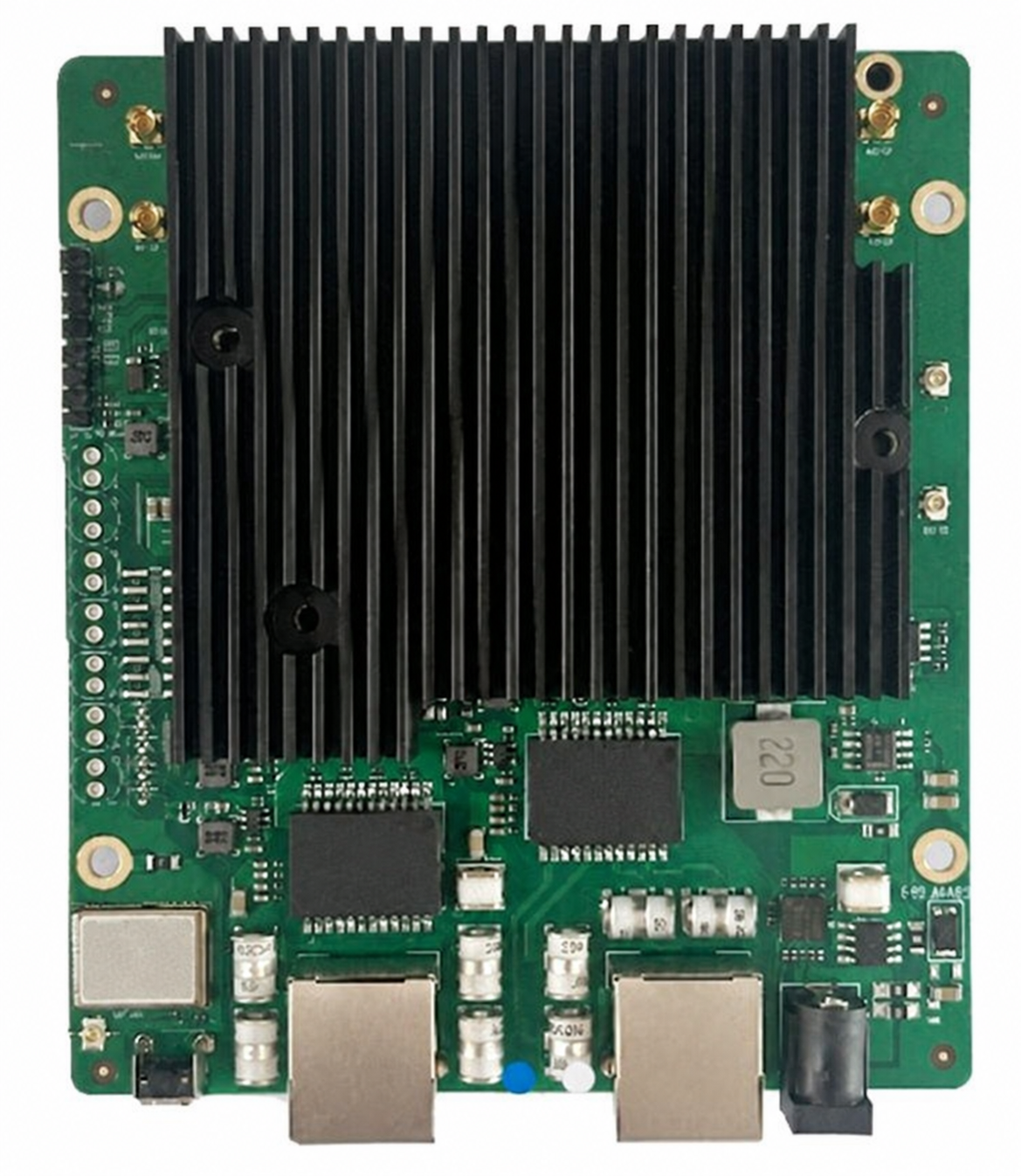
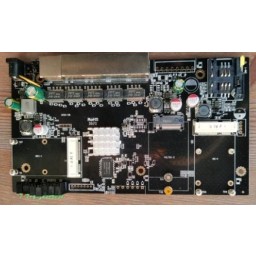
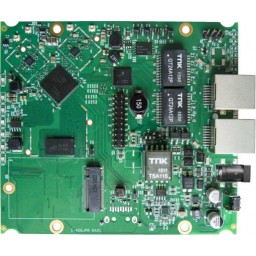
Hardware overview
Linux, OpenWrt, firmware and board data
Use the complete board-specific system image for Pulse B6-03, including its bootloader, device tree, Ethernet switch/PHY configuration and radio calibration. Preserve the existing flash partition map and calibration partitions before an upgrade. Match the recovery procedure to the board revision and serial header.
| Integration item | Model-specific preparation |
|---|---|
| Platform | IPQ5018; dual-core Cortex-A53 at 1 GHz; 512 MB DDR3L |
| Network verification | 1 x 2.5GbE + 1 x 1GbE; USB 2.0; UART |
| Image identity | Record release/build, board revision, image checksum and the partition layout. |
| OpenWrt / QSDK workflow | Select a board-targeted build approved for the delivered assembly; radio-driver support is only one part of the complete image. |
| First boot | Capture the UART boot log; verify memory, flash, Ethernet link negotiation and each installed radio. |
Model documentation and data
Pulse B6-03 technical reference and integration guide · Download RF reference data (CSV)
Installation checklist
- Prepare the host or enclosure, mounting points and management access for the model specified above.
- Match the power supply and cooling to the complete assembly and the technical configuration.
- Secure the hardware and connect the appropriate RF paths, Ethernet interfaces and peripherals.
- Start with the revision-matched software image, then configure the operating country, radio channels and network role.
- Verify client association and traffic in both directions; retain the working image and deployment record.
Start with the network role: access-point coverage, an embedded gateway or an engineering platform. Plan the Ethernet uplink, client density and management access together. For multiple radio cells, assign channels and antenna positions as part of one installation plan. Keep management access available while bringing up each interface and retain a known working configuration for recovery.
For the hardware installation, use the correct mounting points and provide clearance around the heatsink, connectors and adjacent components. Size the power supply for the complete assembly, including optional radio modules and peripherals. Provide airflow over the active components and route RF cables so their connectors remain free of mechanical strain.
Signal Plus™: antenna and RF-path integration
Signal Plus™ brings the antenna, operating band, polarization, connectors and installation together as one RF system. For Pulse B6-03, start with the 2.4 + 5 + 6 GHz configuration and the RF interfaces in the technical table. Match the coverage pattern to your site and preserve useful signal with short, low-loss cable runs.
Ask our technical team to match antennas and RF accessories to your installation.
Troubleshooting quick path
| Hardware recognition | Review the boot log and detected interfaces against the hardware configuration above. |
|---|---|
| Firmware and radio initialization | Match the driver, firmware and calibrated board data to the physical revision and host image. |
| Wireless association | Review the country profile, band, channel, security settings and antenna connections. |
| Sustained traffic | Check power stability, component temperature, negotiated link rates and RF path quality under the intended load. |
| Engineering review | Share the Pulse model, hardware revision, software version and initialization logs with our support team. |
Deployment testing and acceptance
Use the following commissioning procedure for Pulse B6-03. This is a test method, separate from the theoretical PHY specifications and datasheet RF references above.
| Step | Record and verify |
|---|---|
| Baseline | Model/revision, firmware build, host CPU, uplink speed, channel width, country profile, antennas and client spatial streams. |
| Link verification | Capture negotiated PHY, RSSI per chain and noise/retry statistics before sustained traffic. |
| Wired reference | Measure the wired path first; select a server link appropriate to 573 / 2402 / 2402 Mb/s by band. |
| Traffic test | Run TCP in each direction, then concurrent clients; record duration, CPU load, temperatures and retransmissions. |
| Site acceptance | Repeat at the intended mounting positions; save results with the exact configuration for comparison. |
FAQ
Where does this model fit in a network?
Use this embedded board as the hardware foundation for an access point or gateway. Select the enclosure, power supply and antennas around the port layout and radio configuration in the technical tables.
How do I choose the software package?
Use the package matched to this model and hardware revision. Share your host and kernel version with technical support so the driver, firmware, board data and installation procedure can be reviewed together.
How should I select antennas?
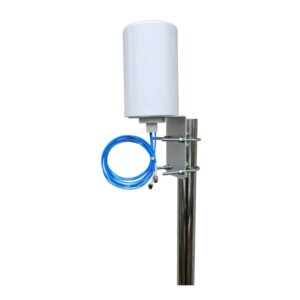
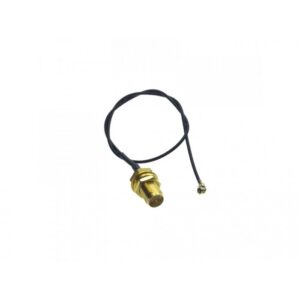
Match antenna bands and RF connectors to the stated configuration. Select directional or omnidirectional coverage for the installation, preserve the intended MIMO paths and use short, suitably rated pigtails. Include enclosure mounting and cable routing in the RF plan.
What does the PHY figure describe?
It describes the theoretical physical-layer link rate for the specified radio profile. Select the corresponding channel width, spatial streams and compatible client configuration when planning around that figure. Document practical application tests separately with their complete setup.
How do I prepare a repeatable deployment?
Keep a record of the working image, configuration, hardware revision, power supply, antenna configuration and deployment country. Validate radio initialization, client association and sustained traffic in the intended enclosure before rolling the configuration out to additional units.
What should I send for engineering support?
Send the Pulse model code, intended application, host or board revision, software version, antenna arrangement and relevant diagnostic logs. Our technical team can then review the complete installation.
Final model identification and code table
| 524WiFi | Product brand |
|---|---|
| Pulse | Wireless integration product family |
| B | Embedded router board |
| 6 | Wi-Fi generation family; exact radio capabilities are specified above |
| 03 | Configuration identifier within this family |
| Pro Plus | Tuned professional series |
| Ordering SKU | 524WIFI-PULSE-B6-03-PP |
Send us Pulse B6-03 together with your intended country, host or enclosure, antenna plan and required software environment. We can review the configuration and recommend appropriate RF accessories for your project. Contact 524WiFi™ technical support.


Reviews
There are no reviews yet.