Posted on

Comparing IPQ5332 and IPQ4029 WiFi Solutions for Data Center Efficiency

Comparing IPQ5332 and IPQ4029 WiFi Solutions for Data Center Efficiency

In the modern digital age, data centers are the backbone of countless operations, requiring robust and efficient WiFi solutions to ensure seamless performance. The choice of WiFi chipset plays a pivotal role in meeting the demands of high-density environments, data throughput, and network stability. This article compares two Qualcomm chipsets, the IPQ5332 and the IPQ4029, to determine which one better supports data center efficiency.

1. Performance Overview

IPQ5332

· Processor: The IPQ5332 is equipped with a Quad-Core ARM Cortex-A53 processor running at 1.5 GHz. Part of Qualcomm’s “Miami” series, it delivers superior performance and efficiency, essential for high-demand applications in data centers.

· Memory: Supports up to 2GB of DDR4 memory, providing ample resources for handling multiple data streams and intensive network tasks.

· Network Standard: With WiFi 7 support, the IPQ5332 offers significantly higher throughput, improved latency, and the capability to manage a larger number of devices simultaneously.

IPQ4029

· Processor: The IPQ4029 features a Quad-Core ARM Cortex-A7 processor clocked at 717 MHz. While less powerful than the IPQ5332, it provides reliable performance for a range of network applications.

· Memory: Supports up to 512MB of DDR3 memory, suitable for handling moderate network loads in data centers.

· Network Standard: Supporting WiFi 5, the IPQ4029 delivers solid performance for current networking needs but lacks the advanced capabilities and efficiency enhancements of WiFi 7.

2. Key Features for Data Center Efficiency

IPQ5332

· Advanced MIMO: Supports 8×8 MU-MIMO technology, crucial for high-density environments like data centers where numerous devices require high-speed access simultaneously.

· High-Speed Connectivity: Capable of handling up to 8 data streams, providing superior speed and coverage essential for data-heavy operations.

· Security: Includes WPA3 security protocols, offering enhanced protection against cyber threats, which is critical for safeguarding sensitive data center operations.

· Flexibility: Extensive support for interfaces and peripherals, making it highly adaptable to complex networking scenarios and future expansions.

IPQ4029

· Efficient MIMO: Features 2×2 MU-MIMO technology, effective for environments with moderate device density.

· Stable Performance: Supports up to 4 data streams, delivering reliable performance for typical network usage in smaller data centers or less demanding setups.

· Security: Provides WPA2 security, which is adequate for most current applications but less robust compared to WPA3.

· Cost-Effectiveness: A budget-friendly option that still delivers good performance for many common use cases, making it suitable for cost-sensitive deployments.

3. Best Use Cases

IPQ5332

· Large Data Centers: Ideal for large-scale data centers where high-speed connectivity and the ability to handle numerous concurrent connections are essential.

· High-Demand Applications: Perfect for data centers that require robust performance for real-time data processing, cloud computing, and virtualization.

· Future-Proofing: Best suited for data centers looking to future-proof their networks with the latest WiFi 7 technology and advanced features.

IPQ4029

· Small to Medium Data Centers: Suitable for smaller data centers where the network demand is moderate, and cost considerations are important.

· Cost-Sensitive Deployments: A good choice for data centers looking to balance performance and cost without needing the latest technology.

Conclusion

Selecting between the IPQ5332 and IPQ4029 for optimizing WiFi in data centers depends on specific requirements. For large data centers with high network demands and a need for future-proofing, the IPQ5332’s advanced features and superior performance make it the ideal choice. For more cost-effective solutions with adequate performance for less demanding settings, the IPQ4029 offers a reliable alternative.

Posted on

IPQ5018 WiFi 6 Routerboard | Industrial-Grade DR5018S

The DR5018S is a compact, feature-rich Wi-Fi 6 routerboard powered by the IPQ5018 SoC, engineered to streamline the development of embedded devices and networking applications.

Overview

Compact. Powerful. Versatile.
The DR5018S is a highly integrated Wi-Fi 6 routerboard driven by the IPQ5018 SoC. Designed to simplify the creation of embedded devices and wireless systems, it’s an ideal solution for a wide range of applications, from IoT to advanced networking. With a high-performance processor, ample memory and storage, and robust networking capabilities, the DR5018S accelerates time-to-market and reduces product costs.

Key features include support for Triband(2.4Ghz,5Ghz,6Ghz) two spatial streams (2×2 MiMo), a 64-bit dual-core ARM Cortex A53 processor with a 1 GHz clock speed, and optional GPS and Bluetooth 5.1 support. Additionally, the DR5018S is compatible with OpenWiFi, providing flexibility for custom wireless solutions.

Wallys also offers OEM/ODM services, allowing customization of the routerboard to SOM modules and other interfaces tailored to your specific project or product design.

Specifications

  • Processor: IPQ-5018 SoC (Maple)
  • CPU: Dual-core 1 GHz ARM Cortex A53
  • Wi-Fi:2×2 MiMo 2.4GHz WiFi 6 radio2x2 MiMo 5GHz WiFi 6 radio2x2 MiMo 6GHz WiFi 6 radio
  • Data Rate:573.5 Mbps (2.4GHz, 1024 QAM, 2SS)Up to 2402Mbps (5GHz, 2×2 On-board radio)Up to 2402Mbps (6GHz, 2×2 On-board radio)
  • Ethernet Interfaces: 2.5G and 1G (customizable)
  • Interfaces: PCIe and mini PCIe for external radio (customizable)
  • Power: Low power consumption
  • Form Factor: Compact size
  • Additional Features:Support for OpenWiFiOptional GPS supportOptional Bluetooth 5.1 support

DR5018S DETAILS

Need Wi-Fi 6 or Wi-Fi 7?

With years of experience in Qualcomm chip hardware and embedded software development, 524WiFi and Wallys offer customized services that help companies bring their products to market quickly and effectively.

We can assist at any stage of product design—from project planning to prototyping, and even mass production. Whether you need a daughterboard with specific requirements and interfaces or a fully custom hardware design, we’re here to help.

Posted on

524WiFi 6 Dream and Driver DR5018M: High-Performance WiFi 6 Routerboard for Industrial Applications

DR5018M: High-Performance WiFi 6 Routerboard for Industrial Applications

In modern industrial settings, the demand for reliable and high-speed wireless communication is ever-increasing. Wallys Communications offers the DR5018M, a WiFi 6 routerboard designed to meet these needs. This board integrates Qualcomm’s IPQ5018 chipset, providing robust performance and advanced features tailored for challenging industrial environments.

Key Features of the DR5018M

Advanced Processor

The DR5018M is powered by the Qualcomm IPQ5018, a dual-core ARM 64-bit A53 processor clocked at 1.0GHz. This ensures high processing power for handling multiple tasks and maintaining stable connections under heavy loads.

Exceptional Wireless Performance

The routerboard supports 2×2 MU-MIMO and OFDMA technologies, which enhance data transmission efficiency and network capacity. With onboard 2.4GHz radio, it delivers up to 573Mbps physical data rate, suitable for high-bandwidth applications like video streaming and data transmission in factories and warehouses.

Long-Distance PTP Transmission

The DR5018M excels in long-distance Point-to-Point (PTP) transmission:

  • 3.3KM Test:5GHz: 949Mbps6GHz: 821Mbps
  • 1.5KM Test:5GHz: 1.5Gbps6GHz: 1Gbps

These capabilities make it ideal for large industrial sites requiring extensive wireless coverage.

Flexible Connectivity Options

The DR5018M includes multiple M.2 slots for various radio cards (QCN9074 for WiFi 6E, QCN6122 for 6GHz, and QCN6102 for 5GHz), providing flexibility to meet different frequency band requirements. Additionally, it features a 1Gbps Ethernet port, USB 3.0, and PCIe 3.0 interfaces for versatile connectivity.

Enhanced Security with WPA3

Security is a top priority in industrial networks. The DR5018M supports WPA3 encryption, offering:

  • Stronger encryption protocols for enhanced data security.
  • Improved protection against brute-force attacks.
  • Secure, individualized encryption for each device on the network.

Rugged Design for Industrial Use

Designed to withstand harsh industrial conditions, the DR5018M operates within a wide temperature range (-40°C to 70°C) and humidity levels (5% to 95% non-condensing), ensuring reliability in various environments.

Industrial Applications

Factory Automation

The DR5018M provides stable, high-speed wireless connections for automated production lines, supporting real-time data transmission and control.

Smart Warehousing

It enables efficient operation in smart warehouses by supporting numerous concurrent connections and high data throughput.

Industrial Surveillance

With its robust wireless performance, the DR5018M supports high-definition video streaming and real-time monitoring, essential for surveillance systems.

Remote Monitoring and Control

The long-distance PTP capabilities make it perfect for remote monitoring and control applications, ensuring reliable communication across vast industrial sites.

Conclusion

DR5018M routerboard combines high-performance wireless technology with robust security features, making it an ideal choice for industrial applications. Its powerful IPQ5018 processor, excellent long-distance transmission capabilities, and support for WPA3 encryption ensure that it meets the demanding needs of modern industrial environments.

For more information or to inquire about our products, please contact us .

Posted on

524WiFi DRiver DR6018S: Achieve 808Mbps Stable Long-Distance PTP Transmission at 1.5km with the IPQ6010 WiFi 6 Chipset

DR6018S: Achieve 808Mbps Stable Long-Distance PTP Transmission at 1.5km with the IPQ6010 WiFi 6 Chipset

As wireless communication technology continues to evolve, the demand for high-performance, long-distance, point-to-point (PTP) solutions has grown significantly. The DR6018S routerboard, featuring the IPQ6010 WiFi 6 chipset, has emerged as a robust solution capable of delivering impressive speeds over long distances. This article delves into the testing results of the DR6018S, provides an overview of its specifications, compares the IPQ6010 with the IPQ6000, explores various applications, and highlights the services offered by Wallys, the company behind this innovative technology.

DR6018S Long-Distance Testing Results

3.3km Test Results

The DR6018S routerboard, when tested at a distance of 3.3 kilometers, demonstrated strong performance. Paired with the DR5G17 antenna, the test results were as follows:

  • Speed: 572 Mbps
  • RSSI (Received Signal Strength Indicator): 34
  • RX (Receive Rate): 854.7 Mbps
  • TX (Transmit Rate): 432.4 Mbps

These results underscore the capability of the DR6018S to maintain a reliable connection over a considerable distance, ensuring effective data transmission even in challenging environments.

1.5km Test Results

When the testing distance was reduced to 1.5 kilometers, the performance of the DR6018S improved significantly, showcasing its potential for high-speed transmission over moderate distances. Using the same DR5G17 antenna, the results were:

  • Speed: 808 Mbps
  • RSSI: 44
  • RX: 1080.9 Mbps
  • TX: 1080.9 Mbps

The improved RSSI and data rates at 1.5 kilometers highlight the DR6018S’s efficiency in delivering superior performance, making it an ideal choice for various industrial applications requiring stable and fast connectivity.

Overview of the DR6018S Routerboard

The DR6018-S V02 routerboard is built on the IPQ6010/IPQ6018/IPQ6000 chipset family, which is known for its powerful performance and advanced features. Key specifications of the DR6018S include:

https://www.524wifi.com/index.php/catalogsearch/result/?q=6018

  • Processor: Quad-core ARM 64-bit A53 @ 1.8GHz, ensuring robust processing power for demanding tasks.
  • Memory: 1GB DDRL3L System Memory, providing ample capacity for smooth operation and multitasking.
  • Storage: 8MB NOR Flash and 256MB NAND Flash, offering sufficient storage for firmware and applications.
  • Frequency Support: Dynamic Frequency Selection (DFS), enhancing flexibility and reducing interference.
  • 2.4GHz Radio: 2×2 on-board configuration with up to 573Mbps physical data rate, ensuring reliable performance in the 2.4GHz band.
  • 5GHz Radio: 2×2 on-board configuration with up to 1201Mbps physical data rate, enabling high-speed connections in the 5GHz band.
  • Software Support: Openwifi and QSDK, allowing for customization and optimization to meet specific requirements.

IPQ6010 vs. IPQ6000 Comparison

The IPQ6010 and IPQ6000 chipsets belong to the same family but cater to different performance needs. The IPQ6010 is designed for higher performance, offering enhanced stability and reliability, making it suitable for demanding applications. In contrast, the IPQ6000 serves as a lower-end option, suitable for less intensive applications where cost efficiency is a priority. The superior performance of the IPQ6010 makes it a preferred choice for industrial and enterprise applications requiring consistent and high-speed connectivity.

Applications of DR6018S

The versatility of the DR6018S routerboard allows it to be deployed in a wide range of industrial applications, including:

  • Industrial Long-Distance Transmission: Ensures stable and high-speed communication over extensive distances, critical for remote monitoring and control systems.
  • Customer Premises Equipment (CPE): Ideal for providing internet access to end-users in residential and commercial settings.
  • Logistics and Warehousing: Enhances connectivity and data management in large facilities, improving operational efficiency.
  • Security: Supports high-definition surveillance systems, providing reliable and secure transmission of video data for enhanced security.
Posted on

How to use QCA QCN DR 9074 TriBand 4×4 Wlan module on QCA based PCBA board or a third party x86 ecosys like Ubuntu?

NEW 524 WIFI DUAL BAND TRI-BAND DR9074 WIFI 6/6E MODULES INFO – “WE CAN HELP OUR CUSTOMERS DEVELOP ATH11K TO BE USED WITH DR9074 CARDS” :

Informations regarding Linux and OpenWRT drivers – The ath11k code from github can’t support the dual / tri band card now, it needs modification. Wallystech and 524WiFi did some changes and applied in Linux kernel version 5.17.0 – if you use different kernel version, then 524WiFi will do some work for you. That is a Linux issue, there are some incompatible with different kernel versions. So the Customer need tell us the kernel version, then we release the ath11k and board-2.bin, bdf and amss.bin to customer – all is binary. Jason, chief of development, told us : “We will build it based on the Customer’s Linux version, The kernel should be 5.17 up. The Card can be AP or Client mode on x86. We do it better than others, DR9074 Triband and Dualband cards are very good and its is powerful opportunity for all customers developing WiFi6 devices. We have software engineers and we we have resources to support all Customers tu use our WiFI6 modules“

If The Customer has big volume order, then we can open the ath11k code to the customer customer based on NDA, SLA.

NEW WIFI 6 TRIBAND AND DUAL BAND MODULES LIST. 

HOW TO USE 524WIFI 6 DR9074-TRIBAND M.2 WIFI MODULE TOGETHER WITH WALLYS ROUTER PCBA OR A THIRD PARTY X86 ECOSYS LIKE UBUNTU? AND LOADING QCN9024 QCN9074 – DR9074-TRIBAND DRIVER ON LINUX 5.17.0 – STEP-BY-STEP GUIDE !


As you know, 524WiFI recently has launched two new unique Wifi modules DR9074-Triband M.2 and DR9074E – Dual Band miniPCIe,Today, this article will present how to use the module together with target platform. OpenWRT systems also use ath11k, so the information above is same for OpenWRT users.


(1) USAGE WITH WALLYS ROUTER PCBA WITH QCA IPQ 6018 CPU AND QSDK FIRMWARE :


DR6018 PCBA x1 (the board has to be pre-flashed with an exclusive version of firmware which
we developed via QSDK and bootargs has been pre-set under U-boot CLI to ensure the correct
board_id for the module )
DR9074-Triband M.2 wifi module x1

wallys pcba router board with the module

After we plug the module onboard and power on, we can access to the GUI webpage via board’s default ip address 192.168.1.1, login (admin / asdf1234)

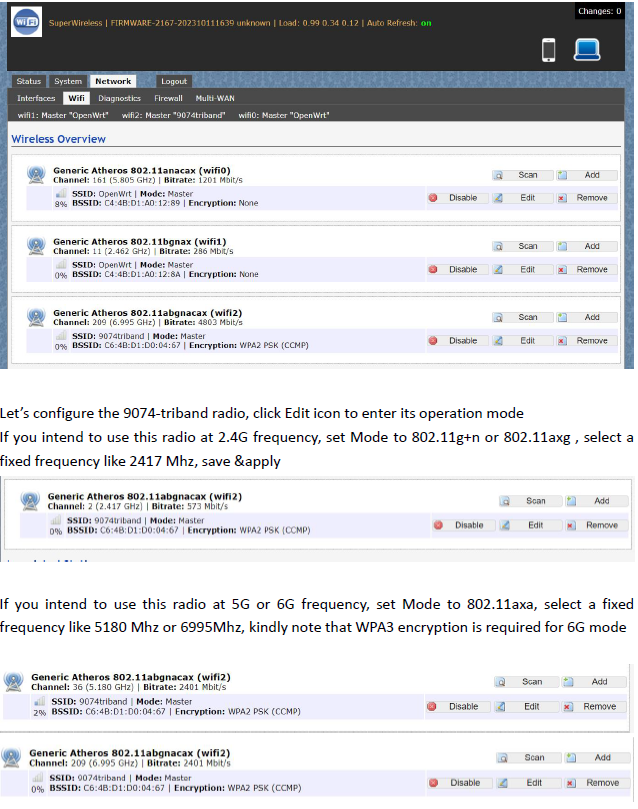
Network>Wifi, at this section, as we can see, there are three radios available, they are Wifi0(2.4G radio),Wifi1(2.4G radio), Wifi2(9074-triband selectable radio)

Let’s configure the 9074-triband radio, click Edit icon to enter its operation mode. If you intend to use this radio at 2.4G frequency, set Mode to 802.11g+n or 802.11axg , select a
fixed frequency like 2417 Mhz, save &apply

config page

If you intend to use this radio at 5G or 6G frequency, set Mode to 802.11axa, select a fixed frequency like 5180 Mhz or 6995Mhz, kindly note that WPA3 encryption is required for 6G mode

Bitrate can be up to 4803Mbit/s under 160Mhz channel spectrum width, both 5G and 6G mode support 160Mhz channel spectrum width. And the 9074-triband module can work under both ap and sta mode

tri band selectabl config

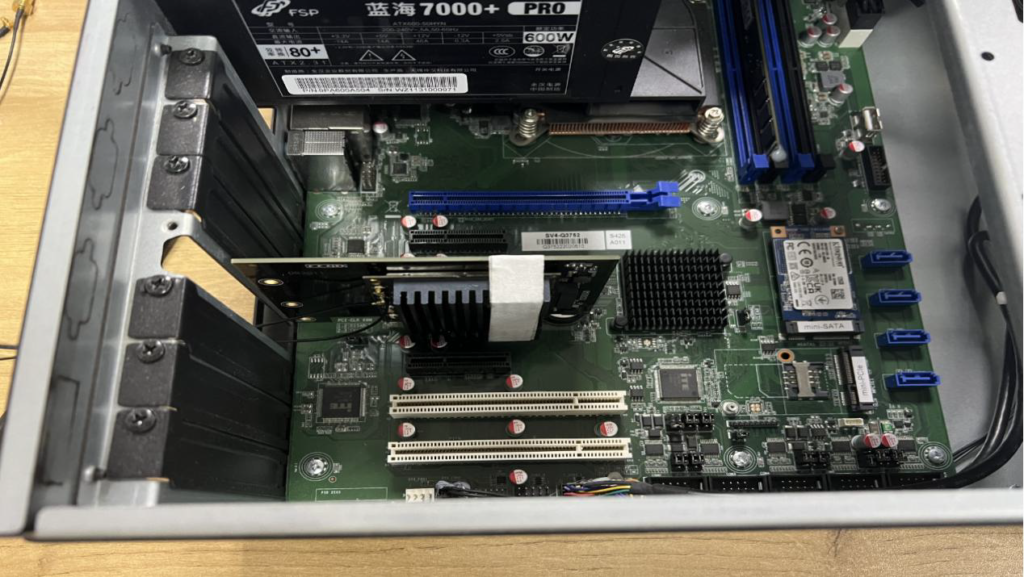
(2) USAGE WITH X86 PLATFORM UBUNTU


Desktop PC x1 installed Ubuntu 22.04
DR9074-triband module x1
DR3G11 adpater x1 – https://www.524wifi.com/index.php/catalogsearch/result/?q=dr3g11

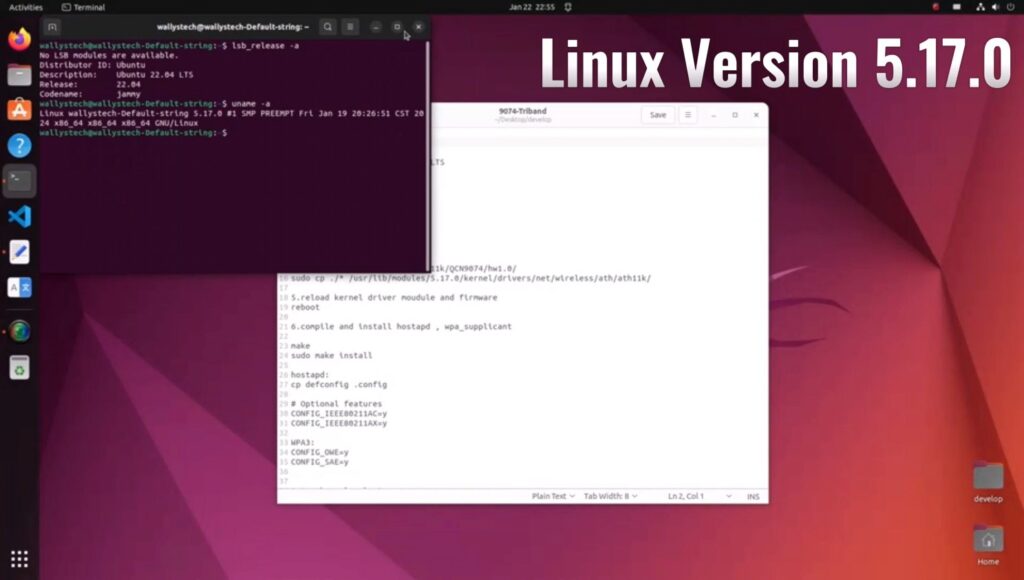
The kernel version is 5.17.0 which integrated ath11k driver
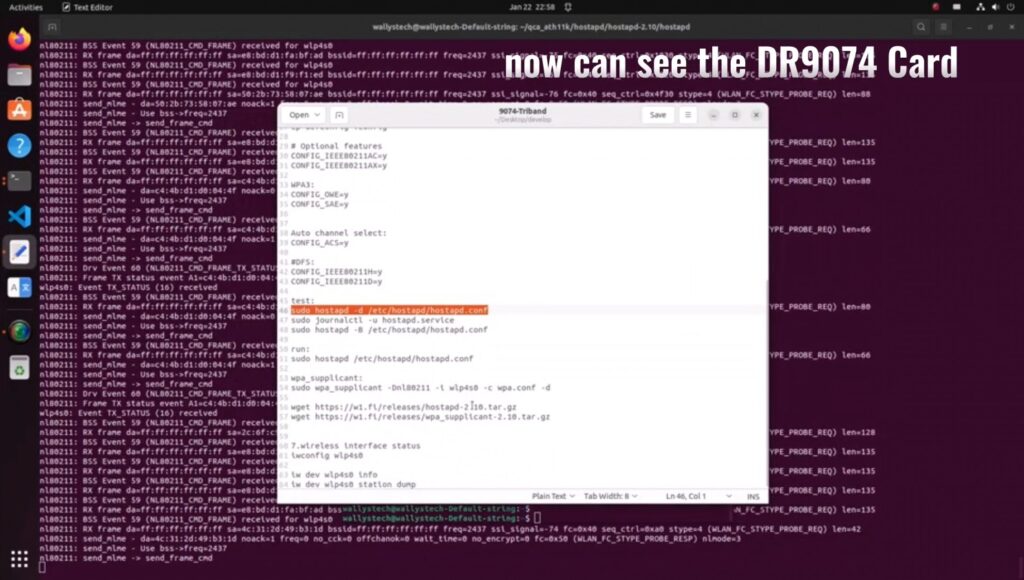
Use this command ‘sudo hostapd -dd /etc/hostapd/hostapd.conf ’to enable the module under AP mode

UBUNTU system config

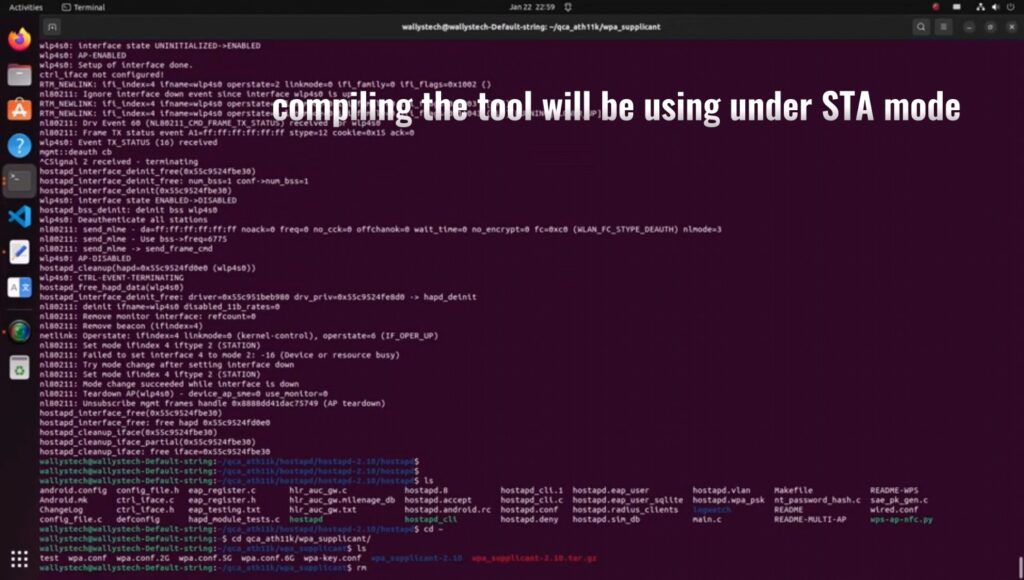
The module can work under STA mode as well, and this command need to be run ‘ sudo wpa_supplicant -Dnl80211 -i wlp4s0 -c wpa.conf’
If you are interested in the product or have any technical questions, feel free to reach out 524WiFi or Wallys team

QCN9024 QCN9074 | LOADING DR9074-TRIBAND DRIVER ON LINUX 5.17.0 – STEP-BY-STEP GUIDE 

how to load driver linux

Wallys recently announced the compatibility of DR9074-TRIBAND with ATH11K on Linux, expanding its support beyond Qualcomm platforms to various Linux embedded systems, including Ubuntu. In this guide, we’ll walk you through the process of loading the driver for DR9074-Triband on Linux 5.17.0, demonstrating its seamless integration with ath11k. The module is showcased to function effectively in both AP (Access Point) and STA (Station) modes across the 2.4GHz, 5GHz, and 6GHz bands.

INTRODUCTION TO DR9074 (QCN9024):

DR9074-Triband equipped with the Qualcomm Atheros QCN9024 chipset, is an advanced enterprise wireless module. It incorporates a 4×4 MU-MIMO Dual Band Wireless Module, tailored for mobile access in high-bandwidth applications such as video streaming, voice communication, and data transmission. Key features include a maximum power of 23 dBm per chain, supporting data rates up to 4949Mbps. Operating in Tri-Band (2.4GHz, 5GHz, and 6GHz) with 4×4 WiFi 6E (802.11ax) and 4 spatial streams, it features an M.2 E Key Interface and PCI Express 3.0 Interface. Applications span security surveillance, commercial radio coverage, hotel wireless setups, and specialized scenarios.

Device Specifications:

  • Chipset: Qualcomm Atheros QCN9024
  • WLAN Host Interface: PCI Express 3.0
  • Frequency Range: 2.412GHz-2.472GHz & 5.18GHz-5.825GHz & 5.925GHz-7.125GHz
  • Data Rates: Maxim 23dBm per chain, up to 4949Mbps
  • Channel Spectrum Widths: Support 20/40/80/160MHz
  • Modulation Techniques: OFDMA, including BPSK, QPSK, DBPSK, DQPSK, 16-QAM, 64-QAM, 256-QAM, 1024-QAM, 4096-QAM
  • Temperature Range: Operating: -20°C to 70°C, Storage: -40°C to 90°C
  • Humidity: Operating: 5% to 95% (non-condensing), Storage: Max. 90% (non-condensing)
  • Certification: TBD
  • Reference Design: PN02.7
  • Power Consumption: TBD
  • Dimensions (WxHxD): 57mm x 63mm x 6mm

Device Setup:

  • PC with Linux 5.17.0
  • Adapter card (1pc)
  • DR9074-Triband (1pc)

Driver Loading Steps:

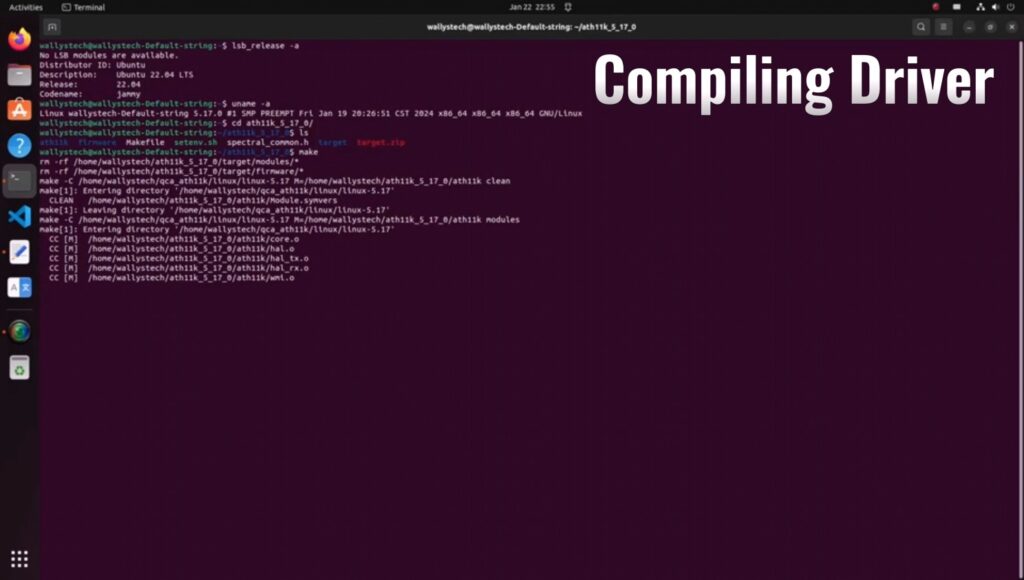
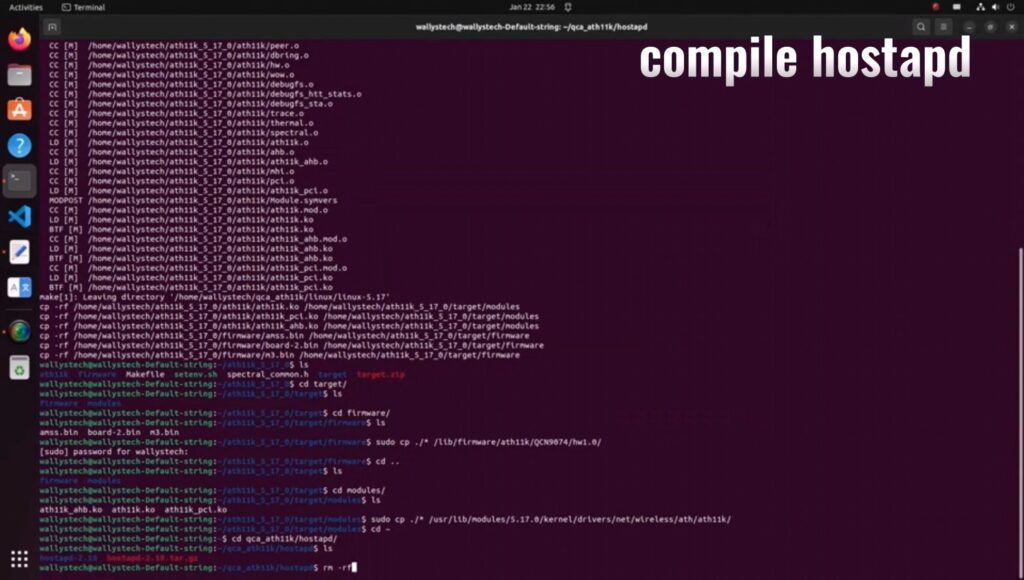
Compile the driver.

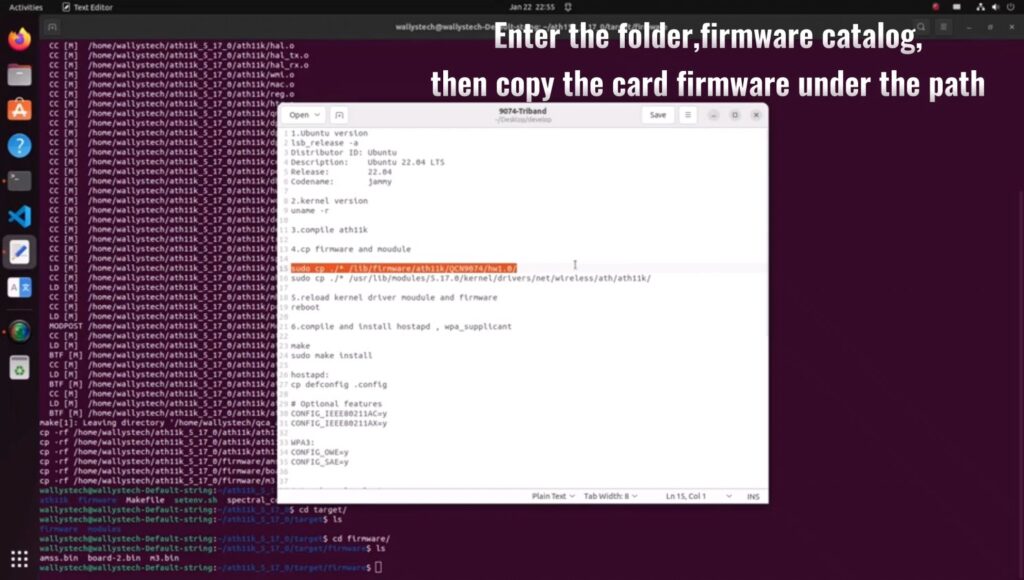
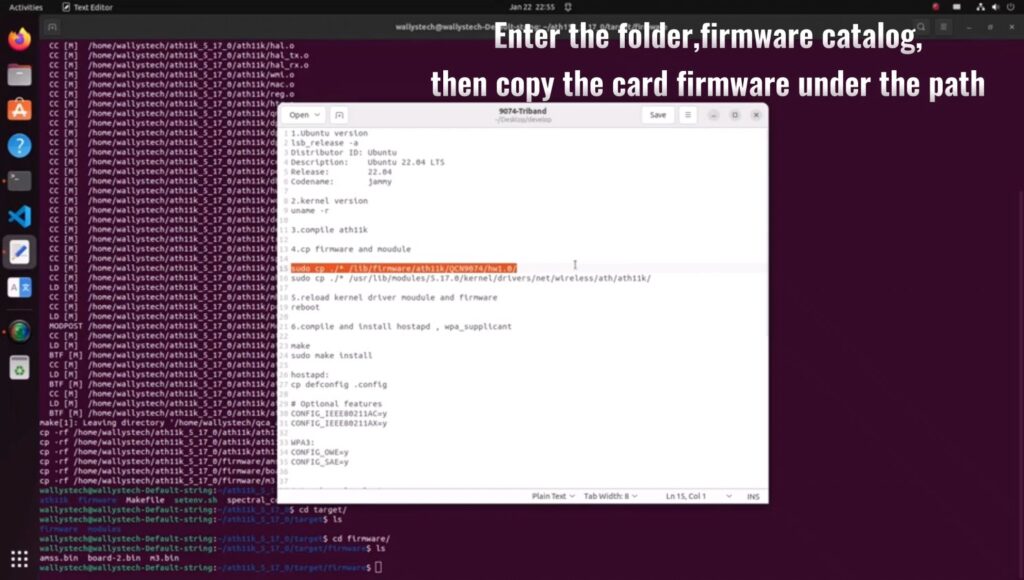
Navigate to the firmware folder and copy the card firmware.

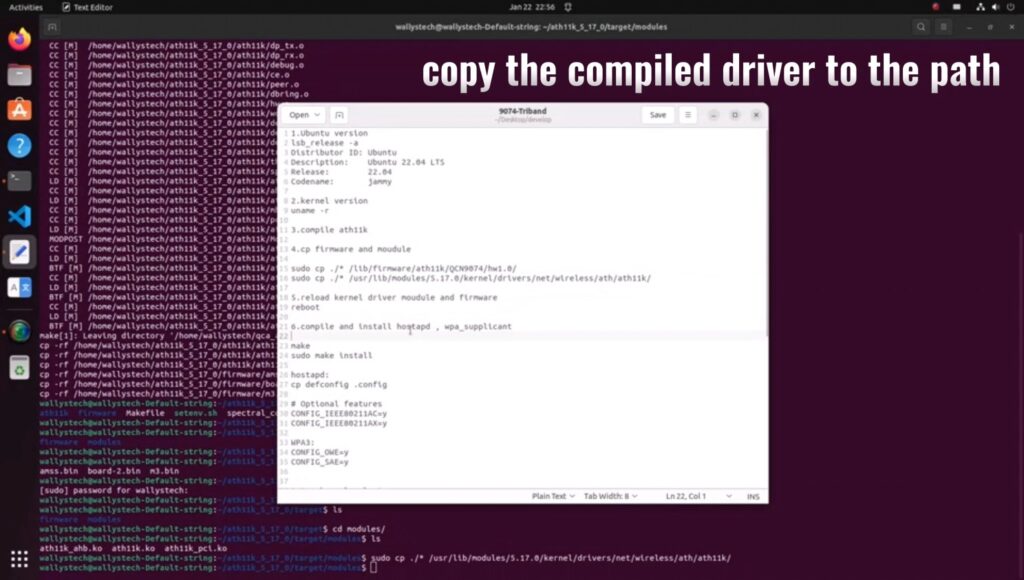
Copy the compiled driver to the designated path.

Compile hostapd.

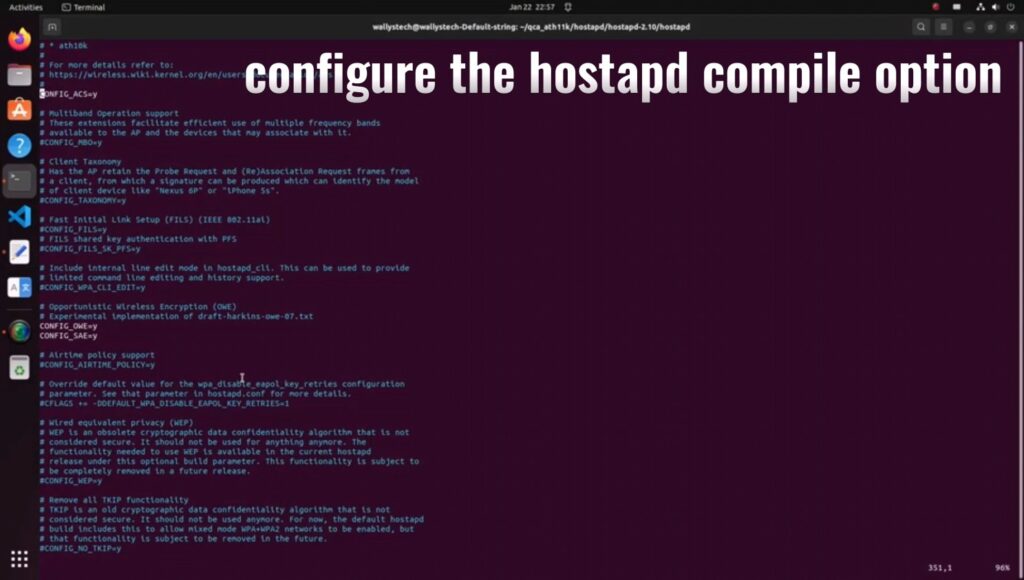
Configure hostapd compile option

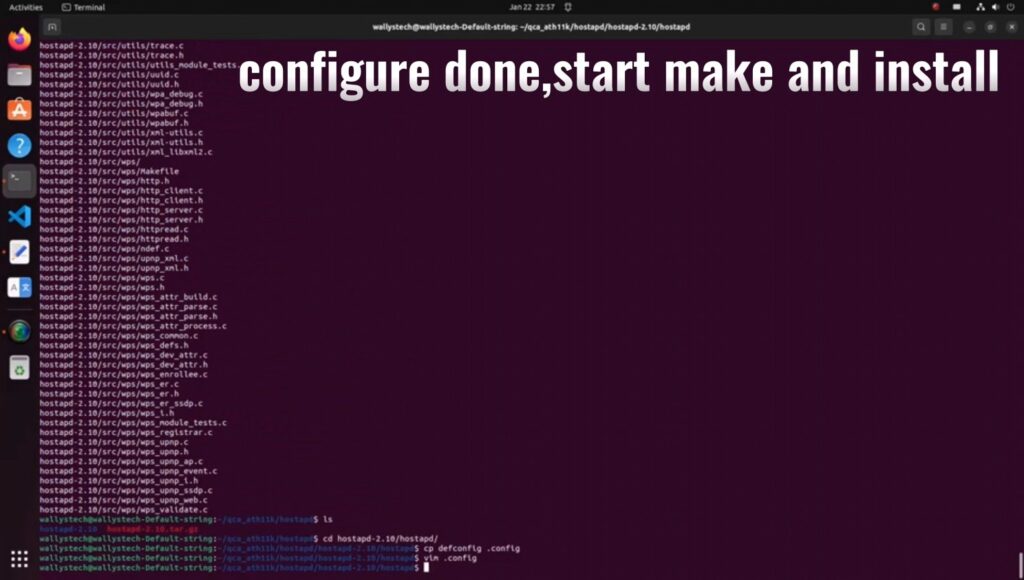
Complete configuration, commence making, and install.

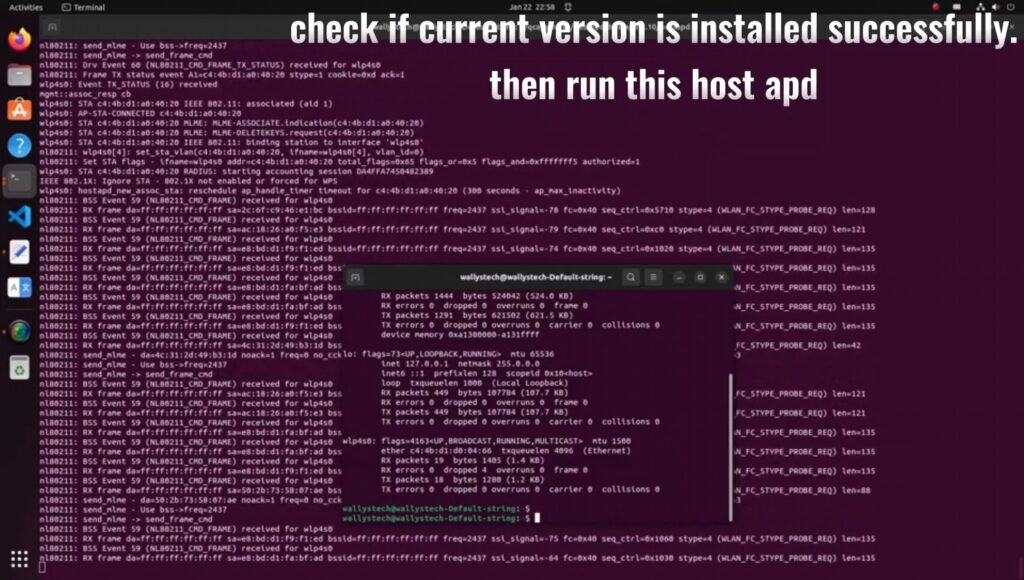
Verify the successful installation of the current version, then run hostapd.

Confirm the presence of the DR9074 card.

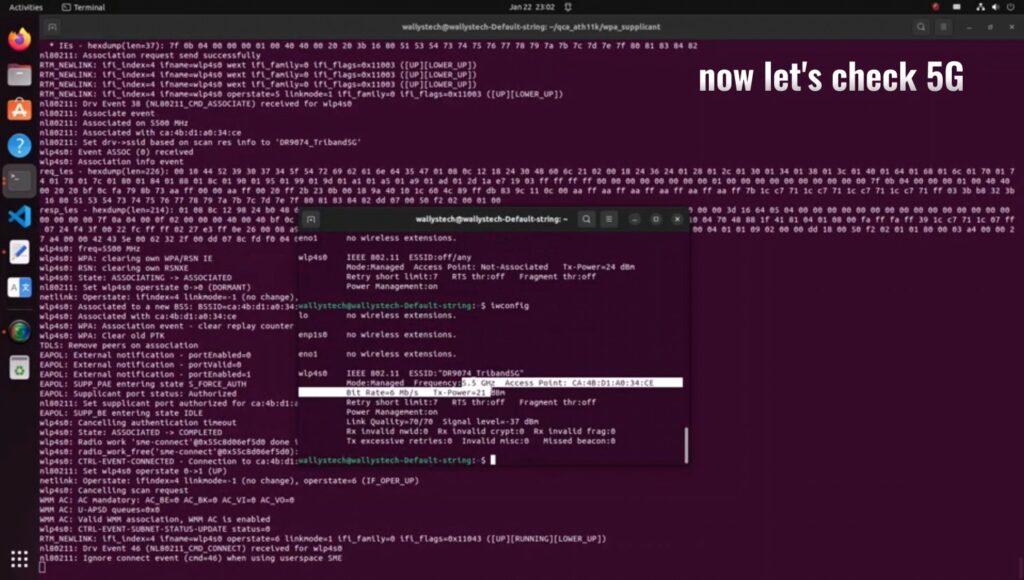
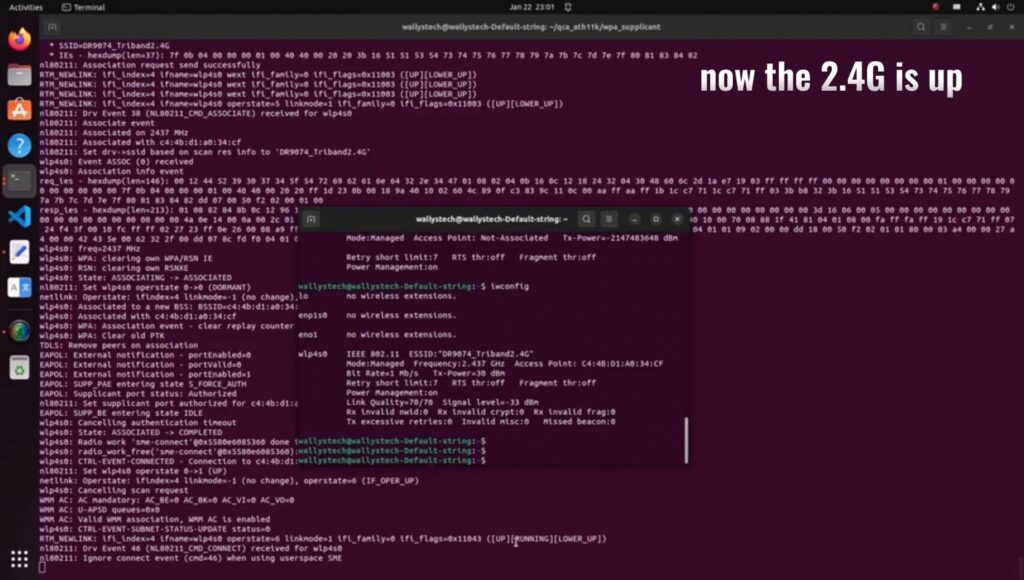
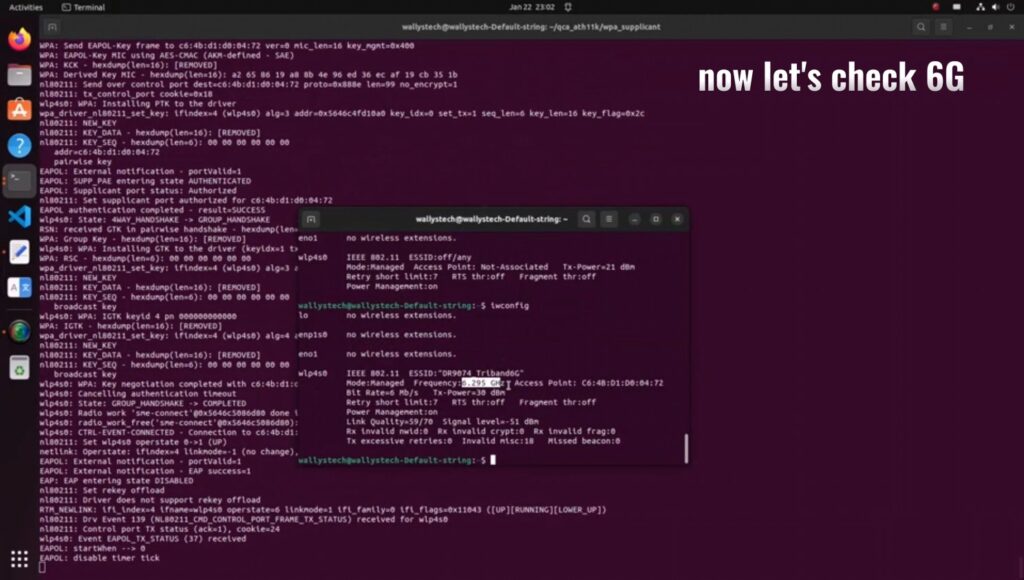
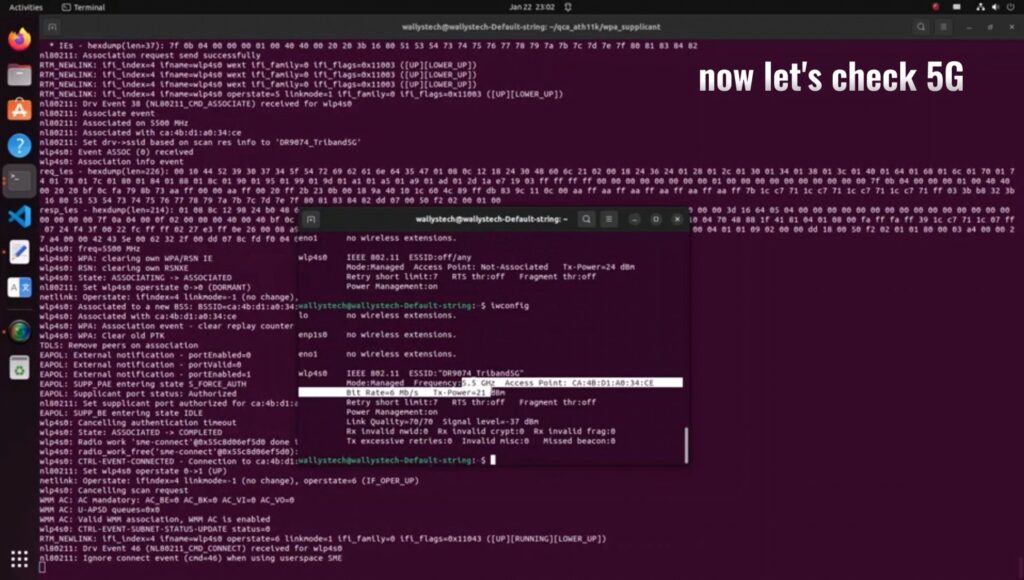
Validate the functionality of 2.4G/5G/6G under AP mode.

Compile the tool for STA mode and configure compile options.

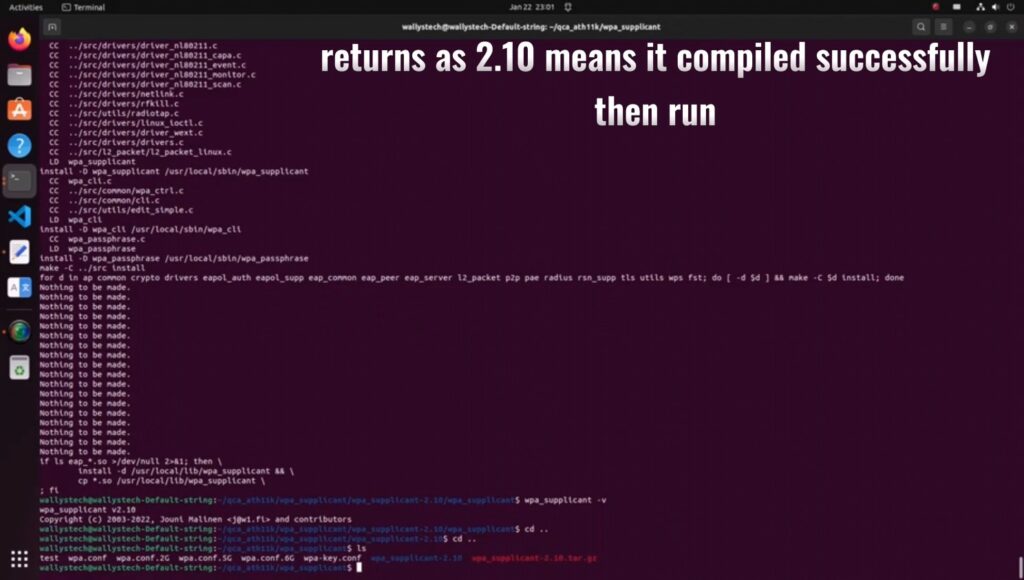
Finish compilation, check the version (returns as 2.10 for successful compilation), then run.

Confirm the functionality of 2.4G/5G/6G under STA mode

For any uncertainties, refer to the YouTube channel for a comprehensive video tutorial:

https://youtu.be/RL6X0xm74Fc?si=F-tuNn-wHNkeAvLB

Thanks for watching…

And now you can continue to 

How to Enable DR9074-Triband Functionality on Linux 5.17.0: Step-by-Step Guide

This tutorial builds upon the previous one and provides additional information on:

1.How to download Ubuntu 22.04.

2.How to compile the 5.17 kernel to support ath11k.