Posted on — Leave a comment

How to Design a Reliable Long-Range Wireless Link for Agricultural Drones (WiFi 6/7 Selection Guide)

If you’ve deployed drones for crop spraying, field mapping, or orchard inspection over any real distance, you’ve probably run into this: the link holds fine at 200 meters, then starts dropping commands or breaking up video well before you hit the range the datasheet promised. It’s rarely a bad chip. It’s almost always an architecture problem.

This guide walks through why long-range agricultural links behave differently from indoor or short-range WiFi deployments, what actually determines reliability at range, and how to select hardware — control-side and video-side — that holds up in the field.

Why Agricultural Drone Links Are a Different Problem

Most WiFi hardware is designed and benchmarked for indoor, short-range, high-density environments — offices, warehouses, retail. Agricultural drone deployments invert almost every one of those assumptions:

  • Distance is the default, not the exception. A single control link routinely needs to cover several hundred meters to a few kilometers across open farmland or orchards.
  • There’s no multipath to lean on. Indoor WiFi benefits from reflections off walls and ceilings. Open fields don’t offer that — and offer very little shielding from other interference either.
  • Control and video have opposite requirements. Control commands are small, frequent packets that need low, consistent latency and near-zero loss. Video (especially 4K, multispectral, or thermal payloads) needs sustained bandwidth and can tolerate some jitter. Serving both well on one link is hard.
  • One-to-many is common. A single ground station frequently needs to manage multiple aircraft flying formation or covering different zones of the same field, which means the AP side has to handle concurrent, fast-moving clients — not a single static link.
  • Power is capped by regulation, not by ambition. ISM-band transmit power and antenna gain both have legal ceilings. You can’t out-power your way to more range.

The Five Things That Actually Determine Reliability at Range

1. Band Strategy: Split the Link, Don’t Pick One Band

2.4GHz diffracts better around terrain, crops, and structures, which is why it’s traditionally the default choice for long-range control links. 5GHz and 6GHz offer far more spectrum and fewer competing signals, which is exactly what high-resolution video needs.

The reliable pattern in the field isn’t choosing one band for everything — it’s running a split architecture: control on 2.4GHz, video on 5GHz or 6GHz. That’s a strong argument for radio hardware where the band configuration is flexible (single-band, dual-band, or switchable tri-band) rather than fixed to one band at the factory.

2. Modulation and Spatial Streams: Know What They Actually Control

Specs like 4096-QAM and multi-stream MU-MIMO are real and useful — but they define your near-field ceiling, not your far-field floor. As distance increases and signal-to-noise ratio drops, the link automatically falls back to lower-order modulation regardless of the chip’s peak capability.

When evaluating hardware for a long-range deployment, the number that matters isn’t the “Gbps peak” on the datasheet. It’s the rate-adaptation curve under low SNR, and specifically the minimum usable data rate at the outer edge of your intended range. That’s the number that tells you whether video will break up or commands will get dropped when the aircraft is farthest from the ground station — which is exactly when you need the link most.

3. MLO (Multi-Link Operation): Redundancy, Not Traffic Splitting

WiFi 7 introduced Multi-Link Operation, which lets a device establish links across multiple bands or channels at once. There’s a common misconception worth clearing up here: MLO isn’t a way to route control traffic on one band, video on another, and backhaul on a third, each running independently.

What MLO actually does is transmit the same data redundantly across multiple links simultaneously, so that if one link momentarily fades or gets interfered with, the other link covers for it — improving reliability and reducing effective latency. For agricultural drones, where a lost link is often the trigger for a return-to-home failsafe, that kind of redundancy has real operational value, not just a spec-sheet checkbox.

4. Topology: Point-to-Point vs. One-to-Many

A single aircraft doing long-range mapping or inspection is often best served by a point-to-point link — a directional antenna setup trading beamwidth for range and stability. But if a ground station needs to manage multiple aircraft or ground terminals simultaneously, the AP side needs OFDMA multi-user scheduling and fast roaming/handoff behavior, or you’ll see queuing delay whenever multiple aircraft check in around the same time.

Know which problem you’re actually solving before you pick hardware — they call for different radio capabilities.

5. Form Factor: Airborne and Ground-Side Needs Diverge

The airborne side is constrained by payload weight and available power, so it needs a small, low-power radio module that can be integrated directly into a flight controller or gimbal payload — with just enough band flexibility to serve the control link without unnecessary weight or draw.

The ground station side is a different design problem entirely: it needs to aggregate multiple client connections, handle higher sustained throughput, and typically needs wired backhaul (Ethernet, sometimes 10GbE) to move the collected video and telemetry off to a local server or the cloud. That usually points toward a board-level platform rather than a compact module.

Mapping Hardware to the Problem

Once you’ve worked through the five factors above, hardware selection becomes a matter of matching platform to role rather than chasing a single “best” spec sheet.

Airborne / terminal-side radio module. You want something small, power-efficient, and configurable — ideally a module where you can select or trim the band configuration (single-band 2.4GHz for a dedicated control radio, or dual-band where the payload allows) without carrying unused radio hardware and power draw. This is the role a WiFi 7 M.2 module built on a chipset like Qualcomm’s QCN9274/QCN6274 platform is designed for, with configurations spanning single-band, dual-band, and 4×4 single-band variants depending on what the airframe needs.

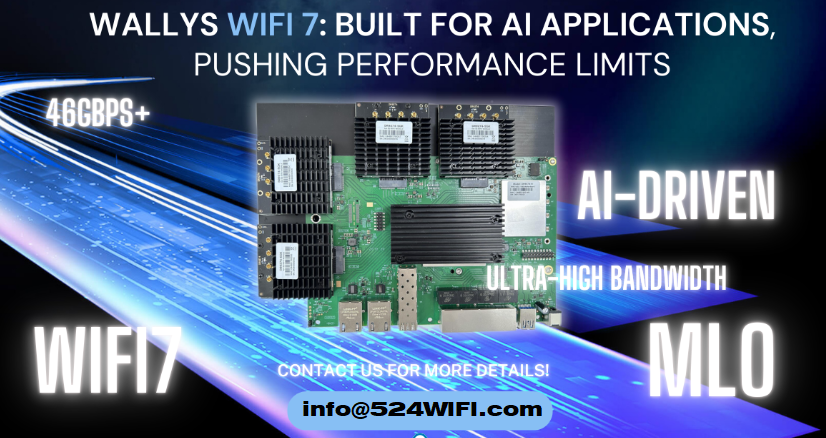
Ground-station aggregation board. This is where you want a flagship-class multi-band platform — four simultaneous bands, wide channels (up to 320MHz), high-order modulation (4096-QAM), multiple M.2 slots for additional radio cards, and dual 10GbE-class wired uplinks. This tier handles concurrent multi-aircraft connections, dynamic channel selection (AFC) to work around interference, and reliably backhauling the aggregated video streams to wherever they’re processed.

Edge gateway with onboard compute. For deployments where you want to do video processing or stream aggregation closer to the field — rather than pushing everything raw to the cloud — a tri-band gateway platform with high-speed wired I/O (dual 10GbE + multiple 2.5GbE) and an onboard AI accelerator tuned for networking workloads is the better fit. It handles wireless backhaul while also doing local compute, cutting the bandwidth pressure on the uplink.

A Practical Decision Order

When you’re actually speccing a system, work through it in this order:

  1. Point-to-point or one-to-many? This determines whether OFDMA and fast roaming on the ground-station side are must-haves or nice-to-haves.
  2. Does the control link need to be physically separated from the video link? This determines whether a single-band module or a multi-band board is the right call for each end of the system.
  3. What are the payload’s power and space constraints? This determines module-level vs. board-level hardware on the airborne side.
  4. Does the back end need edge compute or multi-stream video aggregation? If yes, prioritize a gateway platform with onboard AI acceleration and high-speed wired I/O.

FAQ

Is 2.4GHz or 5GHz better for a long-range drone control link? 2.4GHz generally holds up better over distance and around obstructions like terrain or crop canopy, which is why it’s the more common choice for the control link specifically. 5GHz and 6GHz are typically reserved for the video link, where the extra bandwidth matters more than raw range.

Do I need WiFi 7, or is WiFi 6 enough? It depends on whether you need MLO’s link redundancy and whether your video payload actually needs the extra bandwidth WiFi 7’s wider channels provide. Many long-range control links work fine on WiFi 6; WiFi 7 becomes more valuable as video resolution, aircraft count, or reliability requirements increase.

What’s the actual benefit of MLO for a drone link? Redundancy. The same data is sent across multiple links at once, so a momentary fade on one link doesn’t cost you the connection — it isn’t a way to assign different traffic types to different bands independently.

Should the airborne radio and the ground-station radio be the same hardware? No — they’re solving different problems. The airborne side prioritizes size, weight, and power; the ground station prioritizes aggregate throughput, multi-client handling, and wired backhaul capacity.


If you’re evaluating or redesigning the wireless subsystem in a drone flight-control or video-transmission stack — or migrating an existing deployment from WiFi 5/6 to WiFi 7 — reach out to info at 524wifi.com or .net. We build radio hardware across all three tiers described above and can walk through the specifics of your deployment.
Posted on

QCA9880 to QCN9274/QCN6274: A WiFi 5 to WiFi 7 Module Selection Guide — 524WiFi 600VX / 900VX and DR9274E-TB Compared

From QCA9880 to QCN9274/QCN6274: A WiFi 5-to-WiFi 7 Module Selection Guide — 524WiFi 600VX / 900VX, and DR9274E-TB Compared

For years, the Qualcomm-Atheros QCA9880 has been the default chipset behind a lot of industrial WiFi 5 designs — routers, CPEs, access points, embedded gateways. It’s mature, well-documented, and easy to source, which is exactly why so many product lines are still built around it. But the ground is shifting. As more networks have to handle a pile of devices talking at once — robot fleets on a warehouse floor, banks of industrial cameras, multiple video streams heading back to a controller — WiFi 5’s two crowded bands start to show their age, and WiFi 7 platforms have gotten mature enough to be a real option instead of just a roadmap item.

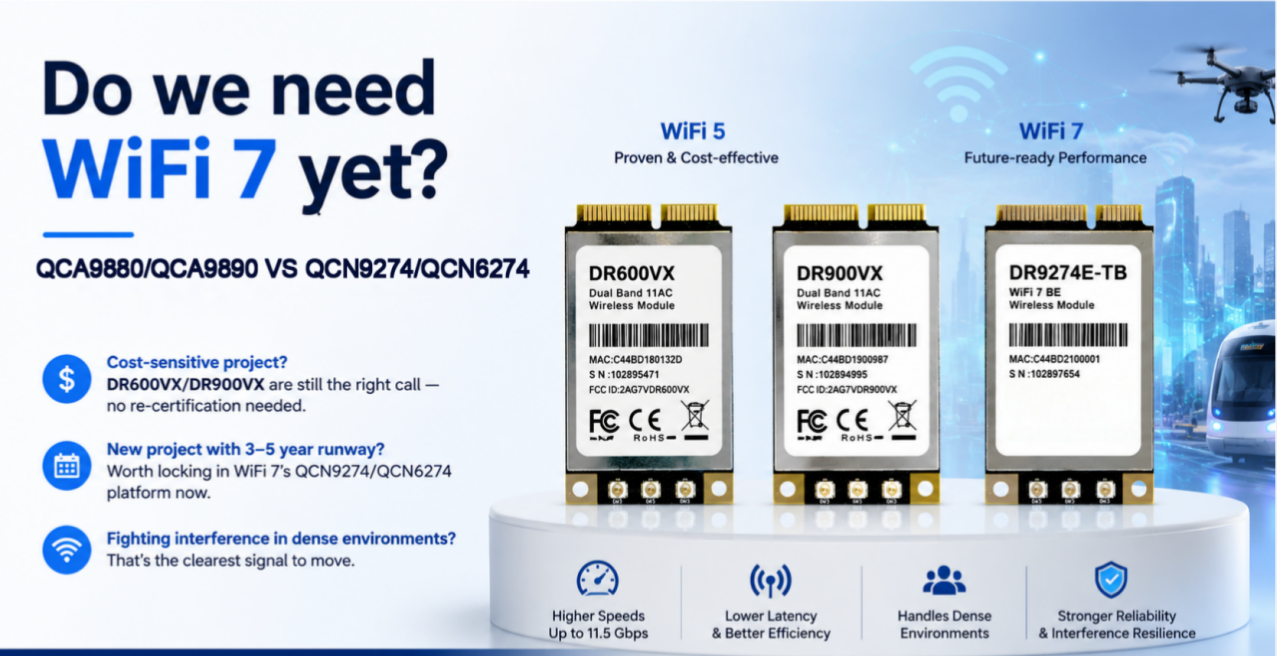
We get this question a lot from customers still speccing hardware around QCA9880: is it time to move, and if so, to what? Below is a practical comparison of two of our QCA9880 modules, 524WiFi 600VX / 900VX Pro+, against DR9274E-TB, which runs on Qualcomm’s newer QCN9274/QCN6274 platform.

The three modules

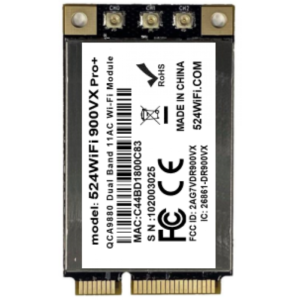
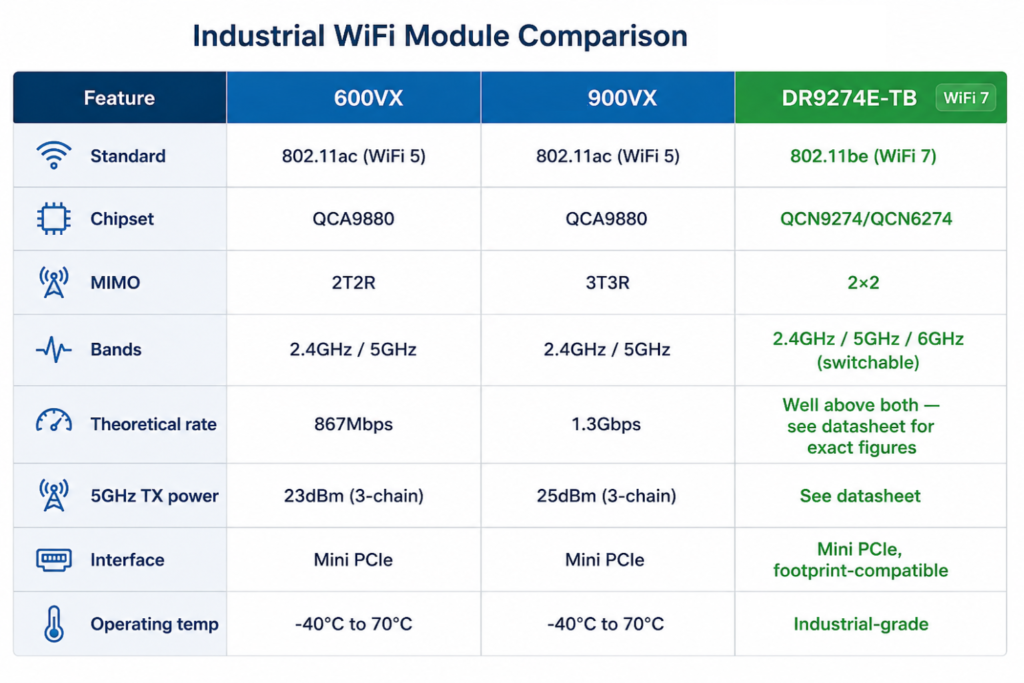
524WiFi 600VX Pro+ and DR600VX are a 2×2 MIMO 802.11ac module — 2T2R, theoretical throughput up to 867Mbps. Two UF.L antenna connectors, 2.4GHz and 5GHz (including 4.9GHz), TX power up to 24dBm/23dBm, Mini PCIe interface, -40°C to 70°C operating range. It’s a small board — 30.0 × 50.9 × 3.2mm — and it’s been a workhorse for cost-sensitive designs that don’t need a third antenna chain.

524WiFi 600VX Pro+ and DR600vx – QCA9880 2X2

524WiFi 600VX Pro+ and DR900VX are the same chipset, same footprint, same pinout — but 3×3 MIMO instead of 2×2, pushing theoretical throughput to 1.3Gbps and TX power up a couple of dB (26dBm/25dBm) thanks to the extra chain. There’s also a DR900VX-i variant on QCA9890 rated for 85°C, and a DR900VX-4.9 with 4.9GHz support. Because the mechanical and electrical interface is identical to DR600VX, swapping between the two mostly comes down to whether your enclosure has room to route a third antenna.

524WiFi 900VX Pro+ and DR900vx – QCA9890 3X3

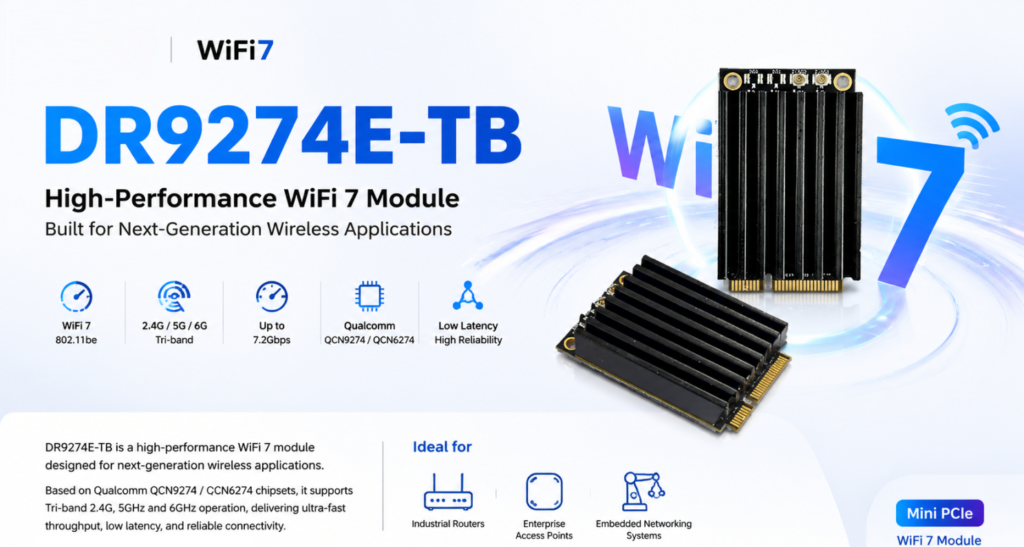
DR9274E-TB is a different generation entirely. It’s built on QCN9274/QCN6274 and supports WiFi 7 (802.11be) across three bands — 2.4GHz, 5GHz, and 6GHz. Worth being precise here: it’s tri-band switchable, meaning the module picks the best band to operate on, not three bands running separate traffic simultaneously. It’s a 2×2 MIMO design, Mini PCIe, and mechanically compatible with existing WiFi 5 module footprints, so it’s aimed at the same kinds of products — industrial routers, enterprise APs, outdoor CPEs and bridges, mesh systems, edge AI platforms — just with more headroom.

Side by side

QCA9880 VS QCN9274

What actually changes

Going from 2T2R to 3T3R (600VX to 900VX) is a fairly straightforward upgrade — one more spatial stream, a bit more throughput, and a bit more stability in multipath environments, since the extra chain gives the radio more to work with. If your enclosure has the space and the budget allows it, 524WiFi 900VX Pro+ is the easy call.

The jump to WiFi 7 is a different kind of change, and it’s not really about raw speed. The number that matters most is 6GHz — an almost entirely clean band with none of the legacy congestion that 2.4GHz and 5GHz have accumulated over a decade of deployments. In a warehouse or factory environment with dozens of APs and client devices fighting for airtime, that alone can matter more than any Mbps figure on a spec sheet. WiFi 7 also brings multi-link operation, which lets a device coordinate traffic across bands rather than being locked to one — though how much of that you actually get depends on chipset support and firmware, so it’s worth checking specifics for your use case rather than assuming every feature is turned on out of the box.

None of this means everyone needs WiFi 7 today. A lot of deployments — point-to-point links, smaller networks, applications without dozens of devices packed into one space — are still perfectly well served by QCA9880. The cases where it’s worth moving now are the ones already running into interference or density problems, or new designs with a long enough runway that the 6GHz advantage will keep paying off for years.

Which one fits your project

If you’ve already built a product around QCA9880 — PCB layout done, drivers sorted, certifications in hand — there’s usually no reason to change anything. 524WiFi 600VX Pro+ and 524WiFi 900VX Pro+ share a footprint and pinout, so you can pick between them based on cost and available antenna space without touching your certification.

If you’re starting a new design with a multi-year lifecycle ahead of it, DR9274E-TB is worth a serious look even though WiFi 7 silicon costs more up front. QCA9880 is an older chipset generation at this point, and long-term sourcing risk tends to creep up as a platform ages. Locking in 6GHz early also means you’re not scrambling to redesign in a couple of years when everyone else has already made the jump.

And if you’re already seeing throughput drop off or latency get jittery once you cross a certain device count — a common story with AMR fleets, multi-camera vision setups, dense AP coverage — that’s usually a clearer signal than any roadmap discussion. Tri-band switching, combined with sensible planning around which traffic goes where, tends to ease that bottleneck in a way a WiFi 5 dual-band design just can’t.

Bottom line

  • Sticking with an existing QCA9880 design, watching cost closely → 524WiFi 600VX or 524WiFi 900VX Pro+
  • New project, long lifecycle, want to be ahead of the spectrum curve → DR9274E-TB
  • Already fighting interference or density issues → DR9274E-TB

Every deployment is a little different, and the right call depends on your device density, antenna space, budget, and how long the product needs to stay in the field. If you want to talk through your specific case, or need test data, samples, or custom development — antenna layout, firmware tuning, OEM/ODM support — reach out info at 524wifi.net .

Posted on

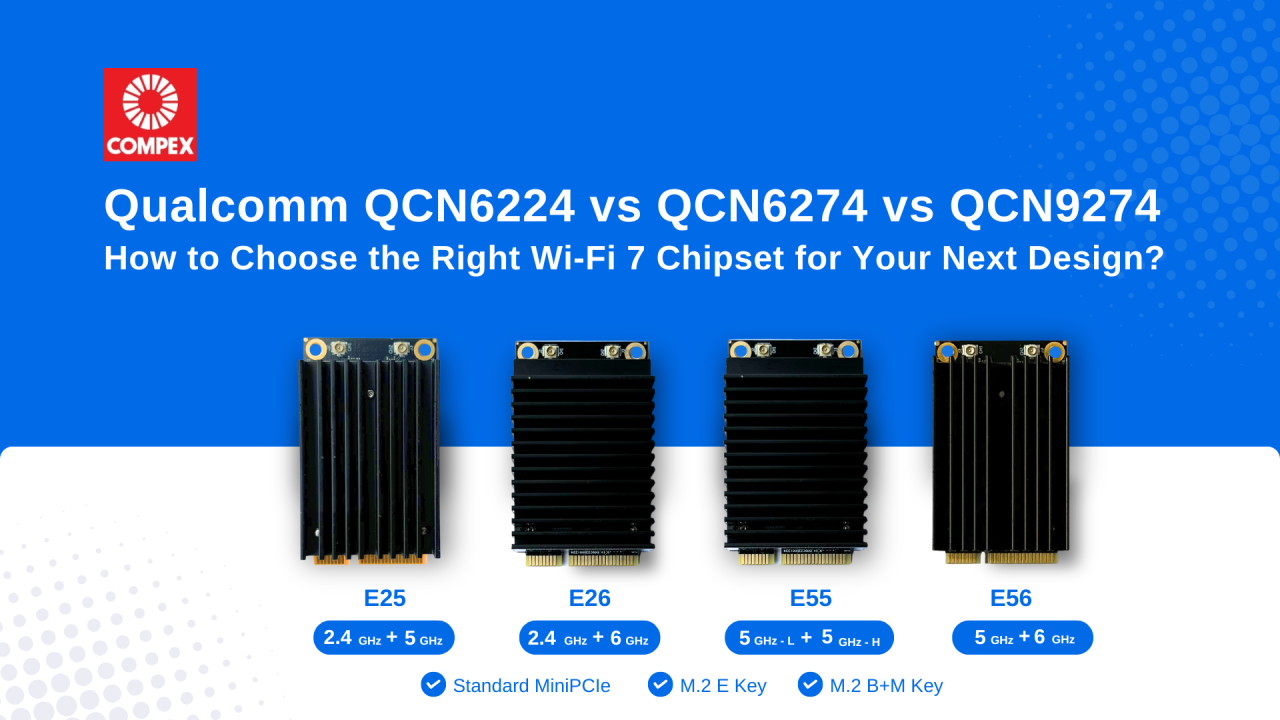
Qualcomm QCN6224 vs QCN6274 vs QCN9274: Which Wi-Fi 7 Chipset Should You Design With?

Wi-Fi 7 is rapidly becoming the standard for enterprise networking, industrial IoT, Edge AI and next-generation wireless infrastructure. When choosing between Qualcomm’s QCN6224, QCN6274, and QCN9274, engineering teams often ask us which one is “best.” The real question is: Which one fits your application’s capacity, thermal and cost?

Here is a quick breakdown to guide your next design:

Qualcomm QCN6224

It is designed for applications where cost efficiency and reliable Wi-Fi 7 performance are priorities, well suited for embedded systems and entry-level enterprise networking products. Supporting up to 128 concurrent clients, it offers reliable wireless performance for applications that do not require extremely high connection density. For many OEMs/ ODMs, QCN6224 offers an excellent balance between performance and affordability.

Qualcomm QCN6274

The Qualcomm QCN6274 targets enterprise-class networking. With support for the 6 GHz spectrum, wider channel bandwidth and up to 256 clients, it is well suited for enterprise access points, smart manufacturing, healthcare and campus networks where higher capacity is required.

Qualcomm QCN9274

The Qualcomm QCN9274 is Qualcomm’s flagship Wi-Fi 7 networking chipset for demanding enterprise and industrial applications. Supporting up to 512 concurrent clients, it is ideal for high-density enterprise deployments, mission-critical wireless infrastructure and industrial applications that demand maximum wireless capacity and low latency.

Article content
ChipsetNo of ClientsBest ForKey Advantages
QCN6224Up to 128 clientsSmall-Medium Business NetworkingCost-effective Wi-Fi 7 performance
QCN6274Up to 256 clientsEnterprise Access PointsHigher throughput, 6 GHz support, enterprise scalability
QCN9274Up to 512 clientsHigh-density Enterprise, Mission-critical NetworksMaximum capacity, advanced RF performance, premium enterprise features

Rather than asking which chipset is “better,” a more important question is: Which chipset is the right fit for your application requirements?

Choose Qualcomm QCN6224 when cost efficiency and dependable Wi-Fi 7 performance are your priorities.

Choose Qualcomm QCN6274 when your product needs higher throughput, 6 GHz support and greater client capacity.

Choose Qualcomm QCN9274 when you are designing high-density wireless infrastructure where scalability, low latency and high concurrent client capacity are critical.

Looking Beyond the Chipset

Selecting the right chipset is only one part of developing a successful Wi-Fi 7 product. RF front-end design, thermal dissipation and host platform integration can add months to your development cycle.

At 524WiFi and Compex, our Wi-Fi 7 Module Family supports single and dual-band configuration with both commercial grade and industrial grade chipset. Available in standard MiniPCIe form factor and M.2 variants, the module family are compatible with Qualcomm platforms as well as various third-party industrial CPU platforms, including Intel x86, NVIDIA and ARM-based processors such as NXP and Marvell, helping OEMs/ ODMs reduce integration risk and accelerate product development.

To learn more about Compex Wi-Fi 7 Standard MiniPCIe and M.2 Qualcomm-based Wi-Fi 7 module, contact us directly !

Posted on

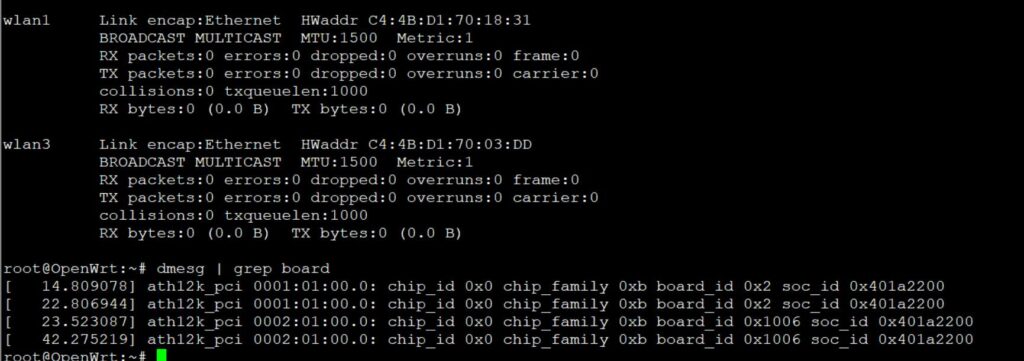
WIFi 7 drivers finally works aka how we tested QCN9274 hw 2.0. board-2.bin and firmware-2.bin file for Linux development and Ath12k Driver MLO debug 9274

October 2025 update :

🚀 Exciting News from 524WiFi !

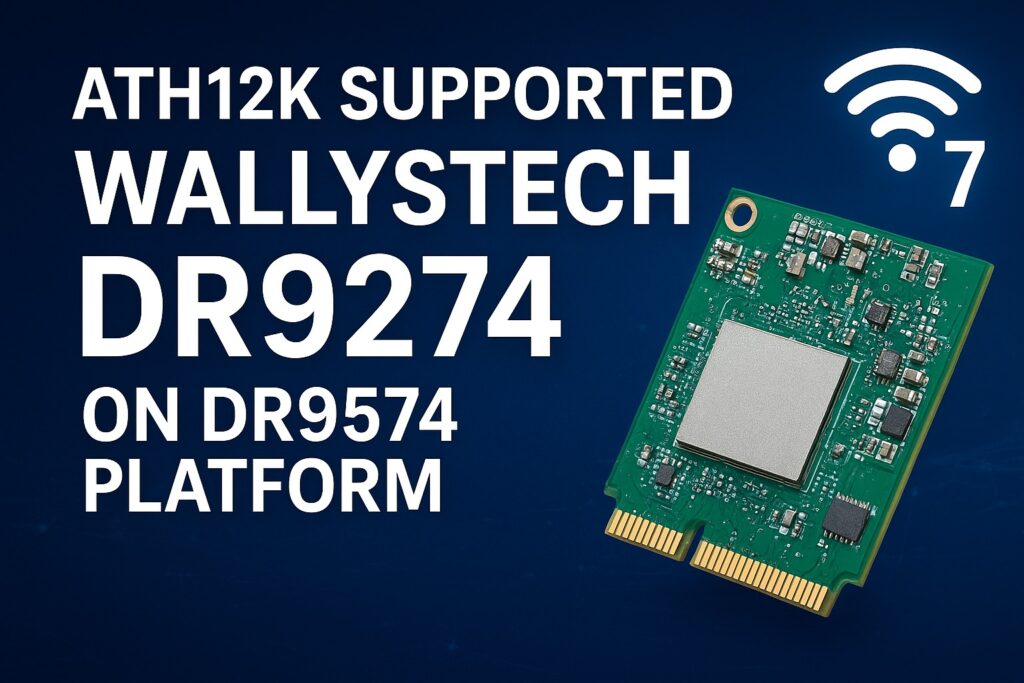
Our 524WiFi DR9274 Series WiFi 7 Network Cards are now fully supported on the DR9574 platform using ath12k driver! And MLO fully working and supported too !

Experience the next generation of wireless performance — faster, smarter, and more reliable.

Sample units and demo tests are now available.

Actually. The Customer can use our board-2.bin from our ftp or from Compex on our DR9274 Cards. Because these Cards are standard Card of Qualcomm. There is no reason for any differences. You can download board-2.bin for all our 524WiFi DR9274 modules from our link : https://wifi5.eu/dls/Wallys/DR9274/

Additionally. If a Customer needs ath12k support, then we can do demo ath12k on our DR9574 boards to support DR9274 cards. Customer can take it as reference. If Customer need support for their own software, it needs check the project scale and then we can offer our support for LINUX / OpenWRT development.

———————————————————————————————-

Dear customers,

You can log in the link and can find latest sources for your development using Ath12k firmware. If there is any mistake, please let us know.

https://git.codelinaro.org/clo/ath-firmware/ath12k-firmware/-/tree/main/QCN9274/hw2.0?ref_type=heads

This is general frimware for QCN 9274 / 6274 based modules. For special function, you need ask the vendor to develop special firmware. They do not provide it for free. For example COMPEX need you to buy it , but the price is about $50000.

For 524wifi DR9274 and also COMPEX modules the bdf is not changed, so you can use the generic board-2, firmware-2  and add your board-id of your module if not included in already. Please read bellow how to use and debug Ath12k driver for our dual band modules.

There are also many known Ath12k bugs and limitations, you can solve known issues using a driver patch – for example :

https://patchwork.kernel.org/project/linux-wireless/list/?series=954967

For examples you can add the 160Mhz Channel Support for 5GHz range.

More general informations :

https://wireless.docs.kernel.org/en/latest/en/users/drivers/ath12k.html

EXAMPLE  1 : 

A modified general board-2.bin file for all QCN6274 modules (including dual band 5G6G) is available here. The public file doesn’t support board-id 0x1006 (dual band 5G+6G) , our engineer added support for 0x1006 in to the file : 

 https://wifi5.eu/dls/Wallys/DR9274/

For example WLE7002-E56 or DR9274-5G6G by 524WiFi modules require this modified board-2.bin file, then 6GHz issue is solved via regulatory db. signing the file. And you will also need to apply an existing driver patch from Patchwork.kernel.org

https://patchwork.kernel.org/project/linux-wireless/list/?series=&submitter=&state=&q=ath12k&archive=&delegate=

After this setup tuning and modifications you can achieve working WiFi 7 Dual band card under Linux or OpenWRT. For example openwrt latest trunk is working excellent, + adding right board-2.bin file as mentioned higher. After appling the 160MHZ channel patch we are testing DR9274-5G6G and WLE7002-E56 with MLO support:

current transfer is about 1400MBps for 6GHz/320Mhz with iphone 15 pro max 

and  1500MBps for 5GHz/160Mhz with iphone 15 pro max. Distance is half a meter for this testing.

For big customers , there is a good solution – like this : the customer can evaluate the wifi card on a QCA based router board, like for example DR9574 , and if performance and features are good then they will have confidence to put project to 524WiFi and Wallys to develop software for ath12k. We can allocate a engineer to fix these Customers requirements and if the Customer has a good project with us. MOQ and SW development contract is required.

Are you interested in in testing and development on dr9574 board using DR9274-5G6G module ? You will see how it works with original QCA driver. Please contact us !

Unfortunaly, it seems only single band modules can work with current ath12k without extra development, unfortunately dual band support requires additional development as we show you for wle7002-e25 card bellow:

————————————————————————————————————————————————

COMPEX WLE7002E25 dual band needs to separate phy firmware. 

https://github.com/quic/upstream-wifi-fw/tree/main/ath12k-firmware/QCN9274/hw2.0/1.3.1/WLAN.WBE.1.3.1-00130-QCAHKSWPL_SILICONZ-1

The official firmware It can be downloaded from the following link https://git.codelinaro.org/clo/ath-firmware/ath12k-firmware/-/blob/main/QCN9274/hw2.0/testing/1.1.1/WLAN.WBE.1.1.1-00210-QCAHKSWPL_SILICONZ-1/firmware-2.bin?ref_type=heads
Put the firmware into /lib/firmware/ath12k/QCN9274/hw2.0/

But split phy and firmware-2.bin does not support linux kernel 6.8. You need to download backportfrom https://mirror2.openwrt.org/sources/backports-6.9.1.tar.xz.
Install software to build backports with “sudo apt install build-essential flex bison ncurses-dev”.
The command need to prepare the backport
tar -xf backports-6.9.1.tar.xz
Patch the attached patch files. This will enable support linux kernel 6.xx and add defconfig-ath12k
cd backports-6.9.1/
patch -p1 < [patch file location]
The command need to compile and install backport
make defconfig-ath12k
make
sudo make INSTALL_MOD_STRIP=1 install

—————————-

We have tested this and it works. you can use the link provided directly.

See if it works on your end.

split phy and firmware-2.bin does not support linux kernel 6.8. Need to download backport from https://mirror2.openwrt.org/sources/backports-6.9.1.tar.xz.
Install software to build backports with “sudo apt install build-essential flex bison ncurses-dev”.
The command need to prepare the backport
tar -xf backports-6.9.1.tar.xz
Patch the attached patch files. This will enable support linux kernel 6.xx and add defconfig-ath12k
cd backports-6.9.1/
patch -p1 < [patch file location]
The command need to compile and install backport
make defconfig-ath12k
make
sudo make INSTALL_MOD_STRIP=1 install 

Please check our customer modified working board-2.bin file as an example and guide for your development – https://wifi5.eu/dls/compex/WLE7000

And dont forget as always , comment react or add some info – you will be automaticly added to possibly win set of our designed special 5G or WIFI anntennas

———————————————

Best Regards

524wifi team


Posted on

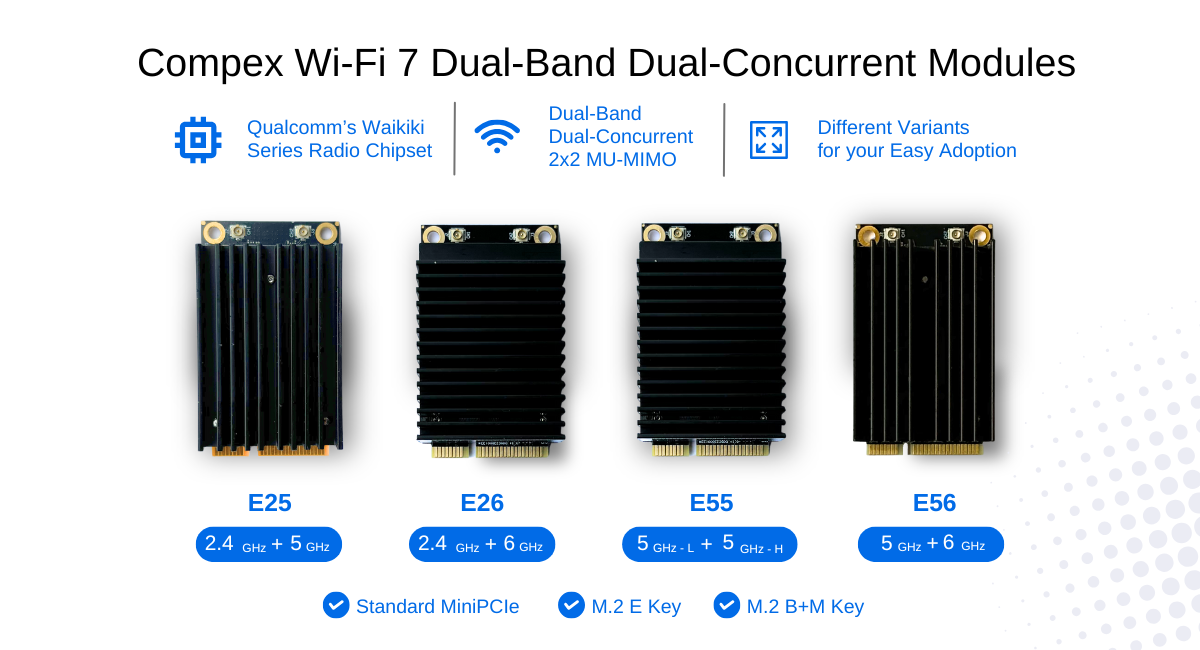
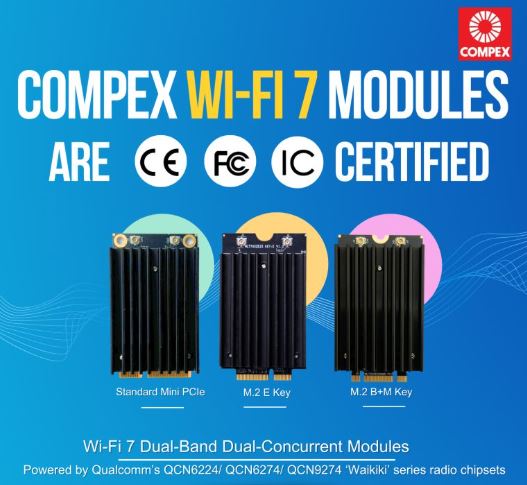
Compex Wi-Fi 7 Dual-Band Dual-Concurrent Modules are CE, FCC and IC certified and Ready for the World

𝗖𝗲𝗿𝘁𝗶𝗳𝗶𝗲𝗱 𝗮𝗻𝗱 𝗥𝗲𝗮𝗱𝘆 𝗳𝗼𝗿 𝘁𝗵𝗲 𝗪𝗼𝗿𝗹𝗱.

Compex Wi-Fi 7 Dual-Band Dual-Concurrent Modules are CE, FCC and IC certified, bringing together global compliance and industry-leading performance. Available in Standard MiniPCIe form factor and M.2 variants, our Qualcomm-powered modules deliver reliable and high-performance wireless connectivity for markets worldwide.

✅Powered by Qualcomm’s QCN6224 / QCN6274 / QCN9274 “Waikiki” series chipsets
✅Comes with band options: 2.4+5GHz, 2.4+6GHz, 5+5GHz and 5+6GHz
✅Multi-Link Operation (MLO) for higher throughput, lower latency and improved reliability
✅Diplexer Design to reduce the need for multiple Wi-Fi antennas for transmission
✅Open Source Ath12k Support

📩 Reach out to us at info@524wifi dot net or com to explore how we can power your next project.

Posted on

Wi-Fi 7 for AIoT: How IPQ9574 and QCN9274 Enable Real-Time Edge AI

When we talk about Wi-Fi 7 (802.11be), most discussions focus on its impressive speed upgrades — and rightly so. But beneath the surface, Wi-Fi 7 is quietly becoming a critical enabler for Artificial Intelligence (AI) and AIoT (Artificial Intelligence of Things). It’s not just about faster wireless — it’s about making intelligent devices truly efficient, real-time, and scalable.

🚀 What Makes Wi-Fi 7 Different?

Wi-Fi 7 introduces groundbreaking features like:

  • Multi-Link Operation (MLO) — enabling devices to connect across multiple bands simultaneously, improving reliability and reducing latency.
  • Higher throughput — supporting up to 46 Gbps, ideal for high-data AI workloads.
  • Lower latency — essential for real-time AI inference.
  • Improved concurrency — allowing more smart devices to communicate simultaneously without congestion.

These capabilities make Wi-Fi 7 a natural fit for the AI revolution — both in the cloud and at the edge.


🧠 AI + Wi-Fi 7: A Perfect Match

1. Faster Real-Time Inference at the Edge

Edge AI devices like smart cameras, traffic sensors, or inspection drones require:

  • Constant data streams
  • Real-time decision-making
  • High connection reliability

Wi-Fi 7 ensures ultra-low latency and high bandwidth — perfect for AI models processing data in real time, directly on edge devices.

📍 Example: In smart manufacturing, a defect detection system running AI vision models can send high-resolution images instantly over Wi-Fi 7 for sub-second inference.


2. Scalable AIoT Networks

AIoT means connecting and managing hundreds or thousands of smart devices, often with edge AI capabilities.

Wi-Fi 7 supports:

  • Massive device concurrency
  • Dynamic bandwidth allocation
  • Superior QoS (Quality of Service)

This allows factories, campuses, or smart buildings to scale up their AIoT systems without overloading the network.

📍 Example: A smart office can deploy hundreds of AI-enabled occupancy sensors and environmental monitors — all reporting in real time — without lag.


3. Wireless Edge AI Gateways

Many AIoT systems use a local AI gateway that:

  • Aggregates data from various sensors
  • Runs local AI models
  • Connects wirelessly to the cloud or central system

Wi-Fi 7’s multi-band capabilities ensure that these gateways maintain stable, high-speed connections — even in noisy RF environments.

📍 Example: In a hospital, an AI-powered patient monitoring system can use a Wi-Fi 7-enabled gateway to transmit continuous multi-sensor data with minimal delay or risk of interruption.


🌐 AI-Powered Devices Need a Smarter Network — That’s Wi-Fi 7

As AI models become more complex and real-time applications more common, the network needs to evolve as well. Wi-Fi 7 is not just keeping up — it’s paving the way forward.

Whether it’s in:

  • Retail analytics
  • Autonomous vehicles
  • Healthcare monitoring
  • Smart agriculture
  • or Industrial robotics…

AI + Wi-Fi 7 is the new power couple for connected intelligence.


🔧 524WiFi and Wallys Wi-Fi 7 Hardware: Designed for AI and AIoT Deployments

At 524WiFi and Wallys, we offer industrial-grade Wi-Fi 7 solutions based on Qualcomm platforms such as IPQ9574 and QCN9274. Our high-performance router boards and wireless modules are ideal for:

  • AI-enabled edge computing devices
  • Custom AIoT gateways
  • High-bandwidth data streaming systems

🔹 DR9574 Router Board – (CPU:Qualcomm IPQ9574) Perfect for AI gateways with multiple high-speed interfaces

🔹 DR9274 Mini PCIe Module – (CPU:Qualcomm QCN9274/QCN6274) Compact and powerful Wi-Fi 7 module for embedded AI system

🔹 Custom ODM/OEM support – Tailor-made solutions for your AI product roadmap

👉 Contact our team at info@524wifi dor net or com to discuss your AI project and how Wi-Fi 7 can help you scale it smarter and faster.

Posted on

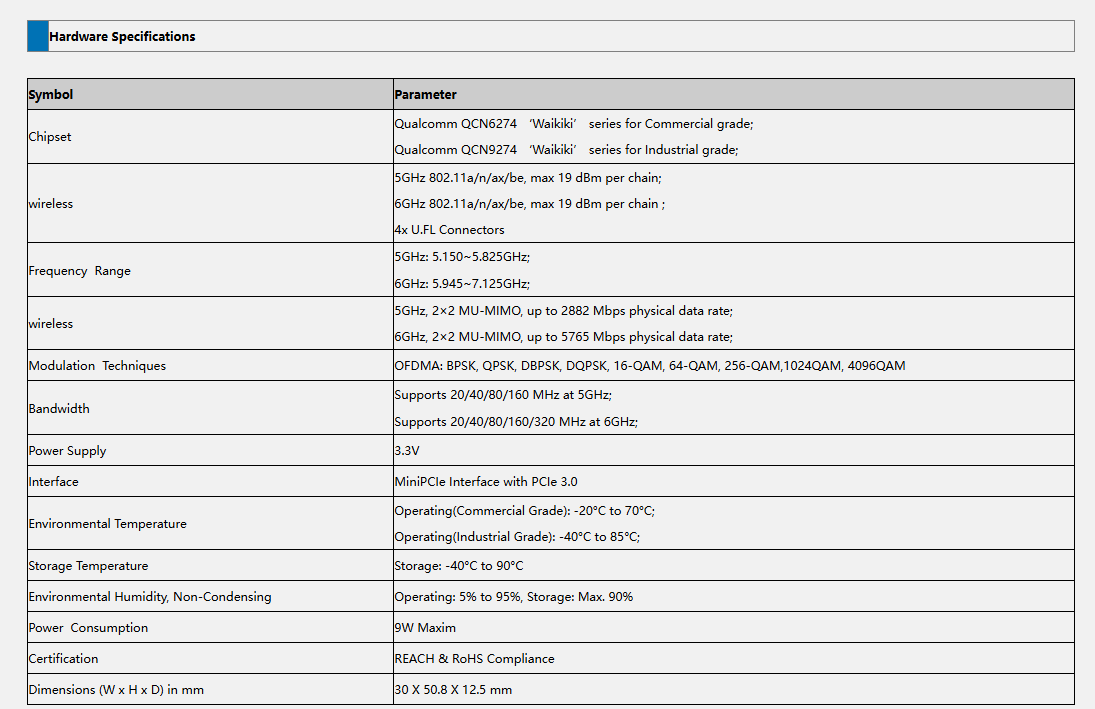
524 WiFi 7 DR9274E – QCN 9274 / 6274 Dual band concurrent miniPCIE Network Cards

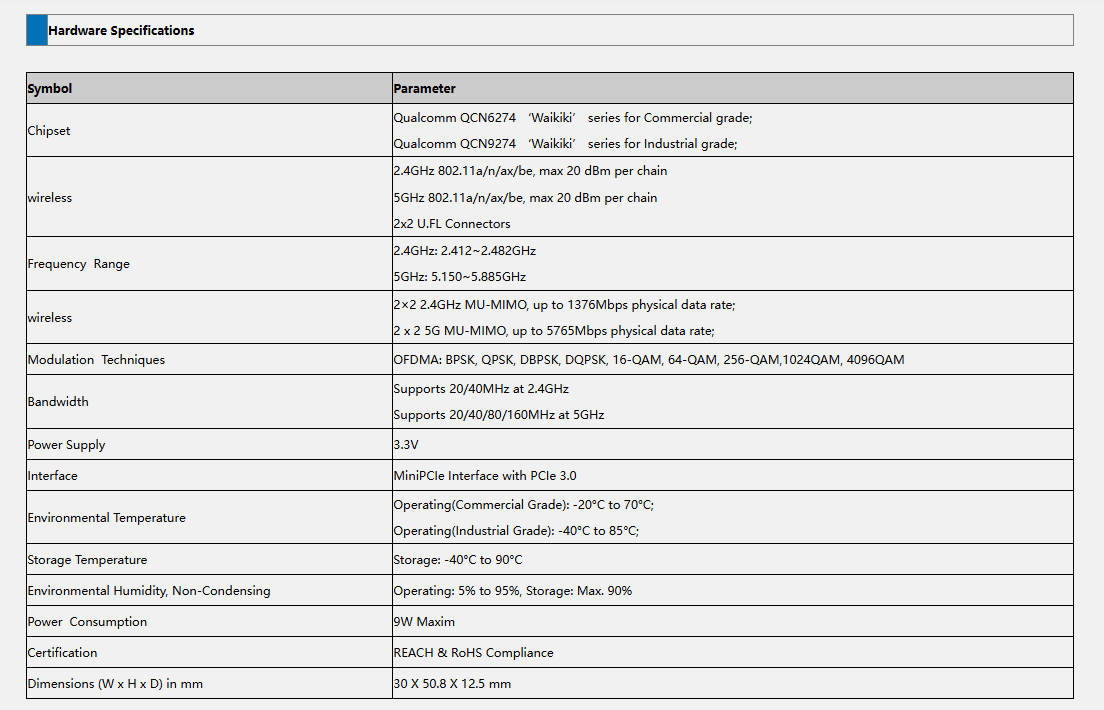
The DR9274E is a family of high-performance WiFi 7 radio modules built on Qualcomm’s QCN9274 or QCN6274 ‘Waikiki’ series chipsets.

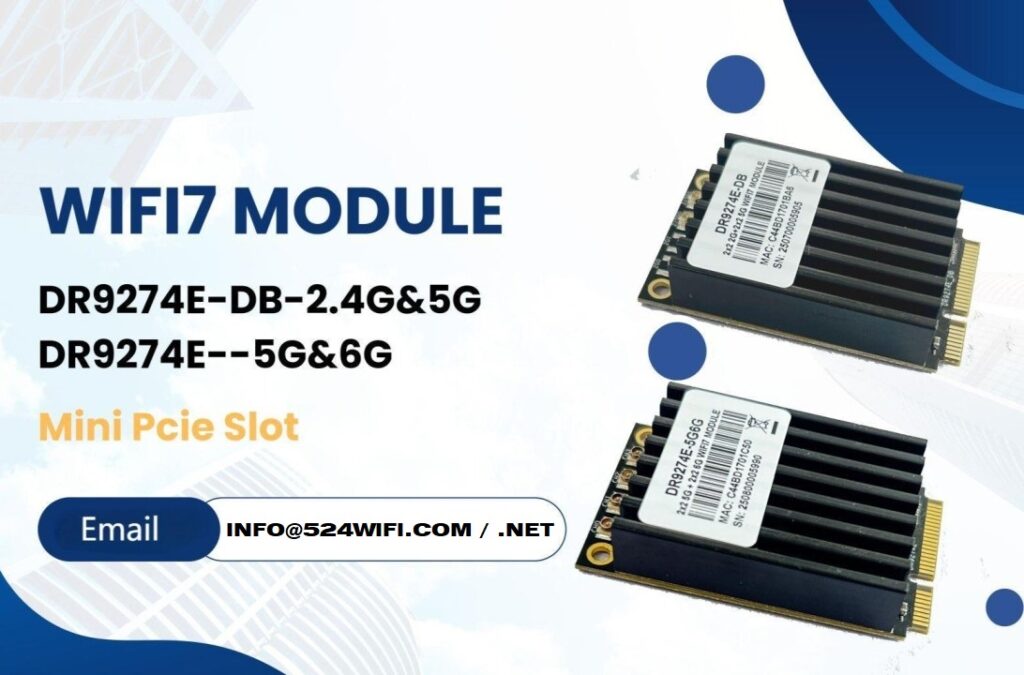
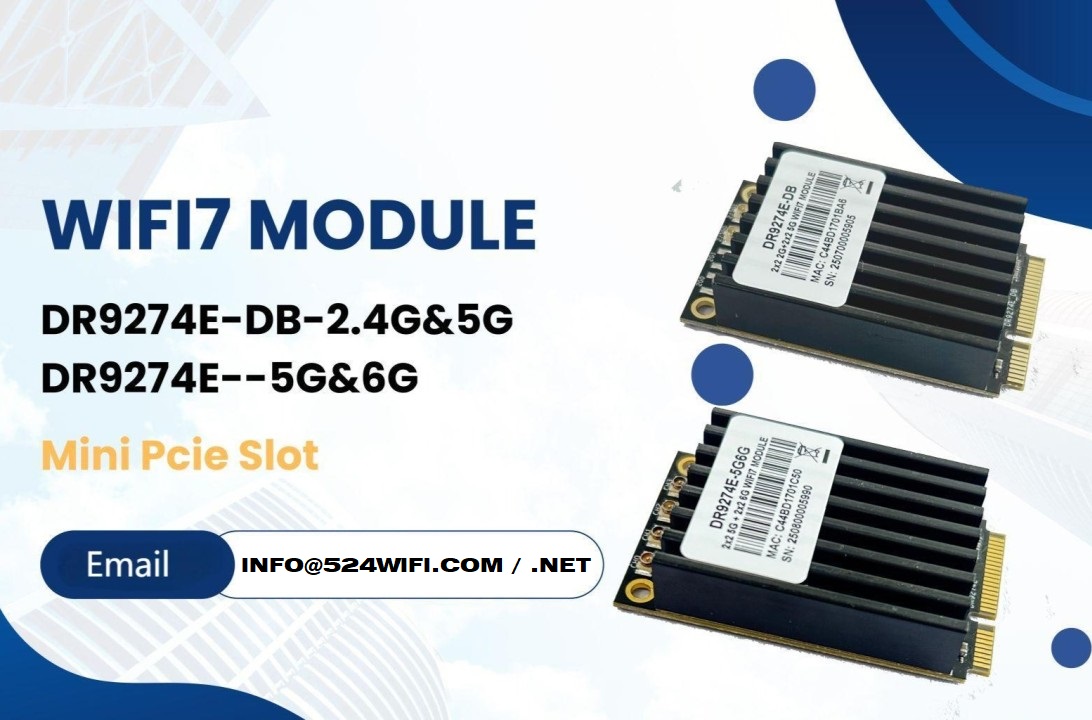
524WiFi is proud to announce the launch of two brand-new WiFi 7 MiniPCIe modules — the DR9274E-DB and DR9274E-5G6G, engineered to meet the demands of today’s most advanced industrial and commercial wireless applications.

These modules are part of the DR9274E family, built on Qualcomm’s QCN9274 / QCN6274 ‘Waikiki’ series chipsets, and designed to unlock the full potential of WiFi 7 in a compact MiniPCIe form factor. Samples available with QCN9274 chipset now !


🔧 Product Variants


⚙️ Key Features at a Glance

✅ Based on Qualcomm QCN6274 (Commercial Grade) or QCN9274 (Industrial Grade)

✅ Supports WiFi 7 (802.11be) for next-generation speed and efficiency

✅ 2×2 MU-MIMO at 5GHz and 6GHz

✅ Max throughput: 2882 Mbps (5GHz) and 5765 Mbps (6GHz)

✅ 320 MHz ultra-wide bandwidth support in 6GHz

✅ MiniPCIe interface with PCIe 3.0

✅ Ultra-rugged: Operating Temp up to -40°C to 85°C (Industrial)

✅ REACH & RoHS Compliant


🌐 Perfect for Demanding Applications

Whether you’re building the next smart city or designing rugged outdoor systems, the DR9274E modules are built for:

  • Industrial & Commercial WiFi Infrastructure
  • Security Surveillance Systems
  • Hotel and Campus Wireless Coverage
  • Forest Fire Monitoring Projects
  • Remote Area Connectivity
  • Custom Applications in Challenging Environments

📏 Tech Specs Snapshot

Article content
DR9274E-DB
Article content
DR9274E-5G6G

💼 Looking to Integrate WiFi 7 Into Your Product?

524WiFi and Wallys specialize in custom industrial wireless solutions, and we’re ready to support your projects with:

  • Hardware customization
  • Software/driver support
  • Long-term supply guarantee
  • Technical documentation and enclosure design references

📩 Contact our sales team today at [email protected] to request datasheets, samples, or technical consultation.

Posted on

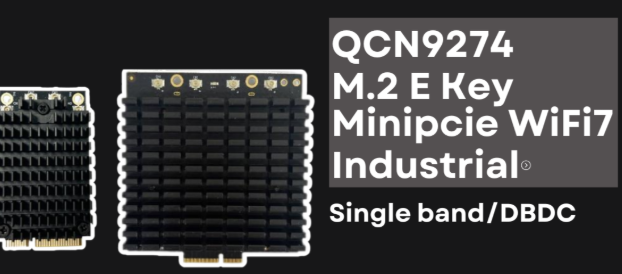
WiFi 7 M.2 E Key PCIe Module for Embedded Systems

DR9274 QCN9274 QCN6274 WiFi 7 Single Band M.2 E Key Module Datasheet

Overview

The DR9274 WiFi 7 Single Band M.2 E Key module is based on the Qualcomm® QCN9274 or QCN6274 chipset, delivering exceptional wireless performance for industrial, enterprise, and embedded applications. With Single Band (5 GHz or 6 GHz) capability and M.2 E Key form factor, it offers high-speed, low-latency connectivity optimized for modern networking solutions.


Key Features

  • Chipset Options: Qualcomm® QCN9274 or QCN6274
  • WiFi Standard: IEEE 802.11be (WiFi 7)
  • Band Support: Single Band (5 GHz or 6 GHz)
  • Form Factor: M.2 E Key
  • Interface: PCIe Gen 3
  • Modulation: Up to 4096-QAM for higher throughput
  • Security: WPA3, Enhanced Encryption
  • Industrial Temperature Range: -40°C to +85°C

Performance Advantages

  1. Ultra-High Throughput – Supports up to 320 MHz channel bandwidth for faster data transfer.
  2. Low Latency – Ideal for time-sensitive industrial control, AR/VR, and streaming applications.
  3. Improved Spectrum Efficiency – Thanks to Multi-Link Operation (MLO) and advanced modulation.
  4. Long-Range Capability – High-gain antennas and optimized RF design extend coverage.
  5. Power Efficiency – Optimized for battery-powered or embedded devices.

Applications

  • Industrial Wireless APs
  • 5G/WiFi 7 Gateways
  • Smart Cities and IoT
  • AR/VR and Immersive Media
  • High-Speed Enterprise Networking
  • Embedded Systems with M.2 E Key Interface

Technical Specifications

ParameterDescriptionChipsetQCN9274 / QCN6274StandardWiFi 7 (IEEE 802.11be)BandSingle Band (5 GHz / 6 GHz)InterfaceM.2 E Key, PCIe Gen 3Channel BandwidthUp to 320 MHzModulationUp to 4096-QAMAntenna ConnectorIPEX MHF4Temperature Range-40°C to +85°CSecurityWPA3


Why Choose Wallys DR9274 Module from 524WiFi ?

Wallys and 524WiFi specializes in custom industrial wireless solutions, offering:

  • Optimized firmware for WiFi 7 performance
  • Custom hardware design based on QCN9274/QCN6274
  • OEM/ODM/JDM services for industrial clients
  • Global technical support
Posted on

DR5322S + QCN9274: Next-Gen WiFi 7 for Industrial Networks

WiFi 7 is here — and 524WiFi is ready.

Our latest solution, the DR5332 and DR5322s router boards, combine the power of Qualcomm IPQ 5332 / IPQ5322 and the high-speed QCN9274 wireless module to deliver multi-gigabit connectivity, ultra-low latency, and industrial-grade reliability.

🧠 Key Platform Specs — DR5322

  • ✅ Based on Qualcomm IPQ5322 SoC
  • ✅ Dual 2.5G Ethernet ports + 10G SFP
  • ✅ Supports Tri-band: 2.4G / 5G / 6G (via QCN9274/QCN6274)
  • ✅ PCIe 3.0 slot for flexible radio support
  • ✅ DDR4 1GB, eMMC 8GB onboard
  • ✅ Fully OpenWrt/QSDK customizable

📶 Why QCN9274?

  • ✅ 4×4 MIMO
  • ✅ 320 MHz channel width
  • ✅ Multi-Link Operation (MLO) ready
  • ✅ Supports WiFi 7 (802.11be) features

Paired with DR5322s, this combo brings elite wireless performance to OEM/ODM platforms in:

  • Industrial APs
  • Outdoor wireless CPEs
  • Edge mesh gateways

🔧 Future-Proof Your Wireless Projects

This isn’t just a board. It’s a WiFi 7 infrastructure base built for the next 5–10 years. And yes — QCN6274, QCN9024, and even QCN9074 (WiFi 6) are all supported too, for backward compatibility.

📩 Want to test a DR5322s sample or request a spec sheet? Contact us!

Posted on

Powering the WiFi 7 Era: QCN9274 & QCN6274 Modules in Action

Powering the WiFi 7 Era: QCN9274 & QCN6274 Modules in Action

WiFi 7 isn’t just faster — it’s smarter, more efficient, and built for the future of connectivity. At the heart of this transformation are Qualcomm’s QCN9274 and QCN6274 WiFi 7 modules, engineered for high-throughput, low-latency wireless environments.

These modules are perfect for: ???? Industrial APs and high-density public deployments ???? Mesh systems requiring seamless roaming ???? Ultra-responsive applications like AR/VR, video streaming, and edge AI

???? Pair It with Wallys DR5322 (IPQ5322)

To bring these modules to life, 524WiFi offers the DR5322 router board, a powerhouse based on the IPQ5322 SoC, featuring:

  • ✅ 10G SFP port for fiber uplink
  • ✅ 1GB DDR4 (16-bit) RAM
  • ✅ Mini PCIe & M.2 slots for flexible wireless expansion
  • ✅ Perfectly compatible with QCN9274 / QCN6274 modules
  • ✅ Full support for OpenWrt/QSDK

???? Product details:  https://www.524wifi.com/index.php/catalogsearch/result/?q=5332


???? Coming Soon: IPQ5424 “Marina” Series

Wallys is preparing to release a new generation of boards based on Qualcomm’s IPQ5424 (Quad-core ARM A55 @1.8GHz) — codename Marina — offering enhanced processing power, optimized wireless efficiency, and designed with enterprise-level networking in mind.

Stay tuned for updates on our IPQ5424 platform launch!