

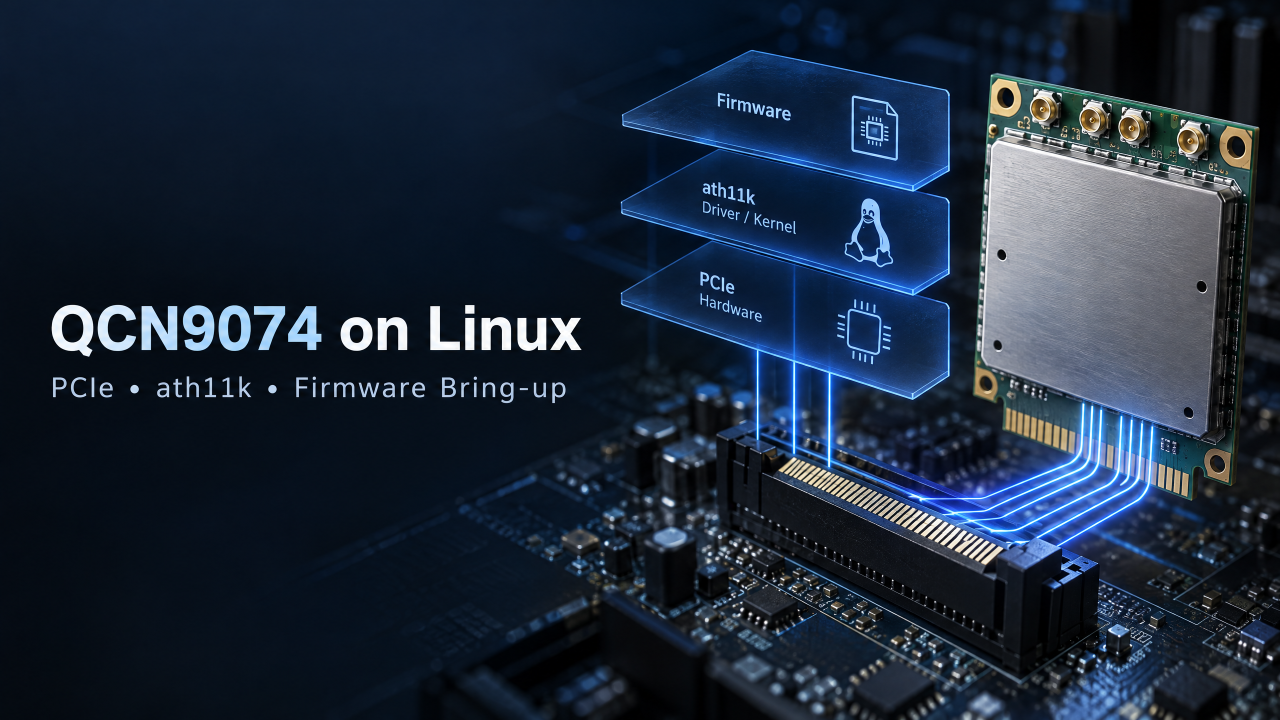
You plug a QCN9074 4×4 Wi-Fi 6 module into your board, boot Linux, and nothing happens. lspci shows no device, or the driver loads but no wlan interface appears.
If that sounds familiar, you are in good company. Most QCN9074 integration problems are not chip problems. They come from three layers that have to line up: the PCIe hardware, the ath11k driver and kernel, and the firmware.
In this article I walk through the integration path I recommend to engineers, whether you are building on a Qualcomm IPQ-based board or a third-party x86 platform running Ubuntu:
- How to confirm PCIe enumeration at the hardware level
- Which kernel options ath11k needs, and how to think about kernel versions
- Where the firmware files live and what a missing file looks like
- A step-by-step bring-up on x86 Ubuntu
Step 1: Confirm PCIe enumeration
In Linux, the QCN9074 is a PCIe network device. Before touching any driver, make sure the host can see it.
Check the hardware basics first: stable power before PERST# is released, a clean 100 MHz reference clock, intact PCIe differential pairs, and antennas or 50 ohm loads on all four RF ports.
Then run:
lspci -nn | grep -i qualcommA healthy result looks like this (example):
03:00.0 Network controller [0280]: Qualcomm Technologies, Inc QCN9074 802.11ax PCIe Wireless Network Adapter [17cb:1104]The PCI ID 17cb:1104 confirms you are looking at a QCN9074. Next, compare what the link supports with what it negotiated:
sudo lspci -vv -s 03:00.0 | grep -E "LnkCap|LnkSta"If LnkSta reports a lower speed or width than LnkCap, suspect routing quality, the reference clock, or host PCIe settings.
Rule of thumb: if the device does not show up in lspci, the problem is in hardware (power, reset, clock, routing or socket contact). Do not spend time on the driver yet.
Step 2: Match the ath11k driver to your kernel
The QCN9074 is supported by the Linux ath11k driver over PCI. In general, the newer the kernel, the better the support. Older or vendor-modified kernels often need backported patches.
These kernel options matter:
CONFIG_ATH11K=m
CONFIG_ATH11K_PCI=m
CONFIG_MHI_BUS=m
CONFIG_QRTR=m
CONFIG_QRTR_MHI=m
CONFIG_MAC80211=m
CONFIG_CFG80211=m
MHI and QRTR are the ones people forget. ath11k’s PCI path uses MHI to talk to the chip, so without them the driver may build but never bring the device up.
Here is how I think about the common kernel scenarios:
Scenario
Approach
Watch out for
Recent mainline kernel (for example Ubuntu 22.04’s 5.15 or newer)
Use the distribution’s ath11k and update linux-firmware
Newer features such as 6 GHz may need a newer kernel
Old or vendor BSP kernel
Backport ath11k, MHI and QRTR patches, or use backports
Large version gaps mean per-kernel adaptation work
Qualcomm IPQ SDK (QSDK or OpenWrt)
Use the SDK’s matching ath11k and firmware
Driver and firmware must be a matched set
The kernel version, driver version and firmware version are a package. If any one of them is out of step, bring-up fails. That is why, for any driver adaptation, the first thing to establish is the customer’s exact kernel version.
These version relationships are general guidance. Check the actual support range of your own kernel and firmware.
Step 3: Get the firmware right
“The driver loads but there is no wlan interface” is, more often than not, a firmware problem.
On mainline Linux, QCN9074 firmware typically lives here:
/lib/firmware/ath11k/QCN9074/hw1.0/File
Purpose
amss.bin
Main firmware that runs on the chip
m3.bin
Supporting firmware
board-2.bin
Board data (calibration and configuration)
Verify the files are present:
ls -l /lib/firmware/ath11k/QCN9074/hw1.0/When a file is missing, dmesg usually shows a failed firmware or board data request, for example (illustrative):
ath11k_pci 0000:03:00.0: failed to fetch board dataFour practical points:
- On Ubuntu, update the linux-firmware package first. It resolves many cases on its own.
- Keep firmware and driver matched. A version that is too old or too new can fail the handshake.
- On a custom PCB with different antennas or front end, board data may need to match your hardware. Confirm with your module vendor.
- Qualcomm SDKs may use different firmware names and paths than mainline. Do not mix the two.
Step 4: Bring-up on x86 Ubuntu
If you are using a third-party x86 host, such as an industrial PC or mini PC, this is the sequence I follow.
- Connect the hardware. Attach the module through an M.2 or mini-PCIe adapter to a slot that carries PCIe signals, and connect all four antennas. Check the adapter’s power and pinout.
- Check the BIOS. Make sure the slot is enabled, and disable any power-saving option that interferes with enumeration.
- Confirm enumeration. Run lspci -nn | grep 17cb:1104.
- Update the system and firmware.
sudo apt update
sudo apt install linux-firmware
uname -r- Check driver and firmware loading.
sudo dmesg | grep -iE "ath11k|mhi|qrtr"A successful start shows ath11k identifying the chip, starting it over MHI and loading firmware (illustrative):
ath11k_pci 0000:03:00.0: BAR 0 ...
mhi mhi0: Requested to power ON
ath11k_pci 0000:03:00.0: qcn9074 hw1.0 ...
ath11k_pci 0000:03:00.0: fw_version 0x...- Confirm the wireless interface.
iw dev
iw list | grep -A5 "Frequencies"
Seeing a phy, a wlan interface and the expected 5 GHz or 6 GHz band means driver and firmware are working.
- Run a minimal test. Start an AP with hostapd, or connect as a client, then run iperf3 to confirm the link is stable before any tuning.
On a Qualcomm IPQ board the logic is the same. The difference is that you use the SDK’s matched kernel, driver and firmware, and enable the QCN9074 options in the SDK configuration.
Troubleshooting quick reference
Symptom
Likely cause
Where to look
Device missing in lspci
Power, PERST#, reference clock, routing or socket contact
Measure supply and reset timing; check adapter and BIOS
Enumerates, but link speed is low
Routing quality, clock, host PCIe setup
Compare LnkCap and LnkSta; try another slot or shorter traces
Driver loads, no wlan interface
Missing or mismatched firmware
Check the firmware directory; update linux-firmware
MHI or QRTR errors in dmesg
Kernel config missing MHI or QRTR
Enable the required options
Interface present, no 6 GHz band
Old kernel or firmware, regulatory limits
Update kernel and firmware; check regulatory settings
Drops or reboots under load
Supply droop, poor cooling
Scope the rail during transmit; improve thermals
Need help with kernel adaptation?
With the QCN9074, the hard part is often not the chip. It is the kernel you already have.
If you are integrating the QCN9074 on Linux and need driver adaptation, send us a message with the following and we can assess the right approach quickly:
- Your target platform (SoC or x86 model)
- Kernel version (uname -r) and distribution version
- Output of lspci -nn and dmesg | grep -i ath11k
- Your use case: AP, client, mesh or robot communications