

Posted on

How to Fill Out the AI Automation Request Form

Illustrative scene: a technician observes cartons passing beneath an industrial inspection camera.

Tomorrow Systems® · 524WiFi™

See how to fill out the AI automation request form, step by step. The five animated examples show what to enter about your task, equipment, delivery scope, operating requirements and contact details — and how each answer helps the technical review.

Open the project request form →

You stay in control of your brief.Prepare your answers, review them and download a copy. Submission saves the brief privately for technical review. Describe your system in the form; technical file exchange and any NDA can be arranged separately.

1. Define what the automation must do

Illustration of a technician observing cartons on a conveyor beneath an industrial inspection camera.

Tomorrow Systems®AI Automation · 524WiFi™

A task you can picture — and test

Describe the product, its movement and the result you need. This gives the technical review a concrete inspection task to work with.

AI-generated illustrative scenario · animation highlights the example task.

Choose the application area and state the function you have already defined. Explain what enters the system, what processing is required, and what exact result reaches a person, machine or software application. Include the event that triggers the task and how frequently it occurs.

Example brief: “At the packing conveyor, count each closed box crossing the inspection zone. Send the running count to the existing PLC and show an operator alert when a box is missing from an expected position.” This describes a function that can be assessed against the site and equipment information supplied later.

For inputs, identify the camera stream, sensor signal, machine status or API message. Add the expected rate or volume. For outputs, name the recipient, message or action. For acceptance, describe a repeatable test with the relevant sample conditions and a result that the project owner can check.

Illustrative acceptance requirement: “During a 30-minute test at 20 boxes per minute, compare the recorded total with a manually verified reference. Record every mismatch and verify that the operator receives the agreed missing-box alert.” These figures are example requirements, not measured product performance. Set your own thresholds for accuracy, delay, false alarms and permitted missed events where relevant.

Also select your starting stage. A defined first project, an existing prototype and a planned series deployment each provide a different starting point for engineering assessment. The form asks you to confirm that the required function and acceptance test are already defined.

2. Describe the equipment and installation
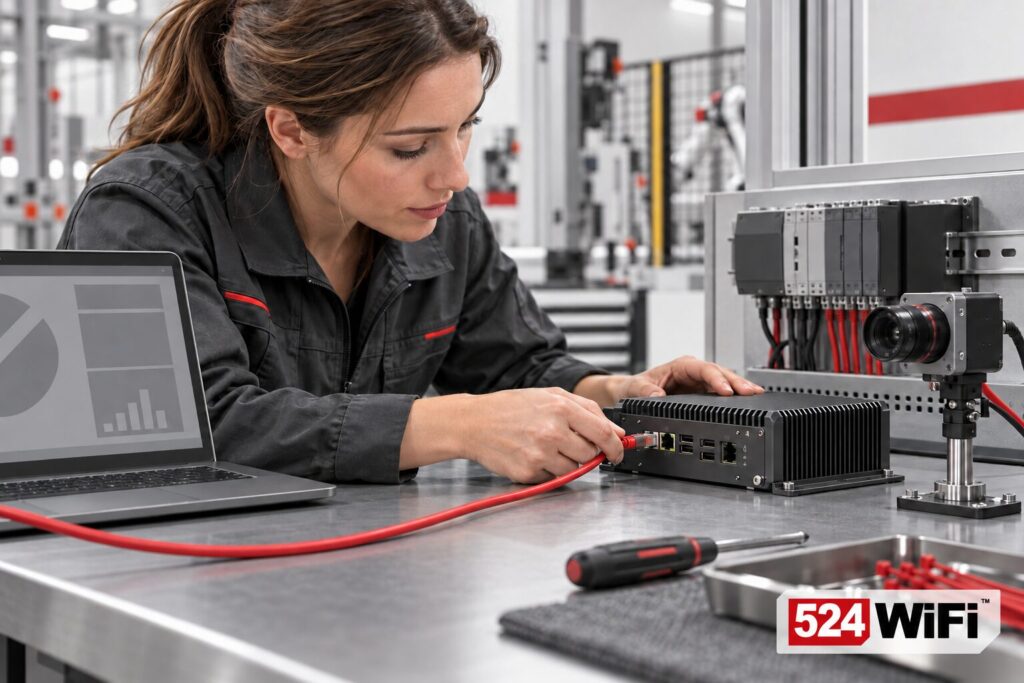
Illustration of an engineer connecting an Ethernet cable to an edge computer beside a camera, PLC and laptop.

Tomorrow Systems®AI Automation · 524WiFi™

Show us what the solution has to connect to

Equipment models, connection points and site conditions help reveal integration work early, so the proposed scope can reflect your installation.

AI-generated illustrative scenario · animation highlights the example task.

Explain how the task is performed today and list the equipment and software that the solution will connect to. Give manufacturer and model references where available, plus operating system, application version and available technical documentation. Describe the location and relevant environmental conditions such as temperature, dust, vibration, enclosure requirements and available power.

List the actual interfaces and protocols required by the receiving system. For example, identify the Ethernet connection and the specific PLC protocol or API, including the values to read or write. Describe the required network coverage, access restrictions and integration contact. You can define functional connection requirements while leaving detailed component selection to the technical assessment.

For machine vision and quality inspection

The conditional camera field asks for the inspection context. Describe the object, defect or feature, size, position, viewing distance, movement speed and lighting. State whether cameras and lenses already exist and whether representative sample images are available. Explain how normal variation differs from a reject condition. Keep a short reference in the form; technical file exchange and any NDA can be arranged separately.

For moving robots and wireless systems

Describe the route or working area, obstacles, indoor or outdoor operation, coverage expectations and behaviour at a connection loss. Include the signals carried over the network and any latency or handover requirement. This gives the assessment an operating context for connectivity and edge computing.

3. Choose the delivery scope and application responsibility

Illustration of an engineer preparing an edge computer and camera at a bench beside a pilot conveyor station.

Tomorrow Systems®AI Automation · 524WiFi™

Make the first deliverable tangible

Choose the initial pilot, hardware bundle or integration you want assessed. A defined first step gives both sides a useful basis for discussing effort and delivery.

AI-generated illustrative scenario · animation highlights the example task.

The form offers hardware supply, a validated hardware and connectivity bundle, a proof of concept or pilot, hardware and application integration, or a repeatable OEM product or series. Select the deliverable that you want assessed and explain its boundaries in your task description.

Specify who provides the application: your existing team, your development team, an integration partner, or requested development of the application defined in the brief. This separates hardware selection from application work and makes dependencies visible. Name any existing application or partner where appropriate.

Select the initial quantity, indicative project budget and intended start window. The budget ranges in the form cover planning for hardware and engineering; they help align the proposed first step with your resources. Include any deadline that depends on a production shutdown, customer demonstration or external integration. Price, scope and schedule are agreed individually after assessment.

4. Define operating behaviour, data and site requirements

Illustration of two operators reviewing a carton inspection image together at an industrial workstation.

Tomorrow Systems®AI Automation · 524WiFi™

Keep ownership of the operating decision

Define who reviews an uncertain result and what response is acceptable. The review can then account for the people, data and process around the equipment.

AI-generated illustrative scenario · animation highlights the example task.

Explain what the system should do when data is missing, a result is wrong or a connection is lost. State whether it should request operator review, record a fault, retain an approved state or request a controlled process response. Identify who approves that behaviour and who is responsible for the surrounding machine or process.

Choose the consequence category that matches your application, from correcting information through operator review to production or safety impact. Where machine movement or people’s safety can be affected, describe the relevant safety responsibilities and validation requirements so the project can be scoped appropriately.

Select the data category and deployment country or region. Explain whether images can include people, whether personal or sensitive information is involved, where data should be stored, and who may access it. Add applicable site rules, required compliance documents, remote-access conditions and support expectations. State a required certification or standard precisely if your organisation has specified one; the form does not establish certification or regulatory approval.

5. Review the brief and submit a complete request

Illustration of a customer and engineer reviewing a project checklist beside an edge computer and inspection camera.

Tomorrow Systems®AI Automation · 524WiFi™

A brief that both sides can review

Bring the required function, acceptance test and responsibilities together. Check your answers and keep a downloaded copy before submitting your request.

AI-generated illustrative scenario · animation highlights the example task.

Provide your business name, contact person and response email. Phone and additional notes are optional. Use “Review all my answers” to check that the function, inputs, outputs, acceptance test and operating conditions tell the same story. The acknowledgement confirms that you are submitting a defined function and acceptance criteria for technical feasibility review.

After a successful submission, keep the displayed reference number with your project records. It identifies the brief for the next technical review.

The assessment can lead to a hardware selection, evaluation kit, validated connectivity bundle or a scoped pilot with application integration. NVIDIA Jetson is one platform option for local AI and machine vision; the stated requirements guide the eventual platform choice. Specific technical clarification questions can then build on the brief you have supplied.

Ready to describe your project? Bring your defined task, equipment information and measurable acceptance criteria into the form.

Submit your AI automation project →

Prepared by Tomorrow Systems® for 524WiFi™. Source: the published five-step AI automation project request form. Scenes are AI-generated illustrations of example situations. Example figures describe requirements, rather than measured product performance.

Plan your project with Tomo AI Automation

Bring your application, enclosure, interfaces, power requirements, software environment and expected quantity into one project brief. Tomorrow Systems® and 524WiFi™ can review the engineering scope with you.


Explore the automation project hub and request form →

Posted on

524WiFi™ Tomo AI Core NVIDIA: Engineering an Industrial Edge AI System

524WiFi™ Tomo AI Core NVIDIA: Engineering an Industrial Edge AI System

524WiFi™ Tomo AI Core NVIDIA brings edge AI compute and deployment-focused system integration together. This guide explains how to select cooling, power, interfaces and connectivity for the intended industrial installation.

A Jetson module can deliver impressive AI performance. But AI performance alone doesn’t make a computer industrial-grade.

Spec sheets make it easy to forget this. TOPS, memory bandwidth, and supported camera streams are easy to compare, so they become the default way to judge a platform. But no one has ever lost a deployment because a benchmark score was too low. They lose deployments to a unit that overheats in a sealed cabinet, a controller that corrupts its filesystem after a brownout, or a fleet of devices nobody can reach when something goes wrong.

The module is where the AI starts. The product is everything built around it.

Industrial-grade is not a label on the enclosure

“Industrial” is one of the most overused words in embedded computing. A metal case and a wide-temperature sticker don’t make a system industrial. What matters is what was actually tested, and under what conditions.

  • Temperature: Does the wide operating range apply to the module alone, or to the complete system running a real workload? A board that survives -20°C idle is a different thing from a system that boots cold, runs inference at full load, and still performs at 60°C inside an enclosure.
  • Thermal design: Is the heat path engineered for the actual installation (fanless, sealed, dusty, direct sun), or only for an open bench?
  • Vibration and shock: Mobile robots, vehicles, and machinery shake constantly. Connectors, memory, storage, and heatsink mounting all need to survive that, not just the board’s solder joints.
  • Power: Industrial supplies are noisy. Voltage swings, surges, reverse polarity, and cranking dips on vehicles are normal conditions, not edge cases.
  • EMC: A system that works in the lab but interferes with, or is disrupted by, the motor drives and radios next to it isn’t ready for the field.

The key question for each of these is simple: tested how, and under what load? Claims without conditions aren’t specifications.

The problems that get overlooked

The headline requirements get discussed in every datasheet. The ones that cause real trouble in the field are usually quieter.

Thermal headroom under sustained load. Many edge AI workloads don’t run in bursts. A vision pipeline may run at full utilization for 24 hours a day. A system that benchmarks well for five minutes can throttle after an hour, once the enclosure has heat-soaked. Performance on paper is the peak. Performance in the field is whatever survives thermal equilibrium.

Recovery after sudden power loss. Machines get switched off at the wall. Batteries brown out. Cables get yanked. What happens next matters: does the system boot cleanly, or does it need someone on site with a keyboard? Robust storage design, filesystem protection, and sensible power-fail behavior are what separate a product from a prototype.

Remote operation. Once hundreds of units are deployed, you can’t send an engineer to each one. Watchdogs, remote update, out-of-band access, logging, and health monitoring decide whether a failure is a five-minute fix or a site visit.

Long-term availability. Industrial products often stay in service for many years, while consumer-oriented components change every product cycle. A design that can’t be reproduced, supported, or replaced consistently becomes a liability for the customer long after the first shipment.

None of these show up in an AI benchmark. All of them show up in the total cost of a deployment.

Why the carrier board and system design matter as much as the module

The same Jetson module can end up in very different products: a lab dev kit, a camera box on a factory line, a computer inside an autonomous forklift, a controller in an outdoor enclosure. The module is identical. The products are not.

The difference comes from everything around the module:

  • Power architecture: input range, protection, and sequencing
  • I/O selection: which interfaces are exposed, how they’re protected, and how connectors are locked down
  • Thermal and mechanical design: how heat leaves the system and how the system is held together
  • Storage and boot design: how it behaves when things go wrong
  • Connectivity: wired and wireless links that stay stable next to heavy electrical noise

A carrier board designed for a deployment environment is a very different object from one designed to expose as many pins as possible. The first reflects what the product will actually face. The second is a development tool.

This is why asking “Which Jetson module is it?” tells you only part of the story. Two systems built on the same module can differ by an order of magnitude in how reliably they run in the field. System design decides whether the module’s potential becomes a working product.

Five questions engineers should ask

When evaluating any Jetson-based system for a real deployment, a short list of questions cuts through the marketing:

  1. Can it sustain the target workload without thermal throttling? Ask for data at the maximum ambient temperature, in the real enclosure, over hours rather than minutes.
  2. Can it handle the actual power conditions? Check input range, transient protection, and behavior during brownouts and ignition events.
  3. Can it recover safely from unexpected failures? Consider power loss, storage faults, and software hangs, and whether recovery needs a human.
  4. Can it connect reliably to the required peripherals and networks? The right ports, the right protection, and stable wireless performance in the target environment.
  5. Can it be maintained and supplied over the intended product lifetime? Think about update paths, remote management, and component availability years from now.

If a supplier can answer all five with test data rather than adjectives, you’re probably looking at an industrial system. If the answers are vague, you’re probably looking at a module with a case around it.

The takeaway

Jetson’s AI compute is a remarkable starting point. But starting point is the key word. The real engineering work is turning that compute into something that runs reliably in a hot cabinet, on a vibrating vehicle, or at the end of a long-haul network link, for years, without anyone touching it.

Industrial-grade isn’t defined by one component or one specification. It’s defined by how reliably the entire system performs in its intended environment.


What’s the hardest environment you’ve had to deploy edge AI in? I’d be interested to hear what broke first.

524WiFi™ · Tomo AI Core NVIDIA · deployment illustrationTomo AI Core NVIDIA · deployment illustration
Concept illustration of local AI inference in industrial automation. Hardware appearance in this supplementary scene is illustrative; model-specific photographs and specifications are shown above. Open full-size image

524WiFi™ Pulse Options for Your Project

These are separate own-brand product variants. Select the model and configuration against your host, software, antenna system and operating requirements.

Plan your project with Tomo AI Automation

Bring your application, enclosure, interfaces, power requirements, software environment and expected quantity into one project brief. Tomorrow Systems® and 524WiFi™ can review the engineering scope with you.
Explore the automation project hub and request form →

Posted on

Tomo AI Core NVIDIA + Wi-Fi HaLow: Long-Range Edge AI Connectivity

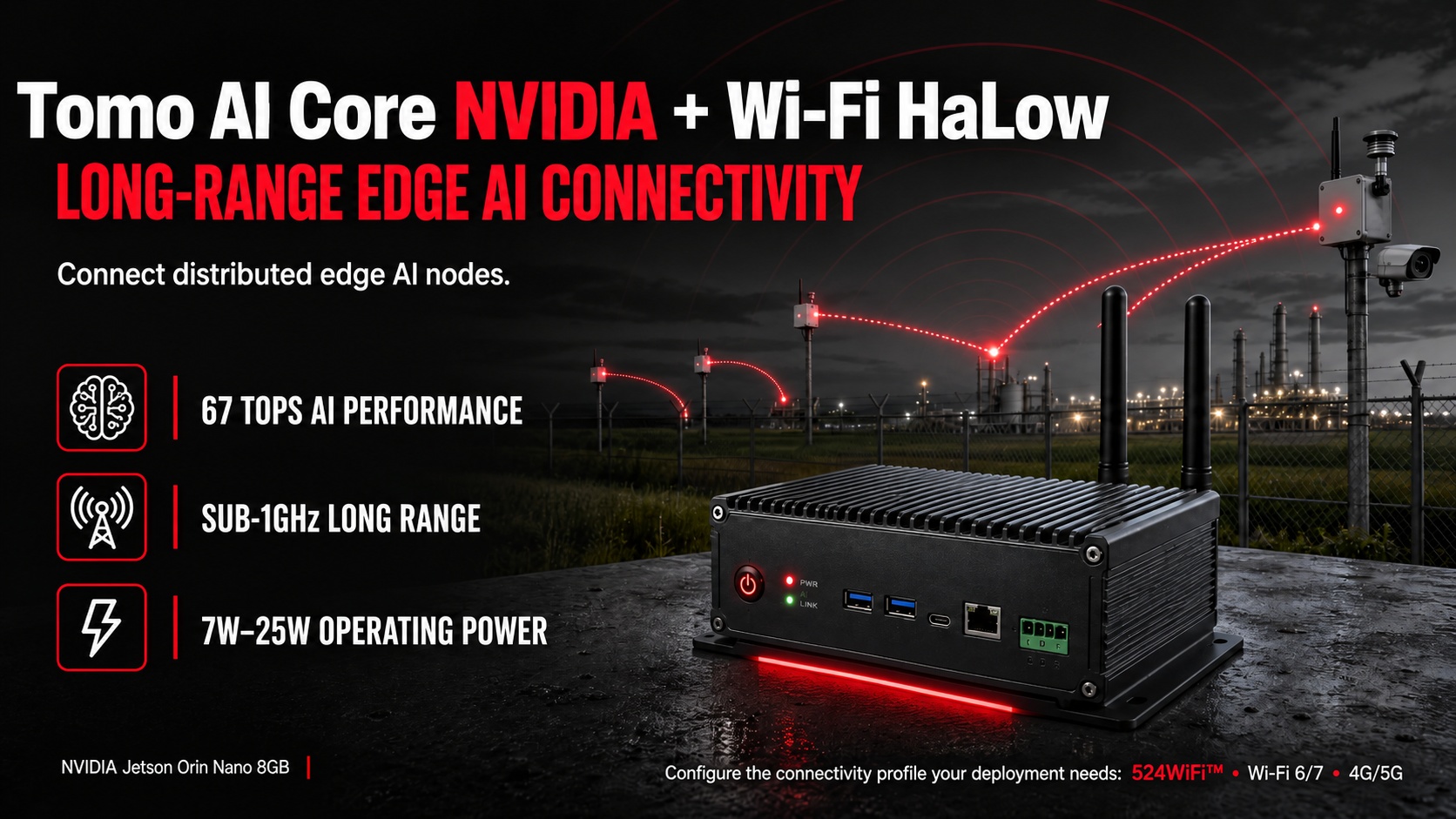
524WiFi™ Tomo AI Core NVIDIA with Wi-Fi HaLow for distributed edge AI connectivity

Edge AI devices are only as useful as the network they run on. A vision model that can detect a defect or a person in real time is worthless if the data can’t get back to the control system — especially in outdoor, long-range, or power-constrained deployments where traditional 2.4GHz/5GHz Wi-Fi simply doesn’t reach. That’s the gap Wi-Fi HaLow (IEEE 802.11ah) is built to close, and it’s now available as a connectivity option for the 524WiFi™ Tomo AI Core NVIDIA, our NVIDIA Jetson Orin Nano-based edge AI platform.

What Is Wi-Fi HaLow and Why Does Edge AI Need It?

Wi-Fi HaLow operates in the sub-1GHz spectrum (900MHz ISM band in most regions) instead of the 2.4GHz/5GHz bands used by conventional Wi-Fi. Lower frequency signals travel farther and penetrate walls, foliage, and structural obstacles far more effectively — which is exactly why HaLow is positioned by the Wi-Fi Alliance for long-range, low-power IoT and sensor connectivity rather than high-bandwidth video streaming.

For edge AI deployments, this matters in a specific way: many Jetson-based inference nodes don’t need gigabit throughput — they need to reliably send detection results, telemetry, or compressed metadata back to a gateway from hundreds of meters away, often on battery or solar power. That’s a connectivity profile standard Wi-Fi and even LTE/5G aren’t always the right fit for, either on range, power draw, or cost.

How Wi-Fi HaLow Connects with the Tomo AI Core NVIDIA

The Tomo AI Core NVIDIA pairs an NVIDIA Jetson Orin Nano 8GB SOM (67 TOPS AI performance, 1024-core Ampere GPU, 6-core Arm Cortex-A78AE CPU) with a industrial carrier board built for industrial edge deployment — 5x Ethernet (including PoE), CAN FD, RS485, GPIO, and M.2 PCIe NVMe expansion.

Wi-Fi HaLow is integrated as a module option on that same carrier board, alongside the existing 2.4G/5.8G Wi-Fi and optional 4G/5G cellular paths. In practice this means a single AI Box can be configured for the connectivity profile the deployment actually needs: short-range high-bandwidth Wi-Fi for a warehouse, cellular for a mobile asset, or HaLow for a long-range, low-power sensor or camera node spread across an outdoor site.

Wi-Fi HaLow vs. Traditional Wi-Fi for Long-Range Edge AI

The two technologies solve different problems rather than competing head-to-head.

Range: traditional 2.4/5GHz Wi-Fi typically covers tens of meters indoors; Wi-Fi HaLow’s 900MHz band extends to hundreds of meters, up to roughly 1km line-of-sight.

Obstacle penetration: traditional Wi-Fi signal degrades quickly through walls and foliage; HaLow’s lower frequency travels through obstacles more effectively.

Power consumption: traditional Wi-Fi draws more power, which is fine for mains-powered devices; HaLow’s lower power draw suits battery- or solar-powered nodes that need to run for months between service visits.

Throughput: traditional Wi-Fi 6/7 scales up to multi-Gbps for video and high-bandwidth workloads; HaLow trades throughput for range and efficiency, which is enough for sensor telemetry and detection metadata but not for streaming video.

Best fit: traditional Wi-Fi suits dense, high-bandwidth environments like a multi-camera inspection line; HaLow suits long-range, low-power, distributed nodes like an outdoor perimeter or a field spread across acres.

A multi-camera vision inspection line still needs Wi-Fi 6/7 for bandwidth; a perimeter sensor network spread across a farm or port doesn’t — which is why the Tomo AI Core NVIDIA supports both as configurable options rather than picking one.

Edge AI Applications Enabled by Wi-Fi HaLow

  • Agriculture: Jetson-based cameras or sensor nodes spread across large fields, sending detection or telemetry data back to a central gateway without running cable or relying on cellular coverage.
  • Perimeter and outdoor security: long-range camera nodes in ports, campuses, or industrial yards where mesh Wi-Fi backhaul isn’t practical.
  • Logistics and asset tracking: distributed sensor nodes across a yard or warehouse exterior, where battery life matters more than throughput.
  • Smart infrastructure: environmental or condition-monitoring sensors feeding low-power edge AI nodes over long distances.

524WiFi™ Tomo AI Core NVIDIA + Wi-Fi HaLow: Hardware Summary

  • Compute: NVIDIA Jetson Orin Nano 8GB SOM (part of the Jetson Nano/Orin Nano product family), 67 TOPS AI performance, 1024-core Ampere GPU with 32 tensor cores, 6-core Arm Cortex-A78AE CPU, 8GB 128-bit LPDDR5
  • Connectivity options: Wi-Fi HaLow (long-range, sub-1GHz), onboard 2.4G/5.8G Wi-Fi, optional 4G/5G (Nano SIM), 5x Ethernet (1x independent PoE 48V RJ45 + 4x shared RJ45)
  • Interfaces: CAN FD, RS485, RS232, 4x USB 3.0, USB-OTG, 4x GPIO, HDMI 2.0, M.2 PCIe NVMe 2280
  • Power: 7W–25W operating range

If you’re evaluating long-range or low-power connectivity for a Jetson-based edge AI deployment, we’re happy to talk through whether Wi-Fi HaLow, industrial Wi-Fi 6/7, or a hybrid configuration fits your use case. Reach us at info at 524wifi.net or .com

Plan your project with Tomo AI Automation

Bring your application, enclosure, interfaces, power requirements, software environment and expected quantity into one project brief. Tomorrow Systems® and 524WiFi™ can review the engineering scope with you.
Explore the automation project hub and request form →

Posted on — Leave a comment

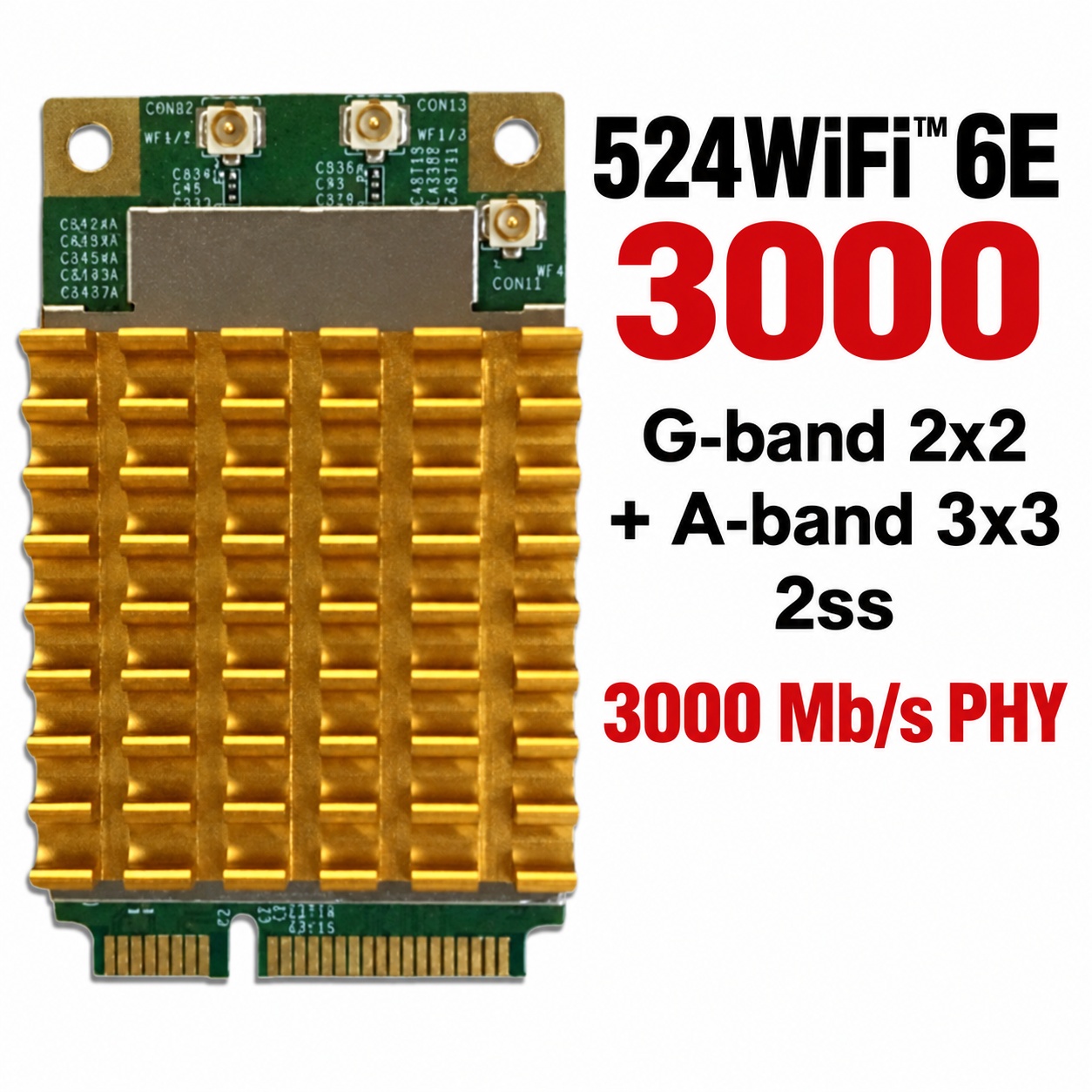
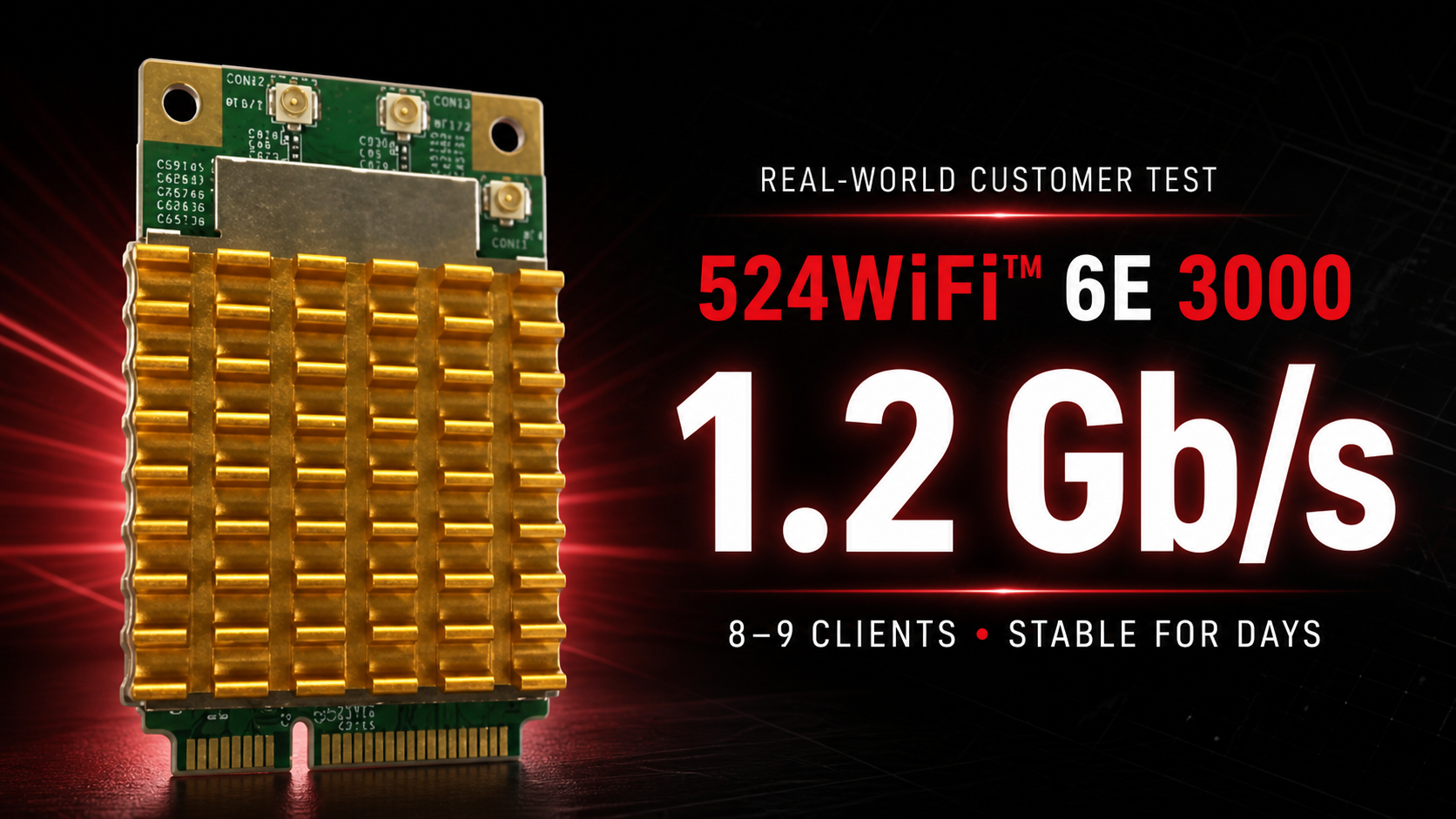
524WiFi™ 6E 3000 Real-World Test: Sustained 1.2 Gbps with 8–9 Clients

524WiFi™ 6E 3000 customer test: 1.2 Gb/s with 8–9 clients

A real customer deployment has put the 524WiFi™ 6E 3000, SKU 524WiFi-7916-NPD through exactly the kind of demanding upgrade this professional module was built for: an older desktop platform, a Linux access point, multiple simultaneous clients and sustained gigabit-class traffic. The verdict was immediate:

“this device is a banger”

524WiFi-7916-NPD professional mPCIe Wi-Fi module

This is not a theoretical peak-rate claim. In the customer’s own working access-point setup, the card sustained 1.2 Gb/s to a Wi-Fi 6 client while serving a real network.

The upgrade that finally delivered

The customer installed the 524WiFi-7916-NPD in an older small-form-factor PC through a miniPCIe-to-PCIe adapter. It was configured as a Linux access point using hostapd—the service that lets a compatible Wi-Fi module operate as an access point and manage connected clients.

After years limited to older Wi-Fi technology and several unsuccessful adapter trials, this was the module that finally delivered the upgrade he wanted.

1.2 Gb/s with 8–9 concurrent clients

  • 1.2 Gb/s sustained application throughput
  • 8–9 simultaneous Wi-Fi 6 and Wi-Fi 5 clients
  • Several days of continuous operation without a crash
  • Stable Linux access-point operation
  • A successful upgrade on a legacy desktop platform

The customer described the setup as “very stable.” That combination of real throughput, multi-client operation and stability is why 524WiFi™ focuses on specialist wireless hardware for professional integrations.

A practical note about cooling

The customer also reported that the card runs quite hot despite its fitted heatsink. In this compact installation, the slot direction left the module upside down. It nevertheless remained stable, but builders should provide suitable airflow and verify temperatures in compact or passively ventilated systems.

Why customers choose 524WiFi™

Strong hardware is only part of the purchase. Correct product selection, dependable logistics and specialist experience matter just as much.

“i’d recommend”

“as usual, 524wifi order, logistics, products are top notch quality.”

That feedback captures what 524WiFi™ is built to deliver: carefully selected professional wireless products backed by an experienced supplier selling online since 2003.

Build your own high-performance access point

For a compact mPCIe radio for a Linux router, access point, embedded system or specialist wireless upgrade, choose the 524WiFi-7916-NPD. The customer’s result shows what the right 524WiFi™ module can unlock—even in hardware more than a decade old.

Posted on — Leave a comment

Qualcomm FastConnect 8800: A Wi‑Fi 8 Hardware Planning Guide for Embedded Module Teams

524WiFi™ Wi‑Fi 8 wireless module centered for the FastConnect 8800 engineering guide

Wi‑Fi 8 is now a hardware-planning issue, not just a standards roadmap. On 2 March 2026, Qualcomm Technologies introduced the Qualcomm® FastConnect™ 8800 Mobile Connectivity System alongside its wider Wi‑Fi 8 portfolio. For embedded-device and wireless-module teams, the most important news is not simply the headline PHY rate. It is the move to a 4×4 mobile radio architecture and the resulting impact on antennas, host bandwidth, power, heat and coexistence.

This engineering guide from 524WiFi.net™ translates the announcement into practical design questions for teams planning laptops, tablets, robots, edge-AI systems and other compact connected products.

FastConnect 8800 specifications at a glance

Qualcomm describes FastConnect 8800 as a single-chip, 6 nm connectivity system that combines Wi‑Fi 8, Bluetooth® High Data Throughput, Ultra-Wideband and Thread. The published Wi‑Fi specifications include:

  • a 4×4 radio configuration;
  • a peak PHY rate of up to 11.6 Gbps;
  • 2.4 GHz, 5 GHz and 6 GHz operation;
  • channels up to 320 MHz and 4K QAM;
  • High Band Simultaneous Multi-Link, uplink and downlink MU-MIMO, and OFDMA;
  • Wi‑Fi 8 Extended Long Range (ELR); and
  • support for earlier Wi‑Fi 7, Wi‑Fi 6E and Wi‑Fi 6 generations.

Qualcomm also reports up to three times longer gigabit range than its previous generation under the company’s stated 4×4, 320 MHz, RF front-end and ELR test conditions. Both the speed and range figures are platform claims rather than guaranteed product-level results: enclosure design, antennas, drivers, regional spectrum rules and the peer device will determine real performance.

Why a 4×4 mobile radio changes the integration plan

Four useful RF paths must fit inside the product

A four-stream radio needs more than four connectors on a schematic. Each path must remain useful after the module is installed in the final enclosure. Antenna spacing, polarization, cable loss, ground-plane interaction and isolation all matter across 2.4, 5 and 6 GHz. Metalwork, displays, batteries and edge-compute boards can detune antennas or create asymmetric paths that erase the expected 4×4 benefit.

Teams should reserve antenna volume early and validate the complete mechanical assembly, not only an open-bench reference setup. This is especially important for robots and industrial systems, where orientation and nearby machinery can change rapidly.

The host interface cannot be an afterthought

An 11.6 Gbps PHY rate is not the same as application throughput, but it still raises the ceiling for every subsystem around the radio. PCIe lane configuration, memory bandwidth, interrupt handling, CPU load, DMA behavior and driver architecture must be considered together. A next-generation radio connected through a constrained host path will deliver a constrained result.

Before freezing a carrier board, define realistic simultaneous traffic targets and include protocol overhead, multi-link scheduling and bidirectional workloads. Our Wi‑Fi 5 to Wi‑Fi 7 module selection guide shows why host compatibility and software support already matter as much as radio specifications.

Power delivery and thermal behavior need system-level testing

More RF chains, wider channels and concurrent links can increase peak power demand. The module, voltage regulators, connector and PCB must tolerate short bursts without instability, while the enclosure must prevent sustained workloads from triggering thermal throttling. Average consumption alone is not enough: measure peak current, rail noise and temperature under worst-case traffic, ambient conditions and antenna mismatch.

Coexistence becomes a product feature

FastConnect 8800 integrates Wi‑Fi, Bluetooth, UWB and Thread, and Qualcomm’s Proximity AI concept combines Wi‑Fi Ranging, UWB and Bluetooth Channel Sounding for direction and distance awareness. Integration reduces component count, but it also makes coexistence planning more important. Antenna topology, filtering, clocking and firmware scheduling should be tested with multiple radios active at once.

Wi‑Fi 8 changes the target from peak speed to dependable performance

Wi‑Fi 7 brought 320 MHz channels and multi-link operation into current high-performance designs. Wi‑Fi 8, based on IEEE 802.11bn, is being positioned around more reliable performance, useful range and predictable behavior under load. That shift is relevant to edge AI, autonomous machines and industrial links, where a stable latency envelope may be more valuable than a laboratory maximum.

The design question therefore changes from “Which radio has the highest number?” to “Which complete platform maintains the required throughput and latency in the real enclosure, spectrum environment and thermal budget?” Our article on tri-band Wi‑Fi for edge-AI platforms provides a practical baseline for systems being built today.

A practical Wi‑Fi 8 readiness checklist

  1. Reserve RF and mechanical space. Plan four antenna paths, isolation targets and connector access before the enclosure is fixed.
  2. Budget host throughput. Check the real PCIe configuration, CPU and memory path against bidirectional application traffic.
  3. Design for peak power. Validate transient current, rail stability and worst-case thermal conditions.
  4. Test concurrent radios. Include Wi‑Fi, Bluetooth, UWB and Thread coexistence in the validation matrix.
  5. Confirm the software path. Driver availability, operating-system support, firmware maturity and regulatory features remain deployment gates.
  6. Separate roadmap claims from production requirements. Use measured application performance and certified configurations as release criteria.

What product teams should do in 2026

Qualcomm says FastConnect 8800 is sampling to customers and expects commercial products later in 2026. That makes Wi‑Fi 8 relevant for new platform architecture, but it does not make proven Wi‑Fi 6E and Wi‑Fi 7 modules obsolete. Designs entering production now should still be selected according to available drivers, lifecycle, certification, regional 6 GHz rules and the throughput the application can actually use.

524WiFi™ and Tomorrow Systems® are following Wi‑Fi 8 module development with the same criteria applied to current hardware: stable software, credible RF design and repeatable performance outside the test bench. Browse our current wireless network modules while planning the transition path for your next platform.

Primary sources: Qualcomm Technologies, “Qualcomm Debuts AI-Native Wi‑Fi 8 Portfolio”, and the Qualcomm® FastConnect™ 8800 product page, both published 2 March 2026. Peak-rate and range statements above are Qualcomm claims; peak speed refers to PHY rate and actual results depend on implementation, configuration and network conditions.

Posted on

NSA Non-Standalone vs SA Standalone 5G New Radio Technologi

As 5G is moving in to it’s fifth generation chipset with the Qualcomm SDX8x series 3GPP Rel-18 compliant architecture, a question of the network side of 5G still lingers among many of our customers. We have already covered what 5G RedCap (NR-Light) is, it’s pros and cons and what it will mean for the future of IoT connectivity, but for the attentive reader one thing stands out: it requires 5G SA. And in reality, a lot of the promises of a future with 5G evolves around this technology, namely a complete 5G network, from the core (datacenter) to the RAN (base station) and everything in between being 5G.

In this post we will dive in to some of the so called options in 5G networking, the multitude of abbreviations, as well as the differences in technology.

5G Networking – Non-Standalone vs Standalone 5G New Radio

LTE Networking

Let’s start by taking a step back and look at LTE (4G) networking. The so-called Option 1 consists of an Evolved Packet Core (EPC – the 4G core network) and eNodeB (eNB – 4G cellular base stations). It can be defined as an SA option as it utilizes 4G from backend to frontend, and as long as you have a 4G LTE capable device you can connect to the network and use it’s functions as we’ve all come to know it.

Simplified picure of LTE Networking

5G networking

Non-Standalone

When looking at 5G networking, things quickly became more complex. As previously mentioned 5G NSA was introduced as a way to ease the burden on the operators when deploying 5G base stations, by utilizing part of the existing 4G network already in place. The most popular approach to this dual-networking is called Option 3 with it’s abbreviation EN-DC (E-UTRA-New Radio Dual-Connectivity – IE 4G and 5G dual-mode).

Worth noting is that Option 3 in turn contains 3 sub-options 3, 3a and 3x. Most of which are available in eMBB (high-speed) 5G modules today, but notably not in RedCap.

By using NSA the modules and network uses some intelligence to know when to utilize the 5G side of the network, vs the 4G side of the same. This has been around for quite a while now, and we are starting to see 5G SA investments increasing globally.

Simplified picture of 3x, as we can see here, the 4G core of the network is connected with both an LTE eNB and 5G gNB (base station).

Simplified picture of NSA

Standalone

5G SA is the final step in the migration to 5G networks, where you switch the core of the network itself to 5G so that it acts as option 1 but with 5G, now called option 2. Don’t get us wrong, it’s nowhere near as easy as “remove this and replace with that” but in an overly simplified manner it now looks like the picture below.

Simplified picure of 5G SA

The options a module can work with are typically outlined in the datasheet or hardware guide. As mentioned above however, most new eMBB (high-speed) 5G modules can use both 5G NSA (typically ENDC Option 3/3a/3x) and 5G SA (Option 2) + LTE fallback (Option 1).

If you want to learn more about Standalone deployments, Ookla and Omdia has released a report with information on the current state of deployments: https://www.ookla.com/articles/europe-5gsa-2025

Posted on

The state of 5G Standalone in Europe, 5G SA x 5G NSA

A recent report by Ookla and Omdia highlights the current state of 5G standalone globally, showing the state, or rather lack thereof of 5G SA in Europe. 

A key takeaway cited in the report states that Europe severly lags other regions in 5G SA availability. Within Europe, you also see a great disparity between countries. “Germany, the United Kingdom, and Spain – all four-player markets benefiting from targeted 5G SA specific fiscal stimuli or coverage obligations  – lead Europe in terms of 5G SA rollout across multiple operators”.

“However, as the industry moves into the mid-point of the 5G cycle with 5G SA, Southern Europe has taken on a more prominent role, while the Nordics have been less central compared to their leading position in the initial wave of non-standalone commercialization. For instance, large-scale 5G SA deployments have been observed in multiple Southern European countries such as Spain, Portugal and Greece, while Finland remains the only Nordic country to date with a substantial 5G SA footprint.” The full report is available here.

Conclusion:

Europe is at an important crossroads in its 5G journey. Despite setting the most ambitious infrastructure targets among advanced liberal economies, the bloc continues to lag behind its developed peers in key measures of network reach and performance with 5G SA—a technology it has positioned as central to its emerging pro-growth industrial strategy and the broader European competitiveness compass. A confluence of challenges—including a depressed investment environment, reliance on legacy business models, skills shortages, technical barriers, and insufficient targeted government support— continues to impede the wide-scale deployment and monetization of 5G SA networks in Europe. Leading markets such as Germany, Spain, and the United Kingdom have made notable strides through targeted fiscal measures and strategic coverage obligations. However, the isolated nature of these successes highlights the urgent need for a more coordinated, pan-European strategy to accelerate 5G SA deployment and adoption as a distinct objective, separate from the bloc’s broader 5G coverage goals.

Posted on

Certifications and registrations

W-8BEN-E — Corporate tax document

Signed form for Tomorrow Systems® s.r.o., available to US customers and business partners.

View signed W-8BEN-E (PDF)

Our other main projects and websites, some of which we have been successfully running for more than two decades :

524wifi.com

www.tomorrows.cz

www.wodaplug.com

We have won many Red Dot Design wards, Product sof the Year, Best IT data eshop from 2009, for example Heureka Product of the Year 2013:

HEUREKA PRODUCT OF THE YEAR 2013

You can verify the insurance of our SSL certificate with:

RapidSSL

Here we can be found on Microsoft bingo:

BING

Here we are searchable and traceable on GOOGLE:

Google

The security of your data as formulated by the EU (the declaration and terms and conditions are on all our websites separately):

GDPR

Confirmation of our VAT registration (EU VAT) for 22 years:

EU VIES

Our details in case you want to authenticate online in the EU form: CZ26705257

CE certifications are a matter of course, you can read about CE here, we also participate in the SAFE HARBOR program and many others.

The D&B D-U-N-S ® DUNS Number : 511298437

NATO NCAGE code:  8484G

SAM Unique Entity ID : XC8LLLYYKRJ5

JOSCAR HELLIOS Certificate : 10040624

Experience Excellence Since 2003

With a legacy spanning over two decades, our online platform has been a trusted destination for tech enthusiasts since 2003.

Unbeatable Prices and Services

Shop with confidence knowing you’re getting the best value for your money, backed by exceptional customer support every step of the way.

Fastest Delivery

Experience lightning-fast delivery and enjoy the lowest shipping prices available in the market. We deliver worldwide, quick and reliable using FEDEX and DHL.

About Us

Welcome to 524wifi – home of the best WiFi & LTE 5G NR & Internet over Coax & GEPON Passive Optical networks!

We are EU, US + CA and worldwide distributor and service provider for more than 21 years. We offer complete pre and post sales services as well as technical support and OEM customization services. US address for a possible shipment return available !

We offer specialised networking solutions for best WiFi & LTE cellular 4G / 5G NR Wireless Data Rates, complete G EPON / XPON optical networks solution, and EOC – Ethernet Data over Coax cable. We are specialised for outdoor long range WiFi and heavy indoor and outdoor WiFi for passangers or transport applications, optical lines and Internet Over Coax cable coverage with best data rates.

We supply wireless Wi-Fi and 4G 5G LTE cellular modules worldwide. There is no continent, where we would not have a satisfied customer! Yes, we have already delivered our Wi-Fi modules to Antarctica! You can find our modules, for example, in wind turbines, drones, ships, aircraft, both civil, acrobatic and military… on land, on water and in the air. NASA has also ordered samples, so the next goal is to get them into the outer space!

With more than 21 years of experience in the Networking Industry, our partners are Wodaplug & Quectel & SPARKLAN & Compex & Wallys communications. Wodaplug offers reliable solution for Ethernet Data over Coax (EOC), G EPON and 4G 5G NR LTE routers & backup units.  Quectel leads market in LTE 5G 4G modules & IoT technologies. 524wifi is part of Google Customers Reviews program to assure customers satisfaction – Google Approved. Eshop owner is located in EU – CZ 

For News and Promo – please visit and follow as on our 524WiFi Facebook! 

We develop Qualcomm Atheros & MEDIATEK reference design miniPCIe Wi-Fi modules with best parameters, High Power and compatibility! We can HELP customers DEVELOP ath11k for DR9074 WIFI 6 cards

  We can deliver all Quectel,  COMPEX, SPARKLAN,  Wallys tech, Sierra Wireless, SIMCOM and more wireless modules and antennas for your business projects, please ask us! We deliver worldwide, quick and reliable using FEDEX and DHL.

You can also visit our corporate web page : www.524w.eu/en  or our older eshop www.524wifi.com

Frequently Asked Questions

Who we are?

Welcome to 524wifi – home of the best WiFi & LTE 5G NR & Internet over Coax & GEPON Passive Optical networks! With more than 21 years of experience in the Networking Industry, our partners are Wodaplug & Quectel & Compex & Wallys communications. Wodaplug offers reliable solution for Ethernet Data over Coax (EOC), G EPON and 4G 5G LTE routers & backup units. Quectel leads market in LTE 5G 4G modules & IoT technologies. 524wifi is part of Google and Bing Customers Reviews program to assure customers satisfaction – Google / Bing Approved. Eshop owner is located in EU

How long has 524wifi.net been in business?

We have been selling online for over 21 years, since 2003, establishing ourselves as a trusted name in the industry. There is no continent, where we would not have a satisfied customer! Yes, we have already delivered our Wi-Fi modules to Antarctica! You can find our modules, for example, in wind turbines, drones, ships, aircraft, both civil, acrobatic and military… on land, on water and in the air. Our next goal is to get them into the Space!

What sets 524wifi.net apart from other online retailers?

At 524wifi.net, we pride ourselves on offering unbeatable prices, exceptional service, and a wide range of products to meet all your networking needs. With fast delivery, low shipping prices, and custom solutions, we aim to exceed your expectations.

Do you offer international shipping?

Yes, we offer international shipping Worldwide using FEDEX and DHL. Please check our shipping information or contact customer support for details on international delivery options and associated costs.

Eshop owner

Eshop owner is located in EU – CZ. We ship from Europe Union – Czechia, Prague. For more details please Contact and About us.

Do you offer discount for ISP, dealers and resellers ?

Yes, we are project oriented and we offer discounted business price level. Please, if you are a distributor / dealer or ISP, first create an account and mail us for business login with discount.

What payment methods do you accept?

We accept various payment methods, including major credit cards, PayPal, and other secure payment gateways, to ensure a convenient and secure shopping experience for our customers. Also a SWIFT Bank wire transfer to our multi currency bank account is easy! Please see Contact page for detailed banking information.

How quickly can I expect my order to arrive?

We strive to process and ship orders promptly. Delivery times may vary depending on your location and selected shipping method. Usual lead time si very quick, 3-4 days. Dos not matter if to US, Canada or Australia …

Do you provide warranty coverage for your products?

Yes, we stand behind the quality of our products. Many items come with manufacturer warranties, and we offer additional warranty options for select products. Please refer to individual product listings or contact customer support for warranty information.
Posted on

LTE categories – are they all the same? And is a Cat-4 always a Cat-4? 

You probably know that LTE is divided in categories, shorthand “Cat” which you can see everywhere in Techship’s available documentation and website. But is higher always faster? And is a Cat-4 always a Cat-4? 

The answer surprisingly is no. Let’s take an example with LTE Cat-12 which has been around for quite a while, it boasts 600Mbps DL and 150Mbps UL capabilities. So does that mean an LTE Cat-13 module is even faster? No, an LTE Cat-13 provides 400Mbps DL and 150Mbps UL. Meaning that the uplink performance is the same, but the downlink performance is different between these two categories. This generally stems from a separation of DL/UL performance in the 3GPP standards, meaning that modules from 3GPP standard before 12 conforms to a combined UE category system, and after 12 it separates the DL/UL categories. This means that what is typically defined as an LTE Cat-7 device (300Mbps DL/150Mbps UL) is actually LTE Cat-7 UE DL and LTE Cat-13 UE UL.

And our mystical comment about LTE Cat-4? Well not all Cat-4’s are the same either. LTE Cat-4 was introduced in 3GPP Release-8 with 150Mbps DL and 50Mbps UL using 64QAM. In a later release, support for 256QAM DL was introduced, meaning that newer chipsets supporting LTE Cat-4 can utilize this high downlink modulation scheme. An example being a lot of today’s 5G RedCap modules supporting LTE Cat-4 based on 3GPP Release-16.

If you want to know more about 3GPP releases, you can contact our experts, or dig through the archives at 3GPP.