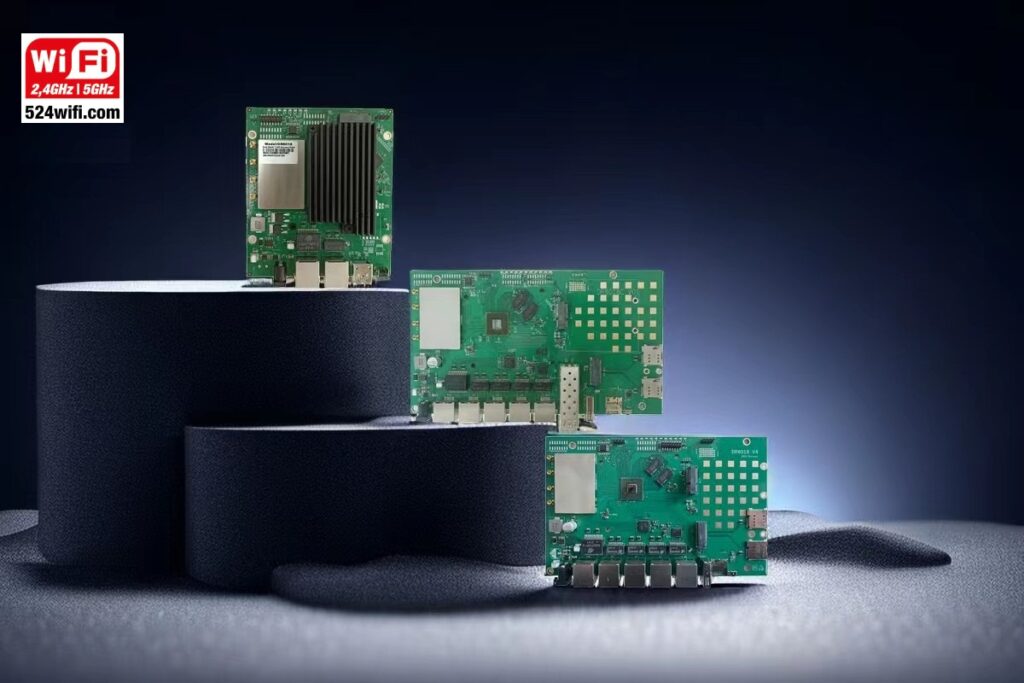
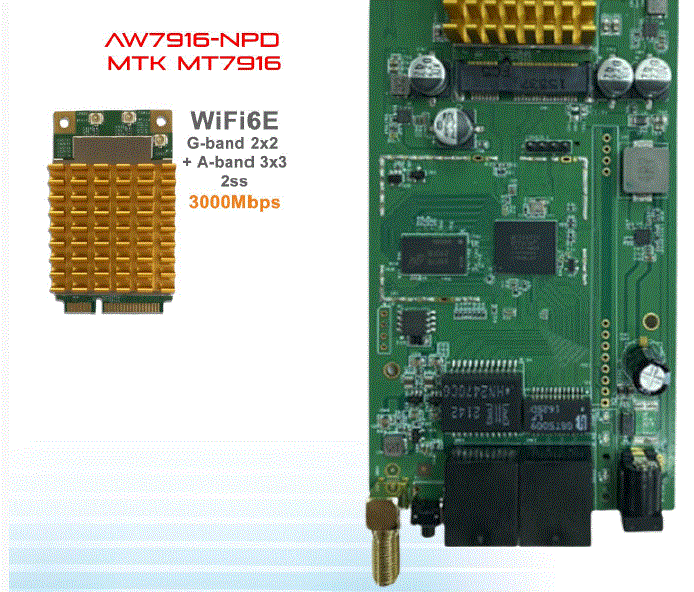
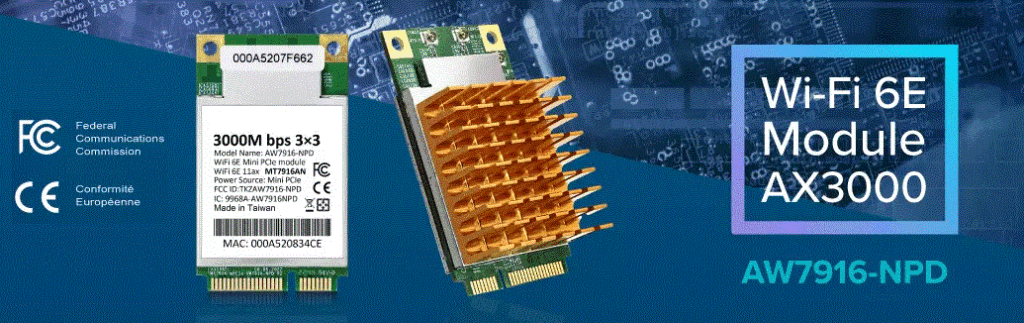
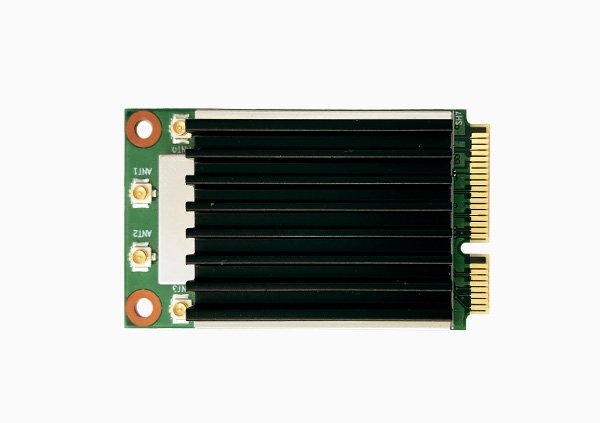
The Wi-Fi 6E Module AW7916-NPD is a highly advanced Mini PCIe module with Wi-Fi 6E 3000 capabilities. It features G-band 2T2R + A-band 3T3R 2ss dual-band concurrent technology, providing a transmission efficiency of 3000 Mbps. With support for Wi-Fi 6E, even in densely crowded environments, the Wi-Fi 6E Module AW7916-NPD delivers efficient network performance while accommodating a greater number of Wi-Fi users. Its wider spectrum and increased capacity ensure smooth operations, reducing latency and interruptions.
Features:
BUS Interface: Mini PCIe / M.2 AE Key
IEEE 802.11 a/b/g/n/ac/ax compliant
High-Performance Dual-Band Connectivity: G-band 2T2R + A-band 3T3R 2ss, Dual-band concurrent with PHY rate up to 3000Mbps
Flexible Bandwidth Support: Support 20/40MHz bandwidth in G-band, and 20/40/80/160MHz bandwidth in A-band
Robust Security Features: Security support for WFA WPA/WPA2/WPA3 personal, WPS2.0
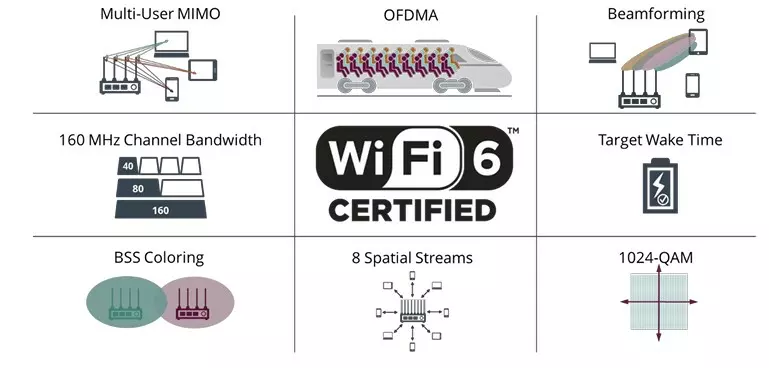
Support MU-OFDMA TX/RX
Support MU-MIMO TX/RX
Compatibility with Diverse Modes: Support greenfield, mixed mode, legacy modes
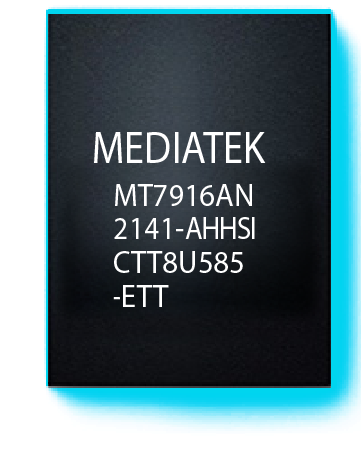
Based on Mediatek MT7916AN.
The expanded spectrum delivers astonishing performance.
The Wi-Fi 6E Module AW7916-NPD provides a more powerful experience for high-bandwidth applications. By utilizing up to 14 additional 80MHz channels or 7 extra ultra-wide 160MHz channels in the 6GHz frequency band, it supports smooth and high-definition video calls and can handle large-scale data transmission.
Wi-Fi 6E moudle AW7916-NPD Mesh+Security
A mesh system can provide offices and enterprises with a more reliable network connection, covering a wide area, and allowing numerous devices to connect to the network, offering better performance in densely populated device areas. Even as users move to different areas, their devices can smoothly switch to the strongest Wi-Fi access point without the need for manual reconnection or experiencing disconnection.
The Wi-Fi 6E Module AW7916-NPD adopts the latest WPA3 security protocol, safeguarding users from unauthorized access and data breaches, addressing security threats in modern wireless networks.
Accurate and fast remote operation
Compared to the past, Wi-Fi 6E enables remote operations with higher precision. This advancement is expected to drive the progress of remote medical services and open up possibilities for practical applications of remote surgeries in the medical field. With Wi-Fi 6E, healthcare professionals can perform surgeries with greater precision and less invasiveness, marking a significant breakthrough in the field of medical services. Additionally, in manufacturing and logistics, technologies such as robotic arms and drones can execute tasks more swiftly and accurately, reducing the likelihood of errors. This technology also fosters progress in smart and automated systems, bringing forth more innovations and efficiency for businesses.
Wi-Fi 6E is driving several world trends and technological advancements
At the end of 2022, the University of Michigan in the United States underwent a revolutionary change by deploying over 16,000 Wi-Fi access points across 225 buildings and outdoor areas on campus. This remarkable achievement allowed the university to support up to 70,000 device connections simultaneously. Through this extensive Wi-Fi infrastructure, the University of Michigan can meet the growing data demands, enhance teaching and campus management efficiency, and foster the application and development of smart devices on campus. This will have a positive impact on various aspects of academic research, student learning, and campus life.
Wi-Fi 6E is a significant trend in the current wireless network market. With continuous technological advancements and increasing data demands, Wi-Fi 6E has become the representation of the next-generation wireless network technology and is gaining widespread attention and adoption in the market.
QCN9274: WHAT IS THE THROUGHPUT POTENTIAL OF WIFI7 CARDS?
In the realm of WiFi routers, throughput serves as a key determinant of performance. A higher throughput signifies enhanced data transfer rates, enabling seamless connectivity for multiple devices concurrently. This capability proves invaluable for bandwidth-intensive tasks like high-definition video streaming, online gaming, and large file downloads.
Routers with high throughput capabilities offer not only stable connections but also expedited wireless transmissions, thereby elevating user experience significantly. Whether accommodating numerous devices or facilitating data-intensive operations, such routers are indispensable for meeting the demands of modern connectivity.
524WiFi has conducted tests on the throughput of Qualcomm WiFi7 router, IPQ 9574, and 524WiFi WiFi7 module, DRiver 9274-6G, achieving remarkable speeds of up to 8.9G. Under optimal conditions, throughput may even reach 9G+, approaching the 10G mark. This demonstrates the exceptional performance potential of 524WiFi products in providing stable and high-speed wireless connections.
In summary, prioritizing routers with high throughput ensures optimal performance and reliability, particularly in environments with multiple interconnected devices and extensive data transfer requirements.
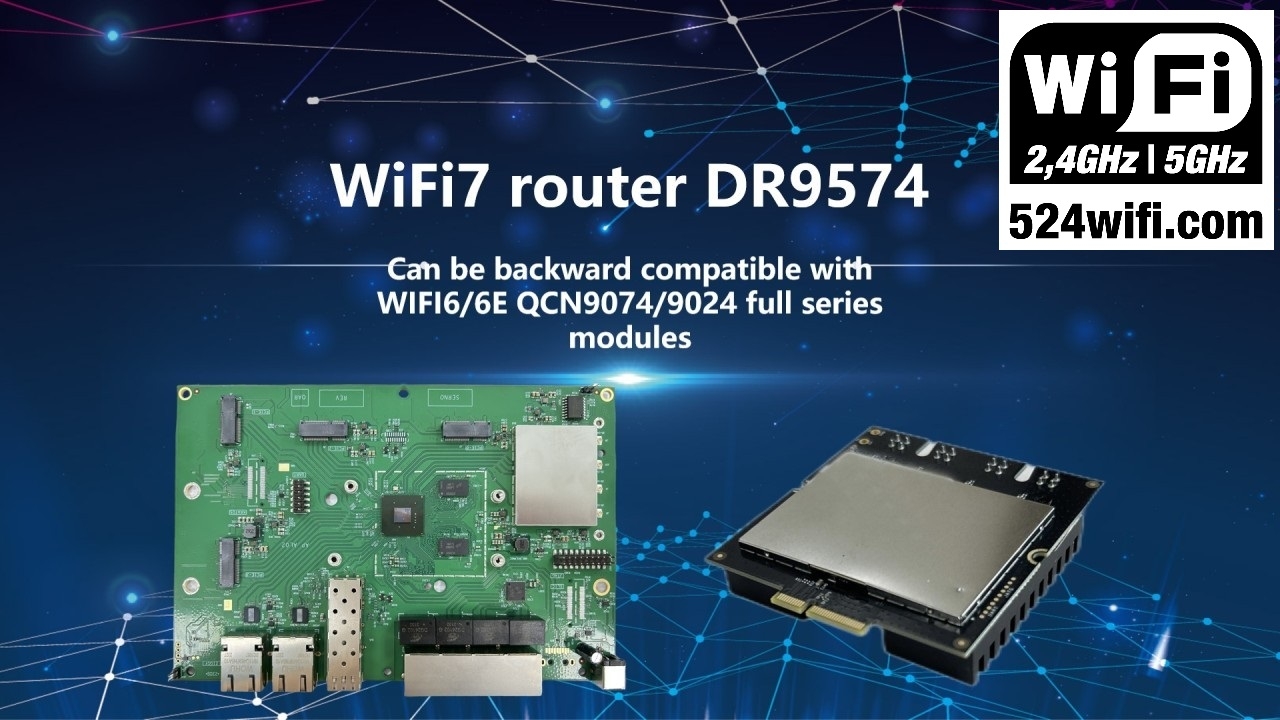
DRiver 9574 ROUTERBOARD (QUALCOMM ADLER)
802.11be IPQ9574 4×4 2.4G 2x10G +4x1G Ethernet Port
Support WIFI7 card QC9274-QCN6274
DBDC 2×2 2.4G& 2×2 5G
DBDC 2×2 5G& 2×2 6G
single band 4×4 5G
single band 4×4 6G
WLAN Host Interface:PCI Express 3.0 Interface
Frequency Range:2.4GHz: 2.412~2.472GHz
524WIFI 7 DRiver 9274-6G
DRiver 9274-6G based on QCN9274 Chipset is an enterprise wireless module integrated with 4×4 MU-MIMO single Band Wireless Module designed specifically to provide users with mobile access to high-bandwidth video streaming, voice, and data transmission for office and challenging RFenvironment in factories, warehouses establishment
4×4 6G MU-MIMO WiFi Module
WIFI7 M.2 card QCN9274
■ Qualcomm Atheros QCN9274 for Industrial Grade;
■ Maxim Tx power 22dBm per chain;
■ 4×4 6G MU-MIMO, up to 11530Mbps physical data rate;
■ Support up to 4096-QAM;
■ M.2 connector;
■ PCI Express 3 .0 Interface
WHAT’S WI-FI 7?
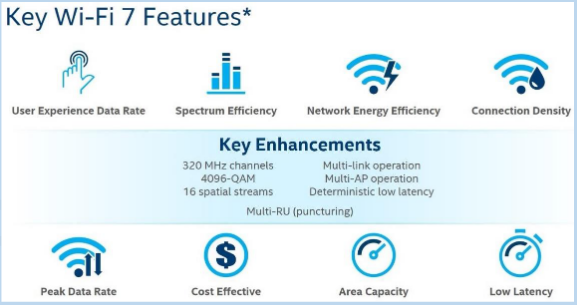
Wi-Fi 7 has the following features: *provide over 3 times faster data rates of 46 Gbps using a 320 MHz channel in the 6 GHz *one 160 MHz channel in the 5 GHz band with up to 4096-QAM (4K-QAM) modulation *16 spatial streams MU-MIMO, New Multi-Link Operation (MLO) enables Wi-Fi 7 to combine several frequencies across bands into a single and steady connection.
Wi-Fi 7 is being designed to be optimized for these video applications like gaming, streaming, smart home devices and services, cloud computing, video conferencing , etc.
WI-FI 6E/7 COMPARISON
Wi-Fi 6E
IEEE 802.11ax Frequency 2.4GHz, 5GHz, 6GHz Channel bandwidth 160 MHz QAM 1024-QAM 4096-QAM Theoretical maximum speed 9.6 Gbps Spatial streams 16×16 MU-MIMO Application Ac cess point, high quality video streaming, etc.
Wi-Fi 7
802.11be EHT
Frequency 2.4GHz, 5GHz, 6GHz
Channel b-QAM
Theoreticaandwidth Up to 320 MHz
QAN 4096l maximum speed 46 Gbps
Spatial streams 16×16 MU-MIMO
Video applications like gaming, streaming, smart home devices, cloud computing, video conferencing, etc.
NEW 11AX BOARDS BASED ON QUALCOMM WITH MU-MIMO 802.11AX OFDMA WIFI 6 RADIO ON BOARD! NOW WE SUPPORT 4G / 5G LTE GSM MODEMS! QCA CP01 C4 REFERENCE DESIGN FOR DEVELOPMENT !
– For wifi 6, we have developed the long distance function, in France our customer can run 10km link! This function needs to modify the core of wifi protocol. We just find that only 524WiFi.COM Wallys DR6018 QCA IPQ6018 boards can get the wifi6 to run on 3-10km distance!
Quad-core ARM 64bit [email protected] Processor 1GB DDRL3L System Memory 8MB NOR Flash, 256MB NAND Flash Supports Dynamic Frequency Selection (DFS 2x2On-board2.4GHz radio,upto 573Mbps physical Data Rate 2x2On-board 5GHz radio,upto 1201Mbps physical Data Rate
Support: QCN9074 WiFi 6E Card in M.2 slot
Product Description
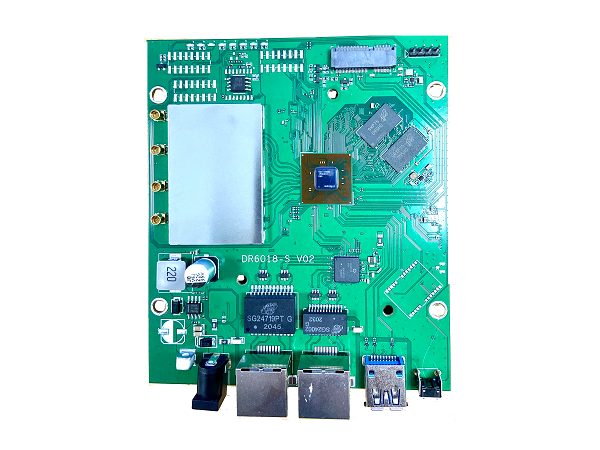
DR6018-S based on IPQ6010 chipset is an enterprise wireless module integrated with 2×2 5G high power Radio module and 2×2 2.4G high power Radio module designed specifically to provide users with mobile access to high-bandwidth video streaming, voice, and data transmission for office and challenging RF environment in factories, warehouses establishment. Passive POE 24-48V supported, DC jack 24-48V. If you need 802.3af/bt active POE support , then please order DR6018-S HV version.
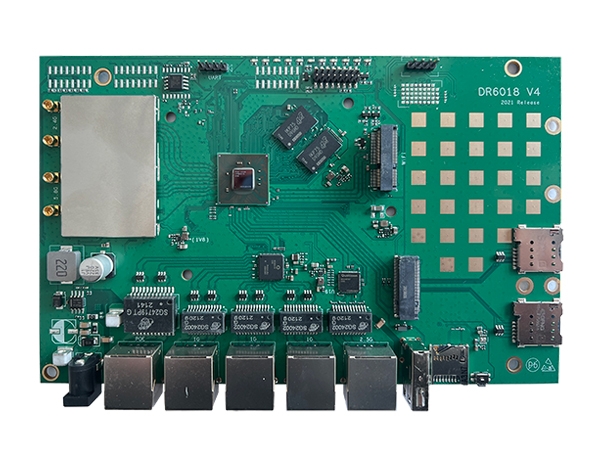
DR6018v4 board is QCA CP01 – C4 reference design board ideal for your development ! 11AX MU-MIMO OFDMA DUAL BAND DUAL CONCURRENT EMBEDDED BOARD
– For wifi 6, we have developed the long distance function, in France our customer can run 10km link! This function needs to modify the core of wifi protocol. We just find that only 524WiFi.COM Wallys DR6018 QCA IPQ6018 boards can get the wifi6 to run on 3-10km distance!
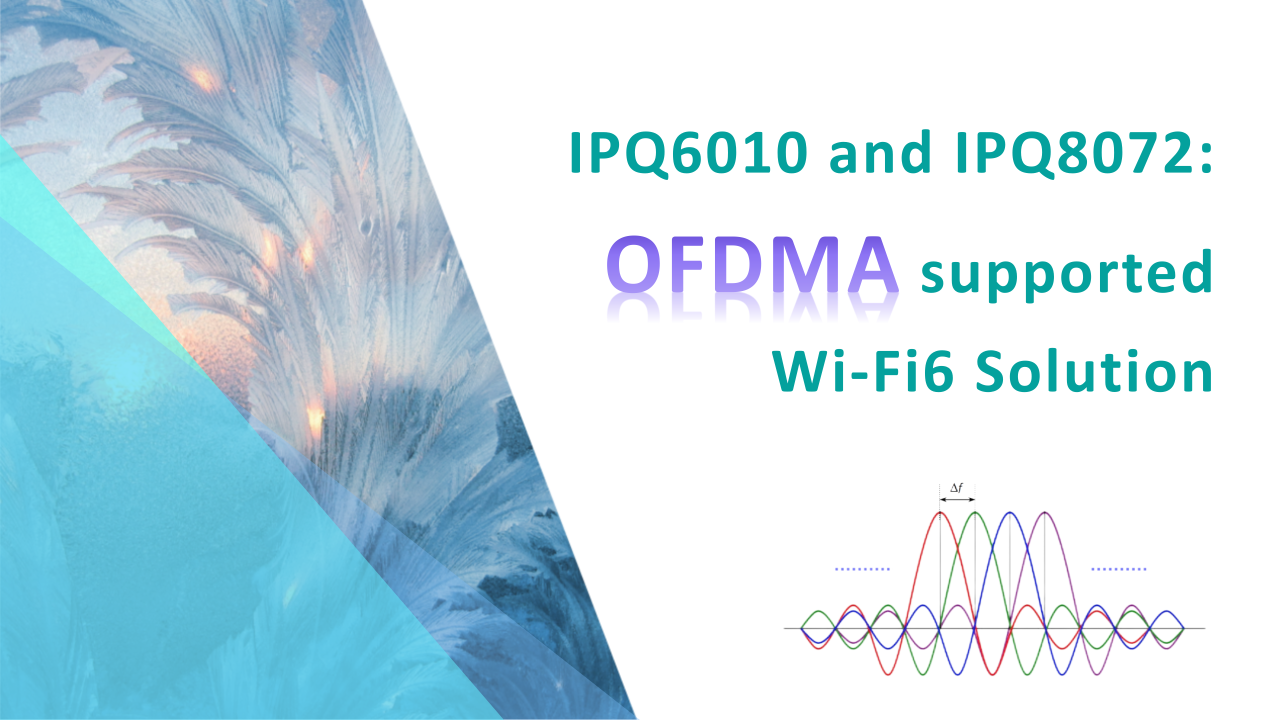
PQ6010 AND IPQ8072:OFDMA SUPPORT IN WIFI6 SOLUTION
Introduction:
In the dynamic landscape of wireless communication, the techniques employed play a crucial role in optimizing data transmission and overcoming challenges. Two key technologies, FDMA (Frequency Division Multiple Access) and OFDMA (Orthogonal Frequency Division Multiple Access), are pivotal in this context. This blog aims to unravel the disparities between FDMA and OFDMA, shedding light on their applications and significance in mitigating multipath interference, particularly in the realm of Wi-Fi.
The Need for Multiple Carrier Technologies:
To comprehend the essence of OFDMA, it’s imperative to first delve into the concept of OFDM (Orthogonal Frequency Division Multiplexing). OFDM is a multicarrier modulation technique designed to combat multipath interference encountered in wireless communication. Multipath interference occurs when radio waves encounter obstacles, causing reflections and refractions. This phenomenon results in multiple versions of the same signal reaching the receiver, leading to what is known as multipath interference.
The Challenge of Inter-Symbol Interference:
Multipath interference directly contributes to intersymbol interference (ISI). In the realm of wireless communication, ISI poses a challenge where, for a given set of serial signals, the receiver encounters difficulty distinguishing between them. This challenge arises when the time delay between two identical signals is less than the signal’s transmission interval. The outcome is known as inter-symbol interference, making it arduous for the receiver to accurately decipher the intended signals.
OFDM as a Solution:
OFDM addresses this issue by transforming high-speed serial data into parallel low-speed data streams, thereby reducing inter-symbol interference. However, OFDM comes with its own set of drawbacks. In Wi-Fi 4/5, where communication is single-user-centric, each data transmission occupies all available subcarriers. This results in inefficiencies when small data packets, such as instant messages or web browsing, are transmitted, as the entire bandwidth is underutilized.
Introduction of OFDMA:
In response to this inefficiency, Wi-Fi 6 introduced OFDMA, borrowing a page from 5G’s playbook. OFDMA, despite its name’s resemblance to OFDM, is fundamentally a multiple access technique. Multiple access techniques distinguish different users, and common methods include FDMA, TDMA, and CDMA.
FDMA vs. OFDMA:
FDMA relies on allocating different frequency channels to different users. In the analogy of a gathering, it’s akin to separating rooms for distinct conversations. On the other hand, OFDMA divides the channel into Resource Units (RUs), each orthogonal to the others. In our gathering analogy, OFDMA creates individual compartments within a room, facilitating multiple conversations simultaneously.
Enhancing Efficiency with OFDMA:
OFDMA optimizes spectral efficiency by scheduling users in specific resource units instead of utilizing the entire channel for a single user, as seen in traditional OFDM. It introduces a more flexible approach, akin to efficiently utilizing a delivery vehicle by allocating designated compartments for different recipients.
Conclusion:
In summary, while OFDM successfully addresses multipath interference by transforming data streams, OFDMA takes a step further by introducing an innovative multiple access technique. By adopting OFDMA, Wi-Fi 6 has elevated efficiency in point-to-multipoint communication, ensuring that a single cycle completes communication with multiple users. This evolution underscores the dynamic nature of wireless communication technologies, continually adapting to enhance performance and meet the demands of evolving applications.
Here are some of 524wifi and Wallys’ 802.11ax products support OFDMA
DR6018:
Qualcomm-Atheros IPQ6010
Quad-core ARM 64bit A53 @1.8GHz Processor
1GB DDRL3L System Memory
32MB NOR Flash, 256MB NAND Flash
Supports Dynamic Frequency Selection (DFS)
2×2 On-board 2.4GHz radio, up to 573Mbps physical Data Rate
2×2 On-board 5GHz radio, up to 1201Mbps physical Data Rate
QCN9074-6E WITH DR6018 PLATFORM: ACHIEVING 1.5GBPS SPEED IN THROUGHPUT TEST!
QCN9074-6E THROUGHPUT TEST REPORT IN DR6018
Are you curious about the performance capabilities of the QCN9074-6E network card in the DR6018?
Look no further! In this blog, we’ll walk you through the hardware you’ll need, how to set up one board as an Access Point (AP) and the other as a Station (STA), and perform a throughput test. Plus, we’ll share our exciting conclusions.
HARDWARE REQUIRED:
DR6018 x2
DR9074-6E x2
SETTING UP THE TEST:
Board Configuration: Install two DR6018 boards and two DR9074-6E network cards.
Role Assignment: Set one DR9074-6E card as the Access Point (AP) and the other as the Station (STA).
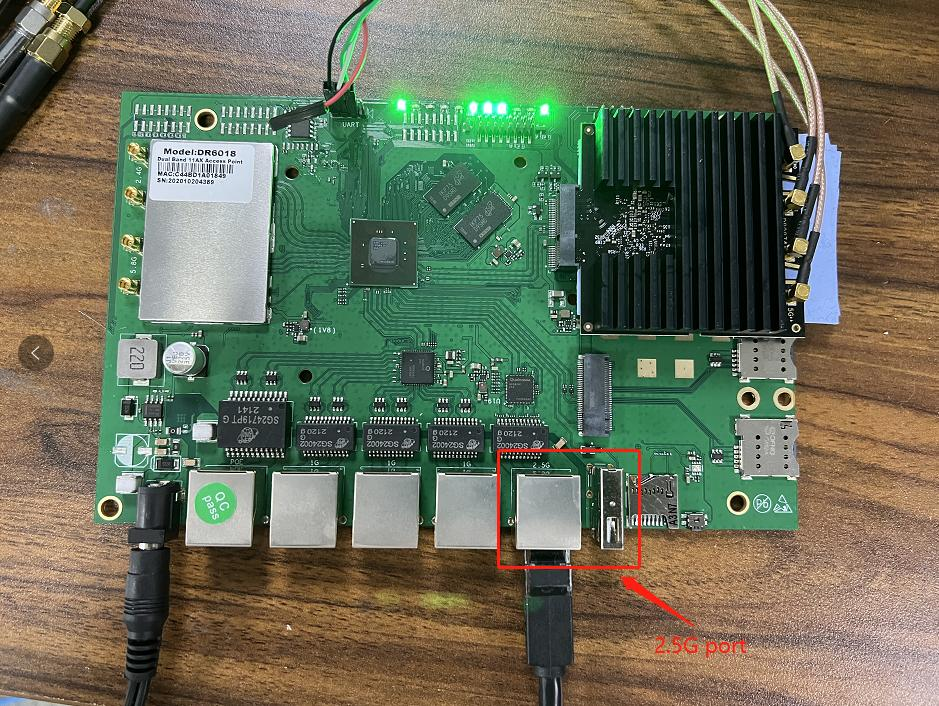
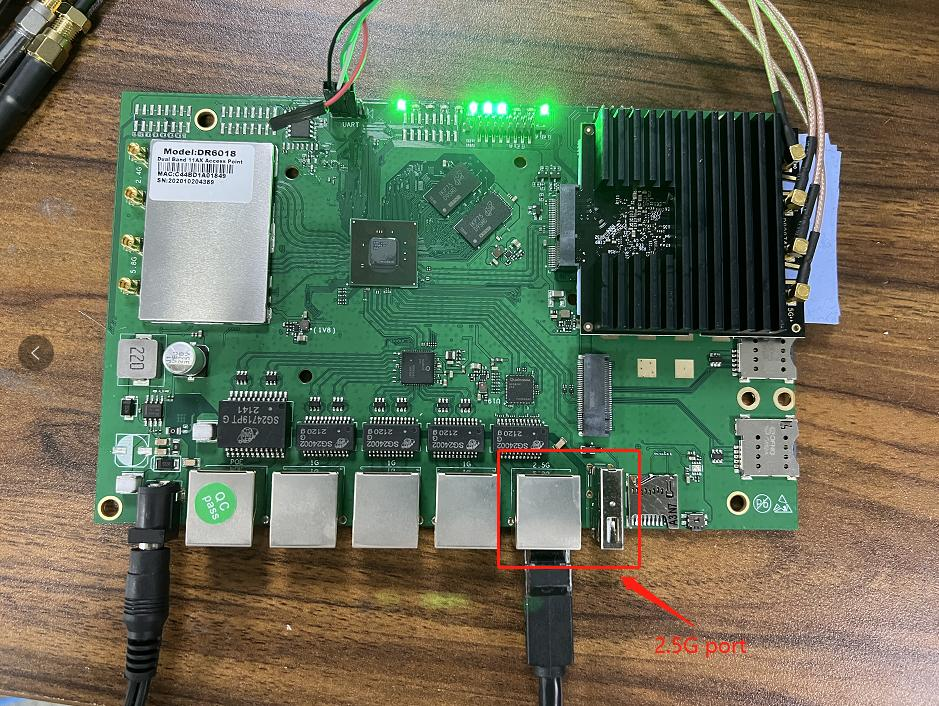
Network Connection: Utilize the onboard 2.5G Ethernet port for connectivity.
PERFORMING THE THROUGHPUT TEST:
Once the radios are linked, it’s time to assess the performance:
CONCLUSION:
The results are nothing short of impressive. On average, the QCN9074-6E network card in the DR6018 achieves a remarkable speed of up to 1500 Mbps. This speed can be even faster in better environments or when used with the IPQ8072/8074 platform.
In summary, the QCN9074-6E in the DR6018 proves to be a high-performance choice for wireless connectivity. These results showcase the potential of our products, and we’re thrilled to provide you with reliable and speedy wireless solutions.
QCN9074 VS QCN9024 | WIFI6E IOT 4X4 TRIBAND 2.4G 5G 6G NETWORK CARD AND APPLICATION
WHAT ARE THE APPLICATIONS OF AN INDUSTRIAL TRI-BAND NETWORK CARD SUPPORTING 2.4GHZ, 5GHZ, AND 6GHZ?
Imagine the boundless possibilities that come with an industrial Tri-Band network card, seamlessly embracing the 2.4GHz, 5GHz, and lightning-fast 6GHz frequency bands. Here’s a glimpse into the exciting realms of its potential applications:
1. Smart Manufacturing & IoT Revolution: In the heart of smart manufacturing, these Tri-Band cards orchestrate a symphony of devices. From factory robots to floor sensors, they unite the Internet of Things (IoT) to make real-time data analytics and intelligent production a reality.
2. Robotic Precision & Automation: When it comes to industrial robots and automated machinery, precision and speed are paramount. Tri-Band network cards deliver high-speed data transfers and unwavering connections, ensuring uninterrupted automation.
3. Surveillance with Clarity: Industrial sites demand top-tier security. Tri-Band cards support high-definition video streams, fortifying security systems. They extend the eyes and ears of surveillance networks, enhancing vigilance.
4. Scientific Excellence: In the world of scientific research and high-performance computing, these network cards are the lifeline. They enable lightning-fast data transfer, facilitating experiments, simulations, and data analysis at astonishing speeds.
5. Connecting the Unreachable: When it’s about connecting distant devices in remote locations, Tri-Band cards are the bridge. They make remote monitoring, diagnostics, and maintenance a breeze, minimizing downtime.
6. Agriculture & Environmental Guardians: In the fields of agriculture and environmental monitoring, they enable large-scale sensor networks. These networks collect invaluable data for better decision-making, crop management, and environmental preservation.
7. Aerospace & Beyond: Think of satellite communications and aerospace ventures. Tri-Band cards empower high-speed data exchanges between spacecraft, satellites, and ground stations, venturing into the far reaches of the cosmos.
With the 6GHz band, an integral part of the WiFi 6E, industrial Tri-Band network cards offer an abundance of spectrum resources. They cater to the insatiable appetites of high bandwidth and low latency. The future of industrial connectivity shines brighter than ever before!
524WIFI 6E IOT 4X4 TRIBAND 2.4G 5G 6G NETWORK CARD:DR9074
Both the QCN9074 and QCN9024 are Qualcomm chips, and Wallys has chosen this platform for the development of Tri-Band card due to its exceptional stability and superior performance.
Let me share the fascinating story of its inception. Before the advent of the remarkable DR9074 Tri-Band Network card, Wallys had already pioneered single-band network cards like the DR9074-2.4G, DR9074-5G, and DR9074-6E, each earning a reputation for top-notch performance.
Then came an intriguing request from one of our valued customers: ‘The DR9074-5G and DR9074-6E deliver exceptional performance; do you have plans for a Tri-Band version of this card?’ As an innovation-centric company, this question ignited a spark among our engineers.
Fuelled by passion and driven by the pursuit of excellence, our engineers toiled day and night. And voilà, Wallys proudly presents the DR9074 Tri-Band Network card, a testament to our commitment to innovation and customer satisfaction.
NOW, LET’S DIVE INTO THE EXCITING FEATURES OF THIS GROUNDBREAKING CARD!
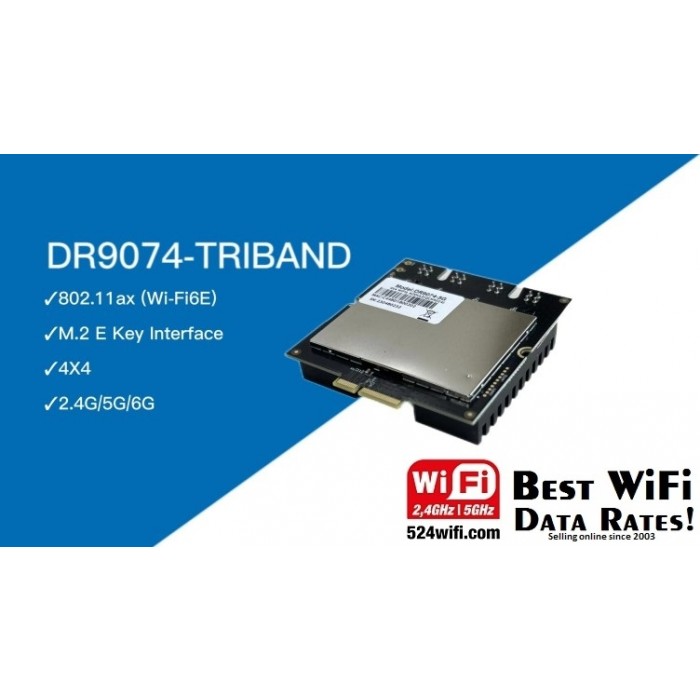
DR9074-TRIBAND
■ Qualcomm Atheros QCN9024
■ Maxim 23 dBm per chain,up to 4949Mbps
■ Data Rateup to 4949Mbps
■ Support Tri Band 2.4GHz&5GHz&6GHz 4×4 WiFi 6E (802.11ax)
■ 4 spatial streams (4SS)
■ M.2 E Key Interface
■ PCI Express 3 .0 Interface
Symbol/Parameter
Chipset:Qualcomm Atheros QCN9024
WLAN Host Interface:PCI Express 3.0 Interface
System Memory:2Mbit serial I²C bus EEPROM
Standard Operating Voltage:5V
Operating Systems:QSDK
Host Interface:M.2 E Key
Antenna Cable / Port:4 x MMCX Connectors,4T4R
Frequency Range:2.412GHz-2.472GHz & 5.18GHz-5.825GHz & 5.925GHz-7.125GHz
Data Rates for WALN:Maxim 23dBm per chain, up to 4949Mbps
Channel Spectrum Widths for WLAN:Support 20/40/80/160MHz
4×4 MU-MIMO WIFI 6 MODULE FOR THE 5GHZ BAND, MINI PCIE MODULE, QUALCOMM ATHEROS QCN9074, 4T4R
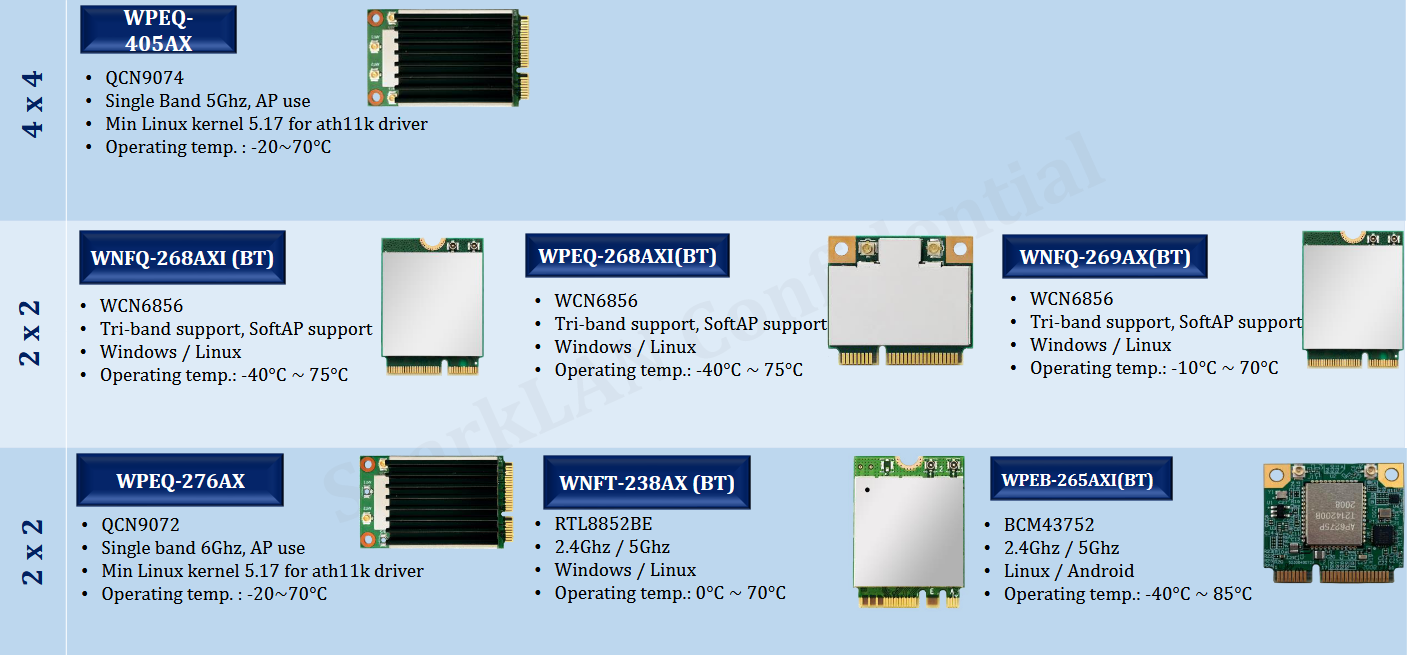
The first WiFi-6 (802.11ax) Qualcomm based AP solution on module formfactor from SparkLAN. WPEQ-405AX, is based on QCN9074 chipset solution. This is a true enterprise based wireless module that powers 4T4R (4×4) MU-MIMO, in 5Ghz Single band mode, hitting a theoretical speed of up to 4.8Gbps with 160MHz support.
Unlike typical Qualcomm reference design around QCN9074 (PN02.1), WPEQ-405AX shrink the traditional 50mmx50mm M.2 E-Key design to a more popular Mini PCIe Full size formfactor of just 50mm x 30mm, run at 3.3V voltage. Provides a greater versatility to use on more common seen design.
WPEQ-405AX performs both AP and STA functionality with 4 spatial streams, although recommended more for hardware AP applications as it supports 4096-QAM, OFDMA technology, makes it perfect for heavy lifting applications such as Enterprise grade AP, UTM, public & transportation Hotspot, and other industrial capable Access Points.
Wallys DR9074 5G , 6E dual band and Triband modules and available for order ! And special promo price for partners with MOQ100pcs is USD 80 per module only ! Nokia, facebook and many more already started to use this card to develop own WiFi 6 / WiFi 6E devices!
– HOW WE MAKE QCA QCN9074 WLAN WIFI 6 MODULE DR9074 4X4 WORK ON X86 LINUX PLATFORM – PLEASE READ HERE.
Pine Series WiFi Module from Wallys:Introducing Qualcomm’s 4×4 11ax AP mode enabled radio module! Based on Pine series QCN 9074 / 9024 chipset, radio modules supporting 2.4GHz, 5GHz as well as the lately approved WiFi 6E is now available from Wallys ! Hop on the newly approved spectrum, increase the number of channels your clients can hop on, at 160MHz bandwidth!
QCN9074 VS QCN9024 | WIFI6E IOT 4X4 TRIBAND 2.4G 5G 6G NETWORK CARD AND APPLICATION
WHAT ARE THE APPLICATIONS OF AN INDUSTRIAL TRI-BAND NETWORK CARD SUPPORTING 2.4GHZ, 5GHZ, AND 6GHZ?
Imagine the boundless possibilities that come with an industrial Tri-Band network card, seamlessly embracing the 2.4GHz, 5GHz, and lightning-fast 6GHz frequency bands. Here’s a glimpse into the exciting realms of its potential applications:
1. Smart Manufacturing & IoT Revolution: In the heart of smart manufacturing, these Tri-Band cards orchestrate a symphony of devices. From factory robots to floor sensors, they unite the Internet of Things (IoT) to make real-time data analytics and intelligent production a reality.
2. Robotic Precision & Automation: When it comes to industrial robots and automated machinery, precision and speed are paramount. Tri-Band network cards deliver high-speed data transfers and unwavering connections, ensuring uninterrupted automation.
3. Surveillance with Clarity: Industrial sites demand top-tier security. Tri-Band cards support high-definition video streams, fortifying security systems. They extend the eyes and ears of surveillance networks, enhancing vigilance.
4. Scientific Excellence: In the world of scientific research and high-performance computing, these network cards are the lifeline. They enable lightning-fast data transfer, facilitating experiments, simulations, and data analysis at astonishing speeds.
5. Connecting the Unreachable: When it’s about connecting distant devices in remote locations, Tri-Band cards are the bridge. They make remote monitoring, diagnostics, and maintenance a breeze, minimizing downtime.
6. Agriculture & Environmental Guardians: In the fields of agriculture and environmental monitoring, they enable large-scale sensor networks. These networks collect invaluable data for better decision-making, crop management, and environmental preservation.
7. Aerospace & Beyond: Think of satellite communications and aerospace ventures. Tri-Band cards empower high-speed data exchanges between spacecraft, satellites, and ground stations, venturing into the far reaches of the cosmos.
With the 6GHz band, an integral part of the WiFi 6E, industrial Tri-Band network cards offer an abundance of spectrum resources. They cater to the insatiable appetites of high bandwidth and low latency. The future of industrial connectivity shines brighter than ever before!
Both the QCN9074 and QCN9024 are Qualcomm chips, and Wallys has chosen this platform for the development of Tri-Band card due to its exceptional stability and superior performance.
Let me share the fascinating story of its inception. Before the advent of the remarkable DR9074 Tri-Band Network card, Wallys had already pioneered single-band network cards like the DR9074-2.4G, DR9074-5G, and DR9074-6E, each earning a reputation for top-notch performance.
Then came an intriguing request from one of our valued customers: ‘The DR9074-5G and DR9074-6E deliver exceptional performance; do you have plans for a Tri-Band version of this card?’ As an innovation-centric company, this question ignited a spark among our engineers.
Fuelled by passion and driven by the pursuit of excellence, our engineers toiled day and night. And voilà, Wallys proudly presents the DR9074 Tri-Band Network card, a testament to our commitment to innovation and customer satisfaction.
Now, let’s dive into the exciting features of this groundbreaking card!
DR9074-TRIBAND
■ Qualcomm Atheros QCN9024
■ Maxim 23 dBm per chain,up to 4949Mbps
■ Data Rateup to 4949Mbps
■ Support Tri Band 2.4GHz&5GHz&6GHz 4×4 WiFi 6E (802.11ax)
■ 4 spatial streams (4SS)
■ M.2 E Key Interface
■ PCI Express 3 .0 Interface
Symbol/Parameter
Chipset:Qualcomm Atheros QCN9024
WLAN Host Interface:PCI Express 3.0 Interface
System Memory:2Mbit serial I²C bus EEPROM
Standard Operating Voltage:5V
Operating Systems:QSDK
Host Interface:M.2 E Key
Antenna Cable / Port:4 x MMCX Connectors,4T4R
Frequency Range:2.412GHz-2.472GHz & 5.18GHz-5.825GHz & 5.925GHz-7.125GHz
Data Rates for WALN:Maxim 23dBm per chain, up to 4949Mbps
Channel Spectrum Widths for WLAN:Support 20/40/80/160MHz
– NEW 11AX BOARDS BASED ON QUALCOMM WITH MU-MIMO 802.11AX WIFI 6 RADIO ON BOARD! NOW WE SUPPORT 4G / 5G LTE GSM MODEMS!
– FOR WIFI 6 WE HAVE DEVELOPED THE LONG DISTANCE FUNCTION, IN FRANCE OUR CUSTOMER CAN RUN 10KM LINK! THIS FUNCTION NEED MODIFY THE CORE OF WIFI PROTOCOL. WE JUST FIND ONLY 524WIFI.COM WALLYS DR6018 QCA IPQ6018 BOARDS GET THE WIFI6 RUN ON 3-10KM DISTANCE!
Quad-core ARM 64bit [email protected] Processor 1GB DDRL3L System Memory 8MB NOR Flash, 256MB NAND Flash Supports Dynamic Frequency Selection (DFS 2x2On-board2.4GHz radio,upto 573Mbps physical Data Rate 2x2On-board 5GHz radio,upto 1201Mbps physical Data Rate
Support: QCN9074 WiFi 6E Card in M.2 slot
Product Description
DR6018-S based on IPQ6010 chipset is an enterprise wireless module integrated with 2×2 5G high power Radio module and 2×2 2.4G high power Radio module designed specifically to provide users with mobile access to high-bandwidth video streaming, voice, and data transmission for office and challenging RF environment in factories, warehouses establishment. Passive POE 24-48V supported, DC jack 24-48V. If you need 802.3af/bt active POE support , then please order DR6018-S HV version.
– FOR WIFI 6 WE HAVE DEVELOPED THE LONG DISTANCE FUNCTION, IN FRANCE OUR CUSTOMER CAN RUN 10KM LINK! THIS FUNCTION NEED MODIFY THE CORE OF WIFI PROTOCOL. WE JUST FIND ONLY 524WIFI.COM WALLYS DR6018 QCA IPQ6018 BOARDS GET THE WIFI6 RUN ON 3-10KM DISTANCE!
QCN9074-6E WITH DR6018 PLATFORM: ACHIEVING 1.5GBPS SPEED IN THROUGHPUT TEST!
QCN9074-6E THROUGHPUT TEST REPORT IN DR6018
Are you curious about the performance capabilities of the QCN9074-6E network card in the DR6018?
Look no further! In this blog, we’ll walk you through the hardware you’ll need, how to set up one board as an Access Point (AP) and the other as a Station (STA), and perform a throughput test. Plus, we’ll share our exciting conclusions.
HARDWARE REQUIRED:
DR6018 x2
DR9074-6E x2
SETTING UP THE TEST:
Board Configuration: Install two DR6018 boards and two DR9074-6E network cards.
Role Assignment: Set one DR9074-6E card as the Access Point (AP) and the other as the Station (STA).
Network Connection: Utilize the onboard 2.5G Ethernet port for connectivity.
PERFORMING THE THROUGHPUT TEST:
Once the radios are linked, it’s time to assess the performance:
CONCLUSION:
The results are nothing short of impressive. On average, the QCN9074-6E network card in the DR6018 achieves a remarkable speed of up to 1500 Mbps. This speed can be even faster in better environments or when used with the IPQ8072/8074 platform.
In summary, the QCN9074-6E in the DR6018 proves to be a high-performance choice for wireless connectivity. These results showcase the potential of our products, and we’re thrilled to provide you with reliable and speedy wireless solutions.
IPQ6010 AND IPQ8072:OFDMA SUPPORT IN WIFI6 SOLUTION
Introduction:
In the dynamic landscape of wireless communication, the techniques employed play a crucial role in optimizing data transmission and overcoming challenges. Two key technologies, FDMA (Frequency Division Multiple Access) and OFDMA (Orthogonal Frequency Division Multiple Access), are pivotal in this context. This blog aims to unravel the disparities between FDMA and OFDMA, shedding light on their applications and significance in mitigating multipath interference, particularly in the realm of Wi-Fi.
The Need for Multiple Carrier Technologies:
To comprehend the essence of OFDMA, it’s imperative to first delve into the concept of OFDM (Orthogonal Frequency Division Multiplexing). OFDM is a multicarrier modulation technique designed to combat multipath interference encountered in wireless communication. Multipath interference occurs when radio waves encounter obstacles, causing reflections and refractions. This phenomenon results in multiple versions of the same signal reaching the receiver, leading to what is known as multipath interference.
The Challenge of Inter-Symbol Interference:
Multipath interference directly contributes to intersymbol interference (ISI). In the realm of wireless communication, ISI poses a challenge where, for a given set of serial signals, the receiver encounters difficulty distinguishing between them. This challenge arises when the time delay between two identical signals is less than the signal’s transmission interval. The outcome is known as inter-symbol interference, making it arduous for the receiver to accurately decipher the intended signals.
OFDM as a Solution:
OFDM addresses this issue by transforming high-speed serial data into parallel low-speed data streams, thereby reducing inter-symbol interference. However, OFDM comes with its own set of drawbacks. In Wi-Fi 4/5, where communication is single-user-centric, each data transmission occupies all available subcarriers. This results in inefficiencies when small data packets, such as instant messages or web browsing, are transmitted, as the entire bandwidth is underutilized.
Introduction of OFDMA:
In response to this inefficiency, Wi-Fi 6 introduced OFDMA, borrowing a page from 5G’s playbook. OFDMA, despite its name’s resemblance to OFDM, is fundamentally a multiple access technique. Multiple access techniques distinguish different users, and common methods include FDMA, TDMA, and CDMA.
FDMA vs. OFDMA:
FDMA relies on allocating different frequency channels to different users. In the analogy of a gathering, it’s akin to separating rooms for distinct conversations. On the other hand, OFDMA divides the channel into Resource Units (RUs), each orthogonal to the others. In our gathering analogy, OFDMA creates individual compartments within a room, facilitating multiple conversations simultaneously.
Enhancing Efficiency with OFDMA:
OFDMA optimizes spectral efficiency by scheduling users in specific resource units instead of utilizing the entire channel for a single user, as seen in traditional OFDM. It introduces a more flexible approach, akin to efficiently utilizing a delivery vehicle by allocating designated compartments for different recipients.
Conclusion:
In summary, while OFDM successfully addresses multipath interference by transforming data streams, OFDMA takes a step further by introducing an innovative multiple access technique. By adopting OFDMA, Wi-Fi 6 has elevated efficiency in point-to-multipoint communication, ensuring that a single cycle completes communication with multiple users. This evolution underscores the dynamic nature of wireless communication technologies, continually adapting to enhance performance and meet the demands of evolving applications.
Here are some of 524WiFi 802.11ax products support OFDMA:
DR6018:
Qualcomm-Atheros IPQ6010
Quad-core ARM 64bit A53 @1.8GHz Processor
1GB DDRL3L System Memory
32MB NOR Flash, 256MB NAND Flash
Supports Dynamic Frequency Selection (DFS)
2×2 On-board 2.4GHz radio, up to 573Mbps physical Data Rate
2×2 On-board 5GHz radio, up to 1201Mbps physical Data Rate
Support Tri Band 2.4GHz&5GHz&6GHz 4×4 WiFi 6E (802.11ax)
4 spatial streams (4SS)
M.2 E Key Interface
PCI Express 3 .0 Interface
524WiFi is dedicated to continuous innovation, constantly pushing the boundaries of WiFi technology. In addition to its hardware products, 524WiFi + Wallys also offer a range of ODM/OEM services, including:
Customization: 524WiFi and Wallys can customize their WiFi 5/6/7 modules and embedded boards to meet the specific needs of its customers.
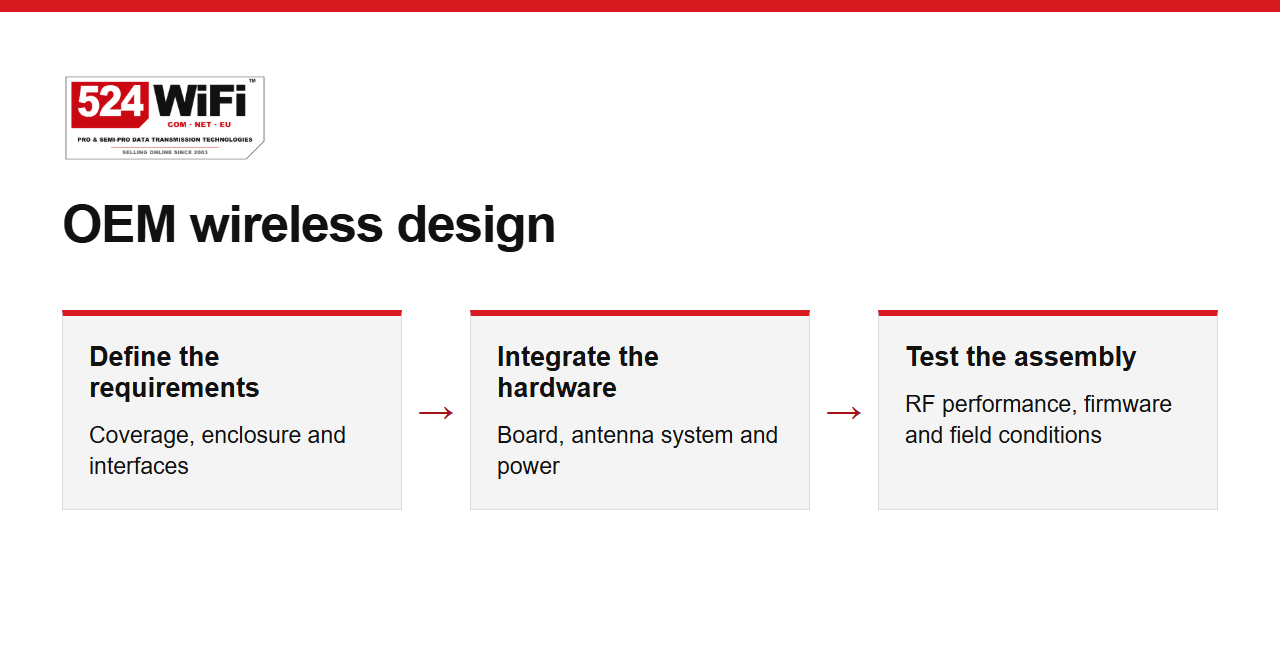
OEM wireless design: requirements, board and antenna integration, then RF and field testing.
OpenWRT, OpenWiFi, LEDE and Linux supported HW for your heavy loaded WiFI applications and outdoor long range Wi-Fi links and Embeded projects.
Develop OpenWRT or OpenWIFi on reliable hardware from 524wifi! Wallys is a member of the OpenWIFI project. Please if you are a company, first create account and mail to us for business login with discount.
We develop OpenWRT – LEDE Github with our suppliers (manufacturers) to help our customers load OpenWRT onto our Embedded Boards and use our WiFi modules, providing opportunities to develop powerful features and customized versions of OpenWRT.
524WiFi and Wallys also provide Software development support to customers utilizing their embedded boards and developing OpenWRT features. Wallys is a member of the OpenWIFI project.
Informations regarding Linux and OpenWRT drivers – The ath11k code from github can’t support the dual / tri band card now, it needs modification. Wallystech and 524WiFi did some changes and applied in Linux kernel version 5.17.0 – if you use different kernel version, then 524WiFi will do some work for you. That is a Linux issue, there are some incompatible with different kernel versions. So the Customer need tell us the kernel version, then we release the ath11k and board-2.bin, bdf and amss.bin to customer – all is binary. Jason, chief of development, told us : “We will build it based on the Customer’s Linux version, The kernel should be 5.17 up. The Card can be AP or Client mode on x86. We do it better than Compex, 8devices and others, DR9074 Triband and Dualband cards are very good and its is powerfull opportunity for all customers developing WiFi6 devices. We have software engineers and we we have resources to support Customers tu use our WiFI6 modules, but we have add lock to amss, so the Customer can’t use our asmss on other vendor’s card“
If The Customer has big volume order, then we can open the ath11k code to the customer customer based on NDA, SLA.
Since its inception in 2010, Wallys has had a strong team, including dozens of research and development personnel, a complete set of assembly lines, they play an irreplaceable role.
Under the premise of ensuring the product quality, we will deliver the goods at the fastest speed and maximize the product benefit. Wallys is a member of the OpenWIFI project.
We are trustworthy, trust us, choose us!
ODM
Wallys provides all services from r&d, design to production and post-maintenance. There can be a buyout or an unbuyout mode.
China has a complete wireless communication industry group, which enables ODM manufacturers to obtain the supply of low-cost components. Years of reform and opening-up have made China an ideal low-cost manufacturing base. Compared with the rapid development of the market, ODM services which focus more on design capability and production experience become more competitive.
OUR ADVANTAGES
Lower production costs
Strong design capability
Rich production experience
Higher productivity
Complete after-sales service
Wallys is a member of the OpenWIFI project.
SCHEMATIC DESIGN
Wallys introduced senior talents and built a strong technical team integrating hardware and software design, providing firm support for the company’s ODM services. We undertake all the design of wireless communication because of enthusiasm and professional. Make any modifications based on our existing solutions to better meet customer needs. From idea to market, Wallys is a one-stop shop.
PROTOTYPE
Wallys could help clients build Prototype. We have a professional technical team supporting.
Helping you realize your idea is our aspiration. Everything on RF is our enthusiasm. Different chipsets, different materials, different features, different designs…we could realize all you want.
Making your idea visible and alive is what we persuit.
SOFTWARE & HARDWARE DESIGN
We have experienced R&D engineer team with a demonstrated history of working in the wireless industry. Skilled in RF and embedded communications , network protocol, firmware ,openwrt ,linux system development , analog and Digital Circuit Design, Network Processors, Power supplies ,PCB design and layout and etc.,
Many years of expertise in software and hardware design allow us to deliver solutions based on your specification list for commercial and industrial applications. We are able to think ahead and deliver design that meet and exceed customer requirement.
Wallys is a member of the OpenWIFI project.
RF
In addition to the most commonly used 2.4G and 5G, Wallys can meet customers’ requirements for special spectrum. Our technicians are skilled in up-conversion and down-conversion technologies to meet your various RF requirements.
The enthusiasm of technicians for RF and wifi drives Wallys to make continuous progress and innovation. We use advanced equipment to produce the most suitable products for the market and meet the needs of customers. We are reliable radio experts.
In an era where connectivity is paramount, the evolution of wireless networking technology never ceases to amaze. WiFi 6, also known as 802.11ax, represents the latest leap forward, building upon the strong foundation laid by its predecessor, WiFi 5 (802.11ac), and introducing a host of groundbreaking enhancements.
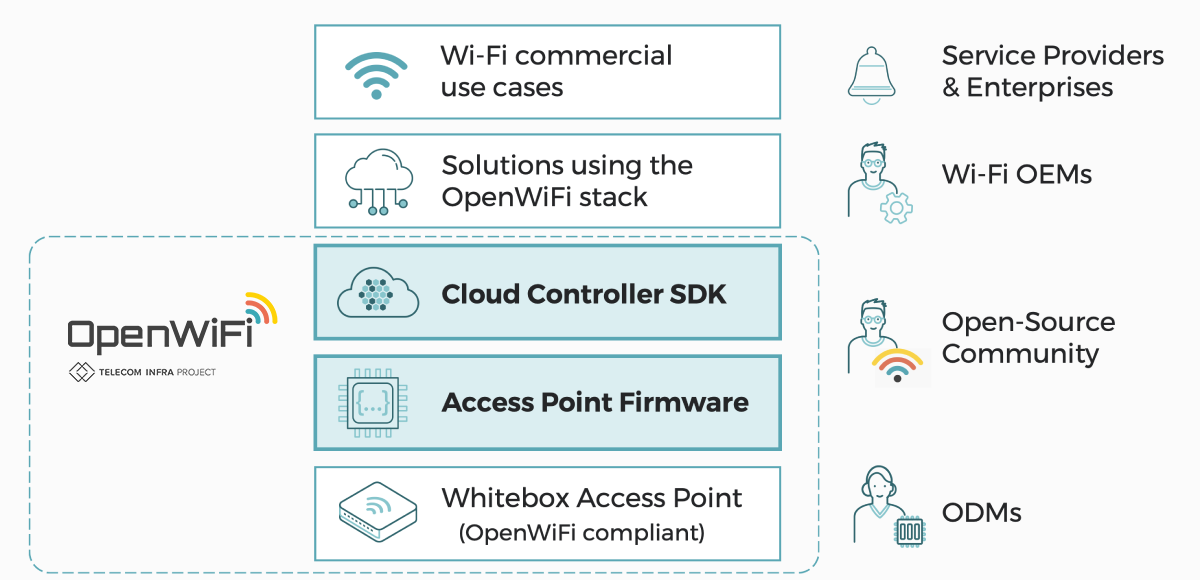
But WiFi 6 isn’t the only star of the show. Enter OpenWiFi, an industry movement that’s reshaping the landscape of Wi-Fi infrastructure innovation. OpenWiFi is an open-sourced, community-driven Wi-Fi software system, comprising a cloud controller SDK and enterprise-grade Access Point (AP) firmware, meticulously designed to work in perfect harmony.
The Power of OpenWiFi
OpenWiFi is a game-changer in several aspects:
Cost-Efficiency: Developing enterprise-grade Wi-Fi solutions can be a costly endeavor. OpenWiFi significantly reduces R&D costs, empowering both existing and new suppliers to deliver top-notch Wi-Fi products with less development effort.
Accelerated Innovation: OpenWiFi fosters open innovation by providing a common foundation for suppliers and service providers. With shared control, data, and management layers, the focus shifts from reinventing Wi-Fi basics to service innovation.
Seamless Integration: The cloud controller SDK offers open north-bound APIs, enabling over-the-top Wi-Fi applications to integrate effortlessly with multiple vendor solutions. This not only saves integration costs but also accelerates time to market.
Economic Benefits: For service providers and enterprises alike, OpenWiFi translates into substantial savings. With reduced deployment costs (CAPEX) and automation-driven operational efficiency (OPEX), the Total Cost of Ownership (TCO) drops significantly compared to proprietary solutions.
Diverse Choice: OpenWiFi offers a wide selection of cloud controllers and access points from multiple vendors, providing flexibility and choice in enterprise-grade Wi-Fi infrastructure.
Meet the QCA IPQ 601 DR6018 board from Wallys
Empowering the OpenWiFi revolution is the Wallys DR6018—an industrial-grade, concurrent dual-band Wi-Fi 6 Routerboard. Let’s explore what makes it a standout choice:
Processing Prowess: Equipped with the Qualcomm-Atheros IPQ6010, a quad-core ARM 64-bit A53 processor running at 1.8GHz, it’s designed for exceptional performance.
Ample Memory: With 1GB of DDR3L system memory and a clever memory bus design, it’s ready for demanding networking tasks.
Wireless Wizardry: Onboard 2×2 2.4GHz and 5GHz radios with support for MU-MIMO and OFDMA technologies deliver top-tier wireless performance.
Connectivity Galore: Multiple Ethernet ports, including a 2.5Gbps Ethernet port, offer a wealth of wired connectivity options.
POE Versatility: Whether you need passive POE or active POE (802.3bt), the DR6018 has you covered.
Compact Form: At 185mm x 116mm, it packs power into a compact design.
Unlocking New Possibilities
What’s truly remarkable is that the DR6018 series routers have recently undergone rigorous long-distance testing, achieving an astonishing 23 km long-distance transmission.
To explore how the Wallys DR6018 can transform your connectivity, check out WallysTech.
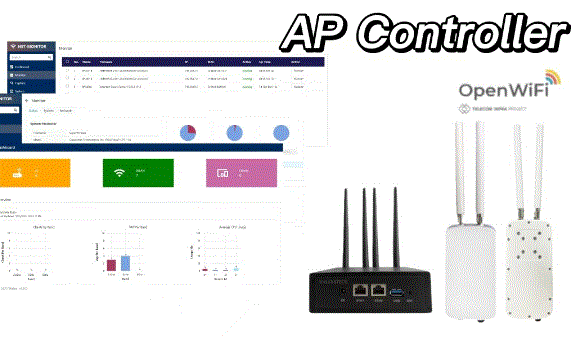
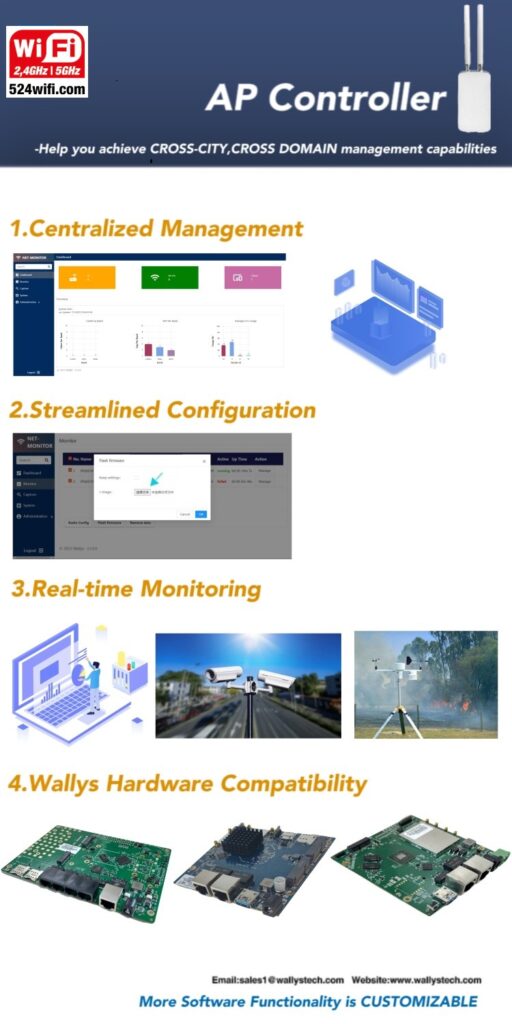
Furthermore, 524WIFI and Wallystech offers the opportunity to customize your own AC+AP Solution (AP Controller). Their AC software is designed to enable cross-city, cross-domain management capabilities, with customizable special functions. Reach out to our sales team to learn more.
Clone the main branch and update it git clone https://git.openwrt.org/openwrt/openwrt.git cd openwrt ./scripts/feeds update -a ./scripts/feeds install -a
Kernel modules/Wireless drivers/kmod-mt7916-firmware Kernel modules/Wireless drivers/kmod-mt76x2 Kernel modules/Wireless drivers/kmod-mt7915e Kernel modules/Wireless Drivers/kmod-cfg80211 Kernel modules/Wireless Drivers/kmod-mac80211 (*optional for ap)Network/WirelessAPD/wpad (*optional for ap)Network/WirelessAPD/hostapd-common (*optional for iw tools)Base system/wireless-tools (*optional for web server)LuCI/Collections/luci (*optional for web server)LuCI/Collections/luci-ssl
1-5. (*optional) Turn on wireless ap in default
Revise the file /openwrt/package/kernel/mac80211/files/lib/wifi/mac80211.sh
set wireless.${name}.disabled=0
Save and compile.
1-6. Compile
make -j $(nproc) kernel_menuconfig
make -j $(nproc) defconfig download clean world V=s
2. Starting AP7621 platform for verify
After burning and booting your AP7621, you can check the interface on OpenWRT by the command:
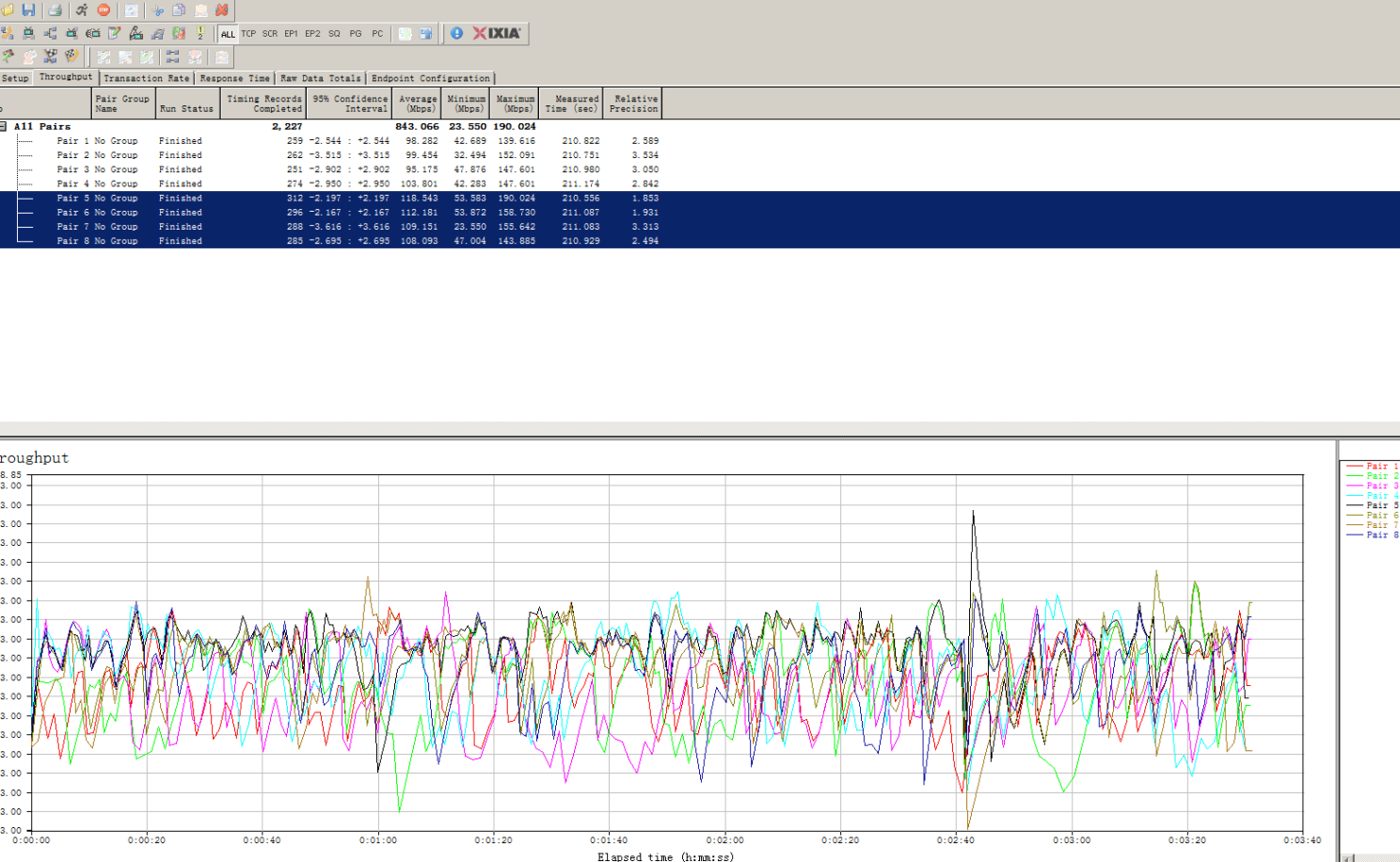
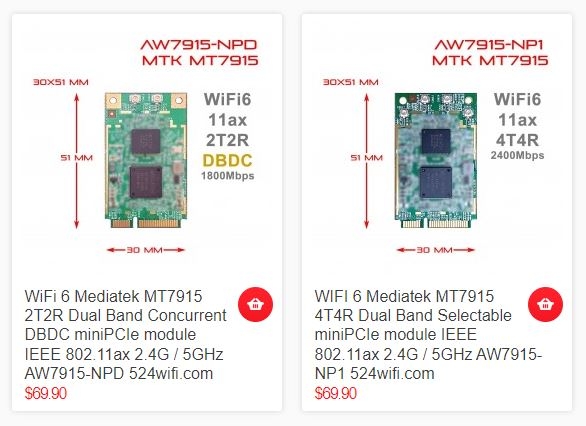
524WIFI 6 MT7915 WITH IPQ4019/IPQ4029 5G RADIO ACHIEVE 843 MBPS THROUGHPUT | DBDC NETWORK CARD
The throughput of a network card refers to the data transfer rate or the amount of data that the network card can handle in a specific period. It is usually measured in bits per second (bps) or its multiples like kilobits per second (Kbps), megabits per second (Mbps), or gigabits per second (Gbps).
The throughput of a network card is influenced by various factors, including the hardware capabilities of the card, the quality of the network cables, the network environment, and the protocols being used. Different network card models may have varying throughputs based on their design and capabilities.
Modern network cards, especially those designed for high-speed networks like Gigabit Ethernet (1000 Mbps) or even faster, can handle data transfers at very high rates. The throughput of a network card is an important consideration in network performance, as it directly impacts the data transmission speed and overall efficiency of the network.
It’s worth noting that the actual throughput experienced in a network may be lower than the maximum throughput of the network card due to factors like network congestion, latency, and other network bottlenecks. Network administrators often perform tests and optimizations to achieve the best possible throughput in their specific network setups.
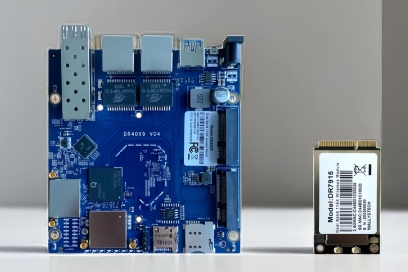
Today, we are excited to showcase the recent test results for the DR7915 Network Card’s throughput.
Equipment Used:
PC x 2
DR40X9 x 2
DR7915 x 2
Feeder Line, UART
IXChariot
Test Setup
Test with indoor 5dbi @ 5G omni antenna
Test with 1G Ethernet port
Here are the key highlights of our findings:
DR40X9 Throughput: 552 Mbps
The DR40X9 device showcased its prowess with an impressive throughput of 552 Mbps. This outstanding wireless data transmission capability highlights the device’s reliability and top-notch performance in real-world scenarios.
DR7915 Throughput: 843 Mbps
Equally impressive, the DR7915 Network Card delivered an astounding throughput of 843 Mbps! This network card demonstrated its exceptional ability to handle data packets and maintain high-speed connections with ease.
DR40X9 or DR40X9 Work with DR7915 have good performance in 5G test.We will change the setting of the software and test in better environment to get higher performance,then we will update it.
Here comes the 524WiFi IPQ4019/IPQ4029 With MT7915 wireless solution:
1.DR40X9:
The DR40x9 is an industrial-grade wireless solution that stands out with its robust IPQ4019/IPQ4029 chipset. This powerful chipset provides a solid foundation for reliable and high-performance wireless connectivity. With its integrated 2x 5G high-power radio modules and 2×2.4G high-power radio modules, the DR40x9 ensures excellent coverage and enhanced signal strength.
Frequency Range and Bandwidth Support:
The DR40x9 offers an extensive frequency range, supporting frequencies from 4.940GHz to 5.825GHz for optimal wireless performance. Additionally, it supports frequencies from 2.400GHz to 2.482GHz, ensuring compatibility with various wireless devices. The solution also offers flexibility in bandwidth selection, supporting 5MHz, 10MHz, 20MHz, 40MHz, and 80MHz options for efficient data transmission.
Connectivity Options:
Equipped with 2 x 5G MMCX connectors and 2×2.4G MMCX connectors, the DR40x9 enables flexible connectivity options. These connectors ensure secure and stable connections, allowing for seamless integration into different setups and environments.
Support for Wireless Standards:
The DR40x9 supports wireless standards such as 11ABGN and 11AC, guaranteeing compatibility with a wide range of devices. Whether you’re connecting legacy devices or modern wireless devices, the solution ensures smooth and reliable connectivity.
RoHS Compliance:
The DR40x9 adheres to RoHS compliance standards, ensuring a high level of protection for both human health and the environment. This commitment to environmental safety mitigates risks posed by potentially harmful chemicals, making it a responsible choice for wireless solutions.
Firmware Support:
The DR40x9 firmware provides comprehensive support for all modules of Quectel, a leading provider of wireless communication modules. This compatibility ensures seamless integration and optimized performance when using Quectel modules alongside the DR40x9 solution.
Open Source Support:
The DR40x9 firmware supports popular open-source firmware options like Openwifi and OpenWrt. These open-source platforms provide users with extensive customization capabilities and flexibility, allowing for tailored configurations and advanced networking features.
In conclusion, the DR40x9 is an industrial-grade wireless solution featuring a powerful IPQ4019/IPQ4029 chipset. With its high-power radio modules, broad frequency range, flexible bandwidth support, and compliance with RoHS standards, the DR40x9 provides reliable wireless connectivity while prioritizing environmental safety. Additionally, its firmware support for Quectel modules and compatibility with open-source firmware options like Openwifi and OpenWrt further enhance its versatility and customization options.
The DR7915 is equipped with a 2×2 2.4G high-power radio module and a 2×2 5G high-power radio module. This dual-band capability ensures reliable and efficient wireless connectivity in both the 2.4GHz and 5GHz frequency bands. The high-power design enhances signal strength and coverage, enabling seamless access to bandwidth-intensive applications and reducing signal dropouts in challenging RF environments.
High-Bandwidth Video Streaming and Data Transmission:
With the DR7915 (hashtag#MT7915), enterprises can enjoy uninterrupted high-bandwidth video streaming and data transmission. The module’s advanced capabilities and efficient data processing ensure smooth video conferencing, multimedia content delivery, and fast file transfers. This enables teams to collaborate seamlessly and boosts productivity in the office or industrial settings.
Enhanced Voice Communication:
The DR7915 (hashtag#MT7915) prioritizes voice communication, offering clear and reliable voice transmissions for enterprise communication needs. Whether it’s conference calls, VoIP applications, or real-time voice communication, the DR7915 ensures crystal-clear voice quality, reducing background noise and providing a seamless communication experience for teams.
Robust Connectivity in Challenging RF Environments:
Enterprise environments often pose challenges for wireless connectivity due to interference and obstacles. The DR7915 (hashtag#MT7915) is designed to excel in such environments, with features that mitigate interference and ensure robust connectivity. The high-power radio modules and advanced signal processing algorithms enable stable connections, even in RF-dense areas or locations with physical obstructions.
Using Network Manager to setup a wifi connection is quick and automatic once the configuration is in place. Install the Wi-Fi card and make sure the device shows up in your Linux system with:
The Qualcomm 900vx wifi module we have plugged in here shows up as expected. If that is not the case, make sure that the card is properly seated, pin-compatible and that the host system has correct drivers installed!
What drivers are being utilized can be found using the index in the previous code snippet:
sudo find /sys | grep drivers.*01:00.0
/sys/bus/pci/drivers/ath10k_pci/0000:01:00.0
Here we see that the device is using the kernel built-in wifi driver ath10k which is compatible 524wifi 900VX Pro+ module used here.
Next step is to check that NM finds the device:
sudo nmcli
wlp1s0: unavailable
“Qualcomm Atheros QCA986x/988x”
wifi (ath10k_pci), 04:F3:21:4F:0A:A2, sw disabled, hw, mtu 1500
Here it is found by NM but in disabled state, activate it using:
sudo nmcli radio wifi on //activate wifi
wlp1s0: disconnected
“Qualcomm Atheros QCA986x/988x”
0 connections available
wifi (ath10k_pci), 04:F3:21:4F:0A:A2, hw, mtu 1500
sudo nmcli dev wifi //lists available wifi access points

sudo nmcli dev wifi connect 'SSID' password 'password' //connect to a network/access point
To setup an automatic connection instead of manual direct-connect follow the below steps:
nmcli con add con-name 'wifi' ifname 'wlp1s0' type wifi ssid 'SSID'

nmcli con modify 'wifi' wifi-sec.key-mgmt 'wpa-psk' //Add security layer matching the access point

nmcli con modify 'wifi' wifi-sec.psk 'password' //Add the access point password to the connection

nmcli con up 'wifi'//Activate the connection

nmcli dev set 'wlp1s0' autoconnect yes //Set connection to autoconnect
There are also a number of different settings that can be changed to your liking. Below you can see an example of how to set which band an existing connection should use:
nmcli connection edit wifi

goto wifi //Access general wifi settings

goto band //Access band settings

set a //Sets the band to 5GHz

save //Persistent save

quit //Quit the interactive terminal

sudo systemctl restart network-manager //Restart to apply settings
IW is a configuration utility for wireless devices and supports most if not all drivers implemented officially in the Linux kernel. It can be used to setup and connect to wifi networks as well as configure access points/hotspots on supported modems. It replaces the older iwconfig utility which is not recommended for use. The IP utility is a routing tool that is used to configure network interfaces on your linux host and to configure bridges between devices.
To list all wireless devices the command iw dev or /sbin/iw dev can be used and the response could look something like this:
phy#0
Interface wlp1s0
ifindex 4
wdev 0x1
addr 04:f0:21:3f:0a:a3
type managed
txpower 23.00 dBm
multicast TXQ:
qsz-byt qsz-pkt flows drops marks overlmt hashcol tx-bytes tx-packets
0 0 0 0 0 0 0 0 0
To make sure that the device is up and running issue: ip link show wlp1s0
In this case, the wireless device is wlp1s0 and for which command return the following:
4: wlp1s0: UP> mtu 1500 qdisc noqueue state DOWN mode DORMANT group default qlen 1000
Make sure that the country parameter is correct, if not you can set the country code with the following: sudo iw reg set SE
This ensures that the modem follows country-specific frequency regulations!
To connect to a password protected network (e.g. WPA version 1,2 or 3) a configuration file called wpa_supplicant.conf that handles the security protocol is needed:
wpa_passphrase SSID >> /etc/wpa_supplicant.conf
enter wifi password and hit enter
The generated output would look something like this:











 COMPEX and Wallys develop Patches and GitHubs to help our customers load OpenWRT and LEDE onto our Embedded Boards, providing opportunities to develop powerful features and customized versions of OpenWRT and LEDE. We provide OpenWRT patches up to latest Chaos Calmer. Wodaplug LTE routers use Golden Orb – Rooter firmeare for 4G / 5G applications.You can check