Posted on

IPQ 9574: Does DR9574 Router Powered by Qualcomm IPQ9574 Support MLO?

524WiFi Wi-Fi 7 Router Powered by Qualcomm IPQ9574 and QCN9274: Enhanced Network Experience with MLO Technology

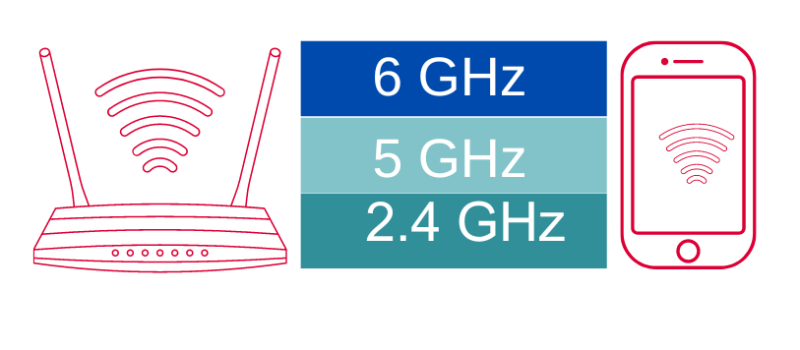
MLO (Multi-Link Operation) is a key technology in Wi-Fi 7 that allows data to be transmitted across multiple wireless links simultaneously, significantly improving network performance, stability, and efficiency. Specifically, MLO enables devices to transmit and receive data on multiple frequency bands (2.4GHz, 5GHz, and 6GHz) at the same time, rather than being limited to a single band.

Key Roles of MLO in Wi-Fi 7:

  • Increased Throughput: MLO allows devices to utilize multiple links for data transmission, greatly boosting bandwidth and data transfer speeds, especially for high-bandwidth applications like 4K/8K streaming, cloud gaming, and VR/AR.
  • Reduced Latency: Parallel transmission across multiple links accelerates data transfer, lowering latency, which is crucial for real-time applications like online gaming and video conferencing.
  • Enhanced Reliability: MLO can automatically switch to other links if one experiences interference or congestion, ensuring connection stability, especially in crowded environments or when devices are far from the router.
  • More Efficient Spectrum Usage: MLO dynamically distributes traffic across different links, improving spectrum resource utilization and reducing wireless congestion.

Why Many Applications Need MLO:

  • High Bandwidth Demands: As 4K/8K video and immersive media become more prevalent, applications increasingly require higher bandwidth. MLO’s multi-link capability meets these demands.
  • Low Latency Requirements: Applications like cloud gaming and video conferencing require very low latency. MLO can significantly reduce latency through parallel transmission.
  • Reliability: Smart home and industrial automation applications need stable connections. MLO’s multi-link mechanism ensures stability even if one link fails.

About IPQ9574 and QCN9274:

  • Qualcomm IPQ9574: This powerful SoC (System on Chip) is designed for high-performance networking applications, providing robust processing power and advanced features to support next-gen Wi-Fi 7 capabilities. Its architecture is optimized for handling multiple data streams, ensuring seamless connectivity and improved network efficiency.
  • Qualcomm QCN9274: Qualcomm Wi-Fi 7 ‘Waikiki’ series radio solution.

In summary, MLO is a core technology in Wi-Fi 7 that enhances network experience by providing higher throughput, lower latency, and greater reliability, making it essential for modern high-performance applications.

524WiFi Solution:

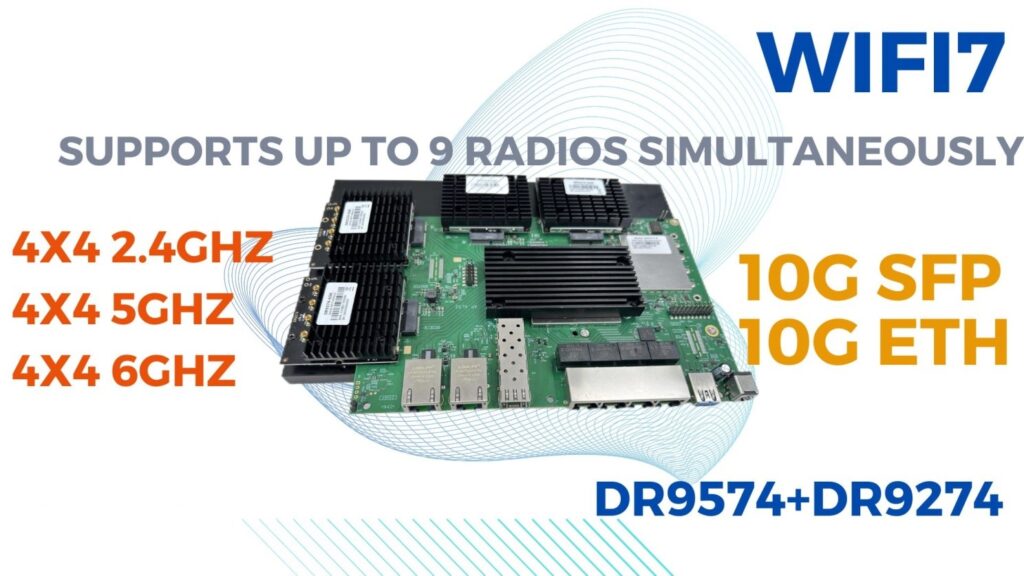
524WiFI and Wallystech’s Wi-Fi 7 router DR9574 supports MLO functionality with the DR9274 Wi-Fi 7 card, fulfilling diverse Wi-Fi project needs:

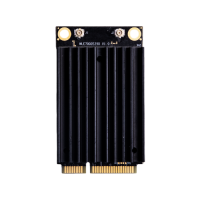
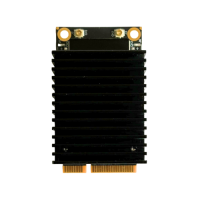
  • DR9574 supports 3 DR9274 single cards: 2.4G, 5G, and 6G can operate simultaneously.
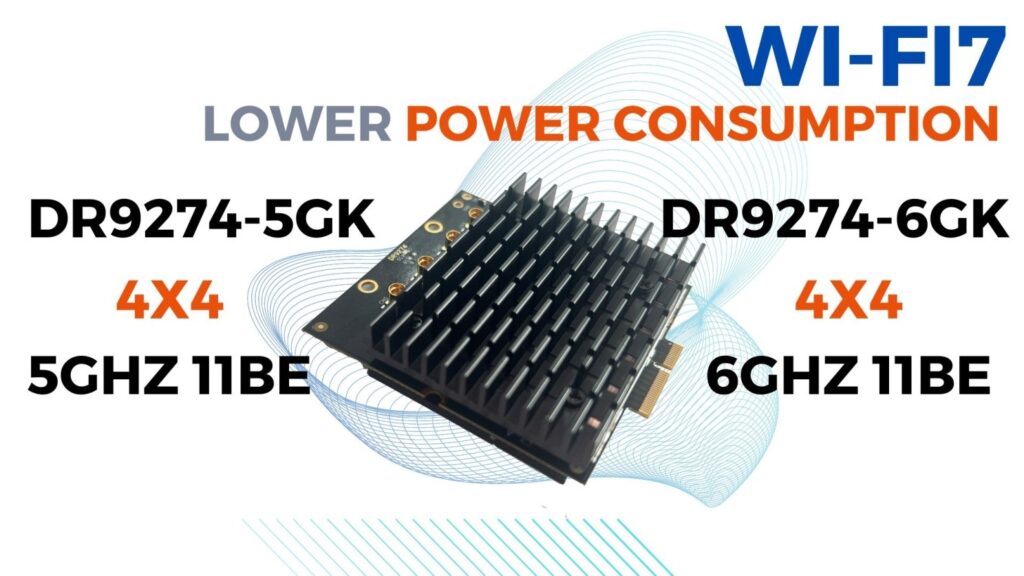
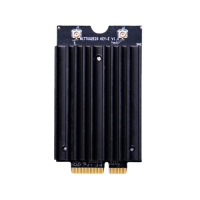
  • DR9574 supports one DBDC card: DR9274-5G6G
Posted on

How the Signal-to-Noise Ratio SNR can affect communication quality depending on the environment?

Here’s a breakdown of how SNR varies in different settings and its implications:

1. Urban Environment

In urban areas, numerous electronic devices—like smartphones and Wi-Fi routers—create electromagnetic interference, raising noise levels. Additionally, high-rise buildings can obstruct signals, leading to attenuation. This reduction in signal strength lowers SNR, resulting in more data transmission errors and unstable connections.

2. Rural Environment

Contrarily, rural regions typically experience less interference, leading to lower noise levels. However, being too far from the base station can result in insufficient signal strength, decreasing SNR. This can affect the reliability and speed of communication in these areas.

3. Indoor Environment

Inside buildings, materials such as walls and furniture can absorb or reflect signals, causing attenuation. Different materials impact signal strength differently. Moreover, indoor environments often lead to multipath effects, where signals take various paths to reach the receiver, increasing noise and lowering SNR. This can result in packet loss or delays.

4. Mobile Environment

In moving vehicles or devices, signal strength and noise levels can fluctuate, leading to unstable SNR. This instability may cause frequent connection drops or variations in speed. Additionally, while on the move, devices may switch between base stations, and changes in SNR can affect the smoothness of these transitions.

5. Severe Weather

Weather conditions like rain and snow can attenuate signals, reducing SNR—particularly affecting satellite and microwave communications. Furthermore, strong winds and lightning can increase noise levels, further compromising signal stability.

A high SNR generally signifies better communication quality, with lower error rates and faster data transfer. Variations in SNR across environments directly influence signal strength, stability, and reliability, impacting overall communication performance.

Posted on

Wi-Fi 7 Unleashed: Explore Qualcomm’s 4×4 Tri-Band Powerhouse!

Exploring Wi-Fi 7 4×4 Qualcomm Triband Solutions

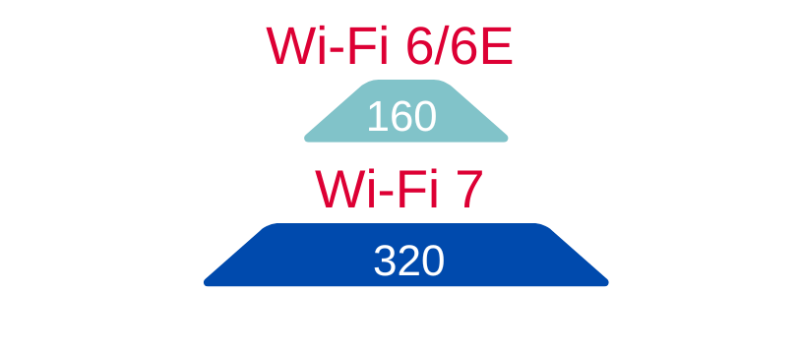
Wi-Fi 7, also known as 802.11be, marks a significant leap forward in wireless networking technology, offering enhanced performance, higher throughput, and lower latency compared to its predecessors. With features like 320 MHz channel bandwidth, 4K-QAM modulation, and Multi-Link Operation (MLO), it is poised to deliver speeds up to 46 Gbps, ideal for the ever-increasing demands of modern networks.

This article explores several Qualcomm-based Wi-Fi 7 4×4 triband solutions from 524WiFi and Wallys Communications, highlighting their key features and applications.

1. DR9574: Tri-Band Routerboard with Qualcomm IPQ9574

  • Overview: The DR9574 routerboard is equipped with the Qualcomm IPQ9574 chipset and features 4×4 MU-MIMO technology, offering robust performance across three bands (2.4 GHz, 5 GHz, and 6 GHz). It supports four M.2 slots, which provides significant flexibility for module integration and customization.
  • Specifications:
  • Chipset: Qualcomm IPQ9574 and QCN9274
  • Bands: Tri-band (2.4 GHz, 5 GHz, 6 GHz)
  • Ports: 2x 10G Ethernet and 4x 1G Ethernet ports
  • Applications: Suitable for high-performance networking applications such as routers, access points, and enterprise-level solutions, the DR9574 is designed for environments where both speed and reliability are critical.
  • Use Case: It is ideal for deployment in offices, large homes, or enterprise environments that demand simultaneous high-speed connections across multiple devices.

More about DR9574

IPQ9574 QCN9274

2. DR9274 Series: Single-Band Wi-Fi 7 M.2 Modules

  • Overview: The DR9274 series consists of three single-band Wi-Fi 7 cards—each catering to a different frequency band (2.4 GHz, 5 GHz, and 6 GHz). These M.2 modules provide high-speed 4×4 MU-MIMO functionality, enabling better coverage and increased data throughput in densely populated environments.
  • Key Models:
  • DR9274-2G: Focuses on the 2.4 GHz band, which is ideal for devices requiring long-range connectivity with moderate data requirements.
  • DR9274-5G: Optimized for the 5 GHz band, offering a balance between range and speed, perfect for most modern devices.
  • DR9274-6G: Leverages the 6 GHz band, providing ultra-fast connectivity with minimal interference, designed for future-proofing wireless networks.
  • Specifications:
  • Chipset: Qualcomm QCN9274 and QCN6274
  • Form Factor: M.2 slot, ensuring easy integration into a wide range of devices.
  • 4×4 MU-MIMO: Delivers enhanced performance for demanding applications, such as streaming, gaming, and large file transfers.
  • Use Case: The DR9274 series is ideal for laptops, embedded systems, and other devices requiring high-performance wireless modules in specialized applications.

More about DR9274-2G

More about DR9274-5G

More about DR9274-6G

3. DR5332: Qualcomm IPQ5332 Dual-Band Routerboard

  • Overview: The DR5332 is a dual-band routerboard that comes with a Qualcomm IPQ5332 chipset, offering support for 2.4 GHz and 5 GHz bands. It is designed for network solutions that require fast, stable, and efficient connections.
  • Specifications:
  • Chipset: Qualcomm IPQ5332
  • Ports: 10G SFP for high-speed fiber connections, making it ideal for data-heavy applications.
  • Memory: 1 GB DDR4, enhancing performance for processing-intensive tasks.
  • Use Case: This model is well-suited for small- to medium-sized business environments, especially where high data throughput and fiber connectivity are crucial.

More about DR5332

IPQ5332 4×4 Solution

Conclusion

The Qualcomm Wi-Fi 7 4×4 triband solutions provide a comprehensive range of products tailored to meet the needs of high-performance networking applications. From single-band M.2 modules to advanced routerboards supporting multiple frequencies, 524WiFi’ lineup offers flexibility and scalability for various industries and use cases.

Posted on

What industries are likely to benefit the most from WiFi 7 advancements?

WiFi 7 advancements are set to benefit several industries, particularly those that rely heavily on connectivity, data transfer, and real-time communication. Here are some of the key industries likely to gain the most:

1. Manufacturing

  • Smart Factories: Enhanced connectivity supports IoT devices, automation, and robotics, improving efficiency and productivity on the factory floor.
Smart Factories

2. Healthcare

  • Telemedicine and Remote Monitoring: High-speed, low-latency connections enable real-time patient monitoring and telehealth services, enhancing care delivery.
Healthcare

3. Transportation and Logistics

  • Fleet Management: IoT sensors and real-time tracking systems can operate more effectively, improving logistics, inventory management, and route optimization.
Transportation and Logistics

4. Retail

  • Smart Retail Solutions: WiFi 7 can support advanced point-of-sale systems, inventory tracking, and customer engagement technologies like AR applications.

5. Education

  • Online Learning and Collaboration: Schools and universities can leverage high-speed connectivity for blended learning, virtual classrooms, and enhanced collaboration tools.

6. Energy and Utilities

  • Smart Grids: Enhanced data transmission allows for better monitoring and management of energy consumption and distribution, facilitating the growth of renewable energy sources.

7. Construction

  • Site Connectivity: Real-time data sharing between devices and personnel can improve project management, safety monitoring, and equipment tracking.

8. Agriculture

  • Precision Farming: IoT devices can collect and transmit data on soil conditions, crop health, and weather, optimizing agricultural practices and yields.

9. Hospitality

  • Guest Experience: Hotels can provide seamless connectivity for guests and improve operational efficiency through integrated management systems.

Conclusion

WiFi 7’s capabilities are set to transform industries by enhancing connectivity, supporting advanced technologies, and improving efficiency. As businesses adopt these advancements, the impact on operations, customer experience, and overall productivity will be significant.

Wallys WiFi 7 Solutions

With over 16 years of expertise, Wallys is a leader in OEM/ODM services for WiFi products, including router boards, WiFi cards, antennas, and access points spanning WiFi 5, 6, and 7 standards. We excel in both software development and hardware customization, leveraging Qualcomm chipsets like IPQ9574 and IPQ6010 to deliver superior performance. Many of our products support open-source platforms such as OpenWrt and OpenWiFi, allowing for highly customizable solutions tailored to meet specific client needs.

At Wallys, we offer two robust WiFi 7 solutions designed to meet diverse needs:

1.DR9574 IPQ9574 Solution (Industrial Grade)

Features: Qualcomm IPQ9574 chipset, QCN9247 4×4 2.4GHz, 4x M.2 slots, QCN6274/QCN9274, 2x 10G Ethernet ports, 4x 1G Ethernet ports.

Performance: Achieves impressive throughput with a 6GHz indoor test reaching 9.9Gbps when tested with a 10G port PC.

More Info: DR9574 IPQ9574 Solution

2.DR5332 IPQ5332 Solution (Commercial Grade)

Features: Qualcomm IPQ5332 chipset, 10G SFP, 1GB DDR4 16-bit.

More Info: DR5332 IPQ5332 Solution

Posted on

Stable Wireless PTP Long Range Transmission Hardware: 524 WiFi Industrial Wireless Routerboards

IPQ5018, IPQ6018, IPQ8072, IPQ9574, IPQ5332 Routerboards

Choosing Stable Wireless Transmission Hardware: Recommended 524 WiFi Industrial Wireless Routers

In point-to-point WiFi long-distance transmission, selecting the right hardware platform is crucial. To achieve stable signal transmission, it’s important to focus on key factors such as processor performance, transmission standards, RF (radio frequency) performance, and heat dissipation design. Wallys offers a range of industrial wireless routers that meet these needs, particularly excelling in scenarios requiring stable transmission over distances of up to 23 kilometers.

1. Processor Performance

Choosing routers with high-performance CPUs is essential. 524WiFi’ industrial routers are equipped with powerful multi-core processors capable of handling high data traffic, ensuring a smooth network experience even with multiple device connections. This level of performance guarantees reliability in data-intensive applications, such as video monitoring and real-time data transmission.

WIFI6 VS WIFI7
WIFI6 VS WIFI7

2. Transmission Standards

To achieve higher efficiency and lower latency, it’s vital to select devices that support the latest WiFi standards. Wallys 524WiFi routers support WiFi 6 and WiFi 6E, with preparations for WiFi 7. This means users can enjoy faster connection speeds and greater network capacity, making them suitable for high-density user environments.

3. RF (Radio Frequency) Performance

Good RF performance is another key factor for stable transmission. 524WiFi’ industrial wireless routers employ advanced RF designs that optimize signal transmission and reception, significantly enhancing signal stability and interference resistance. This is especially important in complex environments such as factories or warehouses, ensuring stable signal transmission even over distances of up to 23 kilometers.

4. Heat Dissipation Design

Overheating can severely impact device performance, so a good heat dissipation design is crucial. Wallys 524WiFi routers utilize efficient heat management solutions to maintain stable performance during long-term operation. This design allows devices to operate efficiently under high load conditions, ensuring continuous network connectivity.

Wallys WIFI7 Heat Dissipation Design
524WIFI 7 Heat Dissipation Design

5. Quality Control

524WiFi’ commitment to quality is reflected in its manufacturing process. All devices undergo 100% calibration before shipment, ensuring that signal quality and performance meet high standards. This rigorous quality control measure gives users peace of mind, ensuring that devices can operate reliably in various environments.

Recommended Models

  • DR5018S: Based on the Qualcomm IPQ5018 CPU, supports WiFi 6, suitable for high-density connection environments, offering robust data processing capabilities.
DR5018S router board
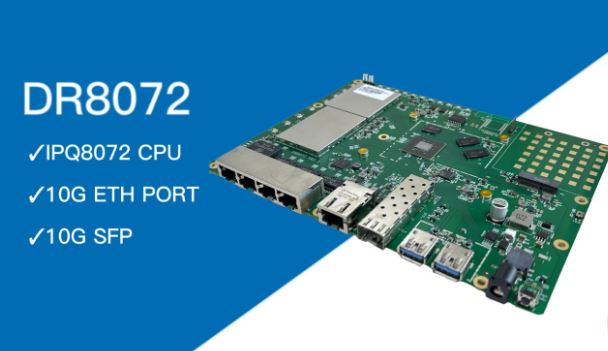
  • DR8072: Features the Qualcomm IPQ8072 CPU, supports WiFi 6E, with excellent RF performance and heat dissipation design, ideal for industrial applications.
DR8072
  • Wallys DR6018: Based on the Qualcomm IPQ6010 CPU, suitable for environments that require stable transmission and efficient processing.
Wallys DR6018
  • DR5332: A forward-looking design supporting WiFi 7, based on the Qualcomm IPQ5332 CPU, offering multiple connectivity options to meet future needs.
IPQ6010 VS IPQ5332
IPQ6010 VS IPQ5332
  • DR9574: Equipped with the Qualcomm IPQ9574 CPU, providing exceptional performance and efficient signal transmission, suitable for large-scale applications.
Wallys DR9574

Conclusion

Choosing the right industrial wireless router is essential for ensuring stable wireless transmission. 524WiFi’ products excel in processor performance, transmission standards, RF performance, and heat dissipation design, making them ideal for achieving efficient point-to-point WiFi connections while maintaining stability over distances of up to 23 kilometers. By selecting the appropriate model based on specific application scenarios and requirements, you can maximize network stability and efficiency, ensuring reliable wireless communication.

Posted on

Fast Roaming Test: Seamless Video Camera Transmission During AP Switch!

Exciting Updates on Fast Roaming Testing!

Today, we’re thrilled to share the results of our latest fast roaming test, demonstrating how STA (client devices) can seamlessly switch between access points (APs) while on the move! DR4029 routers used for all devices.

Testing Setup Overview

The theory behind our testing is straightforward: as the STA moves, it should automatically disconnect from weaker APs and connect to the strongest ones, ensuring uninterrupted data flow between PC1 and PC2. We verified this by using PC1 to ping PC2.

Testing Setup Overview

Testing Topology

In our simplified validation, we used SSH to lower the transmission power of AP1 while increasing that of AP2, simulating the STA moving away from AP1 and closer to AP2. Throughout the test, PC1 continuously displayed footage from the camera connected to the STA, with data flowing smoothly from PC2 to PC1—flawless and seamless!

Testing Topology

Next, we’ll delve deeper into real-world scenarios involving fast roaming, including the STA switching between multiple APs. Stay tuned for the latest updates and exciting content!

Complete Testing Video:

Posted on

Wi-Fi 7 The Next Generation of Connectivity from COMPEX wireless

Wi-Fi 7, also known as IEEE 802.11be, is the next-generation Wi-Fi standard that supports 2.4GHz, 5GHz, and 6GHz all three frequency bands. This advanced technology introduces innovative features that provide wider signal coverage, reduced latency and seamless connectivity. Wi-Fi 7 is set to revolutionize the way we connect, redefining the standards of wireless communication and rewriting your connectivity experiences. For Linux users, recommended is Linux krenel 6.5 and in kernel ath12k driver.

Unlock the Full Possibilities of Wi-Fi 7

320-bandwidth

320MHz Bandwidths

Wi-Fi 7 introduces 320MHz channel bandwidths, significantly expanding data transmission capacity. This allows for higher data rates and improved performance, ideal for bandwidth-intensive applications like streaming, gaming, and large file transfers.

4k-qam-3

4096 QAM

WiFi 7 uses 4K QAM to enhance data capacity, enabling higher speeds and efficiency. This improves performance for 4K streaming, online gaming, and large file downloads, delivering superior connectivity for modern applications.

mlo

Multi-Link Operation

Wi-Fi 7 debuts Multi-Link Operation (MLO), enabling devices to connect to the same access point across multiple channels and frequency bands simultaneously. MLO increases throughput, reduces latency, and enhances reliability.

Compex Wi-Fi 7 Solutions

The new Compex’s Wi-Fi 7 Dual-Band Dual-Concurrent Modules are designed to take your connectivity to the next level with seamless adoption, power efficiency and enhanced wireless performance. Ideal for enterprise, industrial, cybersecurity, transportation, and SMB applications or appliances, our Wi-Fi 7 Dual-Band Dual-Concurrent Modules set a new standard in performance and reliability.

Compex Wi-Fi 7 Solutions Product Matrix

WLE7000 Standard MiniPCIe Series

wle7002e25d

WLE7002E25

2×2 2.4+5GHz DBDC WiFi 7
with 2.4/5GHz Diplexer
MiniPCIe Interface with PCIe 3.0
wle7002e56_wifi-7

WLE7002E56

2×2 5+6GHz DBDC WiFi 7
with 5/6GHz Diplexer
MiniPCIe Interface with PCIe 3.0

WLT7000 M.2 Series

wlt7002e25d-e

WLTE7002E25

2×2 2.4+5GHz DBDC WiFi 7
with 2.4/5GHz Diplexer
M.2 E Key Interface with PCIe 3.0
wltb7002e25_wifi-7

WLTB7002E25

2×2 2.4+5GHz DBDC WiFi 7
with 2.4/5GHz Diplexer
M.2 B+M Key Interface with PCIe 3.0

WLW7000 High-Power M.2 Series

wlw7000e25

WLW7002E25

2×2 2.4+5GHz DBDC WiFi 7
M.2 E Key Interface with PCIe 3.0
wlw7000e25

WLW7002E56

2×2 5+6GHz DBDC WiFi 7
M.2 E Key Interface with PCIe 3.0
wlw7000e2e5e6

WLW7000E2

4×4 2.4GHz WiFi 7
M.2 E Key Interface with PCIe 3.0
wlw7000e2e5e6

WLW7000E5

4×4 5GHz WiFi 7
M.2 E Key Interface with PCIe 3.0
wlw7000e2e5e6

WLW7000E6

4×4 5GHz WiFi 7
M.2 E Key Interface with PCIe 3.0
Posted on

Multi-Band Support and Wi-Fi 6: Exploring the Technical Advantages of the DR5018S with IPQ5018

Multi-Band Support and Wi-Fi 6: Exploring the Technical Advantages of the DR5018S with IPQ5018

In the realm of wireless communication, Wi-Fi 6 represents a significant leap forward, delivering enhanced speed, capacity, and efficiency. For industrial applications that demand robust and reliable wireless solutions, the DR5018S module, featuring the powerful IPQ5018 chipset, stands out as an exemplary choice. This article explores the technical advantages of the DR5018S and how the IPQ5018 chipset enhances its capabilities, particularly in multi-band support and Wi-Fi 6 technology.

1. Three-Band Support: Extensive Coverage, Flexible Deployment

The DR5018S offers comprehensive coverage with its support for 2.4 GHz, 5 GHz, and 6 GHz frequency bands. This multi-band capability ensures optimal performance across a variety of environments, from expansive outdoor areas to densely populated industrial sites.

Advantages:

  • 2.4 GHz Band: Provides broad signal coverage and is effective for long-distance transmission and penetration through obstacles.
  • 5 GHz Band: Delivers higher data transfer speeds, making it suitable for applications requiring substantial bandwidth, such as HD video streaming and high-speed data transfers.
  • 6 GHz Band: Introduces additional bandwidth, reducing interference and congestion. This band is particularly valuable for future high-density, high-throughput applications.
Wi-Fi generations (Source: Wikipedia)

2. IPQ5018 Chipset: Powering Superior Performance

At the heart of the DR5018S is the IPQ5018 chipset, which brings exceptional performance and efficiency to the module. The IPQ5018 is designed to handle demanding networking tasks with ease, providing a solid foundation for advanced wireless capabilities.

Key Features of IPQ5018:

  • High Processing Power: The IPQ5018 chipset features a robust processor that supports high-speed data processing and efficient network management, making it ideal for high-performance applications.
  • Enhanced Efficiency: Optimized for low power consumption while maintaining high performance, the IPQ5018 ensures extended operational longevity and reduced energy costs.
  • Advanced Features: Supports a range of advanced networking features, including enhanced security protocols and efficient bandwidth management, ensuring reliable and secure connections.
Wallys DR5018S:WIFI6 TRIBAND ROUTERBOARD CPU IPQ5018

3. Wi-Fi 6E

Wi-Fi 6E extends the capabilities of Wi-Fi 6 by incorporating the 6 GHz band. This extension is crucial for maintaining performance in increasingly crowded wireless environments.

Advantages:

  • Expanded Spectrum: The 6 GHz band provides additional non-overlapping channels, significantly reducing interference and network congestion.
  • Increased Speed: Supports higher bandwidth, facilitating rapid data exchange and improved performance for demanding applications.
  • Reduced Latency: Wi-Fi 6E minimizes latency, which is essential for applications requiring real-time data transmission and low lag.

4. DR5018S in Industrial Applications

The DR5018S, equipped with the IPQ5018 chipset, excels in various industrial applications, from smart cities to advanced manufacturing and security monitoring.

Application Examples:

  • Smart Cities: The DR5018S supports a large number of sensors and IoT devices, enabling real-time data collection and processing that enhances urban infrastructure and management.
SMART CITY
SMART CITY
  • Intelligent Manufacturing: In manufacturing settings, the module’s multi-band support improves device communication and automation efficiency, driving productivity and operational success.
Intelligent Manufacturing
  • Security Monitoring: For security applications, the DR5018S’s 6 GHz band provides clear and smooth video streaming with minimal latency, enhancing the effectiveness of surveillance systems.
Security Monitoring
Security Monitoring

5. Conclusion: DR5018S with IPQ5018 – A Powerful Networking Solution

As the demand for advanced wireless solutions grows, 524WiFi and Wallys’ DR5018S, driven by the IPQ5018 chipset, offers a powerful and versatile solution for industrial wireless networks. With its multi-band support and Wi-Fi 6E technology, the DR5018S is well-suited for a range of demanding applications, delivering exceptional performance and reliability.

DR5018S(IPQ5018)

For more details on the DR5018S and the IPQ5018 chipset, or to discuss how these technologies can meet your specific needs, please contact our sales team. We are here to provide tailored solutions for your networking requirements.

DR5018S:https://524wifi.net/?s=5018

Posted on

What is a Captive Portal? Complete Guide to Coova Chilli Configuration 

Complete Guide to Captive Portal Configuration on 524WiFi DR6018 Wallys Router

In this article, we’ll walk you through everything you need to know about setting up a captive portal on the DR6018 router, from understanding what a captive portal is to configuring it step by step.


1. What is Captive Portal?

Captive portal is a web page that users are automatically directed to when they connect to a public Wi-Fi network. This page typically requires the user to authenticate, agree to terms of service, or log in before gaining access to the internet.

Captive portals are commonly used in places such as cafes, airports, hotels, and corporate environments. When a user connects to the network, their browser is redirected to this login page, allowing the network owner to control access or display messages.


2. Why Is a Captive Portal Beneficial?

Captive portals provide several advantages for both network administrators and users:

  1. Improved Security: Captive portals allow network administrators to control access to the network, ensuring that only authorized users can connect. This helps to prevent unauthorized access and enhances overall network security.
  2. User Authentication: By requiring users to log in or agree to terms of service, you can track who is accessing your network. This is particularly important for public Wi-Fi networks where many users may connect.
  3. Marketing Opportunities: Captive portals provide an excellent platform for displaying advertisements, promotions, or important messages to users before they access the internet. This is a great way for businesses to increase engagement with their customers.
  4. Regulatory Compliance: In some industries or regions, regulations require businesses to monitor and track internet usage. A captive portal helps ensure that the network is used in compliance with legal guidelines.

3. Step-by-Step Guide: Configuring Captive Portal on DR6018 Router

Now that we’ve covered the basics, let’s move on to the detailed steps for setting up a captive portal on the DR6018 router.

Step 1: Upgrade the DR6018 Router with CoovaChilli Firmware

The first step is to ensure your Wallys DR6018 router is running the CoovaChilli firmware. This firmware is essential for setting up a captive portal. Follow the firmware upgrade process in the router’s interface to ensure you have the latest version.

Step 2: Configure eth0 as the WAN Port

Once the firmware is installed, log into the router’s interface and configure the eth0 interface as the WAN port. Remove eth0 from the LAN bridge and disable the DHCP server for this interface. This ensures the router properly routes internet traffic through the WAN port.

Step 3: Connect the Internet Cable and Verify IP Address

Next, plug in your internet cable to the eth0 port. The router should now obtain an IP address within the 192.168.7.xx range. Verify that the WAN port has successfully connected to the internet and is assigned the correct IP address.

Step 4: Configure the Landing Page in CoovaChilli

Now, it’s time to configure the landing page. This is the page users will see when they first connect to your Wi-Fi network. In the CoovaChilli panel, set up the URL for your landing page. For example, you can configure the landing page to redirect users to Baidu’s website or any custom page you want to use.

Step 5: Connect a Device and Test the Captive Portal

With the landing page configured, you can now test the setup. Connect a device, such as a laptop, to the Wi-Fi network provided by the Wallys DR6018 router. Once connected, open a web browser, and you should be automatically redirected to the landing page you configured.

Step 6: Authorize Internet Access with chilli_query authorize ip

Finally, once the user has interacted with the landing page, you can authorize internet access using the CoovaChilli chilli_query authorize ip command. This grants the user permission to browse the internet.


4. Procurement and Project Consultation

If you’re interested in purchasing the Wallys DR6018 router or need further consultation for your networking projects, feel free to reach out to us. Our team is here to assist with any technical or project-related inquiries.

IPQ6010 IPQ6018 Routerboard DR6018

By following this guide, you should now have a fully functioning captive portal on your 524WiFi DR6018 router, offering enhanced security, user management, and marketing opportunities. Stay tuned for more networking tips and tutorials!

Posted on

How to Choose the Right WiFi 7 Solution: An In-Depth Look at IPQ5332, QCN9274, and QCN6274 Chips

How to Choose the Right WiFi 7 Solution: An In-Depth Look at IPQ5332, QCN9274, and QCN6274 Chips

As wireless technology continues to advance, WiFi 7 is becoming a key driver for industrial and commercial applications. The IPQ5332, QCN9274, and QCN6274 chips, newly released by Qualcomm, offer high performance and a wide range of applications. However, with these options, users may face challenges in selecting the most suitable solution for their specific needs. In this article, we will explore the features and application scenarios of these chips, helping you make an informed decision.

1. IPQ5332: The Top WiFi 7 SoC for High-Density Environments

The IPQ5332 is a high-performance WiFi 7 SoC designed by Qualcomm to support multi-band, high bandwidth, and low latency applications. This chip integrates multi-core CPUs, acceleration engines, and advanced network processing capabilities, making it ideal for handling complex network demands in high-density user scenarios.

  • Learn more about the DR5332(IPQ5332 SoC) here.

User Needs and Challenges

  • Needs: Users are looking for a SoC that can operate stably in high-density environments while supporting the latest WiFi 7 technology.
  • Challenges:How to ensure IPQ5332’s stability in high-interference environments?Are there ready-made development boards or modules available for rapid prototyping?How to achieve compatibility between the IPQ5332 and existing network devices?

Solutions

  • Performance Testing and Case Studies: We provide performance test data for the IPQ5332 in various environments, showcasing its superior performance in high-density and long-distance transmission scenarios.
  • Development Resources: Wallys offers development boards and modules based on the IPQ5332, complete with technical documentation and development support to help you quickly start your project.

2. QCN9274: The Ideal RF Solution for Multi-Band Wireless Communication

The QCN9274 is a multi-band RF chip that supports wideband, high-speed wireless communication, making it particularly suitable for demanding wireless transmission scenarios. Whether for industrial automation or large-scale enterprise wireless networks, the QCN9274 provides stable RF performance and low power consumption.

  • Learn more about the DR9274(QCN9274 RF chip) here.

User Needs and Challenges

  • Needs: Users are seeking an RF chip that can deliver optimal performance in multi-band, multi-user scenarios.
  • Challenges:How does the QCN9274 perform in complex environments?How to ensure seamless integration between the QCN9274 and the IPQ5332?Are there ready-made drivers or firmware available for custom development?

Solutions

  • Optimization Strategies: We demonstrate how the QCN9274 maintains stable connections in high-density, high-interference environments and provide the best combination solution with the IPQ5332.
  • Technical Support: We offer comprehensive driver and firmware support to ensure your development project runs smoothly.

3. QCN6274: The Low-Power Choice for IoT and Smart Home Applications

The QCN6274 is a low-power, high-performance RF chip designed specifically for IoT and smart home applications. This chip not only excels in transmission efficiency but also has extremely low power consumption, making it ideal for battery-powered devices.

User Needs and Challenges

  • Needs: Users need a low-power RF chip that can provide stable wireless connections in long-term operational environments.
  • Challenges:How effective is the QCN6274’s signal penetration?How to maintain signal stability while extending battery life?Does it support rapid integration into existing IoT solutions?

Solutions

  • Power Optimization: Through precise power management and optimization strategies, the QCN6274 can maintain stable wireless connections in long-running devices while extending battery life.
  • Integration Support: We provide detailed technical documentation and reference designs to help you quickly integrate the QCN6274 into your existing IoT and smart home devices.

4. How to Choose the Right WiFi 7 Chip Solution for You

The IPQ5332, QCN9274, and QCN6274 each have unique advantages, making them suitable for different application scenarios. Whether you are looking for a high-performance WiFi 7 SoC, a multi-band RF chip, or a low-power IoT solution, 524WiFi can provide you with the most appropriate hardware support and technical services.

Actionable Recommendations:

  • Learn More: Visit our product pages to learn more about the IPQ5332, and here for the QCN9274.
  • Contact Our Sales Team: If you have any technical questions or need a custom solution, feel free to reach out to our sales team at info at 524wifi.com and we will provide you with the best support.
  • By choosing the right chip, you can ensure that your project achieves optimal performance, stability, and power efficiency, helping you quickly reach your business goals.
QCN9274/QCN6274