
Posted on

A Smarter Drone Still Needs a Stronger Wireless Link

The future of drones is no longer only about flying.

Modern drones are becoming intelligent platforms equipped with:

  • AI vision systems
  • Autonomous navigation
  • Real-time data processing
  • Advanced sensors
  • Edge AI computing capabilities

But behind every smart drone, there is one critical infrastructure that is often overlooked:

Reliable wireless connectivity.

Because even the most advanced AI system becomes limited when the connection is unstable.


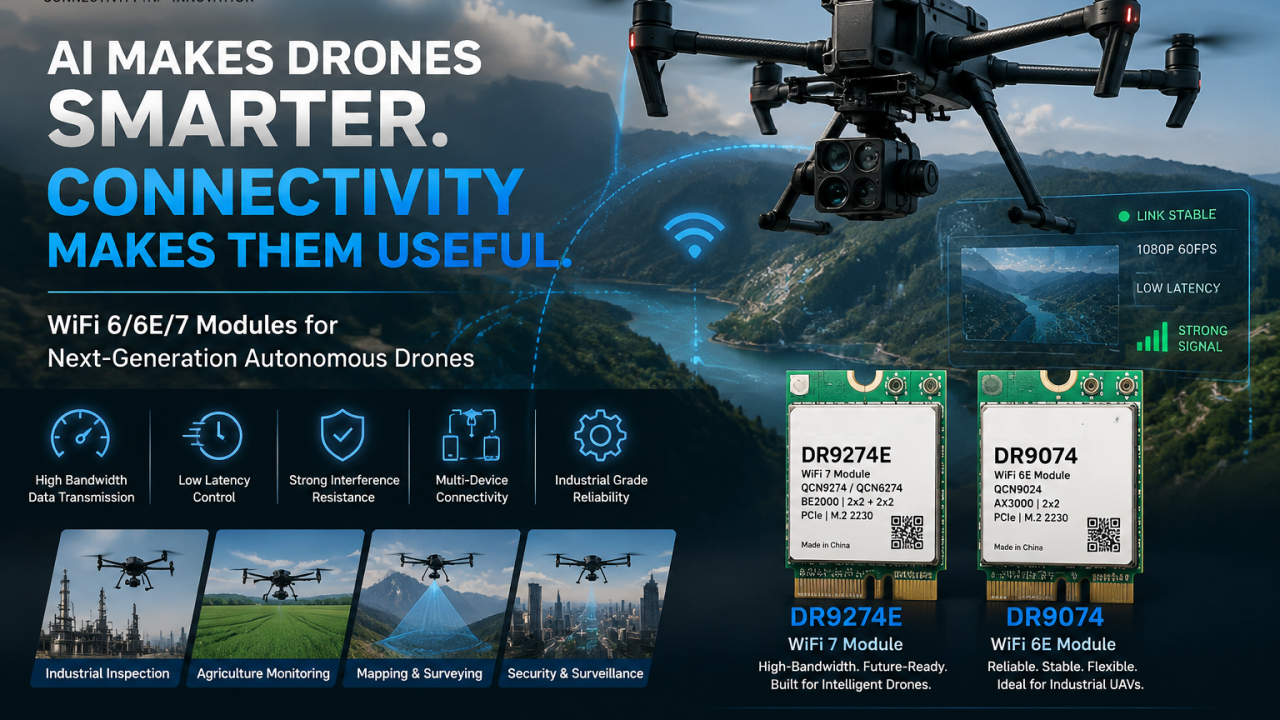
AI Makes Drones Smarter. Connectivity Makes Them Useful.

A drone performing industrial inspection, mapping, agriculture monitoring, or security missions needs to continuously exchange large amounts of data.

It needs to:

  • Stream high-resolution video in real time
  • Transfer sensor and vision data
  • Maintain low-latency control communication
  • Stay connected during high-speed movement

The wireless link is no longer just a communication channel.

It becomes the nervous system of an autonomous flying machine.


Why Drone Applications Need More Than Traditional Wireless Connectivity

Many UAV applications operate in challenging environments:

  • Long-range communication
  • High-speed mobility
  • Complex RF environments
  • Multiple drones working simultaneously
  • High-bandwidth AI data transmission

For these scenarios, peak speed alone is not enough.

A professional drone platform requires:

  • Stable connectivity
  • Low-latency response
  • Strong interference resistance
  • Reliable performance during long operation cycles

WiFi 6 and WiFi 7: Building the Wireless Foundation for Next-Generation UAVs

As drones become more intelligent, wireless technology must evolve to support higher demands.

Advanced WiFi platforms enable:

High-bandwidth AI applications

Real-time video streaming, multi-camera systems, and edge AI processing require fast and reliable data transmission.

Low-latency autonomous control

Faster response helps support autonomous navigation and mission-critical operations.

Multi-device communication

Future drone fleets and collaborative robotic systems will require efficient wireless networking.


524WiFi Industrial WiFi Modules for Intelligent Drone Platforms

For drone developers, selecting a wireless module is not only about maximum throughput.

Important considerations include:

  • Industrial-grade chipset platform
  • Driver and software support
  • Thermal stability
  • Flexible integration options
  • Long-term supply availability

Based on Qualcomm wireless platforms, Wallys provides WiFi solutions designed for industrial and AI-driven applications.


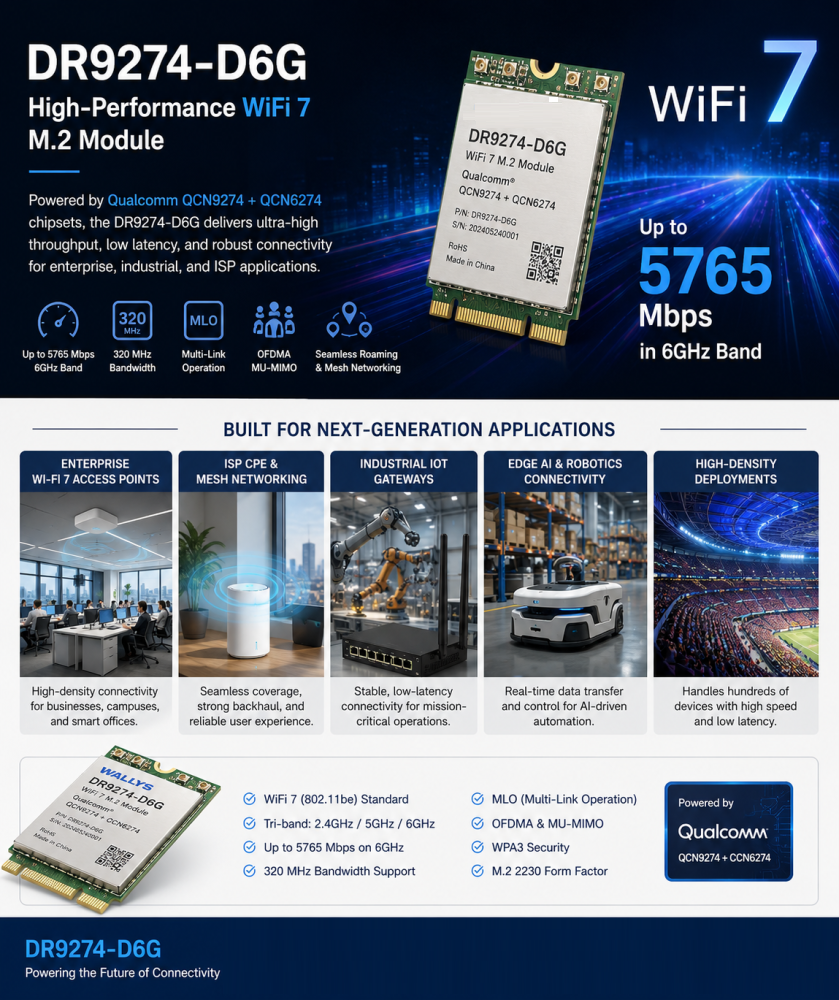
DR9274E WiFi 7 Module: Enabling Next-Generation Autonomous Drones

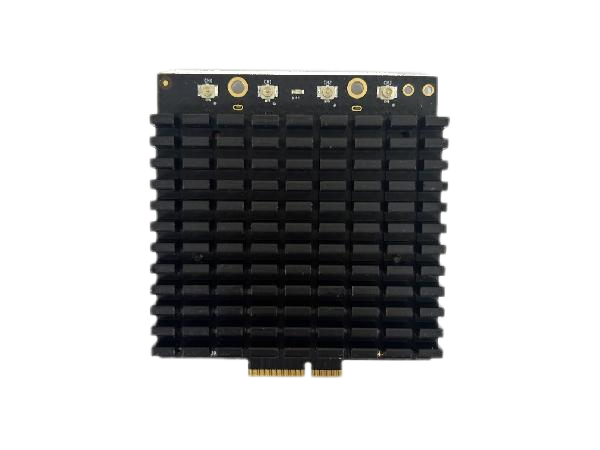
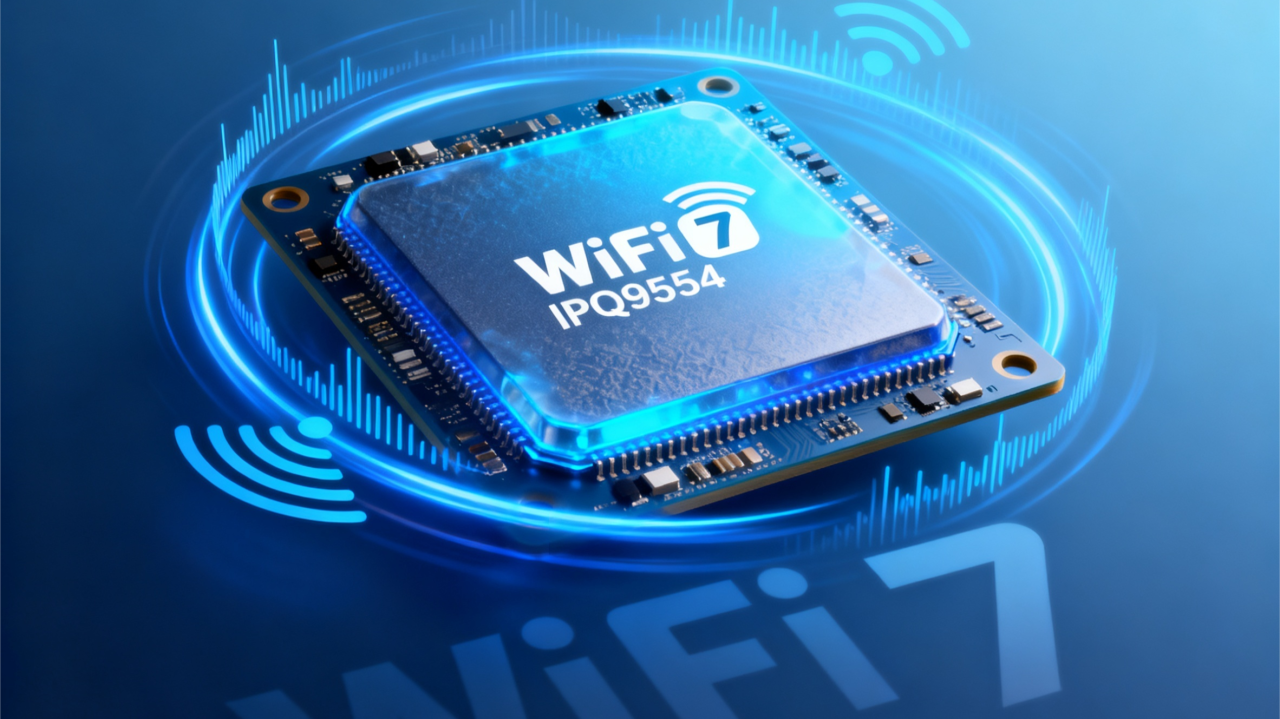
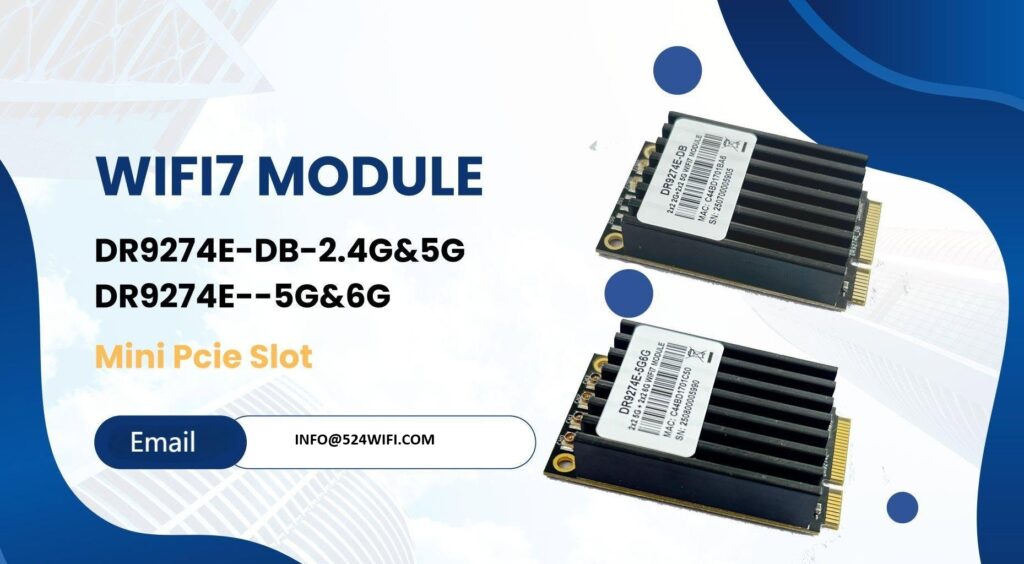
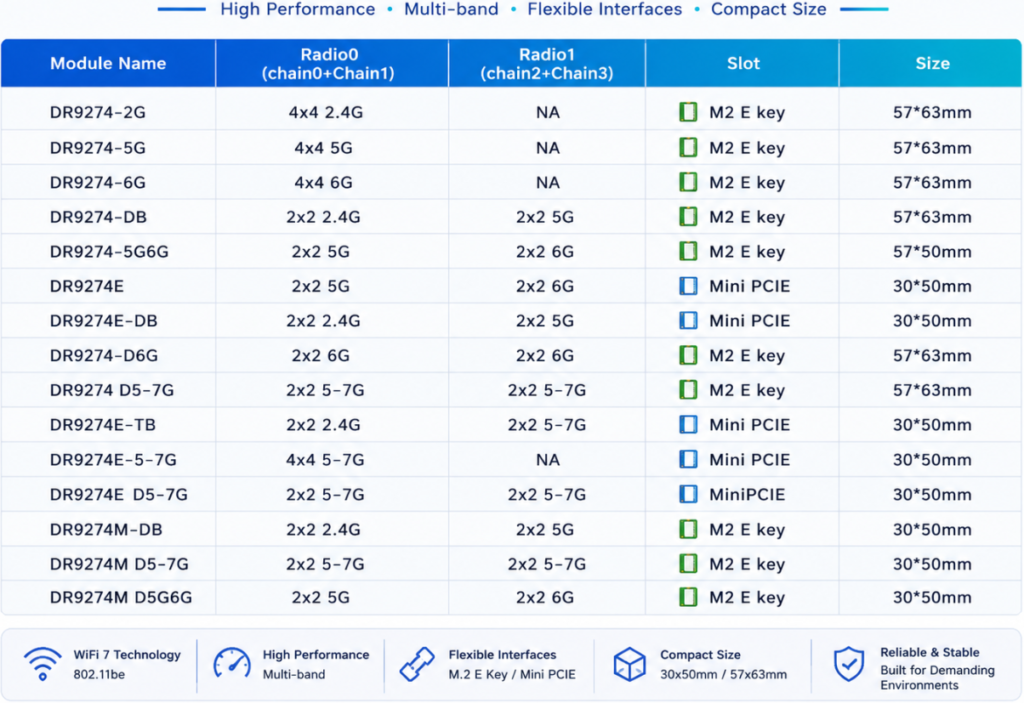
Powered by Qualcomm QCN9274 and QCN6274 platforms, the DR9274E WiFi 7 module is designed for applications requiring higher bandwidth, advanced connectivity, and future-ready wireless performance.

Potential applications include:

  • AI vision drones
  • Autonomous aerial robots
  • Industrial inspection UAVs
  • High-resolution video transmission systems

With WiFi 7 capabilities, it provides a powerful wireless foundation for intelligent devices requiring faster data exchange and more reliable connections.

DR9074 WiFi 6E Module: Reliable Connectivity for Industrial UAV Applications

Based on Qualcomm QCN9024, the DR9074 supports Tri-Band WiFi 6E operation across 2.4GHz, 5GHz, and 6GHz.

It is designed for applications requiring:

  • Stable wireless links
  • High-performance data transmission
  • Flexible frequency selection
  • Industrial deployment reliability

Suitable for:

  • Inspection drones
  • Mapping systems
  • Smart agriculture UAVs
  • Edge AI devices
Article content

Connecting the Future of Autonomous Flight

The future of drones will not only depend on better AI algorithms.

It will depend on the complete technology ecosystem:

AI provides intelligence. Sensors provide perception. Wireless connectivity enables action.

A smarter drone still needs a stronger wireless link.

At 524WiFi and Wallys, we are committed to providing Qualcomm-based WiFi 6 and WiFi 7 platforms for the next generation of drones, robotics, and edge AI applications.

The future of autonomous flight will not only be smarter.

It will be better connected.
Posted on

Do you need original QCA Linux DBDC driver for Sparklan WNFQ or WPEQ 268AXI WiFi6 module? Or is better to use open source Ath11k driver ?

Let us share our experience with Qualcomm Atheros WCN6856 based Wi-Fi 6 Triband modules from Sparklan. These WiFi6 modules are very popular. Many professional customers are requesting testing samples and want to use them for their projects.

Open Source Linux ath11k driver is available, works but has limitations.

If the customer needs DBS, they will need to apply the ath11k patch. However, after applying the patch, DFS will not be available, and many functions will not work with ath11k. In many cases, we have already suggested using the official QCA driver. Unfortunately original QCA driver is for older Linux kernel only – WNFQ-269AX(BT) Qualcomm official driver supports Linux Kernel version 5.4 & 5.10 & 5.15.

“For DFS and support for more client connections (+60) , they will need to use the official QCA driver.”

Sparklan can provide the original driver but every customer has to sign the NDA . If you are interested in , then please contact us and provide your project description and company details. We will send the NDA for you.

Here is the latest driver for 268AXI module :

Change WPEQ-268AXI.tar.xz Firmware BDF

SOP 

#rm -r /lib/firmware/ath11k/WCN6855

#cp WPEQ-268AXI.tar.xz /lib/firmware/ath11k

#cd /lib/firmware/ath11k

#tar xvf WPEQ-268AXI.tar.xz

Please follow the steps higher to replace the firmware BDF.

Here is an older success story from our customer, maybe thsi can help to many other to develop relaibel working x86 Linux based device with WCN6856 based Wi-Fi 6 Triband modules :

I think we will have to stick with the open source ath11k driver for now since we already are committed to 6.1.x.

I have since migrated this project to Debian 12, also on 6.1.x. I can confirm the exact kernel version. However I was able to install ath11k on Debian 12 core (no X since this will run headless) along with the open source firmware and I do have hostapd working now. I am yet to activate dnsmasq, a bridge that includes the lan interface, etc. So far it seems that what I am stuck on is 2.4GHz + 5GHz DBDC. I’ve experimented with hostapd.conf quite a bit and I cannot seem to figure out how to do this. Typically with DBDC I have seen two wifi interfaces enumerate in linux. I only see one (named wlp1s0) in my case. Performing sudo iw list does show all of the correct frequencies in the supported list (including 6GHz which is not necessary for my application).

Strangely, after a reboot, the only way that I can correctly set the regulatory region (sudo iw reg set US in my case here) is after I perform a manual sudo iwlist scan. This could be an issue because I will want the appliance to reboot with hostapd activated automatically (presumably by systemd?)

I would be happy to share my hostapd.conf and anything else from my configurations to get this working. I feel that I am quite close to success and with just a few more configuration file adjustments plus the correct systemd service definition this project will be complete.

The hostapd.conf and dnsmasq.conf are attached. These are working well except:

No SDBC. I don’t seem to see in a scan anything except the 5GHz radio.

Trying after boot:

armbian@nanopi-r5c:/$ sudo hostapd /etc/hostapd.conf
wlp1s0: interface state UNINITIALIZED->COUNTRY_UPDATE
Frequency 5180 (primary) not allowed for AP mode, flags: 0x100853 NO-IR
Primary frequency not allowed
wlp1s0: IEEE 802.11 Configured channel (36) or frequency (5180) (secondary_channel=1) not found from the channel list of the current mode (2) IEEE 802.11a
wlp1s0: IEEE 802.11 Hardware does not support configured channel
Could not select hw_mode and channel. (-3)
wlp1s0: interface state COUNTRY_UPDATE->DISABLED
wlp1s0: AP-DISABLED 
wlp1s0: interface state DISABLED->DISABLED
wlp1s0: AP-DISABLED 
wlp1s0: CTRL-EVENT-TERMINATING 
hostapd_free_hapd_data: Interface wlp1s0 wasn’t started
nl80211: deinit ifname=wlp1s0 disabled_11b_rates=0

Produces hostapd failure every time. However if I instead first:

armbian@nanopi-r5c:/$ sudo ip link set wlp1s0 up
armbian@nanopi-r5c:/$ sudo iwlist scan
armbian@nanopi-r5c:/$ sudo iw reg set US
armbian@nanopi-r5c:/$ sudo hostapd /etc/hostapd.conf
wlp1s0: interface state UNINITIALIZED->COUNTRY_UPDATE
wlp1s0: interface state COUNTRY_UPDATE->HT_SCAN
wlp1s0: interface state HT_SCAN->ENABLED
wlp1s0: AP-ENABLED


Doing these steps produces a perfectly running ap bridged with one of the two ethernet NICs and with a working DHCP server. It seems stuck in 5GHz and at lower speed classes. But otherwise it’s working. These extra steps are quite tricky to run without a bunch of shell scripts called by systemd which is not as reliable as I would prefer.

sudo iw reg set US

Does nothing unless I first: sudo iwlist scan

NetworkManager (NM) is disabled and I am using systemd-networkd. This is a headless micro-server and NM just got in the way of everything.

I feel like I am very close to having this working perfectly!

More system information follows. Thanks.

armbian@nanopi-r5c:/$ uname -a
Linux nanopi-r5c 6.6.31-current-rockchip64 #1 SMP PREEMPT Fri May 17 10:02:40 UTC 2024 aarch64 GNU/Linux

armbian@nanopi-r5c:/$ inxi -b
System:
  Host: nanopi-r5c Kernel: 6.6.31-current-rockchip64 arch: aarch64 bits: 64 Console: pty pts/0
    Distro: Armbian GNU/Linux 12 (bookworm)
Machine:
  Type: ARM System: FriendlyElec NanoPi R5C details: N/A serial: 43d60e96d20b8351
CPU:
  Info: quad core Model N/A [MCP] speed (MHz): avg: 1800 min/max: 408/1992
Graphics:
  Device-1: display-subsystem driver: rockchip_drm v: N/A
  Device-2: rk3568-mali driver: panfrost v: kernel
  Device-3: rk3568-dw-hdmi driver: dwhdmi_rockchip v: N/A
  Display: server: No display server data found. Headless machine? tty: 167×44
    resolution: 3840×2160
  API: N/A Message: No display API data available in console. Headless machine?
Network:
  Device-1: Qualcomm QCNFA765 Wireless Network Adapter driver: ath11k_pci
  Device-2: Realtek RTL8125 2.5GbE driver: r8169
  Device-3: Realtek RTL8125 2.5GbE driver: r8169
Drives:
  Local Storage: total: 58.63 GiB used: 7.9 GiB (13.5%)
Info:
  Processes: 206 Uptime: 14m Memory: 3.65 GiB used: 416 MiB (11.1%) Init: systemd
  target: graphical (5) Shell: Bash inxi: 3.3.26

Here is the solution for this customer.

1. Kernel config —> enable “CONFIG_ATH_REG_DYNAMIC_USER_REG_HINTS”

2. iw reg get —> phy#0 (self-managed) country ?

3. iw reg set US

4. iw list —> Check 5G Frequencies “NO-IR” disappears

However, I must remind you again that they will need to apply the ath11k patch for DBS.

Result – Super helpful and I can report I have success, I have an AP, I have rather good performance for a software AP, and I’m going to send this to testing.

In case anyone else was wondering: on current Debian the wifi needed a new file /usr/lib/firmware/ath11k/WCN6855/hw2.0/board-2.bin which was extracted from either Debian unstable or https://git.kernel .org/pub/scm/linux/kernel/git/firmware/linux-firmware.git/

Posted on

The Hidden Challenge in Robot Fleets: Roaming, Latency, and Wireless Stability

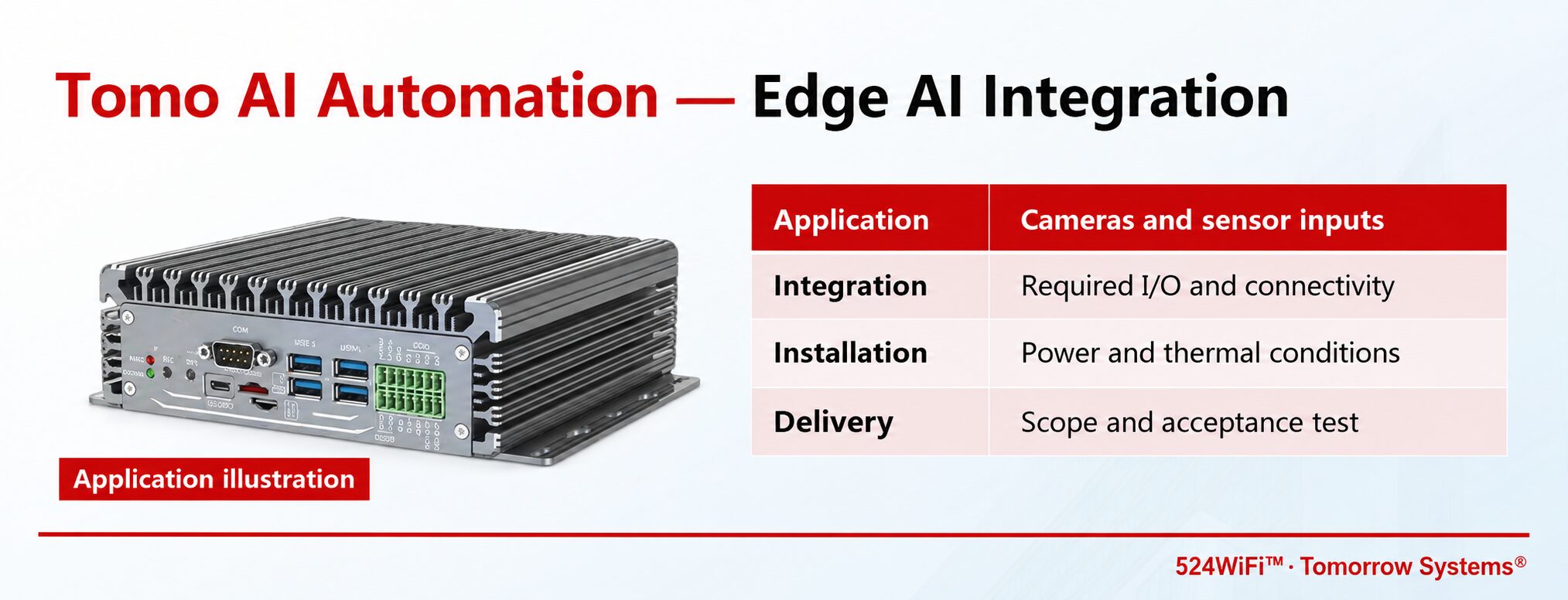
Tomo AI Automation · 524WiFi™ · Tomorrow Systems® — industrial application and integration illustration

When people talk about autonomous robots, the conversation usually focuses on AI models, sensors, cameras, and navigation algorithms.

But there is another critical layer that often determines whether a robot system succeeds in real-world deployment:

Wireless connectivity.

A robot can have advanced AI capabilities, but without reliable communication, even the smartest robot may struggle in a dynamic industrial environment.

For large-scale robot fleets, connectivity is no longer just a networking feature. It becomes part of the robot’s operational reliability.

The Reality of Wireless Challenges in Robot Deployments

In warehouses, factories, farms, and outdoor industrial environments, robots are constantly moving.

An AMR (Autonomous Mobile Robot), for example, may need to:

  • Move across different areas with changing RF conditions
  • Maintain real-time communication with control systems
  • Upload high-resolution camera data
  • Receive navigation and task instructions
  • Coordinate with other robots in the same environment

During these operations, wireless networks face several challenges:

1. Roaming: Staying Connected While Moving

A robot moving through a large facility often needs to transition between multiple access points.

A poor roaming experience can cause:

  • Packet loss
  • Video interruption
  • Control delays
  • Temporary disconnection

For industrial robots, even a short communication interruption can affect efficiency and safety.

Advanced roaming mechanisms such as 802.11k/v/r help devices make faster and smarter roaming decisions by improving network awareness and reducing handover time.

However, successful roaming also depends on:

  • Proper RF planning
  • AP deployment strategy
  • Client behavior optimization
  • Network management

2. Latency: Every Millisecond Matters

Many industrial robot applications require real-time communication.

Examples include:

  • Remote monitoring
  • Vision-based inspection
  • Autonomous navigation
  • Robot fleet coordination

High latency can impact:

  • Motion control
  • Response time
  • Task execution efficiency

The challenge is not only achieving high throughput.

A network can provide high speed but still suffer from unstable latency due to:

  • Network congestion
  • Interference
  • Poor link quality
  • Inefficient routing

Reliable industrial wireless networks need predictable performance, not just peak speed.

3. Wireless Stability in Complex Environments

Industrial environments are very different from homes or offices.

Factories and outdoor deployments may include:

  • Metal structures causing reflections
  • Moving equipment blocking signals
  • Multiple wireless networks creating interference
  • Large numbers of connected devices

A robot fleet may experience changing wireless conditions every moment.

This requires networks that can adapt dynamically.

Important capabilities include:

  • Intelligent channel management
  • Interference detection
  • Dynamic path optimization
  • Mesh networking
  • Traffic prioritization

Why Traditional Wi-Fi Approaches Are Not Always Enough

A standard Wi-Fi deployment may work well for static users.

However, robot fleets introduce new requirements:

  • Mobility
  • High device density
  • Continuous connectivity
  • Low latency
  • Reliable uplink performance

The network needs to be designed around the robots’ movement and operational workflow.

Building the Wireless Foundation for Next-Generation Robots

The future of autonomous systems will depend on the combination of:

AI + Robotics + Reliable Connectivity

Advanced wireless technologies such as Wi-Fi 6 and Wi-Fi 7 bring important improvements:

  • Higher capacity
  • Better multi-device performance
  • Lower latency
  • Multi-band operation with MLO
  • Improved reliability in demanding environments

But technology alone is not enough.

Successful industrial deployments require:

  • The right wireless architecture
  • Proper RF optimization
  • Reliable hardware platforms
  • Long-term firmware support
  • Real-world validation

Final Thoughts

Autonomous robots are becoming smarter every day.

But intelligence alone does not guarantee successful deployment.

Behind every reliable robot fleet is a reliable communication infrastructure.

The next generation of industrial automation will not only depend on better AI algorithms — it will depend on wireless networks that can keep robots connected, responsive, and operational in the real world.

Reliable connectivity is the foundation that allows autonomous robots to truly become autonomous.

524WiFi™ Pulse Options for Your Project

These are separate own-brand product variants. Select the model and configuration against your host, software, antenna system and operating requirements.

Plan your project with Tomo AI Automation

Bring your application, enclosure, interfaces, power requirements, software environment and expected quantity into one project brief. Tomorrow Systems® and 524WiFi™ can review the engineering scope with you.

Explore the automation project hub and request form →

Posted on

Physical AI Connectivity – AI Robots Don’t Run on AI Alone. They Run on Connectivity.

Tomo AI Automation · 524WiFi™ · Tomorrow Systems® — industrial application and integration illustration

Every week, we see exciting breakthroughs in robotics.

Smarter vision models. Faster inference. More powerful edge AI hardware.

But when robots leave the lab and enter factories, warehouses, farms, or outdoor environments, something interesting happens.

The biggest challenge often isn’t AI.  It’s connectivity !

An autonomous robot may have enough computing power to understand its surroundings, but it still needs to:

  • Receive sensor data in real time
  • Stream video reliably
  • Exchange information with other robots
  • Connect to edge servers and cloud platforms
  • Roam seamlessly across large facilities without interruption

If the wireless network becomes unstable, even the most advanced AI model can’t perform as intended.

In real-world deployments, we’ve learned that customers rarely complain about TOPS or benchmark scores.

Instead, they ask questions like:

• Can the connection stay stable after days or weeks of continuous operation?

• Will roaming interrupt navigation?

• How does the network perform in environments with heavy RF interference?

• Can hundreds of devices operate simultaneously without impacting latency?

These are deployment questions—not benchmark questions.

As Physical AI continues to evolve, networking is no longer just supporting the system.

It is becoming part of the AI infrastructure itself.

The future of intelligent robots won’t be built by AI alone.

It will be built by the combination of:

  • AI Computing
  • Reliable Wireless Connectivity

⚡ Edge Networking

  • Seamless Mobility

The industry has spent years optimizing AI models.

Perhaps it’s time we give the same attention to the networks that keep those models connected.

AI may be the brain.  Connectivity is the nervous system.

I’d love to hear your perspective:

What has been the biggest networking challenge in your robotics or Edge AI deployments?

524WiFi™ Pulse Options for Your Project

These are separate own-brand product variants. Select the model and configuration against your host, software, antenna system and operating requirements.

Plan your project with Tomo AI Automation

Bring your application, enclosure, interfaces, power requirements, software environment and expected quantity into one project brief. Tomorrow Systems® and 524WiFi™ can review the engineering scope with you.

Explore the automation project hub and request form →

Posted on

Why Controller-Based Industrial WiFi Is Breaking in Real Deployments

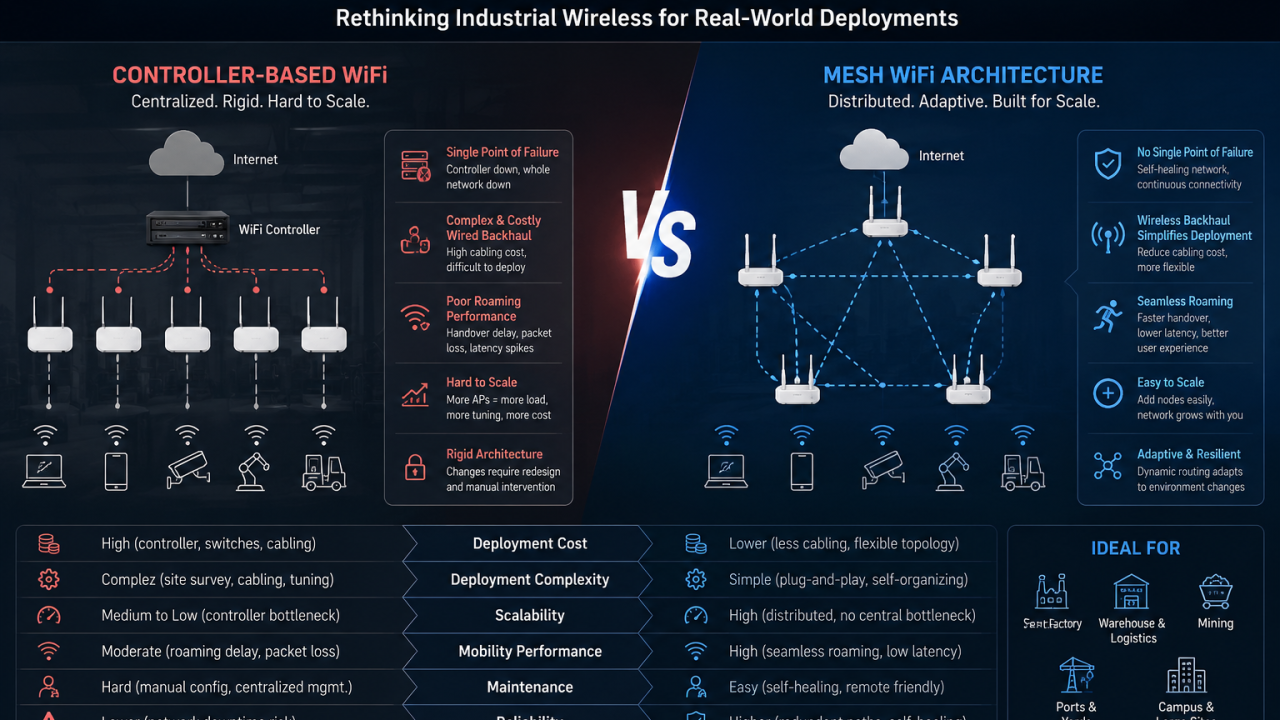
Most industrial WiFi networks are still built on a controller-based architecture.

And in controlled lab environments, it works.

But in real industrial deployments, the story is very different.

Factories, mines, ports, and warehouses are not static environments. They are dynamic, noisy, and constantly changing systems.

And that’s exactly where controller-based WiFi starts to fail.


The Hidden Assumption Behind Controller WiFi

Traditional enterprise WiFi is built on one assumption:

A centralized controller can efficiently manage the entire network.

That assumption only holds when the environment is predictable.

Industrial environments are not.

Once you scale into real deployment scenarios, WiFi becomes less about “AP management” and more about:

  • mobility
  • interference
  • topology changes
  • real-time traffic behavior

And centralized control starts becoming a limitation rather than an advantage.


Where Controller-Based WiFi Fails in Practice

1. Roaming is still not truly seamless

Even with controller-based optimization:

  • handover delay still exists
  • packet loss happens during movement
  • latency spikes under load are unavoidable

This is especially critical for AGVs, mobile robots, and real-time monitoring systems.


2. Wired backhaul limits deployment flexibility

Controller-based architectures heavily depend on wired infrastructure.

But industrial sites are:

  • expensive to cable
  • frequently reconfigured
  • physically difficult to retrofit

This creates a gap between “ideal network design” and “real deployment reality”.


3. Scaling introduces complexity, not simplicity

Adding more APs does not mean linear scalability.

Instead, it introduces:

  • higher controller load
  • complex RF planning
  • continuous tuning effort
  • increased operational cost

At scale, the network becomes harder to manage, not easier.


4. Centralized failure domains are too rigid

In controller-based systems:

  • architecture is tightly coupled
  • dependencies are centralized
  • failure impact can cascade

A small issue can affect a disproportionately large part of the network.


Why Mesh Architecture Is Gaining Real Adoption

Mesh WiFi is not new—but industrial requirements are forcing a structural shift.

Instead of forcing traffic through a central controller, Mesh builds a distributed network where nodes collaborate dynamically.

Key advantages include:

Distributed control

No single point of dependency for network decisions.

Self-healing topology

Traffic dynamically adapts when nodes fail or conditions change.

Flexible expansion

New nodes can be added without redesigning the entire system.

This aligns far better with how industrial environments actually evolve.


Important Reality Check: Mesh Is Not a Silver Bullet

Mesh does NOT eliminate RF physics.

In real deployments, you still need to consider:

  • interference in industrial environments
  • bandwidth sharing between backhaul and access
  • multi-hop latency trade-offs
  • proper RF planning

But the key difference is:

Mesh adapts to real-world constraints instead of fighting against them.


The Real Shift in Industrial WiFi

This is not a feature comparison between Mesh and Controller WiFi.

It is a structural shift in architecture thinking:

  • From centralized control → distributed intelligence
  • From static topology → adaptive topology
  • From planned deployments → evolving networks

Industrial WiFi is no longer about perfect design.

It is about surviving real-world complexity.


Final Thought

Controller-based WiFi still works in controlled enterprise environments like offices and campuses.

But in industrial deployments, the question is no longer:

“How powerful is your controller?”

It becomes:

“Why are you still forcing a centralized architecture into a distributed environment?”


If you are building industrial networking products…

If you are currently working on:

  • Industrial routers
  • Mesh WiFi systems
  • OEM/ODM networking platforms
  • Edge connectivity devices
  • WiFi solutions for AGVs, robotics, or smart factories

and are facing challenges such as roaming instability, deployment complexity, or scalability limitations—

We can share practical architecture insights based on real-world industrial WiFi deployments, including Qualcomm-based WiFi 6 Mesh platform designs.

Feel free to connect or message me to discuss your project.

Article content
Posted on

Why Edge AI Hardware Is Becoming the Next Competitive Advantage

Tomo AI Automation · 524WiFi™ · Tomorrow Systems® — industrial application and integration illustration

Artificial Intelligence has evolved at an incredible pace over the past few years. From large language models to computer vision and predictive analytics, AI software has become increasingly powerful and accessible.

But as AI adoption accelerates, I’ve noticed a shift in conversations with customers and partners.

The discussion is no longer just about models.

It’s about deployment.

AI Doesn’t Create Value Until It Reaches the Edge

Training an AI model is only part of the journey. Real business value is created when AI runs where decisions need to be made—inside factories, warehouses, vehicles, retail stores, hospitals, and smart cities.

For many applications, relying entirely on cloud computing creates several challenges:

  • High latency
  • Expensive bandwidth
  • Privacy concerns
  • Unstable network connectivity
  • Ongoing cloud operating costs

This is why Edge AI has become one of the fastest-growing segments of the AI industry.

Processing data locally enables faster responses, better reliability, and greater control over sensitive information.

The New Bottleneck Isn’t Software

Five years ago, companies asked:

“Which AI framework should we use?”

Today they ask:

“Which hardware platform should we build on?”

Many AI startups have exceptional software teams, yet hardware development often delays commercialization.

Designing an embedded AI system involves far more than selecting a processor. Teams must address thermal management, power optimization, connectivity, storage, operating system support, long-term component availability, manufacturing, and certification.

For companies whose core strength lies in AI algorithms or industry expertise, developing custom hardware from scratch may not be the best use of resources.

Why OEM and ODM Partnerships Matter More Than Ever

Instead of reinventing the hardware platform, many companies are choosing to collaborate with experienced OEM and ODM manufacturers.

This approach allows engineering teams to focus on what truly differentiates their products:

  • AI applications
  • Software platforms
  • User experience
  • Industry-specific solutions

Meanwhile, hardware partners provide mature platforms that reduce development risk and shorten time-to-market.

In today’s competitive environment, launching six months earlier can be more valuable than achieving marginal improvements in hardware performance.

Flexibility Is Becoming More Important Than Raw Performance

The AI industry often focuses on TOPS, GPU cores, and benchmark scores.

While computing power certainly matters, customers increasingly ask different questions:

  • Can this platform be customized?
  • Does it support industrial environments?
  • Can wireless connectivity be added?
  • Is storage expandable?
  • Will the platform still be available in three years?
  • Can it scale from prototype to mass production?

These practical considerations often determine whether a product succeeds in the market.

Performance attracts attention.

Flexibility wins projects.

Looking Ahead

Edge AI is no longer an emerging trend—it is becoming the standard architecture for many intelligent devices.

Whether it’s machine vision, robotics, industrial automation, transportation, or smart retail, demand for reliable, customizable AI hardware continues to grow.

I believe the next wave of innovation won’t come solely from more powerful AI models.

It will come from making AI easier to deploy in real-world environments.

Companies that can combine intelligent software with reliable, scalable hardware will be best positioned to deliver practical AI solutions.

As someone working closely with Edge AI platforms, it’s exciting to see how quickly the industry is evolving.

I’m curious to hear your perspective.

What do you think will become the biggest challenge for Edge AI over the next five years—computing power, deployment, cost, or something else?

Let’s discuss.

524WiFi™ Pulse Options for Your Project

These are separate own-brand product variants. Select the model and configuration against your host, software, antenna system and operating requirements.

Plan your project with Tomo AI Automation

Bring your application, enclosure, interfaces, power requirements, software environment and expected quantity into one project brief. Tomorrow Systems® and 524WiFi™ can review the engineering scope with you.

Explore the automation project hub and request form →

Posted on

QCN6224 Wi-Fi 7 2×2 Module Overview for Cost-Optimized APs

Introduction

As Wi-Fi 7 (IEEE 802.11be) transitions from cutting-edge innovation to mainstream deployment, device manufacturers increasingly look for wireless solutions that balance performance, cost, and energy efficiency. The QCN6224 Wi-Fi 7 2×2 module delivers exactly that balance. It brings next-generation connectivity into cost-optimized access points (APs), routers, CPEs, and industrial gateways, without significantly increasing system complexity or bill-of-materials (BOM) costs.


What Is the QCN6224 Wi-Fi 7 Module?

The QCN6224 is a 2×2 MU-MIMO Wi-Fi 7 module designed for embedded networking equipment. Supporting dual-band or tri-band operation depending on design, the module introduces major Wi-Fi 7 enhancements such as higher throughput, improved spectral efficiency, and greater link reliability — all within a compact and power-efficient form factor. Compared with many high-end Wi-Fi 7 chipsets, the QCN6224 focuses on value-driven performance, making it ideal for mainstream devices rather than premium flagship systems.


Key Wi-Fi 7 Features of QCN6224

✔ 320 MHz Channel Support

The QCN6224 supports ultra-wide 320 MHz channels, enabling dramatically higher peak data rates. This capability reduces latency and improves user experience in applications such as HD and 4K video streaming, VR/AR, cloud gaming, and high-density enterprise networks.

✔ Multi-Link Operation (MLO)

MLO allows Wi-Fi devices to transmit data across multiple frequency bands at the same time. This improves reliability by minimizing interruption risks and delivers smoother, faster data transfers — especially valuable in congested wireless environments.

✔ 4K-QAM Modulation

With 4K-QAM support, the QCN6224 significantly increases spectral efficiency, packing more data into every transmission. This is ideal for environments with many users, such as offices, campuses, hotels, and public Wi-Fi deployments.

✔ 2×2 MU-MIMO Architecture

The 2×2 design provides the optimal balance between speed, power consumption, and hardware cost. It enables fast performance without requiring the more complex RF layouts or higher component costs seen in larger 4×4 or 8×8 systems.


Why the QCN6224 Is Ideal for Cost-Optimized APs

Manufacturers of cost-optimized access points face several key design requirements. They need low BOM cost, compact hardware, and efficient power consumption — without sacrificing network performance. The QCN6224 meets all these criteria.

Because it uses a 2×2 architecture, the module footprint is smaller and integration is simpler. At the same time, Wi-Fi 7-level features such as MLO and 4K-QAM ensure clear performance gains over Wi-Fi 6. Its low-power operation makes it especially suitable for PoE-powered APs and always-on devices. In addition, the QCN6224 is compatible with popular networking software ecosystems such as OpenWrt and QSDK (depending on vendor implementation), helping device makers bring products to market more quickly.


Typical Application Scenarios

The QCN6224 Wi-Fi 7 2×2 module is well-suited for:

  • Enterprise and SMB access points
  • Mid-range Wi-Fi 7 routers
  • ONT / FTTH gateway devices
  • Industrial networking equipment
  • Smart building and IoT controllers
  • Wireless video transmission systems

Its compact size and stable performance make it highly attractive for embedded and industrial environments where reliability and cost efficiency are critical.


QCN6224 vs. Higher-End Wi-Fi 7 Solutions

Compared with 4×4 and 8×8 Wi-Fi 7 chipsets, the QCN6224 focuses on value rather than maximum throughput. High-end chipsets deliver higher data rates but also require more complex RF layouts, significantly higher power consumption, and greater BOM costs — making them ideal for premium enterprise or carrier-class APs.

By contrast, the QCN6224 is optimized for mainstream Wi-Fi 7 devices. It delivers strong performance upgrades over Wi-Fi 6 while keeping both power and hardware costs at practical levels. This makes it an excellent choice for large-scale deployments, SMB networking, consumer broadband devices, and mid-range enterprise APs where cost-performance balance is essential.

In short, if your design goal is reliability, efficiency, and affordability, rather than extreme bandwidth, the QCN6224 stands out as a perfect match.


Benefits for OEMs and Device Manufacturers

Selecting QCN6224 brings multiple advantages:

  • Reduced BOM cost compared with larger Wi-Fi 7 solutions
  • Faster product development cycles
  • Lower thermal and power-supply requirements
  • Compatibility with established software stacks
  • Strong Wi-Fi 7 marketing value for product positioning

Manufacturers can upgrade Wi-Fi 6 designs to Wi-Fi 7 with minimal redesign effort — accelerating time-to-market.


Conclusion

The QCN6224 Wi-Fi 7 2×2 module is a powerful, efficient, and cost-optimized solution for next-generation wireless devices. Featuring MLO, 320 MHz channel support, 4K-QAM, and 2×2 MU-MIMO, it enables manufacturers to deliver Wi-Fi 7-class performance at highly competitive price points.

If your goal is to build compact, power-efficient, and scalable access points or gateways, the QCN6224 offers the ideal balance between technology advancement and commercial practicality.

Posted on

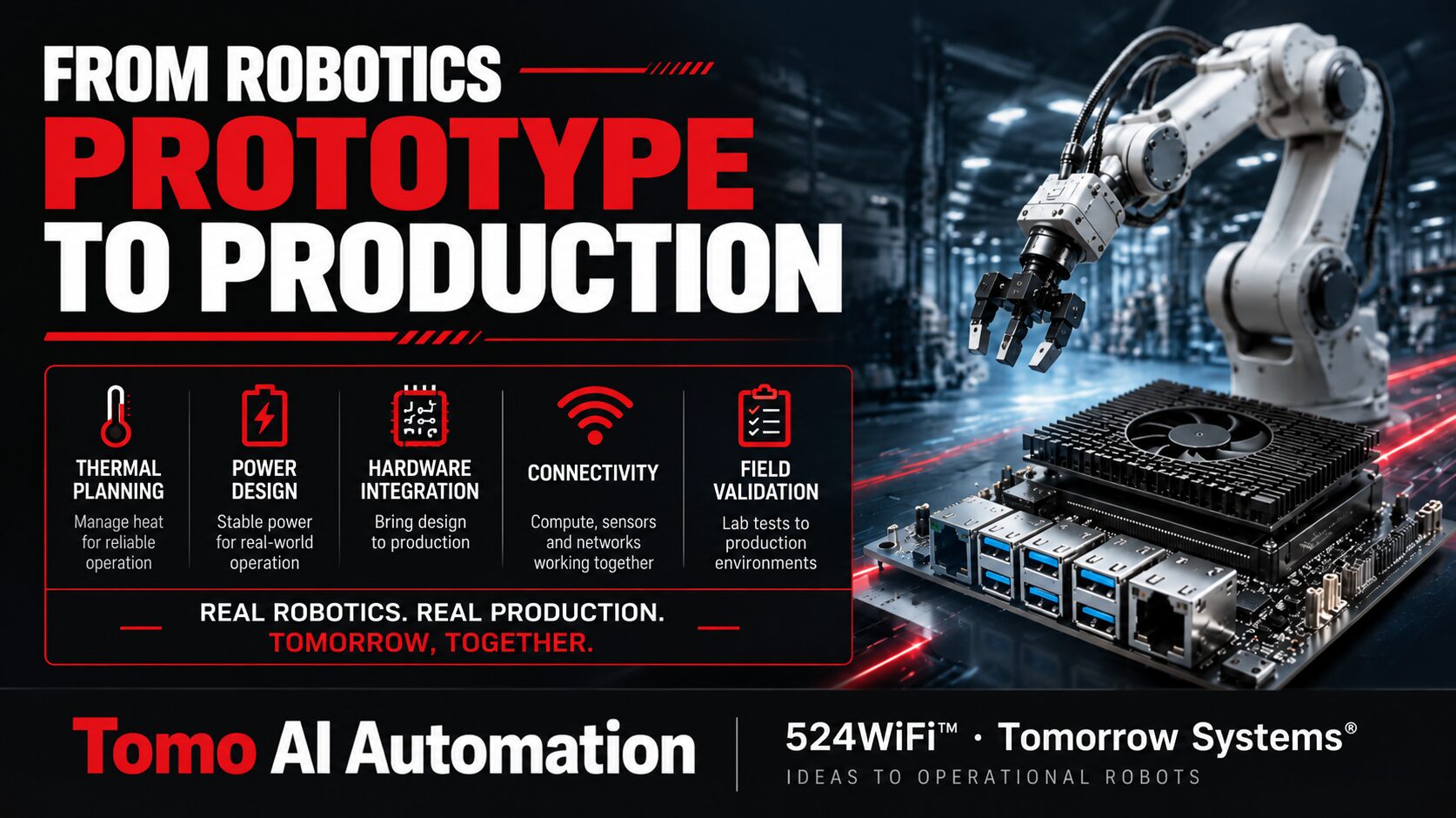
From Robotics Prototype to Production: Tomo AI Automation System Planning

Tomo AI Automation · 524WiFi™ · Tomorrow Systems® — industrial application and integration illustration

Introduction

In the robotics and edge AI industry, there is a common assumption:

If the AI model works, the product is ready.

But in reality, many robotics products fail not because of AI algorithms — but because of system-level engineering challenges that only appear in real-world deployment.

After working with industrial wireless systems and edge AI hardware platforms, we consistently observe the same pattern:

The gap between prototype and production is where most products break.


1. The real problem is not AI — it is system engineering

Most robotics teams are strong in:

  • Computer vision
  • Deep learning models
  • Path planning / autonomy algorithms

However, production environments introduce constraints that are often underestimated:

  • Continuous workload (not short demos)
  • Temperature variations
  • Power fluctuations
  • Mechanical constraints
  • Interference in wireless environments

These are not AI problems — they are system integration problems.


2. Why Jetson-based systems still fail in production

Even with powerful platforms like Jetson Xavier, many teams encounter issues when scaling:

❌ Thermal limitations

AI workloads in production run continuously, not intermittently like in lab tests.

❌ Power instability

Robotics platforms often operate in environments with fluctuating power conditions.

❌ Carrier board limitations

Development kits are not designed for enclosure integration or mass manufacturing.

❌ System integration gaps

Compute, sensors, and wireless modules are often designed separately, leading to instability.

❌ Lack of production validation

Many systems are never tested under real industrial conditions before deployment.

Tomo AI Automation · 524WiFi™ · Tomorrow Systems® — industrial application and integration illustration

3. Prototype vs Production gap

In prototype stage:

  • Functionality is the focus
  • Short test cycles
  • Controlled environment

In production stage:

  • Reliability becomes critical
  • Continuous operation
  • Real-world environmental stress

This transition is where many robotics products fail.


4. The missing layer: system-level engineering

Successful robotics products require more than AI models.

They require:

✔ Production-grade hardware design

✔ Thermal and power system engineering

✔ Embedded system optimization

✔ Wireless + compute integration

✔ Field deployment validation

Without these, even the most advanced AI system will struggle in real-world environments.


5. Key insight

Robotics success is not determined by AI capability alone, but by how well the entire system is engineered for reality.


6. Tomo AI Automation: system integration for production

Tomo AI Automation by Tomorrow Systems® and 524WiFi™ supports robotics and vision projects through a defined engineering scope covering:

  • Edge AI hardware platform design
  • Carrier board development
  • System integration for industrial deployment
  • Wireless + embedded system architecture optimization
  • Production readiness engineering

Our focus is on helping teams move from concept validation to scalable real-world products.


Conclusion

The future of robotics will not be defined only by better AI models.

It will be defined by systems that are:

  • Reliable
  • Scalable
  • Deployable in real environments

Because in the real world:

AI that works in demo is not enough — it must work in production.

Tomo AI Automation · 524WiFi™ · Tomorrow Systems® — industrial application and integration illustration

524WiFi™ Pulse Options for Your Project

These are separate own-brand product variants. Select the model and configuration against your host, software, antenna system and operating requirements.

Plan your project with Tomo AI Automation

Bring your application, enclosure, interfaces, power requirements, software environment and expected quantity into one project brief. Tomorrow Systems® and 524WiFi™ can review the engineering scope with you.

Explore the automation project hub and request form →

Posted on — Leave a comment

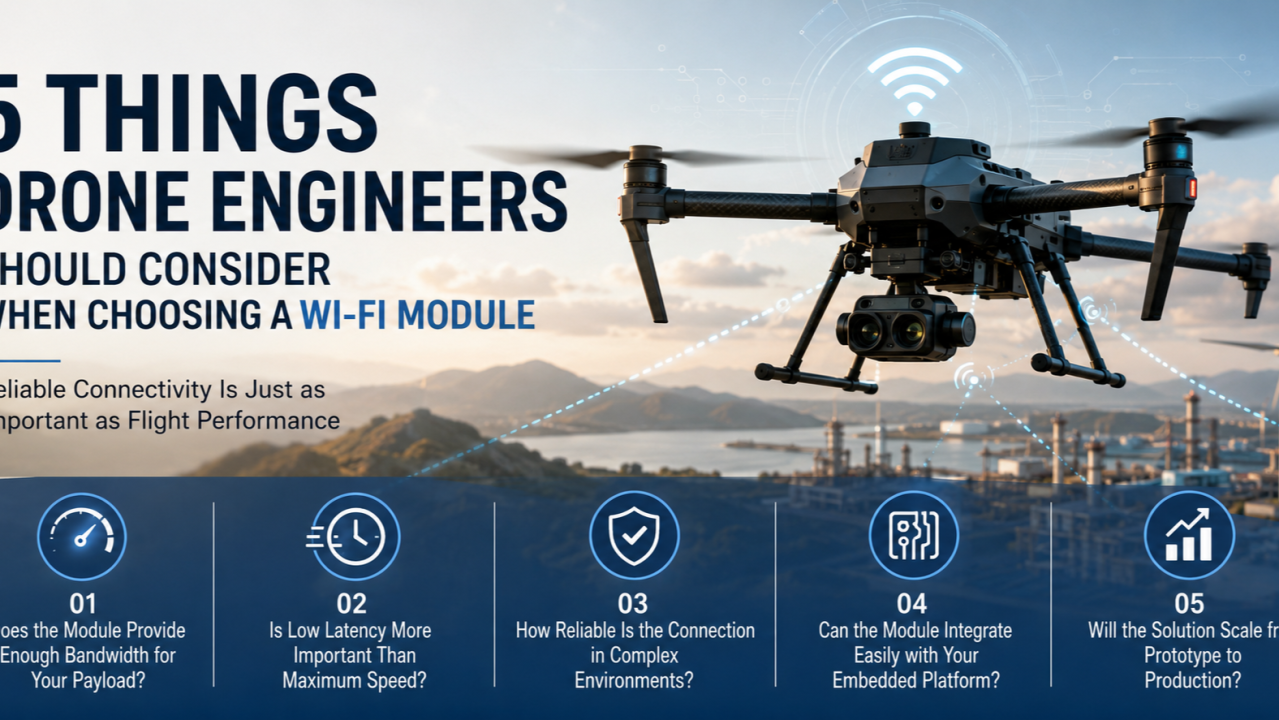
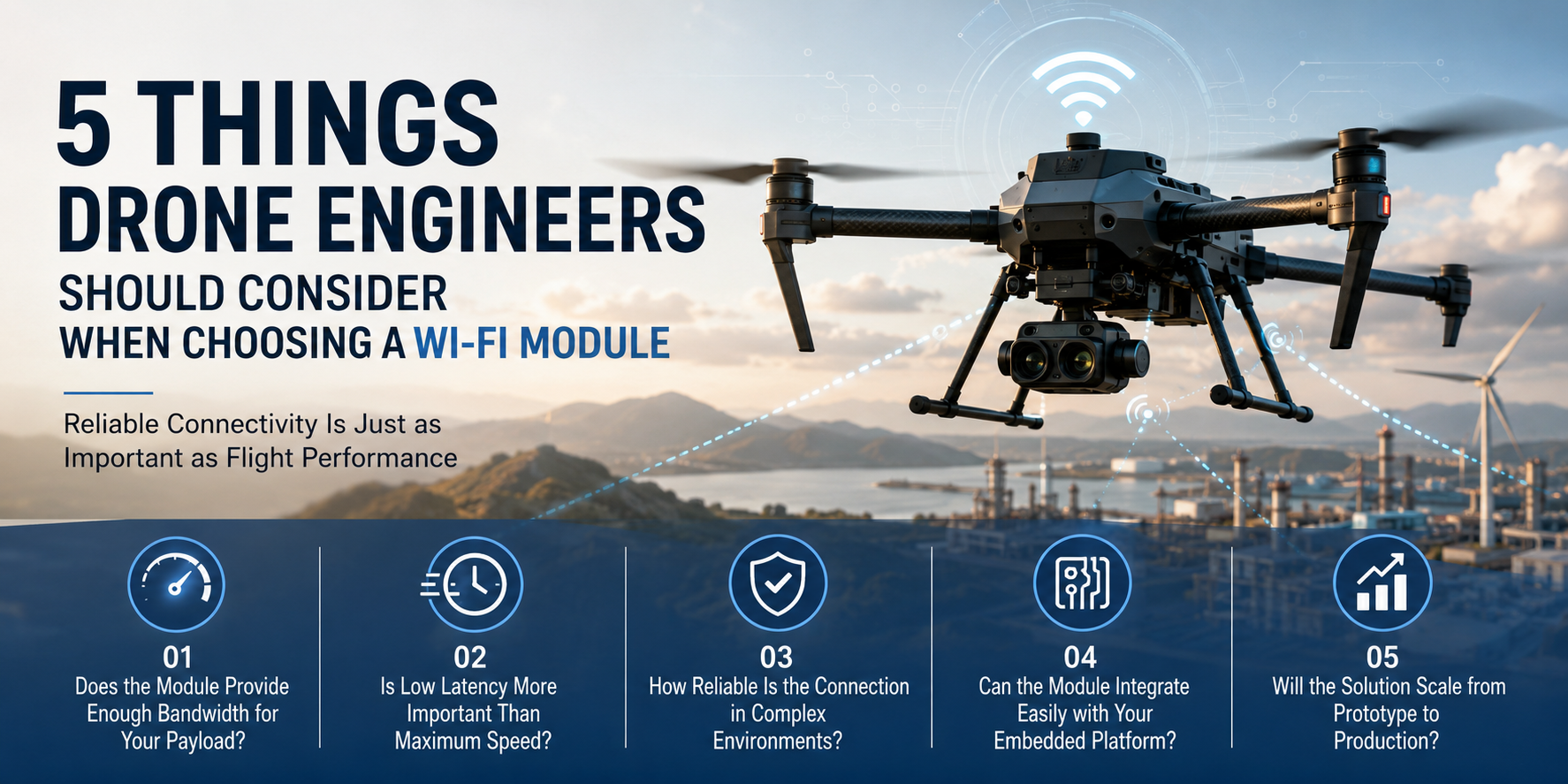
5 Things Drone Engineers Should Consider When Choosing a Wi-Fi Module

Reliable Connectivity Is Just as Important as Flight Performance

Modern drones are becoming far more than flying cameras.

Today, drones are used for:

  • Infrastructure inspection
  • Precision agriculture
  • Public safety
  • Mapping and surveying
  • Warehouse inventory
  • Mining operations
  • Industrial monitoring

At the same time, onboard computing is evolving rapidly. AI processors, multiple cameras, LiDAR, thermal imaging, and edge computing are becoming standard components of professional UAV platforms.

While engineers often spend months selecting flight controllers, sensors, and AI hardware, one component is frequently underestimated:

The wireless communication module.

Article content

A poorly chosen Wi-Fi module can become the bottleneck of an otherwise excellent drone design.

Here are five key factors every drone engineer should evaluate before selecting a wireless communication solution.


1. Does the Module Provide Enough Bandwidth for Your Payload?

Not every drone transmits the same type of data.

A basic inspection drone may only send telemetry and compressed video.

An AI-powered drone may simultaneously transmit:

  • Multiple HD video streams
  • AI inference results
  • Telemetry data
  • Sensor information
  • Remote control commands

As payloads become more sophisticated, wireless bandwidth quickly becomes a limiting factor.

When evaluating a Wi-Fi module, consider:

  • Maximum throughput
  • Number of spatial streams
  • Channel bandwidth
  • Support for Wi-Fi 6 or Wi-Fi 7

Higher bandwidth doesn’t simply improve video quality—it also creates more capacity for future upgrades.


2. Is Low Latency More Important Than Maximum Speed?

Many engineers focus on peak data rates.

However, drones often benefit more from consistent low latency than from maximum theoretical throughput.

For applications such as:

  • Remote piloting
  • Autonomous navigation
  • AI-assisted obstacle avoidance
  • Real-time monitoring

Stable communication is far more valuable than occasional bursts of high speed.

Look beyond the headline specifications and evaluate how the wireless solution performs under continuous, real-world workloads.


3. How Reliable Is the Connection in Complex Environments?

Drones rarely operate in ideal radio environments.

They may fly near:

  • Buildings
  • Metal structures
  • Industrial equipment
  • Trees
  • Utility infrastructure

These environments introduce interference, signal reflections, and changing link conditions.

A reliable Wi-Fi module should support features that help maintain stable communication under challenging conditions.

Modern technologies such as Wi-Fi 6 and Wi-Fi 7 introduce significant improvements in efficiency, interference management, and overall reliability compared with earlier generations.

For industrial UAVs, connection stability is often more important than achieving the highest benchmark speeds.


4. Can the Module Integrate Easily with Your Embedded Platform?

Selecting a Wi-Fi module is not only about radio performance.

Engineers should also consider integration.

Questions worth asking include:

  • Does it support Linux or OpenWrt?
  • Are software drivers actively maintained?
  • Is the hardware interface compatible with your design?
  • Is documentation readily available?
  • Can the module integrate with NVIDIA Jetson or other edge AI platforms?

Reducing development complexity can significantly shorten time-to-market.

Choosing a well-supported platform often saves more engineering time than selecting a module based solely on specifications.


5. Will the Solution Scale from Prototype to Production?

Many wireless solutions perform well during prototyping.

Production introduces different challenges:

  • Long-term availability
  • Industrial reliability
  • Certification requirements
  • Thermal performance
  • Supply chain stability

Choosing a communication platform with a clear product roadmap helps avoid redesigns later in the project lifecycle.

Engineers should think beyond the first prototype and evaluate whether the wireless solution can support future production volumes and product evolution.


Connectivity Is Becoming Part of the Drone Architecture

Modern drones are evolving into flying edge computing platforms.

A typical professional UAV now combines:

  • Flight control systems
  • AI processors
  • Vision sensors
  • Navigation systems
  • High-speed wireless communication

Each subsystem depends on the others.

Even the most advanced AI algorithms become less effective if communication is unstable.

Reliable wireless connectivity is no longer just another hardware component.

It has become part of the overall system architecture.


Looking Ahead

The next generation of drones will continue to demand:

  • Higher bandwidth
  • Lower latency
  • More reliable wireless links
  • Better support for AI workloads
  • Faster integration with embedded computing platforms

Selecting the right Wi-Fi module today is not simply about improving communication performance.

It is about building a platform that can support the future of autonomous aerial systems.

As drones become smarter, wireless connectivity will play an increasingly important role in enabling safe, efficient, and scalable operations.

Because in autonomous systems, intelligence may guide the mission—but connectivity keeps it flying.


What factors matter most when your team selects a wireless communication solution for UAV projects?

I’d be interested to hear how other drone engineers approach this decision.

Posted on

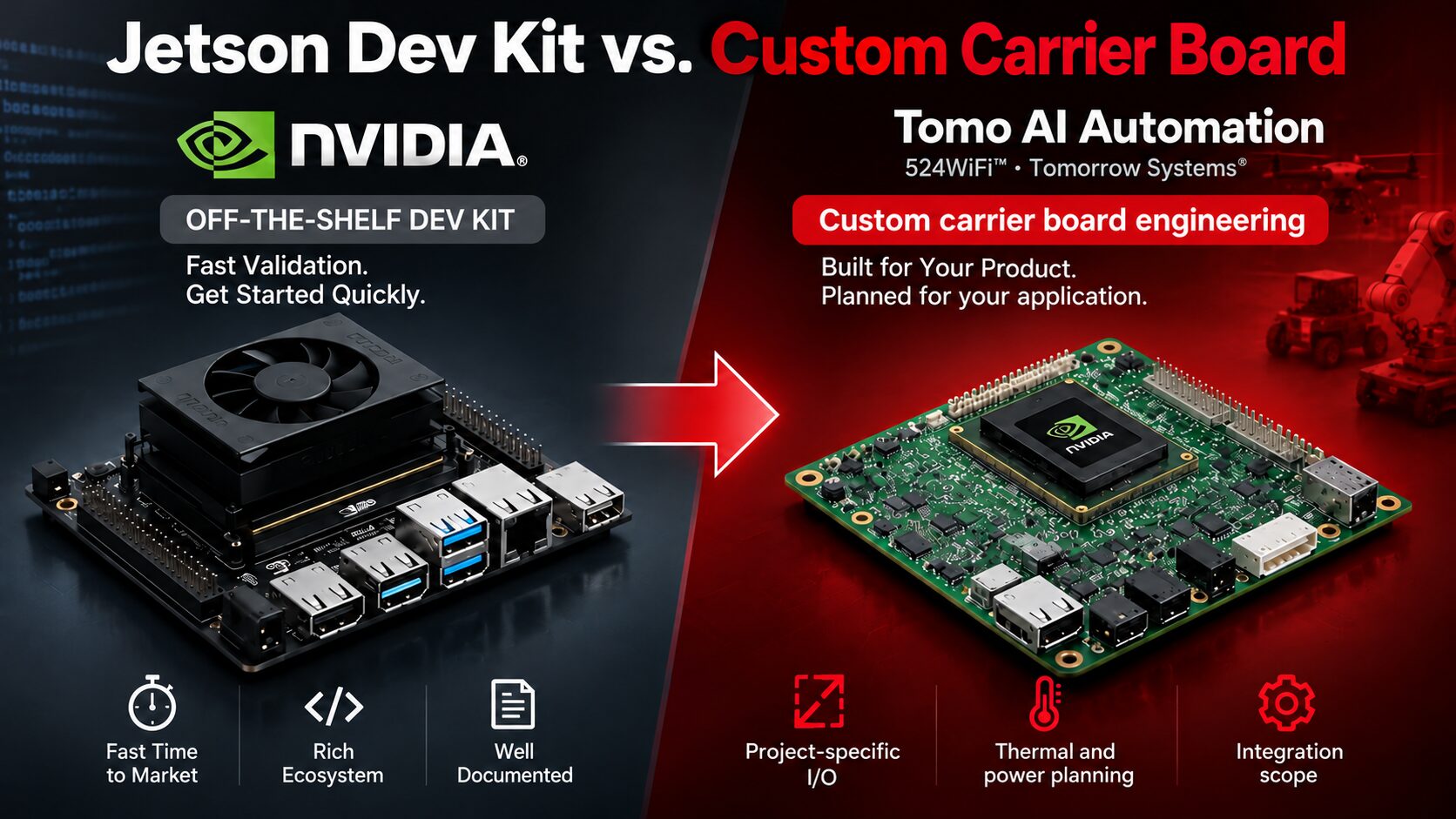
Jetson Off-the-Shelf SOM vs. Custom Carrier Board: When Should You Make the Switch?

NVIDIA Jetson development kit compared with Tomo AI Automation custom carrier engineering; NVIDIA platform identity retained

The question I get asked most often in edge AI hardware consulting is: “We’ve already got our demo running on a Jetson off-the-shelf dev kit — is it time to move to a custom carrier board?”

There’s no one-size-fits-all answer, but there are a few clear signals worth sharing.

First, Know What the Stock Dev Kit Is Good For

The Jetson ecosystem’s off-the-shelf dev kits are mature and well-documented, and their real value is fast algorithm validation. If you’re still tuning models and debugging your pipeline, sticking with the stock board is almost always the right call — you don’t want to split your team’s focus between hardware design and algorithm iteration at that stage.

Moving to a custom carrier board too early is a common trap: hardware design can’t keep pace with fast-moving algorithm changes, and every board respin ends up slowing the whole project down.

Signals That It’s Time to Switch to a Custom Carrier Board

Signal 1: Physical space becomes a hard constraint Drones, robotic arm end-effectors, and small inspection robots are all extremely sensitive to size and weight. In these cases, the stock module’s dimensions and connector overhead often can’t meet mechanical requirements. A custom carrier board can be laid out around your actual mechanical envelope, instead of forcing your design to fit the stock form factor.

Signal 2: Your I/O requirements don’t match the stock board Needing a specific number of CSI camera interfaces, industrial buses like CAN or RS485, or wanting to strip out unused interfaces to cut cost and power draw — these customization needs are hard to satisfy with an off-the-shelf board.

Signal 3: Production cost and supply chain control Once off-the-shelf modules go into volume production, unit pricing and lead times aren’t fully in your hands. A custom carrier board has higher upfront design cost, but at mid-to-high volume it typically gives you better control over BOM cost and lead times — especially relevant given ongoing supply chain volatility.

Signal 4: Power and thermal performance are core to your application Drones care deeply about weight and flight time; outdoor equipment needs wide operating temperature ranges and passive cooling. These requirements need to be addressed at the carrier board design stage — a generic thermal solution on a stock board rarely gets you there.

An Often-Overlooked Factor: EMC/EMI Design

For drones and industrial equipment operating in electrically noisy environments especially, if the carrier board layout isn’t designed with EMC in mind from the start, you’re likely to run into certification issues later — and the rework cost at that point far exceeds the extra design time it would have taken upfront.


Bottom line: an off-the-shelf module answers “can it run?” — a custom carrier board answers “can it run reliably, cost-effectively, and at scale?” Deciding when to switch really comes down to identifying the point where your project moves from validation to productization.

With Tomo AI Automation by Tomorrow Systems® and 524WiFi™, the starting point is your application: mechanical envelope, I/O, power, thermal conditions, wireless connectivity and expected production quantity. These requirements define the carrier-board engineering and validation scope.

Plan your project with Tomo AI Automation

Bring your application, enclosure, interfaces, power requirements, software environment and expected quantity into one project brief. Tomorrow Systems® and 524WiFi™ can review the engineering scope with you.

Explore the automation project hub and request form →