Posted on

Do you need to use an eSIM in Linux systems?

You probably know how traditional SIM cards works, but do you know how to use an eSIM in Linux ? And how well does eSIM work in a Linux environment?

Good news is that it’s possible to get a module with an eSIM up and running on your machine with a bit of configuration. So after this confusing title, we will be using an eUICC SGP.22 SIM – “consumer eSIM” and Host computer (x86_64 running Ubuntu 24.04) with Cellular module (SIMCom SIM8230G-M2 or SIM8262E M2 for example)

Step 1:

Make sure you have the correct drivers installed for your module. We see here that the module exposes a QMI interfaces which we bind to qmi_wwan and 3 serial ports bound to option.

APL01:~$ lsusb -t
/:  Bus 001.Port 001: Dev 001, Class=root_hub, Driver=xhci_hcd/8p, 480M
    |__ Port 004: Dev 013, If 0, Class=Vendor Specific Class, Driver=option, 480M
    |__ Port 004: Dev 013, If 1, Class=Vendor Specific Class, Driver=option, 480M
    |__ Port 004: Dev 013, If 2, Class=Vendor Specific Class, Driver=option, 480M
    |__ Port 004: Dev 013, If 3, Class=Vendor Specific Class, Driver=qmi_wwan, 480M
/:  Bus 002.Port 001: Dev 001, Class=root_hub, Driver=xhci_hcd/7p, 5000M

Step 2:

In order to use QMI, install libqmi 1.35.5 or later.
First we need some dependencies: meson ninja-build pkg-config bash-completion libgirepository1.0-dev help2man libglib2.0-dev libgudev-1.0-dev libmbim-glib-dev libqrtr-glib-dev
In our case, these packages were already installed.

APL01:~$ sudo apt-get install -y meson ninja-build git pkg-config bash-completion libgirepository1.0-dev help2man libglib2.0-dev libgudev-1.0-dev libmbim-glib-dev libqrtr-glib-dev
[sudo] password for jakob:
Reading package lists... Done
Building dependency tree... Done
Reading state information... Done
meson is already the newest version (1.3.2-1ubuntu1).
ninja-build is already the newest version (1.11.1-2).
ninja-build set to manually installed.
pkg-config is already the newest version (1.8.1-2build1).
bash-completion is already the newest version (1:2.11-8).
bash-completion set to manually installed.
libgirepository1.0-dev is already the newest version (1.80.1-1).
help2man is already the newest version (1.49.3).
libglib2.0-dev is already the newest version (2.80.0-6ubuntu3.2).
libgudev-1.0-dev is already the newest version (1:238-5ubuntu1).
libmbim-glib-dev is already the newest version (1.31.2-0ubuntu3).
libqrtr-glib-dev is already the newest version (1.2.2-1ubuntu4).
0 upgraded, 0 newly installed, 0 to remove and 146 not upgraded.

Step 3:

Download libqmi, build and install it.
Git directory: https://gitlab.freedesktop.org/mobile-broadband/libqmi.git
meson setup build –prefix=/usr –buildtype=release
ninja -j$(nproc) -C build
sudo ninja -C build install

APL01:~$ git clone https://gitlab.freedesktop.org/mobile-broadband/libqmi.git
Cloning into 'libqmi'...
remote: Enumerating objects: 17636, done.
remote: Counting objects: 100% (1308/1308), done.
remote: Compressing objects: 100% (380/380), done.
remote: Total 17636 (delta 889), reused 1300 (delta 882), pack-reused 16328 (from 1)
Receiving objects: 100% (17636/17636), 4.97 MiB | 6.57 MiB/s, done.
Resolving deltas: 100% (13472/13472), done.

APL01:~$ cd libqmi
APL01:~/libqmi$ meson setup build --prefix=/usr --buildtype=release
The Meson build system
Version: 1.3.2
Source dir: /home/jakob/libqmi
Build dir: /home/jakob/libqmi/build
Build type: native build
Project name: libqmi
Project version: 1.35.6
...

APL01:~/libqmi$ ninja -j$(nproc) -C build
ninja: Entering directory `build'
[176/176] Generating src/libqmi-glib/Qmi-1.0.typelib with a custom command

APL01:~/libqmi$ sudo ninja -C build install
ninja: Entering directory `build'
[0/1] Installing files.
Installing src/libqmi-glib/generated/qmi-error-types.h to /usr/include/libqmi-glib
Installing src/libqmi-glib/generated/qmi-enum-types.h to /usr/include/libqmi-glib
Installing src/libqmi-glib/generated/qmi-flag-types.h to /usr/include/libqmi-glib
Installing src/libqmi-glib/generated/qmi-flags64-types.h to /usr/include/libqmi-glib
Installing src/libqmi-glib/generated/qmi-atr.h to /usr/include/libqmi-glib
Installing src/libqmi-glib/generated/qmi-dms.h to /usr/include/libqmi-glib
Installing src/libqmi-glib/generated/qmi-dpm.h to /usr/include/libqmi-glib
Installing src/libqmi-glib/generated/qmi-dsd.h to /usr/include/libqmi-glib
Installing src/libqmi-glib/generated/qmi-ims.h to /usr/include/libqmi-glib
Installing src/libqmi-glib/generated/qmi-imsa.h to /usr/include/libqmi-glib
...
...

APL01:~/libqmi$ qmicli --version
qmicli 1.35.6
Copyright (C) 2012-2023 Aleksander Morgado
License GPLv2+: GNU GPL version 2 or later <http://gnu.org/licenses/gpl-2.0.html>
This is free software: you are free to change and redistribute it.
There is NO WARRANTY, to the extent permitted by law.

Step 4:

Lpac requires some additional dependencies: build-essential libpcsclite-dev libcurl4-openssl-dev zip
Download lpac via git
Git directory: https://github.com/estkme-group/lpac.git
We use QMI as noted, so we will enable the QMI flag.
Make and install.

APL01:~/lpac$ sudo apt-get install -y build-essential libpcsclite-dev libcurl4-openssl-dev zip
Reading package lists... Done
Building dependency tree... Done
Reading state information... Done
...
...

APL01:~$ git clone https://github.com/estkme-group/lpac.git
Cloning into 'lpac'...
remote: Enumerating objects: 2865, done.
remote: Counting objects: 100% (647/647), done.
remote: Compressing objects: 100% (256/256), done.
remote: Total 2865 (delta 540), reused 399 (delta 389), pack-reused 2218 (from 3)
Receiving objects: 100% (2865/2865), 1.04 MiB | 4.17 MiB/s, done.
Resolving deltas: 100% (1922/1922), done.

APL01:~/lpac$ git checkout tags/v2.3.0
Note: switching to 'tags/v2.3.0'.
...
HEAD is now at c2fcf5e chore: bump version to 2.3.0

jakob@jakob-UP-APL01:~/lpac$ cmake -B lpacoutput -DLPAC_WITH_APDU_QMI=ON
-- The C compiler identification is GNU 13.3.0
-- Detecting C compiler ABI info
-- Detecting C compiler ABI info - done
-- Check for working C compiler: /usr/bin/cc - skipped
-- Detecting C compile features
-- Detecting C compile features - done
-- Found PkgConfig: /usr/bin/pkg-config (found version "1.8.1")
-- Checking for module 'libpcsclite'
--   Found libpcsclite, version 2.0.3
-- Found PCSCLite: /usr/lib/x86_64-linux-gnu/libpcsclite.so
-- Checking for module 'qmi-glib'
--   Found qmi-glib, version 1.35.6
-- Found CURL: /usr/lib/x86_64-linux-gnu/libcurl.so (found version "8.5.0")
-- Found Git: /usr/bin/git (found version "2.43.0")
-- Configuring done (2.1s)
-- Generating done (0.0s)
-- Build files have been written to: /home/jakob/lpac/lpacoutput

APL01:~/lpac$ cmake --build lpacoutput
[  1%] Building C object cjson/CMakeFiles/cjson-static.dir/cJSON.c.o
[  3%] Building C object cjson/CMakeFiles/cjson-static.dir/cJSON_ex.c.o
[  5%] Linking C static library libcjson-static.a
[  5%] Built target cjson-static
[  7%] Building C object euicc/CMakeFiles/euicc.dir/base64.c.o
...
[ 98%] Building C object src/CMakeFiles/lpac.dir/applet/profile/nickname.c.o
[100%] Linking C executable ../lpacoutput/lpac
[100%] Built target lpac

APL01:~/lpac$ sudo cmake --install lpacoutput
-- Install configuration: ""
-- Installing: /usr/local/bin/lpac
-- Set non-toolchain portion of runtime path of "/usr/local/bin/lpac" to "/usr/local/lib/lpac"

Step 5:

Export qmi function and qmi_device for lpac to use the correct driver.

APL01:~$ export LPAC_APDU=qmi
APL01:~$ export LPAC_APDU_QMI_DEVICE=/dev/cdc-wdm0

Step 6:

Use lpac to gather chip information and handle the eSIM itself.
We pipe the command with jq to get it more readable.
Chip info.
This displays the information of the eUICC you are using with your device.

APL01:~/drivertest/qmi_wwan$ sudo -E lpac chip info | jq .
{
  "type": "lpa",
  "payload": {
    "code": 0,
    "message": "success",
    "data": {
      "eidValue": "8XXXXXXXXXXXXXXXXXXXXXXXXXXXXXX0",
      "EuiccConfiguredAddresses": {
        "defaultDpAddress": "smdp-plus-1.eu.cd.rsp.kigen.com",
        "rootDsAddress": "lpa.ds.gsma.com"
      },
      "EUICCInfo2": {
        "profileVersion": "2.3.1",
        "svn": "2.3.0",
        "euiccFirmwareVer": "36.16.23",
        "extCardResource": {
          "installedApplication": 6,
          "freeNonVolatileMemory": 213008,
          "freeVolatileMemory": 9058
        },
        "uiccCapability": [
          "usimSupport",
          "isimSupport",
          "csimSupport",
          "akaMilenage",
          "akaCave",
          "akaTuak128",
          "akaTuak256",
          "gbaAuthenUsim",
          "gbaAuthenISim",
          "eapClient",
          "javacard",
          "multipleUsimSupport",
          "multipleIsimSupport",
          "multipleCsimSupport"
        ],
        "ts102241Version": "15.1.0",
        "globalplatformVersion": "2.3.0",
        "rspCapability": [
          "additionalProfile",
          "testProfileSupport"
        ],
        "euiccCiPKIdListForVerification": [
          "8XXXXXXXXXXXXXXXXXXXXXXXXXXXXXXXXXXXXXb"
        ],
        "euiccCiPKIdListForSigning": [
          "8XXXXXXXXXXXXXXXXXXXXXXXXXXXXXXXXXXXXXb"
        ],
        "euiccCategory": null,
        "forbiddenProfilePolicyRules": [
          "ppr1"
        ],
        "ppVersion": "1.0.0",
        "sasAcreditationNumber": "KN-XX-XX-XXXX",
        "certificationDataObject": {
          "platformLabel": null,
          "discoveryBaseURL": null
        }
      },
      "rulesAuthorisationTable": [
        {
          "pprIds": [
            "ppr1",
            "ppr2"
          ],
          "allowedOperators": [
            {
              "plmn": "eeeeee",
              "gid1": null,
              "gid2": null
            }
          ],
          "pprFlags": [
            "consentRequired"
          ]
        }
      ]
    }
  }
}

Profile list

This shows all profiles in your eUICC.

APL01:~$ sudo -E lpac profile list | jq .
{
  "type": "lpa",
  "payload": {
    "code": 0,
    "message": "success",
    "data": [
      {
        "iccid": "8944476500000515770",
        "isdpAid": "a0000005591010ffffffff8900001100",
        "profileState": "disabled",
        "profileNickname": "test",
        "serviceProviderName": "BetterRoaming",
        "profileName": "BetterRoaming",
        "iconType": null,
        "icon": null,
        "profileClass": "operational"
      },
      {
        "iccid": "8944476500000932264",
        "isdpAid": "a0000005591010ffffffff8900001300",
        "profileState": "disabled",
        "profileNickname": null,
        "serviceProviderName": "BetterRoaming",
        "profileName": "BetterRoaming",
        "iconType": null,
        "icon": null,
        "profileClass": "operational"
      }
    ]
  }
}

Profile download

This downloads a profile to your eUICC.

APL01:~$ sudo -E lpac profile download -a 'LPA:1$rsp.truphone.com$QRF-SPEEDTEST'
{"type":"progress","payload":{"code":0,"message":"es10b_get_euicc_challenge_and_info","data":"rsp.truphone.com"}}
{"type":"progress","payload":{"code":0,"message":"es9p_initiate_authentication","data":"rsp.truphone.com"}}
{"type":"progress","payload":{"code":0,"message":"es10b_authenticate_server","data":"rsp.truphone.com"}}
{"type":"progress","payload":{"code":0,"message":"es9p_authenticate_client","data":"rsp.truphone.com"}}
{"type":"progress","payload":{"code":0,"message":"es8p_meatadata_parse","data":{"iccid":"8944476500001126791","serviceProviderName":"Speedtest Travel","profileName":"BetterRoaming","iconType":null,"icon":null,"profileClass":null}}}
{"type":"progress","payload":{"code":0,"message":"es10b_prepare_download","data":"rsp.truphone.com"}}
{"type":"progress","payload":{"code":0,"message":"es9p_get_bound_profile_package","data":"rsp.truphone.com"}}
{"type":"progress","payload":{"code":0,"message":"es10b_load_bound_profile_package","data":"rsp.truphone.com"}}
{"type":"lpa","payload":{"code":0,"message":"success","data":null}}

Profile list

Here we can see that our profile we just downloaded is available on the SIM.

APL01:~$ sudo -E lpac profile list | jq .
{
  "type": "lpa",
  "payload": {
    "code": 0,
    "message": "success",
    "data": [
      {
        "iccid": "8944476500000515770",
        "isdpAid": "a0000005591010ffffffff8900001100",
        "profileState": "disabled",
        "profileNickname": "test",
        "serviceProviderName": "BetterRoaming",
        "profileName": "BetterRoaming",
        "iconType": null,
        "icon": null,
        "profileClass": "operational"
      },
      {
        "iccid": "8944476500000932264",
        "isdpAid": "a0000005591010ffffffff8900001300",
        "profileState": "disabled",
        "profileNickname": null,
        "serviceProviderName": "BetterRoaming",
        "profileName": "BetterRoaming",
        "iconType": null,
        "icon": null,
        "profileClass": "operational"
      },
      {
        "iccid": "8944476500001126791",
        "isdpAid": "a0000005591010ffffffff8900001400",
        "profileState": "disabled",
        "profileNickname": null,
        "serviceProviderName": "Speedtest Travel",
        "profileName": "BetterRoaming",
        "iconType": null,
        "icon": null,
        "profileClass": "operational"
      }
    ]
  }
}

Enable profile

In order to enable a profile, you enable it with it’s corresponding ICCID, making sure you get a success message.

APL01:~$ sudo -E lpac profile enable 89357XXXXXXXXXXXXX
{"type":"lpa","payload":{"code":0,"message":"success","data":null}}

Process notification

Make sure the SM-DP+ server knows the profile is downloaded, installed and enabled correctly.
After successfully processed, you can delete old notifications.

APL01:~$ sudo -E lpac notification process -a
{"type":"progress","payload":{"code":0,"message":"es10b_list_notification","data":null}}
{"type":"progress","payload":{"code":0,"message":"es10b_retrieve_notifications_list","data":"77"}}
{"type":"progress","payload":{"code":0,"message":"es9p_handle_notification","data":"77"}}
{"type":"progress","payload":{"code":0,"message":"es10b_retrieve_notifications_list","data":"78"}}
{"type":"progress","payload":{"code":0,"message":"es9p_handle_notification","data":"78"}}
{"type":"progress","payload":{"code":0,"message":"es10b_retrieve_notifications_list","data":"79"}}
{"type":"progress","payload":{"code":0,"message":"es9p_handle_notification","data":"79"}}
{"type":"lpa","payload":{"code":0,"message":"success","data":null}}

IMPORTANT

If you disable and delete a profile, it is important that you process the notifications to make sure the SM-DP+ server knows you have handed the profile back.

Posted on

5G eMBB Highlight – The best-selling 5G NR module Quectel RM520N-GL

Among the best-selling 5G NR modules on the market, the Quectel RM520N-GL is engineered to deliver blazing-fast connectivity for next-generation broadband applications. Supporting both 5G NR (SA/NSA) and fallback to high-speed LTE and 3G, this module ensures reliable coverage and seamless global deployment. With downlink speeds up to 4.7 Gbps and uplink speeds up to 1.25 Gbps, the RM520N-GL is ideal for applications requiring ultra-low latency and high throughput, such as industrial automation, CPE routers, telematics, video surveillance, and AR/VR platforms.

We also offer many suitable accessory for this modem.

Lear more here.

SA or NSA? This module doesn’t care

Your device will connect to 5G. But will it be Standalone or Non-Standalone? The answer depends on the network, and the Quectel RM520N-GL handles both. With fallback to LTE and 3G, it keeps devices connected wherever they are deployed.

That flexibility is one reason it’s among the best-selling 5G NR modules available. Add up to 4.7 Gbps downlink and 1.25 Gbps uplink, and it’s a proven choice for CPE routers, industrial automation, telematics and video surveillance.

Posted on

Wi-Fi 6 Mesh Development with IPQ5018 & IPQ5010: WallysTech DR5018S Source Code Now on GitHub

🚀 WallysTech Releases Open-Source DR5018S Mesh Solution on GitHub!

We’re excited to announce that the DR5018S Mesh solution — optimized, tested, and production-ready — has now been fully open-sourced on GitHub.
Built on OpenWrt and enhanced through extensive real-world deployments, this solution is designed for teams working on Wi-Fi 6 / ath11k Mesh networks.

🔍 Why We Open-Sourced It

Mesh networking is essential in industrial IoT, outdoor coverage, enterprise networking, and large-scale distributed systems.
Yet many teams still struggle with:
• Unstable links
• Slow backhaul recovery
• Performance drops in high-density environments
• Limited ath11k Mesh reference designs

After deep testing and tuning in our own projects, we’ve created a stable, engineering-grade Mesh implementation — and we want to share it with the community.

⭐ What’s Inside

✔ Optimized Mesh link logic
✔ Faster reconnection & self-healing
✔ Lower latency during link interruptions
✔ NSS-accelerated forwarding
✔ Mesh configs, tuning parameters, and deployment guides
✔ Driver & firmware-related adjustments for ath11k

💡 About DR5018S

Powered by the Qualcomm IPQ5018 Wi-Fi 6 SoC, DR5018S is proven in harsh environments such as mines, oil fields, campuses, smart cities, and enterprise networks.
It supports flexible roles as both access and backhaul nodes — and is available with an industrial IP68 outdoor enclosure.

📦 GitHub Repository

🔗 [ GitHub link]

We’ve included examples, configs, debugging tips, and FAQs to help teams go from “it works” to “it works reliably.”

🤝 Join the Mesh Open-Source Community

If you’re building on Wi-Fi 6 or ath11k Mesh, we invite you to try the solution, share feedback, open issues, or submit PRs.
For large-scale deployments or custom requirements, our team is happy to support — just reach out.

Let’s build the next generation of Mesh networks together. 💡🌐

🚀 Key Features

1. High-Performance Platform Based on IPQ5018

  • Qualcomm IPQ5018 chip, dual-core ARM Cortex-A53 @ 1.0GHz
  • 512MB DDR3L system memory, 128MB NAND Flash storage
  • Hardware NAT acceleration supporting high-concurrency network connections

2. Complete Mesh Network Support

  • Natively integrated B.A.T.M.A.N. Advanced Mesh protocol
  • Supports multi-hop routing and dynamic topology discovery
  • Automatic link quality assessment and routing optimization

3. Enterprise-Level Functions

  • Supports WPA3 enterprise-grade security encryption
  • VLAN isolation and multi-SSID management
  • Centralized network management and monitoring
  • Supports Captive Portal and billing systems

DR5018S Mesh product family : https://524wifi.net/?s=mesh&post_type=product

Posted on

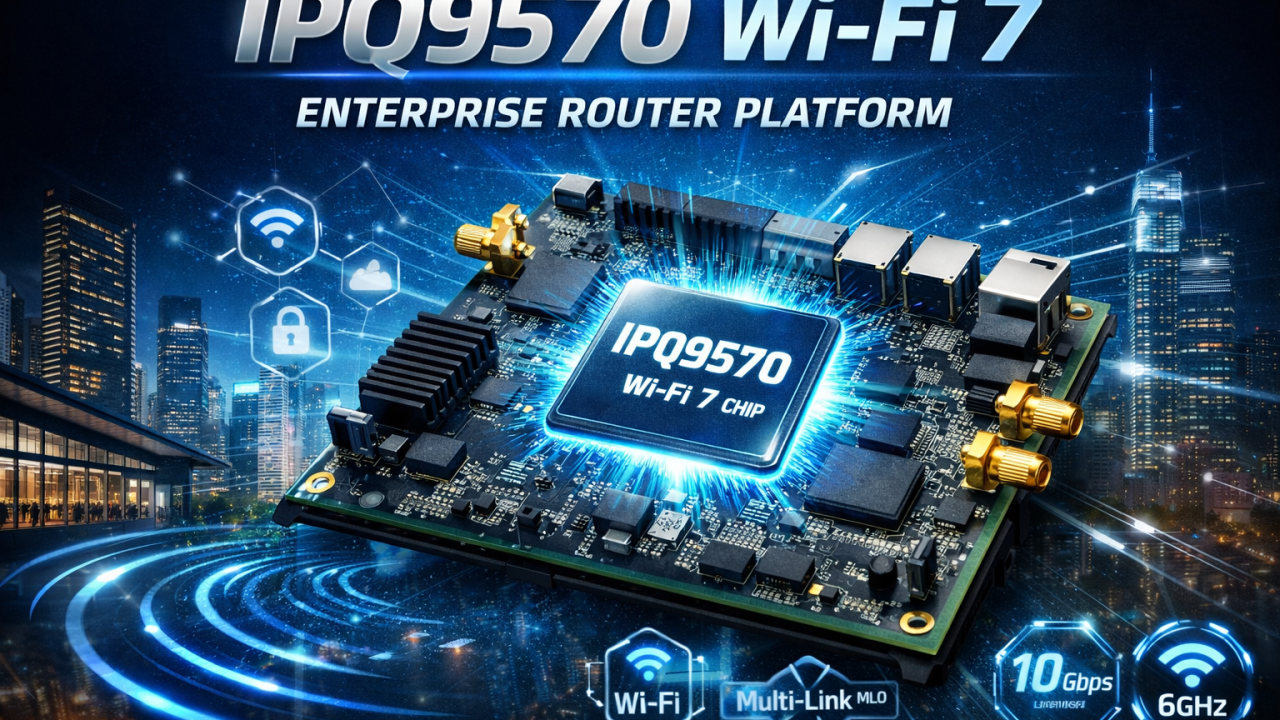
IPQ9570 Wi-Fi 7 Chip Overview: High-End Enterprise Router Platform

As Wi-Fi 7 (IEEE 802.11be) enters commercial deployment, enterprises and industrial users are demanding higher throughput, lower latency, stronger reliability, and scalable networking platforms. The Qualcomm IPQ9570 is designed precisely for these needs, positioning itself as a high-end Wi-Fi 7 router SoC for enterprise, industrial, and mission-critical networking applications.

This article provides a comprehensive overview of the IPQ9570 Wi-Fi 7 chipset, its key features, advantages, and typical application scenarios.

What Is IPQ9570?

The IPQ9570 is a flagship networking processor from Qualcomm’s Wi-Fi 7 router platform lineup. It targets enterprise-grade access points, high-performance gateways, and industrial routers, delivering advanced compute power, next-generation wireless capabilities, and rich wired connectivity.

Built for multi-gigabit networking, IPQ9570 is ideal for deployments where performance, stability, and long-term scalability are critical.

Key Features of IPQ9570 Wi-Fi 7 Platform

1. Wi-Fi 7 (802.11be) Support

IPQ9570 fully supports Wi-Fi 7, bringing major enhancements over Wi-Fi 6/6E:

  • 320 MHz channel bandwidth
  • Multi-Link Operation (MLO)
  • 4096-QAM
  • Significantly improved throughput and spectrum efficiency

These features enable ultra-fast wireless performance while maintaining stable connections in dense environments.

2. Multi-Link Operation (MLO)

One of the most important Wi-Fi 7 innovations, MLO, allows devices to transmit and receive data across multiple bands (2.4 GHz / 5 GHz / 6 GHz) simultaneously.

Benefits include:

  • Lower latency
  • Seamless roaming
  • Higher reliability
  • Reduced packet loss in mission-critical applications

This makes IPQ9570 particularly suitable for enterprise roaming, industrial mobility, and real-time communication systems.

3. High-Performance Quad-Core CPU

IPQ9570 integrates a high-performance quad-core processor, delivering strong computing capability for:

  • Advanced routing
  • Firewall and security services
  • VPN acceleration
  • Edge computing and traffic management

This ensures stable operation even under heavy traffic loads and complex network conditions.

4. Multi-Gigabit Ethernet Connectivity

To eliminate wired bottlenecks, IPQ9570 supports:

  • 2.5G / 5G / 10G Ethernet interfaces
  • High-speed LAN and WAN configurations

This enables full utilization of Wi-Fi 7 wireless speeds and supports modern enterprise network architectures.

5. Enterprise-Grade Security and Reliability

IPQ9570 is designed with enterprise and industrial reliability in mind, offering:

  • Hardware-accelerated security
  • Secure boot and encryption
  • Long-term platform support

It is well suited for 24/7 operation in demanding environments.

Typical Applications of IPQ9570

Thanks to its high-end positioning, IPQ9570 is widely applicable in:

  • Enterprise Wi-Fi 7 Access Points
  • High-performance Wi-Fi 7 Routers & Gateways
  • Industrial Wireless Routers
  • Smart Factories & Industrial Automation
  • Smart Ports, Airports, and Transportation Systems
  • Mesh & Seamless Roaming Networks
  • Edge Computing Gateways

IPQ9570 vs Previous-Generation Platforms

Compared with Wi-Fi 6/6E platforms, IPQ9570 offers:

  • Up to 2×–3× higher wireless throughput
  • Lower latency for real-time applications
  • Better performance in high-density environments
  • Improved future-proofing for next-generation devices

For enterprises planning long-term network upgrades, IPQ9570 provides a solid foundation.

Why Choose IPQ9570 for Wi-Fi 7 Projects?

Choosing IPQ9570 means investing in:

  • Future-ready Wi-Fi 7 performance
  • Enterprise-grade stability
  • Scalable hardware and software architecture
  • Support for advanced features like MLO and multi-gig Ethernet

It is an ideal solution for customers who require high reliability, customization flexibility, and long product lifecycle support.

Conclusion

The Qualcomm IPQ9570 stands out as a high-end Wi-Fi 7 router platform designed for enterprise and industrial applications. With support for Wi-Fi 7, MLO, multi-gigabit Ethernet, and strong processing power, IPQ9570 enables next-generation wireless networks that are faster, more reliable, and ready for the future.

For companies planning to deploy Wi-Fi 7 enterprise routers, industrial APs, or custom wireless solutions, IPQ9570 is a powerful and forward-looking choice.

524WiFi and Wallys IPQ9570 Router Board & ODM Services

We provide IPQ9570-based Wi-Fi 7 router boards and customized ODM solutions for enterprise and industrial applications.

With in-house R&D, manufacturing, and software customization capabilities, Wallys helps customers accelerate Wi-Fi 7 product development, from concept to mass production. Our IPQ9570 router board solutions support:

  • Wi-Fi 7 (802.11be) architecture with MLO support
  • Multi-gigabit Ethernet (2.5G / 5G / 10G) designs
  • Industrial-grade hardware options
  • Customized RF, antenna, and enclosure design
  • OpenWrt / Linux-based firmware customization
  • OEM / ODM / JDM project support

Whether you are building enterprise Wi-Fi 7 routers, industrial gateways, mesh & roaming systems, or customized wireless platforms, 524WiFi delivers flexible, reliable, and scalable solutions tailored to your project requirements.

Posted on

QCN6224 Wi-Fi 7 2×2 Module Overview for Cost-Optimized APs

Introduction

As Wi-Fi 7 (IEEE 802.11be) transitions from cutting-edge innovation to mainstream deployment, device manufacturers increasingly look for wireless solutions that balance performance, cost, and energy efficiency. The QCN6224 Wi-Fi 7 2×2 module delivers exactly that balance. It brings next-generation connectivity into cost-optimized access points (APs), routers, CPEs, and industrial gateways, without significantly increasing system complexity or bill-of-materials (BOM) costs.


What Is the QCN6224 Wi-Fi 7 Module?

The QCN6224 is a 2×2 MU-MIMO Wi-Fi 7 module designed for embedded networking equipment. Supporting dual-band or tri-band operation depending on design, the module introduces major Wi-Fi 7 enhancements such as higher throughput, improved spectral efficiency, and greater link reliability — all within a compact and power-efficient form factor. Compared with many high-end Wi-Fi 7 chipsets, the QCN6224 focuses on value-driven performance, making it ideal for mainstream devices rather than premium flagship systems.


Key Wi-Fi 7 Features of QCN6224

✔ 320 MHz Channel Support

The QCN6224 supports ultra-wide 320 MHz channels, enabling dramatically higher peak data rates. This capability reduces latency and improves user experience in applications such as HD and 4K video streaming, VR/AR, cloud gaming, and high-density enterprise networks.

✔ Multi-Link Operation (MLO)

MLO allows Wi-Fi devices to transmit data across multiple frequency bands at the same time. This improves reliability by minimizing interruption risks and delivers smoother, faster data transfers — especially valuable in congested wireless environments.

✔ 4K-QAM Modulation

With 4K-QAM support, the QCN6224 significantly increases spectral efficiency, packing more data into every transmission. This is ideal for environments with many users, such as offices, campuses, hotels, and public Wi-Fi deployments.

✔ 2×2 MU-MIMO Architecture

The 2×2 design provides the optimal balance between speed, power consumption, and hardware cost. It enables fast performance without requiring the more complex RF layouts or higher component costs seen in larger 4×4 or 8×8 systems.


Why the QCN6224 Is Ideal for Cost-Optimized APs

Manufacturers of cost-optimized access points face several key design requirements. They need low BOM cost, compact hardware, and efficient power consumption — without sacrificing network performance. The QCN6224 meets all these criteria.

Because it uses a 2×2 architecture, the module footprint is smaller and integration is simpler. At the same time, Wi-Fi 7-level features such as MLO and 4K-QAM ensure clear performance gains over Wi-Fi 6. Its low-power operation makes it especially suitable for PoE-powered APs and always-on devices. In addition, the QCN6224 is compatible with popular networking software ecosystems such as OpenWrt and QSDK (depending on vendor implementation), helping device makers bring products to market more quickly.


Typical Application Scenarios

The QCN6224 Wi-Fi 7 2×2 module is well-suited for:

  • Enterprise and SMB access points
  • Mid-range Wi-Fi 7 routers
  • ONT / FTTH gateway devices
  • Industrial networking equipment
  • Smart building and IoT controllers
  • Wireless video transmission systems

Its compact size and stable performance make it highly attractive for embedded and industrial environments where reliability and cost efficiency are critical.


QCN6224 vs. Higher-End Wi-Fi 7 Solutions

Compared with 4×4 and 8×8 Wi-Fi 7 chipsets, the QCN6224 focuses on value rather than maximum throughput. High-end chipsets deliver higher data rates but also require more complex RF layouts, significantly higher power consumption, and greater BOM costs — making them ideal for premium enterprise or carrier-class APs.

By contrast, the QCN6224 is optimized for mainstream Wi-Fi 7 devices. It delivers strong performance upgrades over Wi-Fi 6 while keeping both power and hardware costs at practical levels. This makes it an excellent choice for large-scale deployments, SMB networking, consumer broadband devices, and mid-range enterprise APs where cost-performance balance is essential.

In short, if your design goal is reliability, efficiency, and affordability, rather than extreme bandwidth, the QCN6224 stands out as a perfect match.


Benefits for OEMs and Device Manufacturers

Selecting QCN6224 brings multiple advantages:

  • Reduced BOM cost compared with larger Wi-Fi 7 solutions
  • Faster product development cycles
  • Lower thermal and power-supply requirements
  • Compatibility with established software stacks
  • Strong Wi-Fi 7 marketing value for product positioning

Manufacturers can upgrade Wi-Fi 6 designs to Wi-Fi 7 with minimal redesign effort — accelerating time-to-market.


Conclusion

The QCN6224 Wi-Fi 7 2×2 module is a powerful, efficient, and cost-optimized solution for next-generation wireless devices. Featuring MLO, 320 MHz channel support, 4K-QAM, and 2×2 MU-MIMO, it enables manufacturers to deliver Wi-Fi 7-class performance at highly competitive price points.

If your goal is to build compact, power-efficient, and scalable access points or gateways, the QCN6224 offers the ideal balance between technology advancement and commercial practicality.

Posted on

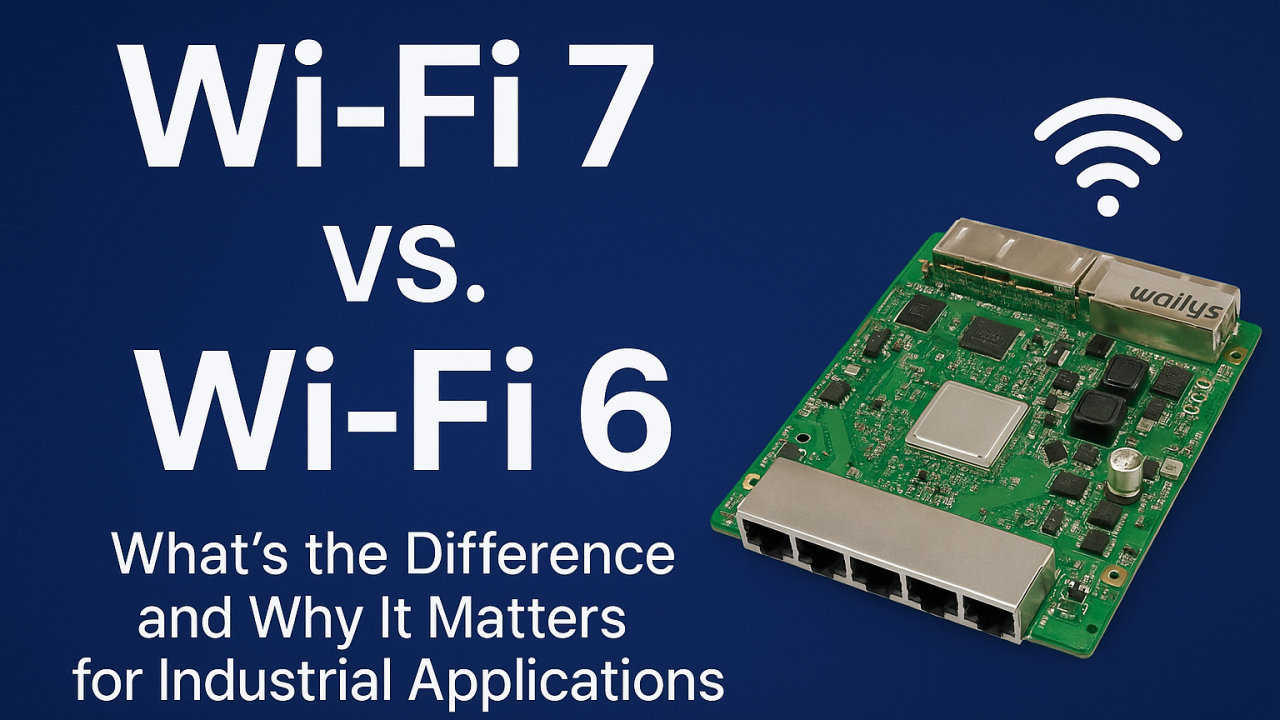
Wi-Fi 7 vs. Wi-Fi 6: What’s the Difference and Why It Matters for Industrial Applications?

As industrial environments become more automated, connected, and data-driven, the demand for a faster, more reliable wireless network continues to grow. Wi-Fi 6 has served industries well in recent years, but Wi-Fi 7 introduces features that fundamentally reshape performance, latency, and reliability—especially in mission-critical industrial applications.

Many factories, warehouses, and outdoor industrial sites are now evaluating whether upgrading to Wi-Fi 7 is worth it. The answer becomes clear once you understand the major improvements Wi-Fi 7 brings compared to Wi-Fi 6.


What’s New in Wi-Fi 7 Compared to Wi-Fi 6?

Wi-Fi 7 introduces several breakthroughs that directly benefit industrial environments:

Faster Speeds and Higher Throughput Wi-Fi 7 supports up to 320 MHz channels and 4K QAM, providing significantly higher bandwidth. This is especially beneficial for AI vision systems, 4K/8K video streams, and large volumes of sensor data in industrial scenarios.

Multi-Link Operation (MLO) This is the most important upgrade for industrial automation. MLO allows devices to connect to multiple Wi-Fi bands at the same time, dramatically enhancing:

  • Reliability
  • Latency
  • Roaming
  • Interference resistance

When one link experiences congestion or interference, data continues flowing through the other link—ideal for AGVs, AMRs, and robotic control systems.

Lower Latency for Real-Time Control Wi-Fi 7 reduces latency to sub-millisecond levels, enabling smoother machine-to-machine communication, PLC data exchange, and industrial robot coordination.

Better Performance in Noisy Industrial Environments Factories, ports, and warehouses contain many devices that create interference. Wi-Fi 7 handles these challenges through:

  • Intelligent multi-link scheduling
  • Faster channel switching
  • Improved OFDMA efficiency

This results in more stable wireless networks, even in heavily congested areas.


Why Wi-Fi 7 Matters for Industrial Applications

Enhanced Reliability for Smart Factories Real-time monitoring, predictive maintenance, and machine communication depend on uninterrupted connectivity. Wi-Fi 7 ensures stable links for sensors, controllers, and production lines.

Seamless Mobility for AGV and AMR Fleets Automated robots cannot afford Wi-Fi dead zones or packet loss. MLO supports smoother roaming, faster handovers, and high-precision navigation.

Better Edge Computing and AI Performance Industrial AI workloads often transmit large amounts of data for inference or analysis. Wi-Fi 7 accommodates high-throughput data without compromising stability.

Higher Density Support for IIoT Deployments Factories may have thousands of connected devices. Wi-Fi 7’s improved scheduling and wider channels support larger device ecosystems without congestion.

Strengthening Industrial Video Surveillance AI-enhanced cameras and real-time analytics benefit from Wi-Fi 7’s higher bitrate capacity and lower latency.


Real-World Industrial Use Cases for Wi-Fi 7

  • AGV/AMR navigation and fleet management
  • Smart logistics and warehouse management systems
  • Industrial video surveillance with AI analytics
  • Real-time sensor networks in smart factories
  • Wireless backhaul bridging for ports and outdoor sites
  • Edge computing devices with high data demands
  • Autonomous machines and robotics

Wi-Fi 7 enables smoother, safer, and more efficient industrial operations.


Why Choose 524WiFi and Wallys Wi-Fi 7 Routerboards?

We provide industrial-grade Wi-Fi 7 routerboards such as DR5322S (IPQ5322) and next-generation DR9574 (IPQ9574) that support:

  • Wi-Fi 7 + MLO
  • POE/POE Out
  • Long-distance transmission
  • Industrial temperature rating
  • Customizable hardware and firmware
  • Mesh & roaming solutions
  • OEM/ODM/JDM services for industry customers

Each board is optimized for harsh industrial deployment and supports custom configurations for automation, logistics, or edge computing projects.


Wi-Fi 7 is not just an incremental improvement over Wi-Fi 6—it’s a major leap designed for industries that require reliability, speed, and real-time responsiveness. For industrial automation companies planning future-proof networks, upgrading to Wi-Fi 7 can unlock significant performance and operational advantages.

For customized Wi-Fi 7 routerboards and industrial wireless solutions, contact us !

Posted on

IPQ5018 + QCN6102 Enable Seamless Same & Cross Frequency Roaming for AGVs and AMRs

Seamless Same-Frequency & Cross-Frequency Roaming for AGVs and AMRs

In modern automated warehouses, stable and uninterrupted wireless connectivity is essential. Autonomous vehicles such as AGVs and AMRs depend on real-time communication for navigation, safety, and task execution. Any packet loss or delay can disrupt operations.

To meet these challenges, 524WiFi and Wallys Communications introduces its next-generation 5G Roaming Technology, engineered for mission-critical industrial environments requiring both same-frequency roaming and cross-frequency roaming. This new solution builds on the proven foundation of our Peacock Series while delivering significantly enhanced stability for complex warehouse deployments.


Why 524WiFi & Wallys 5G Roaming Is a Game Changer

Traditional roaming solutions often struggle when APs operate on different channels or when robots move rapidly across overlapping wireless coverage zones.

Wallys 5G Roaming enables instantaneous transitions between APs, whether the next AP is operating on:

  • The same frequency and same channel
  • The same frequency but a different channel
  • A different frequency band entirely

This flexibility eliminates typical roaming delays and ensures continuous operation in heterogeneous RF environments.


1. Cross-Frequency Roaming

AGVs and AMRs can move seamlessly between APs operating on different channels or different frequency bands. This is ideal for large warehouses where RF planning varies across zones.

Key benefit: ✔ Smooth transitions even when moving from Channel 36 to Channel 149, Channel 165, or mixed-band coverage areas.


2. Same-Frequency Roaming

In environments where APs share the same channel—common in dense warehouse layouts—Wallys roaming provides uninterrupted handoffs with zero packet loss.

Key benefit: ✔ Reliable connectivity even in high-density, same-channel deployments.


3. Zero Packet Loss & Ultra-Low Latency

Whether roaming is same-frequency or cross-frequency, the system consistently maintains:

  • Zero packet loss during handoff
  • Sub-millisecond switching times
  • Stable connectivity during continuous movement

This eliminates lag, communication gaps, and navigation issues associated with traditional roaming.


Real-World Warehouse Application

Imagine a fleet of AGVs navigating:

  • Narrow aisles
  • Large open areas
  • Mixed indoor and semi-outdoor regions
  • Zones where APs operate on different 5G channels

As each AGV moves from one coverage zone to another, Wallys roaming ensures instant, seamless transitions:

  • Channel 36 → Channel 149 → Channel 165
  • Same-channel AP-to-AP switching
  • Transition between heterogeneous frequency zones

Connectivity remains solid throughout—no interruptions, no delays, no impact on workflows.


Why Warehouse Leaders Are Choosing 524WiFi & Wallys

  • Supports both same-frequency and cross-frequency roaming
  • Designed for AGVs, AMRs, and industrial IoT environments
  • Demonstrated performance in complex, high-interference warehouses
  • Backed by 524WiFi’ extensive wireless engineering expertise

This positions warehouses for higher automation efficiency and long-term scalability.


Upgrade Your Warehouse Connectivity

524WiFi and Wallys 5G Roaming Technology delivers the reliability required for next-generation warehouse automation. Enable your AGVs and AMRs to operate consistently, safely, and efficiently—no matter how challenging the RF environment.

Posted on

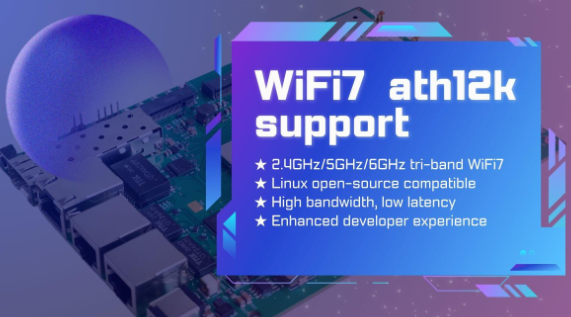
524 WiFi 7 modules from Wallys Now Fully Supports ath12k | Faster Performance & Open-Source Flexibility

524 WiFi 7 cards Now Fully Supports ath12k — Performance Unlocked, Connectivity Redefined

The evolution of WiFi 7 continues to accelerate, and open-source innovation is playing a key role in enabling faster development and deployment. We are excited to announce that our entire WiFi 7 product line now offers full compatibility with the ath12k driver — Qualcomm’s next-generation open-source wireless driver for Linux.

From high-performance router boards to enterprise-grade network cards, Wallys WiFi 7 platforms based on IPQ95xx, QCN92xx, and QCN62xx are now ready to take advantage of the powerful features and enhanced stability provided by ath12k.


Why ath12k Matters for WiFi 7 Development

As the successor to ath11k, the ath12k driver introduces major improvements tailored for WiFi 7’s advanced feature set. Developers, integrators, and enterprises gain stronger kernel support, increased flexibility, and a smoother path to building next-generation wireless systems.

Key Benefits of ath12k

  • Tri-band WiFi 7 support (2.4GHz / 5GHz / 6GHz) Supports core WiFi 7 technologies such as 4K-QAM, MLO, and Multi-Link Aggregation, unlocking higher throughput and reliability.
  • Deep compatibility with the Linux open-source ecosystem Ideal for companies building custom firmware or integrating WiFi 7 into specialized platforms.
  • Significant performance upgrades Improved speed, lower latency, and greater stability — perfect for enterprise networking, industrial IoT, MDUs, and outdoor deployments.
  • Developer-friendly architecture Open, flexible, and optimized for ODM/OEM workflows, reducing development time and increasing customization freedom.

WallysTech Products Now Supporting ath12k

With ath12k integration now complete across our WiFi 7 lineup, developers gain reliable and scalable platforms for their next wireless innovation.

1. DR9574 Series (IPQ9574)

A high-performance tri-band WiFi 7 router/AP mainboard designed for:

  • Enterprise WiFi networks
  • Industrial wireless systems
  • High-density environments
  • Multi-port, high-throughput applications

2. DR9274 & DR6274 WiFi 7 NICs (QCN9274 / QCN6274)

PCIe-based WiFi 7 network cards suitable for:

  • Custom Access Points
  • CPE devices
  • Industrial and outdoor wireless equipment
  • OEM/ODM hardware upgrades

3. Additional WiFi 7 SoC Mainboards

More WiFi 7 models are currently under development and will be added to the ath12k-enabled family soon, expanding options for integrators and solution providers.


Accelerating Real-World WiFi 7 Deployment

At 524WiFi and WallysTech, our mission is to deliver open, flexible, and production-ready wireless platforms to help customers shorten evaluation cycles and bring WiFi 7 products to market faster.

With full ath12k support, our WiFi 7 solutions now provide:

  • Greater openness for developers
  • Better compatibility with custom Linux systems
  • Improved performance for demanding use cases
  • A smoother upgrade path for companies transitioning to WiFi 7

Whether you’re building enterprise APs, industrial routers, outdoor IoT gateways, or custom wireless equipment, ours WiFi 7 platforms offer the performance and openness needed for next-generation deployments.

Article content

The integration of ath12k marks a major milestone for the WiFi 7 ecosystem. 524WiFi is proud to be among the first hardware solution providers to fully adopt the new driver across a broad product portfolio.

As WiFi 7 continues to redefine wireless performance, 524WiFi and WallysTech will keep delivering powerful, customizable, and future-ready solutions to help partners innovate with confidence.

Posted on

From Wi-Fi 6 to Wi-Fi 7: Why IPQ9574 Sets a New Performance Benchmark

From IPQ8074 to IPQ9574: How Wi-Fi 7 Redefines Wireless Performance

As wireless networks evolve, the leap from Qualcomm’s IPQ8074 (Wi-Fi 6/6E) to the next-generation IPQ9574 (Wi-Fi 7) represents one of the most significant performance shifts in recent years. For industrial, enterprise, and high-density environments, this upgrade isn’t just incremental—it’s transformational. In this article, we break down what changes with Wi-Fi 7, why IPQ9574 is a major step forward, and how it unlocks new possibilities for advanced wireless solutions.


1. The Legacy of IPQ8074: A Strong Wi-Fi 6 Foundation

Qualcomm’s IPQ8074 helped establish Wi-Fi 6/6E in demanding applications by offering:

  • High throughput via 8×8 5 GHz + 4×4 2.4 GHz capabilities
  • OFDMA and MU-MIMO for better multi-user efficiency
  • Enhanced reliability through higher modulation and optimized scheduling
  • Support for 6 GHz (Wi-Fi 6E) in many deployments

This platform has been widely used in enterprise APs, outdoor CPEs, industrial gateways, and operator-grade devices. But growing demand for ultra-low latency, multi-link performance, and higher spectrum efficiency set the stage for the next leap: Wi-Fi 7.


2. Enter IPQ9574: Qualcomm’s Wi-Fi 7 Powerhouse

The IPQ9574 brings a new architecture, improved RF design, and cutting-edge Wi-Fi 7 features. Key upgrades include:

✔ 320 MHz Channel Support

Wi-Fi 7 doubles the maximum channel width from 160 MHz (Wi-Fi 6) to 320 MHz, enabling much higher peak throughput.

✔ Multi-Link Operation (MLO)

One of the biggest breakthroughs:

  • Devices can simultaneously use multiple bands
  • Improved reliability, near-zero latency, and seamless failover
  • Ideal for industrial and mission-critical networks

✔ Higher Modulation: 4096-QAM

Compared to IPQ8074’s 1024-QAM, Wi-Fi 7 pushes spectral efficiency even further.

✔ Enhanced OFDMA & Preamble Puncturing

Better resource allocation in congested spectrum environments.

✔ Multi-RU Capability

More flexible scheduling across users and channels.


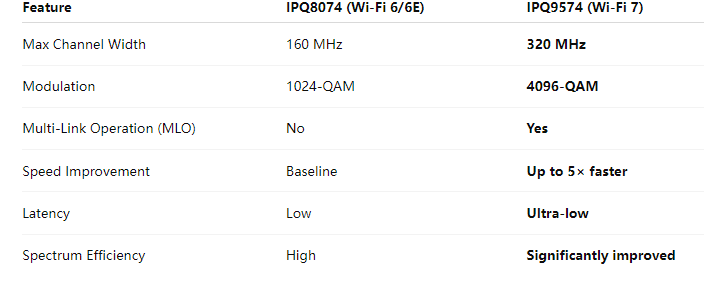
3. Performance Comparison: IPQ8074 vs IPQ9574

Article content

The IPQ9574 isn’t just faster—it is more stable, adaptive, and efficient, especially in congested or industrial environments.


4. Real-World Impact: Why the Upgrade Matters

✔ Industrial IoT

  • Stable multi-link communication
  • Reduced packet loss in noisy RF environments
  • Higher throughput for camera streams, sensors, and gateway devices

✔ Enterprise and Public Networks

  • Better performance in stadiums, airports, shopping malls
  • Improved roaming and handoff with MLO

✔ Outdoor Wireless & WISP

  • Stronger long-range performance
  • Less interference due to flexible spectrum use

✔ AI, Edge Computing & Real-Time Apps

  • Consistent high-speed connection
  • Enabling latency-sensitive applications such as robotics and AR/VR

5. Hardware Evolution: DR8074 → DR9574

As the chipset evolves, so do high-performance hardware platforms. Our DR9574 brings the full power of the IPQ9574 Wi-Fi 7 SoC into a production-ready board designed for:

  • 2× 10G Ethernet + 4× 1G Ethernet
  • 4× M.2 slots for QCN9274/6274 Wi-Fi 7 radios
  • Industrial-grade operation
  • High-power RF design for long-range wireless
  • Customizable firmware and OpenWrt/QSDK support

It is an ideal upgrade path for users currently deploying DR8074/IPQ8074 platforms but looking to move into Wi-Fi 7 performance levels.


6. Conclusion: Wi-Fi 7 Redefines What’s Possible

The transition from IPQ8074 to IPQ9574 is more than a chipset upgrade—it is a shift to a new era of wireless networking:

  • Faster speeds
  • Lower latency
  • Higher reliability
  • Better performance in crowded environments
  • New capabilities through MLO and 320 MHz channels

For industrial, enterprise, and high-density deployments, adopting Wi-Fi 7 solutions such as the IPQ9574-based DR9574 creates a stronger, more scalable wireless infrastructure ready for the future.

Posted on

How Wi-Fi 7 Improves Industrial Connectivity: Low Latency, High Reliability

In the era of Industry 4.0, industries are increasingly relying on wireless networks to power automation, robotics, and intelligent systems. However, traditional Wi-Fi technologies often face challenges such as latency, interference, and limited bandwidth. Enter Wi-Fi 7 (IEEE 802.11be) — the next-generation wireless standard designed to deliver ultra-low latency, high reliability, and multi-gigabit speeds.

This breakthrough is reshaping industrial communication, making wireless connections as dependable as wired networks.


1. Low Latency for Real-Time Control

In industrial environments, even milliseconds matter. Robotic arms, sensors, and AGVs (Automated Guided Vehicles) require instant communication to maintain synchronization and avoid costly downtime.

Wi-Fi 7 introduces Multi-Link Operation (MLO) — a technology that allows simultaneous data transmission across multiple frequency bands (2.4 GHz, 5 GHz, and 6 GHz). This parallel data flow reduces latency to under 1 ms, ensuring real-time responsiveness for critical industrial applications.


2. High Throughput for Data-Intensive Applications

Factories today generate vast amounts of data — from machine vision cameras to AI-driven quality inspection systems. With 320 MHz channel bandwidth and 4096-QAM modulation, Wi-Fi 7 can reach speeds up to 46 Gbps, far beyond Wi-Fi 6.

This makes Wi-Fi 7 ideal for:

  • High-definition video streaming for monitoring and inspection
  • Edge computing systems that analyze data locally
  • AI and machine learning applications in manufacturing

3. Enhanced Reliability in Harsh Environments

Industrial facilities are notorious for electromagnetic interference, metal surfaces, and dense wireless traffic. Wi-Fi 7 tackles these challenges with Enhanced Puncturing and MLO redundancy, which allow stable connections even when certain channels face interference.

This ensures consistent, uninterrupted communication, vital for automated production lines, smart logistics, and industrial IoT (IIoT) devices.


4. Deterministic Networking for Industrial Automation

Wi-Fi 7 supports Time-Sensitive Networking (TSN), a key requirement for mission-critical industrial operations. TSN provides predictable latency and synchronized data transfer, ensuring that commands and responses are delivered exactly when needed.

This bridges the gap between traditional wired Ethernet and wireless networks — a game-changer for Industry 4.0.


5. Smooth Transition with Backward Compatibility

Adopting new technology doesn’t have to mean starting from scratch. Wi-Fi 7 devices are backward compatible with Wi-Fi 6/6E and Wi-Fi 5, enabling companies to upgrade their infrastructure gradually while maintaining interoperability with existing devices.


Conclusion

Wi-Fi 7 sets a new benchmark for industrial connectivity — blending ultra-low latency, high reliability, and extreme throughput. From smart factories and autonomous warehouses to AI-driven inspection systems, it enables a new level of efficiency and innovation in the industrial world.

Our latest Wi-Fi 7 boards, including the DR9574 (based on Qualcomm IPQ9574) and DR5332 (IPQ5332), are built for industrial environments that demand speed, reliability, and flexibility.